Chapter 5 organized and accessed Computing Components Basic parts - - PDF document

chapter 5
SMART_READER_LITE
LIVE PREVIEW

Chapter 5 organized and accessed Computing Components Basic parts - - PDF document

2018/10/24 Chapter Goals List the components and their function in a von Neumann machine Describe how computer memory is Chapter 5 organized and accessed Computing Components Basic parts of CPU Name and describe different


slide-1
SLIDE 1

2018/10/24 1

Chapter 5

Computing Components

5-2

Chapter Goals

  • List the components and their function

in a von Neumann machine

  • Describe how computer memory is
  • rganized and accessed
  • Basic parts of CPU
  • Name and describe different auxiliary

storage devices

iMAC暴力拆解

iMAC,27英寸LED背光显示屏,分辨率为16:9比例的2560×1440 拥有9个端口,但Mini DisplayPort的样子稍有不同 内存插槽位于机身的底部,用2号螺丝刀拧下3颗螺丝即可 拆解屏幕面板,27英寸LCD面板来自LG,重量达到11磅! 卸下面板的iMac 光驱 风扇 硬盘 电源 主板全景,穿铠甲的部件出现了 CPU GPU 这就是iMac被后的全景

5-4

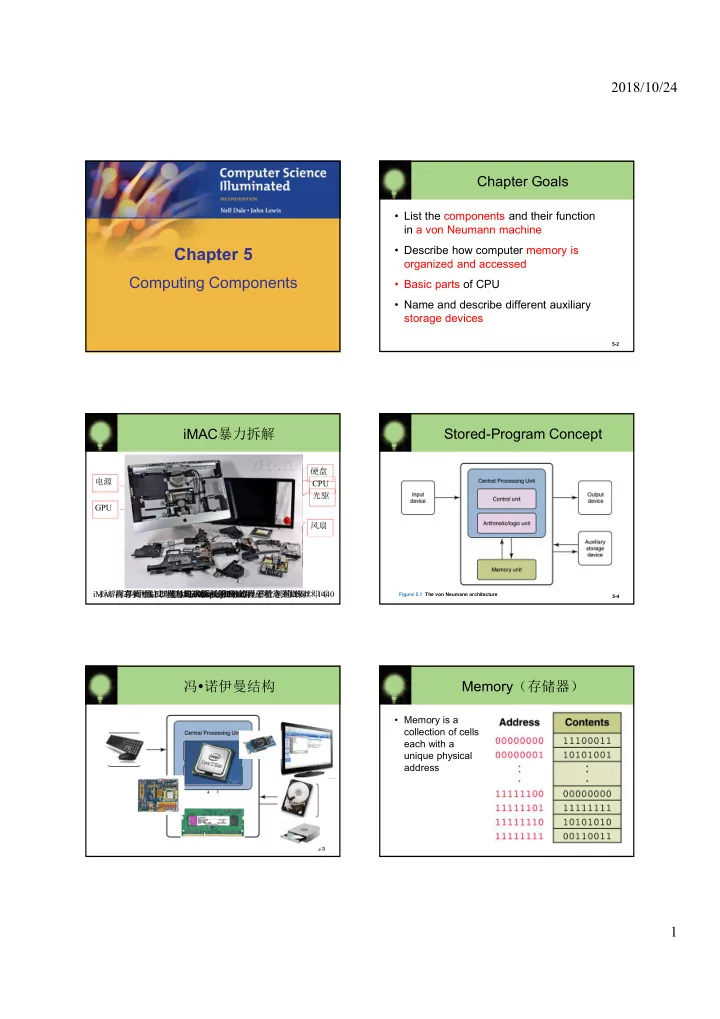
Stored-Program Concept

Figure 5.1 The von Neumann architecture

冯诺伊曼结构

5-5

Memory(存储器)

  • Memory is a

collection of cells, each with a unique physical address

slide-2
SLIDE 2

2018/10/24 2 Address Space

  • To access a byte in memory requires an
  • identifier. The total number of uniquely

identifiable locations in memory is called the address space (寻址空间).

5-7

Unit

  • Kilobyte (K)

Megabyte (M) Gigabyte (G) Terabyte (T) Number of bytes

  • 210 bytes

220 bytes 230 bytes 240 bytes Approximation

  • 103 bytes

106 bytes 109 bytes 1012 bytes

练习:Address Space

  • A computer has 32 MB (megabytes) of
  • memory. How many bits are needed to

address any single byte in memory?

  • The memory address space is 32 MB, or 225

(25 x 220). This means you need log2 225 or 25 bits, to address each byte.

  • 一个PC主板,支持最多16G物理内存,它

有多少地址线(bit)?

5-8

小知识:int 在内存中的存储

5-9

int a=10; 假设内存是从低--->高增长的 在低位优先的硬件里面,内存布局如下: 00001010 00000000 00000000 00000000 而在高位优先的内存中: 00000000 00000000 00000000 00001010 #include <stdio.h> main() { int a=10; short b; memcpy(&b,&a,2); printf("%d\n",b); }

RAM and ROM

  • RAM stands for Random Access Memory

– Inherent in the idea of being able to access each location is the ability to change the contents of each location

  • ROM stands for Read Only Memory

– The contents in locations in ROM cannot be changed

  • RAM is volatile, ROM is not

– This means that RAM does not retain its bit configuration when the power is turned off, but ROM does

5-10

Fundamental about CPUs

5-11

an Intel 80486DX2 microprocessor

5-12

Arithmetic/Logic Unit

  • Performing basic arithmetic operations

such as adding

  • Performing logical operations such as

AND, OR, and NOT

  • Most modern ALUs have a small amount
  • f special storage units called registers

32位计算机指ALU能执行32位加法,或寄存器有32位

slide-3
SLIDE 3

2018/10/24 3

5-13

Control Unit

  • Control unit The organizing force

in the computer

  • There are two registers in the control unit

– The instruction register (IR) contains the instruction that is being executed – The program counter (PC) contains the address of the next instruction to be executed

  • ALU and the control unit called the

Central Processing Unit, or CPU

Connecting CPU and Memory

5-14

ALU

Bus and Memory

  • Data BUS

– Transfer a word data to CPU parallel – Word length 32bit mean transfer 32bit between CPU and Memory

  • Address BUS

– Select a word data to CPU parallel – Address BUS 32bit mean address space 4G

5-15

小知识:缓存(Cache Memory)

  • A CPU cache (缓存)

– is a cache used by the central processing unit of a computer to reduce the average time to access memory. – The cache is a smaller, faster memory which stores copies of the data from the most frequently used main memory locations.

  • Most modern CPUs have at least three

independent caches:

– an instruction cache to speed up executable instruction fetch, – a data cache to speed up data fetch and store – a translation lookaside buffer used to speed up virtual-to- physical address translation for both executable instructions and data.

5-16

From http://en.wikipedia.org/wiki/CPU_cache

小知识:关于CPU性能

  • 64bit CPU指什么的宽度是64位的?
  • 频率越高,计算速度越快?
  • 缓存越大,计算速度越快?
  • 核心越多,计算速度越快?

5-17 5-18

Flow of Information

  • The parts are connected to one another by

a collection of wires called a bus

Figure 5.2 Data flow through a von Neumann architecture

slide-4
SLIDE 4

2018/10/24 4

5-19

Input/Output Units

  • Input Unit A device through which data

and programs from the outside world are entered into the computer

– Keyboard, the mouse, and scanning devices

  • Output unit A device through which

results stored in the computer memory are made available to the outside world

– Printers and video display terminals

鼠标(Mouse)

  • 历史

– 前生:轨迹球 – 1963, Douglas Engelbart 发明了鼠标,并于 1970获得系列专利。他没有因此而大发,在 鼠标大规模使用前,专利过期了。 – 1973, Xerox Alto(第一台个人计算机)开始 使用鼠标。 – 1983, Microsoft 发布 Word was designed to be used with a mouse. 微软鼠标随 WYSIWYG(What You See Is What You Get,所见即所得)的Word而普及。

5-20

  • 原理与数字化

– 基本原理:光电-机械鼠 – PS-2接口通讯协议

http://en.wikipedia.org/wiki/Mouse_(computing)

5-21

Secondary Storage Devices

  • Because most of main memory is volatile

and limited, it is essential that there be

  • ther types of storage devices where

programs and data can be stored when they are no longer being processed

  • Secondary storage devices can be

installed within the computer box at the factory or added later as needed

Magnetic Disks

  • A read/write head travels across a spinning

magnetic disk, retrieving or recording data

Figure 5.5 The organization

  • f a magnetic disk

5-23

Compact Disks

  • A CD drive uses a laser to read

information stored optically on a plastic disk

  • CD-ROM is Read-Only Memory
  • DVD stands for Digital Versatile Disk

Magnetic Tape

  • The first truly

mass auxiliary storage device was the magnetic tape drive

Figure 5.4 A magnetic tape

slide-5
SLIDE 5

2018/10/24 5 计算机多级存储结构

5-25 5-26

Synchronous processing

  • One approach to parallelism is to have multiple

processors apply the same program to multiple data sets

Figure 5.7 Processors in a synchronous computing environment 5-27

Pipelining

  • Arranges processors in tandem, where

each processor contributes one part to an

  • verall computation

Figure 5.8 Processors in a pipeline

Parallel Computing

  • Instruction level parallelism

– Instruction pipelining – Superscalar

  • SIMD (Single Instructions Multiple Data);
  • VLIW (very long instruction word)
  • Thread level parallelism

– MIMD (Multiple Instructions-Multiple Data) – MP (multiprocessing)

  • Data parallelism

– Vector processor and SIMD

5-28

应用知识:‘Play CPU’

  • Overclocking(超频)

– Considerations:

  • Cooling
  • Stability and functional correctness,
  • Factors allowing overclocking,
  • Benchmarks to evaluate performance
  • Unlock CPU core(开核)

– Advanced Clock Calibration

  • Fun or Business ?

– Who has benefit?

5-29 Story short: Intel wants to charge PC users $50 to give them the ability to unlock additional features on their CPU

  • r even possibly add OCing

capabilities (2010/9/18)

http://www.extremeoverclocking.com/ http://en.wikipedia.org/wiki/Overclocking http://en.wikipedia.org/wiki/AMD_700_chipset_series

作业 1/1

5-30

1、According to the von Neumann architecture, List basic parts of a computer. 2、A computer has 64 MB (megabytes) of memory. How many bits are needed to address any single byte in memory? 3、List basic parts of a CPU, include cache or not? 4、What mean secondary storage. List some on your PC. 5、使用维基百科,解释以下概念: CPU、RAM、ROM、Bus (computing)、Parallel Computing 6、写一段文字,简单解释“云计算(cloud computing)” 7、小孙买了计算机主板,说明书表明“支持双通道DDR3-1333内存, 最大支持16G” 1)DDR3内存,“3”和“1333”的含义是什么? 2)小孙买8G DDR3-1600的内存能提高性能吗? 3)小孙买4G*2 DDR3-1333的内存能提高性能吗? 4)16G需要多少位地址? 备注,维基百科(中文)“DDR3 SDRAM”