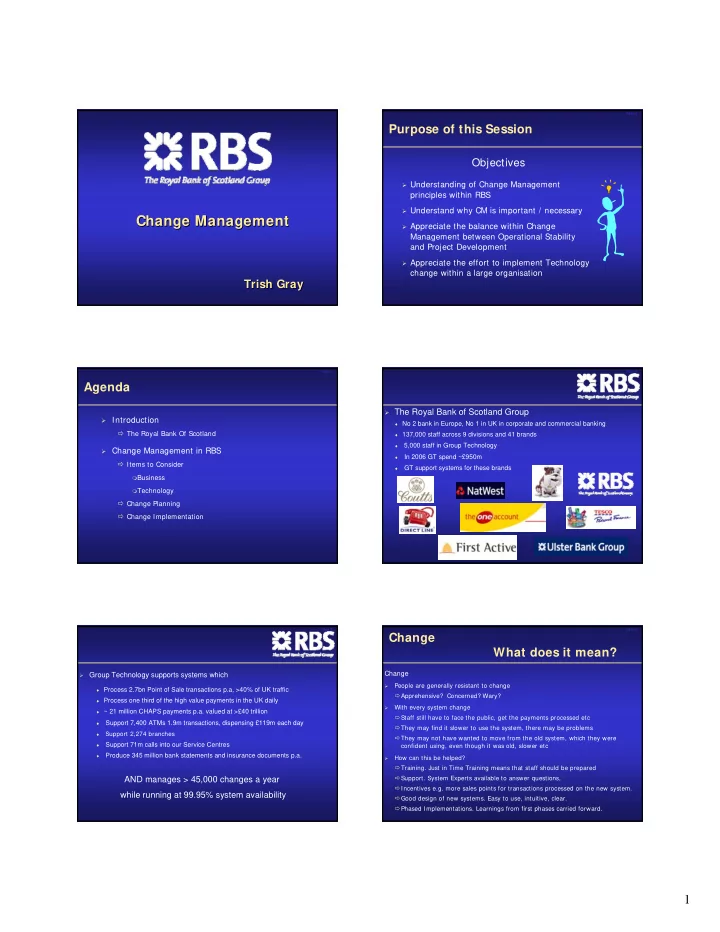
Change Management Change Management Change Management Appreciate - - PDF document

change management change management change management
SMART_READER_LITE
LIVE PREVIEW

Change Management Change Management Change Management Appreciate - - PDF document

Slide 2 Purpose of this Session Objectives Understanding of Change Management principles within RBS Understand why CM is important / necessary Change Management Change Management Change Management Appreciate the balance within


slide-1
SLIDE 1

1

Change Management Change Management Change Management

Trish Gray Trish Trish Gray Gray

Slide 2

Purpose of this Session

Objectives

Understanding of Change Management

principles within RBS

Understand why CM is important / necessary Appreciate the balance within Change

Management between Operational Stability and Project Development

Appreciate the effort to implement Technology

change within a large organisation

Slide 3

Introduction

The Royal Bank Of Scotland

Change Management in RBS

Items to Consider

Business Technology

Change Planning Change Implementation

Agenda

Slide 4

The Royal Bank of Scotland Group

♦ No 2 bank in Europe, No 1 in UK in corporate and commercial banking ♦ 137,000 staff across 9 divisions and 41 brands ♦

In 2006 GT spend ~£950m

5,000 staff in Group Technology

GT support systems for these brands

Slide 5

Group Technology supports systems which

AND manages > 45,000 changes a year while running at 99.95% system availability

Support 2,274 branches

Support 71m calls into our Service Centres

Produce 345 million bank statements and insurance documents p.a.

Support 7,400 ATMs 1.9m transactions, dispensing £119m each day

♦ ~ 21 million CHAPS payments p.a. valued at >£40 trillion ♦ Process one third of the high value payments in the UK daily ♦ Process 2.7bn Point of Sale transactions p.a, >40% of UK traffic

Slide 6

Change What does it mean?

Change

  • People are generally resistant to change

Apprehensive? Concerned? Wary?

  • With every system change

Staff still have to face the public, get the payments processed etc They may find it slower to use the system, there may be problems They may not have wanted to move from the old system, which they were confident using, even though it was old, slower etc

  • How can this be helped?
  • Training. Just in Time Training means that staff should be prepared
  • Support. System Experts available to answer questions,

Incentives e.g. more sales points for transactions processed on the new system. Good design of new systems. Easy to use, intuitive, clear. Phased Implementations. Learnings from first phases carried forward.

slide-2
SLIDE 2

2

Slide 7

What type of changes ?

  • Ulster Bank Integration

Total change for 272 branches Happened over 1 weekend Involved more than 1,000 staff co-ordinating the event

  • Customer Account Opening

Changes to Branch, Telephone and Internet channels Changes to Natwest, Ulster Bank and RBS Used by 16,000 staff and many thousand customers Impacts 2,274 branches, all Telephone Advisory Service Centres

  • ATM Changes

The User is YOU. When the option screen changes, get customer queries. Timing very important. Nobody likes the ATM network to be out of service

Slide 8

Change Management

The Balancing Act Development teams are measured on getting change implemented Support teams are measured on system availability

But Change can cause problems

And often it is the business users who take the impact

Slide 9

Change Management The Balance

Costs

  • Adds time to the delivery
  • Each 0.01% of stability comes with a cost

Benefits

  • Provides excellent control. Without it there would be chaos
  • Maintains a high level of stability in existing systems
  • de-risks Change
  • Ensures that staff are ready to receive the change.

The Balance

  • Accepting a level of risk around certain changes, while concentrating on the

high risk elements

  • Ensuring everything is planned, contingency in place, communications etc.

Very formalised, but a lot safer.

Slide 10

Change Management

  • On average 4,000 changes every month within the main GT Datacentre
  • We take a 12 - 18 month view of forthcoming changes
  • Complex Timeline, balancing of changes with

Assured Disaster Recovery – Requirement of Financial Services Authority Month End processing, Bank Holidays Big Implementations Maintenance Schedules External requirements, e.g. Swift deadlines, Statutory changes (CCA, ICOB)

  • Logistics e.g. access to get kit installed, length of rollout, number of areas

requiring access at any one time. Training of staff. Business planning.

  • Change Board - Twice weekly review of all changes going in over the next
  • week. High risk changes have to be presented / explained
  • Risk Mitigation - what steps can be taken to remove risk from the changes

Slide 11

Change Management I tems to Consider

Business Perspective

  • Change – Consideration of how will it be received?
  • Training - Could be 16,000 members of staff to train.
  • How / where system will be deployed
  • Changes to business operating model, handoffs between branches and centres
  • User set up
  • Timing of changes alongside other project changes
  • Communication to staff and customers
  • Printed Output development / management
  • Logistics e.g. stationery, printing of inserts
  • System proving e.g. agreement of live proving data with credit organisations
  • Risk Strategies : what happens if there are problems, before or after the change?

Slide 12

Change Management I tems to Consider

Technology Perspective

  • Timing of changes alongside other implementations, system outages etc
  • Risk of change on other systems
  • Incident Management
  • Fit For Production –

Has it been fully tested? System test, UAT, Performance , Operability, Penetration … Does it conform to standards. Can it be absorbed into the live environment? Are the right people available to support the implementation and live running

  • Back Out

how long will it take? when is the latest time it can start? who will be impacted? About 1-2% of changes fail at implementation. Of those about 1/3 cause Service Impacting problems Be prepared. Have several backout strategies. One may not be enough

  • Business Support. Staff to prove system changes, provide support etc
slide-3
SLIDE 3

3

Slide 13

Change Planning

Early in Process

  • Raise Change Records for visibility and inclusion in 12-18 month view
  • Agree timings with Forward Change Planning Team
  • Initiate Business Preparation

Medium Term

  • Ensure business preparations for rollout understood, and everything in place
  • Get broad brush view of technology implementation, what major dependencies are there?
  • Start preparing Schedule of Events

Just Before

  • Final view of Schedule of Events
  • Go / No Go decisions. Business, Technology Readiness, Executive confirmation

On The Day

  • Strict running of Schedule of Events
  • Prepared for Backout as well as successful implementation.

Slide 14

I mplementation - Sample Technology Timeline

S1 S1 S2 S3 S4 S5 S M T W T F S S M T W T F S S M T W T F S S M T W T F S S M T W T F S S M T W T F S S M T 1 2 3 4 5 6 7 8 9 10 11 12 13 14 15 16 17 18 19 20 21 22 23 24 25 26 27 28 29 30 31 1 2 3 4 5 6 7 8 9 10 11 12 13 14 May-05 Technology checkout

Core changes

CWS - activate limited users S2: CDB, Blapi, Core M/F, Acc DB Implement unobtrusive CAO change S3: CORE WEB

  • APPLIC. 'live'

MCP 'live' S1A: CDB DB2 changes : Implement CSP Deployment CDB Back Office VLOB rollout starts

Channel changes

Branch 'live' RBS Start CWS Rollout Branch 'live' NW S1B: CDB CIA changes : Implement Branch pre-prod Slide 15

CAO I mplementation - The Real Technology Timeline!

A D R e ve n t S S M T W T F S S M T W T F S S M T W T F S S M T W T F S S M T W T F S S M T W T F S S M T W T F S S M T W T F S S 1 2 3 4 5 6 7 8 9 1 0 1 1 1 2 1 3 1 4 1 5 1 6 1 7 1 8 1 9 2 0 2 1 2 2 2 3 2 4 2 5 2 6 2 7 2 8 2 9 3 0 3 1 1 2 3 4 5 6 7 8 9 1 0 1 1 1 2 1 3 1 4 1 5 1 6 1 7 1 8 1 9 2 0 2 1 2 2 2 3 2 4 2 5 2 6 2 7 2 1 R B S B r a n c h & C e n t r e s D r o p 2 P r o d u c t s P r o d u c t s D r o p 1 R e g r e s s i o n P r o d u c t i o n P r o v i n g ( B u s i n e s s O u t a g e ) m o n t h e n d TCR - Penetration N o v e m b e r O c t o b e r A 2 R B S B r & C e n t r e s D r o p 2 P r o d u c t s + N W B r & T A S D r o p 2 Full data sharing dependency A l l R B S B r a n c h e s A l l N W B r a n c h e s T A S N W T A S CAO - CORE WEB CMS CAO - CUST DB (1) CAO - CORE M/F (1) CAO - APS (1) BLAPI changes IIS servers for internet CAO - CUST DB (2) CAO - CORE M/F (2) CAO - APS (2) C L C S & S / D M Local Hunter 'e m p t y ' B a t c h C h e c k o u t p r o d p r o vin g t r a n s in b a t c h A/c Db changes

I n t e r n e t & I n f r a s t r u c t u r e C h a n g e s

RBS eBanking MCP/DOCS - new templates n o p ro d p r o vin g L o a n s i n b a t c h Acc DB Check batch eBanking FFP Starts eBanking FFP Ends eBanking CRB (RBS) Implement Pack E Websphere upgrade Credit Card Changes Implement Pack E Implement Pack E C L C C r e d it P r o c e s s in g P L U C S C 8 S i t e s Implement Pack F Implement Pack H & HIP (NW) Implement Pack G

M a in f r a m e C h a n g e s O f f H o s t C h a n g e s M I & D o w n s t r e a m C h a n g e s H O IS M a in t e n a n c e o f R e f e r e n c e D a t a

FFP Start FFP End Implement Proving Change Board for & Pack H CMRs to CMREVIEW for Pack H CMRs to CMREVIEW for BLAPI Pack 1 Business Proving Business Proving Implement 231(a) Business Proving Implement HIP (RBS) & Package F# Business Proving Change Board Implement HIP (TAS and CLCs) Business Proving

Slide 16

CAO I mplementation - Business Timeline

Week 1 focuses on a small number of users in CLCs and Model Branches to fully test the system. Week 2 sees 4* Pilot Branches and NW branded TAS units start to use the system. Week 3 is a break week to allow checking of fulfilment through Credit Card Centre and CSCs, and for any fixes to be implemented. Week 4 sees all RBS Branches live along with RB branded TAS units. Week 5 sees all NW Branches live.

Slide 17

Change I mplementation

During the I mplementation

  • Monitoring calls with business / system check outs
  • Schedule of Events checking / completion of tasks
  • Formal checkpoints. Progress, Actual against Planned
  • Business Checkout
  • Incident management. Formal control of any problems.
  • Go / No Go decision
  • Ensure all in place for staff to use the system

Slide 18

Change I mplementation- Sample Schedule of Events

Code Ref No. Description From To Date Time Day Status Comments PA PER PA P-1 Secure headcount allocation for 6 additional Headcount allocation prior to recruiting 6 additional DocS staff. Ian A ndy Grieg 14/10/05 0:00 Fri Problems with envelopes being followed up PA PER PA P-3 Complete Local Templates UA T Ian C&CG 04/11/05 15:00 Frid Recovery date for COB 4th Nov PA PER PA P-3 Complete Local Templates UA T M ike C&CG 04/11/05 15:00 Frid High Confidence A M Ops 2/014 Receive notification from GT that we are live GF ID/DH 07/11/05 17:00 M

  • n

LEN-M A N 138 MI receiv ed from RBI 08/11/05 12:00 Tues A waiting to hear from RBI re how & when we get this M I LEN-GLA 181 MI receiv ed from RBI 09/11/05 12:00 Wed LEN-M A N 182 MI receiv ed from RBI 09/11/05 12:00 Wed pA PER PA P-4 Complete Central Template UA T Ian C&CG 09/11/05 15:00 Wed PA PER PA P-4 Complete Central Template UA T M ike C&CG 09/11/05 15:00 Wed High Confidence LEN-GLA 225 MI receiv ed from RBI 10/11/05 12:00 Thur LEN-M A N 226 MI receiv ed from RBI 10/11/05 12:00 Thur RET 0064 Command & Control Group M eeting - Twice Weekly A udio Project Team C&CG 10/11/05 15:30 Thu LEN-GLA 269 MI receiv ed from RBI 11/11/05 12:00 Fri LEN-M A N 270 MI receiv ed from RBI 11/11/05 12:00 Fri A M Ops 4/007 Confirm that M TA facility fully operational at each location ITF ID/DH 11/11/05 17:00 Fri A M Ops 4/008 Confirm that Savings account fully operational at each location ITF ID/DH 11/11/05 17:00 Fri A M Ops 4/011 Confirm that all cross sales involving M TA /Savings A ccount/ Upgrade are being directed to the centres ITF ID/DH 11/11/05 17:00 Fri RET 0147 Business Checkouts for Package H Project Team C&CG 13/11/05 17:00 Sun November 14/11/05 00:00 M

  • n
slide-4
SLIDE 4

4

Slide 19

Change I mplementation

Post I mplementation

  • Analysis of any problems

what was their cause? What was done to resolve them? Are any further fixes needed?

  • Monitoring of ongoing system performance

Are the transactions being processed correctly? underlying system checkouts

  • How are the Business getting on with the system

Has it been well received? Is everyone able to use it easily? Any further action needed?

Any Questions? Any Questions? Any Questions?

? ? ?

Change Management Change Management Change Management

Thank You Thank You Thank You