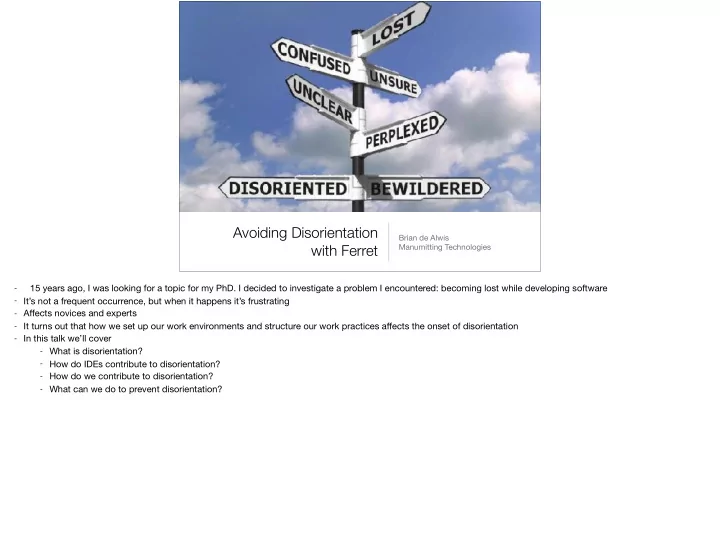
Avoiding Disorientation Brian de Alwis with Ferret Manumitting - - PowerPoint PPT Presentation

avoiding disorientation
SMART_READER_LITE
LIVE PREVIEW

Avoiding Disorientation Brian de Alwis with Ferret Manumitting - - PowerPoint PPT Presentation

Avoiding Disorientation Brian de Alwis with Ferret Manumitting Technologies 15 years ago, I was looking for a topic for my PhD. I decided to investigate a problem I encountered: becoming lost while developing software - - Its not a frequent


slide-1
SLIDE 1

Avoiding Disorientation with Ferret

Brian de Alwis Manumitting Technologies

  • 15 years ago, I was looking for a topic for my PhD. I decided to investigate a problem I encountered: becoming lost while developing software
  • It’s not a frequent occurrence, but when it happens it’s frustrating
  • Affects novices and experts
  • It turns out that how we set up our work environments and structure our work practices affects the onset of disorientation
  • In this talk we’ll cover
  • What is disorientation?
  • How do IDEs contribute to disorientation?
  • How do we contribute to disorientation?
  • What can we do to prevent disorientation?
slide-2
SLIDE 2

What is disorientation?

  • “When a developer loses the

context or relevancy of their recent actions to their overall goal.”

  • Aka “Loss of Context” or

“Getting Lost”

  • Reported in WWW, control

systems, real-world navigation

  • BUT: software is always

changing, sometimes in radical ways

  • Don’t know how they got somewhere, nor why they were there
  • Other domains promote information architectures, consistent signage to support way-planning. But we routinely perform method and class refactorings that result in

massive changes — more akin to renaming and moving streets, like pre- and post-Haussmann’s re-organization of Paris.

  • Happens to experts and novices
slide-3
SLIDE 3

Why do software developers become disoriented?

  • Herbert Simon: “Information is not a scarce resource.

Attention is.”

  • Information Presentation: Developers must spend mental

effort to manage the UI and coordinate what is shown

  • Information Acquisition: Mismatch between the questions

being asked and those questions that can be answered

There is plenty of information — the difficulty is understanding how what we see relates to the big picture. The key to solving data overload issues to is improve the organization of information:

  • improve presentation, to leverage perceptual systems and reduce/eliminate cognition required
  • make acquiring information we think is necessary able to be done in a tractable manner
slide-4
SLIDE 4

The earliest traces I can find of examining disorientation was from David Woods and his group, where they tested a proposal to computerize nuclear plant operation manuals.

slide-5
SLIDE 5

But they found operators were getting lost in a maze of pages. (Based on simulations: results were so poor systems were never introduced.)

slide-6
SLIDE 6
  • Moved to a set of serial displays. From what I gather from their papers, it was very much like Gopher.
  • Complaints were that it was like looking through a keyhole
  • By moving from paper manuals, the operators lost richness of physical medium: scrawled notes, highlighting, placing bookmarks.
slide-7
SLIDE 7

Sequence from Hitchcock's Notorious (1940)

Why was this happening? They undertook a widespread evaluation, and noted a number of issues. Came up with concept of Visual Momentum, motivated by cinematography, to discriminate between supportive systems

slide-8
SLIDE 8

Visual Momentum

  • A qualitative measure of a user’s ability to extract relevant

information across multiple displays

  • Low VM: series of perceptually independent displays
  • High VM: aids in coordinating information displayed
  • Techniques include: landmarks, longshots (overviews),

spatial organization — goal to maintain context from what

has been seen before

  • Low VM: User carries mental burden of transitioning and reorienting between displays
  • High VM: continuity of structure and content
  • Key point: when something is hard, we naturally choose to avoid and choose simpler solutions — tunnel vision, or miss key information
  • place information in greater context:
  • perceptual landmarks: common points between displays
  • longshots / overviews / overlays (overlaps)
  • Spatial organization is hard in software, since no inherent spatial mapping
slide-9
SLIDE 9

Visual Momentum issues in Eclipse

  • lack of visible connecting context when switching

between files

  • thrashing to view necessary context
  • pursuing digressions / mixing contexts
  • Eclipse provides amazing program navigation traversals, tied to hotkeys. Enables rapid descents, such as through a call chain. But as the views decontextualize

themselves around the current editor, there is rarely any visible connecting context to where you came from.

  • some developers would managed their editors and close unimportant ones to maintain a hot-set
  • hard to see everything: frequently switch or between or scroll within files
  • exacerbated by developers using a single giant window
slide-10
SLIDE 10

Demo of low VM in Eclipse via F3, and walk through of Ferret

slide-11
SLIDE 11

Ferret provides answers to questions about selected elements [1], hiding questions with no answers (by default). Supports clustering of results by different attributes [2 and 3]. Supports assessing and propagating the fidelity of the results [4].

slide-12
SLIDE 12

Problems with information acquisition

  • Mismatch between
  • the questions that can be answered with tools

(concrete queries)

  • the questions posed by a developer (conceptual

queries)

  • Burden of managing mechanics falls to the developers

rather than the tool

  • Developers use tools to help them explore software systems, usually in the form of answering questions
  • Why was this change made?
  • Who uses this value?
  • When does this value change? Why?
  • Use many different tools to answer these questions because there are many different sources of information about a program
  • Mismatch requires the developer to spend time and effort to express their questions in a form that can be answered by their software tools.
  • decompose the conceptual query into a form that can be answered with available concrete queries
  • and synthesize the results to answer the conceptual query
  • These difficulties are further exacerbated by the fact that developers may have to use multiple tools, but these tools have limited abilities to work together
slide-13
SLIDE 13

Cognitive burdens

  • 1. Mapping a conceptual query to the available concrete

queries and scoping the results to just those of interest

  • 2. Composing the results of different concrete queries
  • 3. Integrating and reasoning across multiple tools

In reflecting on some of the difficulties we have observed in our own study of developers a disorientation, and from thinking about other studies, we identified three different cognitive burdens that affect answering conceptual queries.

slide-14
SLIDE 14

(1) Mapping and Scoping

Where is this exception thrown?

C

M M M

C C

Searching for the program locations throwing an particular exception

slide-15
SLIDE 15

(1) Mapping and Scoping

class YYY extends XXX method() throws XXX { throw new XXX(); } class YYY extends XXX

C

M M M

C C

Where is this exception thrown?

slide-16
SLIDE 16

(2) Composing results of queries

I

C C

I

M M M

C C

I

M M

What instantiates this interface?

Requires first finding the implementors of the interface, and then the methods instantiating those classes.

slide-17
SLIDE 17

(3) Integrating and reasoning across tools

M

I

static dynamic

M

C

M

I

M

C

static dynamic

M

C

M

I

M

C

m

static dynamic

m M

C

M

I

M

C

m

static dynamic

m m m m m m

What actually calls this interface method?

slide-18
SLIDE 18

Alternatives

  • Faced with these burdens, a developer may choose to:
  • Reformulate his query
  • Choose an entirely different line of inquiry
  • Persevere and accept the extra work needed

  • The effort required takes the developer away from their

core goal of answering their conceptual query

  • Reformulate: but they may miss information that is relevant to their task
  • Change: but this wastes whatever time they spent to this point
  • Persevere: and this may account for reports of developers spending significant amounts of time simply navigating through the code, or examining irrelevant code, and

even becoming disoriented

  • We argue that performing this mapping, although an automatic behaviour, is actually a bit more involved, and the mapping isn't always straightforward
  • Takes time, ties up mental resources
slide-19
SLIDE 19

Ferret federates information from multiple sources

  • Spheres represent domains of information
  • static Java information
  • dynamic Java runtime information
  • system evolution over time
  • plug-in development
slide-20
SLIDE 20

Correspondences between elements between different spheres


 A programmer will sometimes consider a set of seemingly-distinct elements to represent the same element

– Some correspondences are 1 to many (multivalent) – e.g., a Java interface might correspond to its

implementing classes in a dynamic run-time trace

We introduce a notion of a converter where a converter can convert between instances of two different spheres. Simple union does not capture situations where seemingly-distinct elements represent the same element. For example, the JDT (static) and TPTP (dynamic) representations of a method above Sphere relations are typed and correspondences are used when resolving a relation Means objects may inherit relations through correspondence

slide-21
SLIDE 21

Correspondences might be imperfect

  • Some correspondences are more tenuous than others
  • 3 levels: EXACT, EQUIVALENT, APPROXIMATE
  • Fidelity is propagated through the projection of a

relation (c.f. pollution markers [Balzer 1991])

  • Relations can also use fidelity to model speculation
  • An annotation only: does not affect computation
  • Fidelity describes the degree of information preservation or information loss from a conversion, based on Wing and Ockerbloom’s notion of imperfect (or good-

enough) conversions

  • But an inexact correspondence can still be used for inquiry
  • Provides an assessment of the soundness of the query’s results
slide-22
SLIDE 22

Further unanticipated integration!

  • Relation implementations have an implicit type; inputs are

converted, if possible

Resources PDE java.lang.reflect Debug Equinox JDT

Arrows represent possible correspondences. The correspondence network allows unanticipated integration. For example, java.reflect, JDT/Debug, Resources.

slide-23
SLIDE 23

Tips for remaining oriented

  • Avoid F3
  • Ctrl-O and Ctrl-F3 (Ctrl-O for what’s underneath)
  • Shift + hover: show source
  • Call hierarchy view
  • Manage your editors: close editors automatically
slide-24
SLIDE 24

Manage digressions

  • Use windows to

maintain context

  • Bind Window > New

Window to shortcut

  • Prefs > Java > Open

Type Hierarchy in New Perspective

Example is a screenshot of a set of windows opened while exploring possible uses of ITextHover Surprising that many developers use a single window

slide-25
SLIDE 25

Take notes

  • Externalise your thought

products

  • Also helps build relationships

between what you see

slide-26
SLIDE 26

Acknowledgements

  • Gail Murphy (PhD Supervisor)
  • IBM Ottawa Laboratory
  • IBM Centres for Advanced Studies
  • NSERC

github.com/briandealwis/ferret

slide-27
SLIDE 27

Evaluate the Sessions

Sign in and vote at eclipseconverge.org

  • 1

+1