Automating Drudgery Most of the techniques in this course can - - PowerPoint PPT Presentation

automating drudgery
SMART_READER_LITE
LIVE PREVIEW

Automating Drudgery Most of the techniques in this course can - - PowerPoint PPT Presentation

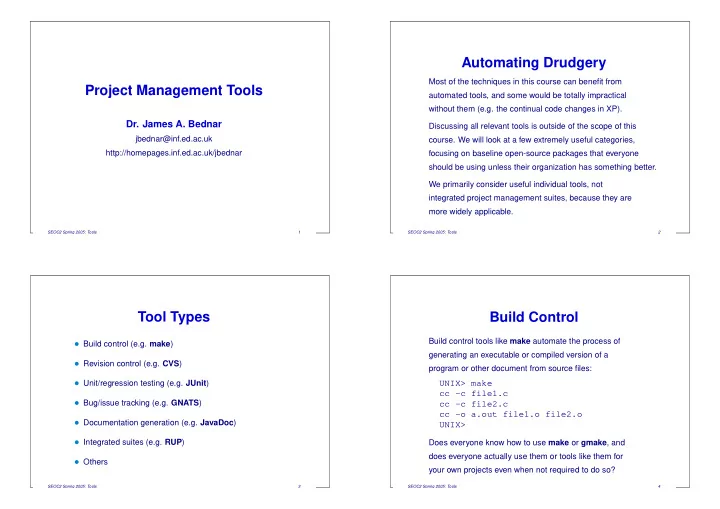
Automating Drudgery Most of the techniques in this course can benefit from Project Management Tools automated tools, and some would be totally impractical without them (e.g. the continual code changes in XP). Dr. James A. Bednar Discussing all


slide-1
SLIDE 1

Project Management Tools

  • Dr. James A. Bednar

jbednar@inf.ed.ac.uk http://homepages.inf.ed.ac.uk/jbednar

SEOC2 Spring 2005: Tools 1

Automating Drudgery

Most of the techniques in this course can benefit from automated tools, and some would be totally impractical without them (e.g. the continual code changes in XP). Discussing all relevant tools is outside of the scope of this

  • course. We will look at a few extremely useful categories,

focusing on baseline open-source packages that everyone should be using unless their organization has something better. We primarily consider useful individual tools, not integrated project management suites, because they are more widely applicable.

SEOC2 Spring 2005: Tools 2

Tool Types

  • Build control (e.g. make)
  • Revision control (e.g. CVS)
  • Unit/regression testing (e.g. JUnit)
  • Bug/issue tracking (e.g. GNATS)
  • Documentation generation (e.g. JavaDoc)
  • Integrated suites (e.g. RUP)
  • Others

SEOC2 Spring 2005: Tools 3

Build Control

Build control tools like make automate the process of generating an executable or compiled version of a program or other document from source files:

UNIX> make cc -c file1.c cc -c file2.c cc -o a.out file1.o file2.o UNIX>

Does everyone know how to use make or gmake, and does everyone actually use them or tools like them for your own projects even when not required to do so?

SEOC2 Spring 2005: Tools 4

slide-2
SLIDE 2

Other Build Control Tools

Java’s ant is more portable in some sense, though it is not as widely used. For more complicated projects needing to compile across many UNIX-like systems, consider autoconf/automake. Integrated development environments (IDEs) like Visual C++ usually replace makefiles with project files, but those are not as easily shareable to other systems.

SEOC2 Spring 2005: Tools 5

Revision Control

Revision control systems (aka configur ation management systems) like CVS manage changes in your software system or documents during development and maintenance:

UNIX> cvs diff -r 1.1 tools.tex 62,63d61 > cc -c file1.c UNIX> cvs commit -m "Added cc example" \ tools.tex UNIX>

Does everyone know how to use a revision control system, and does everyone actually do it for your own projects even when not required to do so?

SEOC2 Spring 2005: Tools 6

Other Revision Control Tools

In the bad old days there was RCS and SCCS, but they had little support for teams of developers. Nowadays the default open-source tool is CVS. If you do not know how to use CVS, you should set it up and try it ASAP , so that you know what it can do. If you’re adventurous, try Subversion, a newer and better CVS. Businesses often use commercial revision control tools, such as Rational ClearCase, which are often more tightly integrated into their process models. But if you do land somewhere without decent revision control, set up CVS ASAP!

SEOC2 Spring 2005: Tools 7

Revision Control and Refactoring

How make a change or add a feature using refactoring and revision control (e.g. CVS):

  • 1. cvs commit .

(Commit all outstanding edits)

  • 2. emacs

(Refactor, not changing behavior at all)

  • 3. cvs diff

(Will have many changes)

  • 4. cvs commit -m "No visible changes" .
  • 5. emacs

(Add new feature)

  • 6. cvs diff

(Short list: only the new code)

  • 7. cvs commit -m "Added feature Y" .

That way nearly all of your changes can be tested thoroughly against all existing tests, and the new feature can be debugged and tested easily and safely by itself.

SEOC2 Spring 2005: Tools 8

slide-3
SLIDE 3

Unit/Regression Testing

Unit regression testing frameworks make the testing process easy to do habitually, which is good for everyone (except maybe Cleanroom users!) and is required by XP . JUnit was developed for XP on Java, based on a Smalltalk

  • riginal. It has been ported to many other languages:

pyunit (Python), CppUnit (C++), NUnit (.NET), etc. Of course, regression and unit testing long predates XP , and does not require a testing framework. On the other hand, doing it yourself amounts to writing your own framework, so don’t do that without a very good reason.

SEOC2 Spring 2005: Tools 9

Bug/Issue Tracking

Any software package with a decent-sized userbase will generate a lot of bug reports, complaints, and feature

  • requests. Bug/issue tracking software keeps track of all of

those for you; without it many fall through the cracks or end up dominating all your time and concentration. There is no standard, but GNATS and BugZilla/IssueZilla are probably the most widely used free tools. If your code is hosted at a site with anintegrated configur ation management package likeSourceForge (discussed later), it will come with bug/issue tracking.

SEOC2 Spring 2005: Tools 10

Documentation Generation

No one actually writes documentation consistently, so it always gets out of sync with the code. Same goes for comments. Documentation generation software like JavaDoc (Java) and Doxygen (C++, C, Java, etc.) automatically generates documentation from your source code and comments. Most of it is guaranteed to be up to date, and if developers know their comments are going to be used as-is for the reference manual then they won’t consider it wasted effort to update their comments when the code changes.

SEOC2 Spring 2005: Tools 11

Generated Documentation Traps

Even though generated documentation is often quite impressive looking, it is crucial for a human to go over it eventually to make sure it is also readable. Often the result is nearly unusable because it is repetitive, lacks context, and is missing crucial transitions between

  • sections. (E.g. see some parts of the Informatics web

site.) It takes several passes between the source code comments and the generated output to make it all work ok. Note that only reference manuals can be generated; user manuals have to be written from scratch with the user in mind, and should never mirror the structure of the code.

SEOC2 Spring 2005: Tools 12

slide-4
SLIDE 4

Integrated Suites

For open-source projects, integrated suites like SourceForge are freely available that do all the above and add e.g.:

  • Document release management
  • Binary file release management
  • Web hosting

Proprietary workflow/process management tools like the IBM Rational Unified Process suite are even more ambitious. Integrated packages are great if you need most of their features, but in any case the separate packages described earlier can be applied wherever you need them.

SEOC2 Spring 2005: Tools 13

Summary

  • Every sane person should be using build control and

revision control tools

  • Unit/regression testing is good and much easier with

the right framework

  • Bug/issue tracking can stop you from going mad
  • Documentation generation is great, but does not

eliminate hand cleanup

  • At least use these tools until you find something better

For a big list of project management tools for Linux, see http://linas.org/linux/pm.html

SEOC2 Spring 2005: Tools 14

From the Audience (1)

Contributions from the SEOC2 class:

  • Revision control: VSS (Microsoft $$), Arch (GNU;

claims to be better than CVS), StarTeam (Borland $$), TortoiseCVS (Windows CVS client, “better than WinCVS”),

  • Unit/regression testing:

(Someone mentioned one, but I did not write it down!)

SEOC2 Spring 2005: Tools 15

From the Audience (2)

  • Bug/issue tracking:

Mantis (“much less confusing than Bugzilla”) TestTrack Pro, (Seapine $$)

  • Documentation generation: NDoc, PHPDoc
  • Integrated suites: Maven (Apache), Cruise Control

(Automated integration suite that builds, runs tests, publishes results)

SEOC2 Spring 2005: Tools 16