SLIDE 1 Announcements
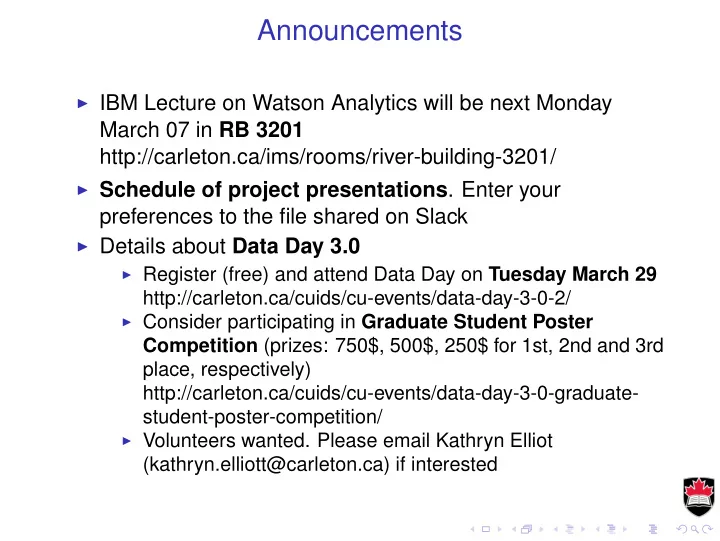
◮ IBM Lecture on Watson Analytics will be next Monday
March 07 in RB 3201 http://carleton.ca/ims/rooms/river-building-3201/
◮ Schedule of project presentations. Enter your
preferences to the file shared on Slack
◮ Details about Data Day 3.0
◮ Register (free) and attend Data Day on Tuesday March 29
http://carleton.ca/cuids/cu-events/data-day-3-0-2/
◮ Consider participating in Graduate Student Poster
Competition (prizes: 750$, 500$, 250$ for 1st, 2nd and 3rd place, respectively) http://carleton.ca/cuids/cu-events/data-day-3-0-graduate- student-poster-competition/
◮ Volunteers wanted. Please email Kathryn Elliot
(kathryn.elliott@carleton.ca) if interested
SLIDE 2
Machine Learning
February 29, 2016
SLIDE 3
Naïve Bayes Classification
Naive Bayes classifiers are especially useful for problems:
◮ with many input variables, ◮ categorical input variables with a very large number of possible values, ◮ text classification.
Naive Bayes would be a good first attempt at solving the categorization problem.
SLIDE 4 Naïve Bayes Classification
◮ Applicable for categorical response with categorical predictors. ◮ Bayes theorem says that
P(Y = y|X1 = x1, X2 = x2) = P(Y = y)P(X1 = x, X2 = x2|Y = y) P(X1 = x1, X2 = x2)
◮ The denominator can be expanded by conditioning on Y
P(X1 = x1, X2 = x2) =
P(X1 = x1, X2 = x2|Y = z)P(Y = z)
◮ The Naïve Bayes method is to assume the Xj are mutually conditionally
independent, i.e. P(X1 = x1, X2 = x2|Y = z) = P(X1 = x1|Y = z)P(X2 = x2|Y = z)
◮ Now the probabilities on the right-hand side can be estimated by
counting from the data.
SLIDE 5
Example of Naïve Bayes
library(e1071) D <- mutate(Default, income=cut(income, 3), balance=cut(balance, 2)) nb.D <- naiveBayes(default~., data=D, subset=train) * * * A-priori probabilities: Y No Yes 0.96570645 0.03429355 Conditional probabilities: student Y No Yes No 0.7073864 0.2926136 Yes 0.6181818 0.3818182 balance Y (-2.65,1.33e+03] (1.33e+03,2.66e+03] No 0.86454029 0.13545971 Yes 0.09090909 0.90909091 income Y (699,2.5e+04] (2.5e+04,4.93e+04] (4.93e+04,7.36e+04] No 0.3242510 0.5497159 0.1260331 Yes 0.3927273 0.4836364 0.1236364
SLIDE 6
Example of Naïve Bayes
D <- mutate(Default, income=cut(income, 10), balance=cut(balance, 10)) nb.D <- naiveBayes(default~., data=D, subset=train) nb.pred <- predict(nb.D, subset(D, test)) table(Actual=D$default[test], Predicted=nb.pred) Predicted Actual No Yes No 1905 18 Yes 40 18
SLIDE 7
Neural Networks
X1 Input #1 X2 Input #2 X3 Input #3 X4 Input #4 Z1 Z2 Z3 Z4 Z5 Y1 Output #1 Y2 Output #2 Y3 Output #3 Hidden layer Input layer Output layer
SLIDE 8
Neural Networks
Zm = σ(α0m + α1mX1 + · · · αpmXp) Yj = β0j + β1jZ1 + · · · + βMjZM
◮ The input neurons are attached to the predictors
X1, . . . , Xp.
◮ They are activated by a function σ(v) = 1 1+e−v . ◮ The neurons in the hidden layer, Z1, . . . , Zm are linear
combinations of the inputs.
◮ There may be zero, one, or multiple hidden layers, with
each layer being a linear combination of the previous one.
◮ The last layer is attached to the outputs.
SLIDE 9 Neural Networks Example
> library(nnet) > nnet.fit <- nnet(default~., data=Default, subset=train, size=5) # weights: 26 initial value 6553.347412 iter 10 value 1136.024073 iter 20 value 1135.901203 final value 1135.901077 converged > summary(nnet.fit) a 3-5-1 network with 26 weights
- ptions were - entropy fitting
b->h1 i1->h1 i2->h1 i3->h1
b->h2 i1->h2 i2->h2 i3->h2 0.05
0.25 b->h3 i1->h3 i2->h3 i3->h3
0.55 0.44 0.40 b->h4 i1->h4 i2->h4 i3->h4 0.30 0.27 0.08
b->h5 i1->h5 i2->h5 i3->h5
0.01
b->o h1->o h2->o h3->o h4->o h5->o
8.29 10.50 0.18 0.35
SLIDE 10
Neural Networks Example
> nnet.pred <- predict(nnet.fit, newdata=subset(Default, test), type="class") > table(Actual=Default$default[test], Predicted=nnet.pred) Predicted Actual No No 1939 Yes 76 ◮ The table is missing the "Yes" column because the neural
network didn’t predict any positives.
◮ The neural network model is over-parametrized and there
is danger of over-fitting.
◮ The minimization is unstable and random initialization
leads to different solution each time.
SLIDE 11 K-Means Clustering
◮ Pick a number of clusters, say K. ◮ Start with a random assignment of each observation to one
◮ For each cluster, compute the centroid as the mean of the
points in the cluster.
◮ Reassign observations to clusters, with each observation
going to the cluster with the nearest centroid.
◮ Repeat until convergence.
SLIDE 12 K-Means Clustering
Example with simulated data.
pts <- read.csv(’pts_2clusters.csv’, header=TRUE) qplot(x, y, data=pts, color=cl) + labs(color="Cluster")
4 6 0.0 2.5
x y
Cluster
2
Actual clusters
SLIDE 13 K-Means Clustering
Solve for two clusters.
km.out <- kmeans(pts, 2) qplot(x, y, data=mutate(pts, cl.1=factor(km.out$cluster)), color=cl.1)
4 6 0.0 2.5
x y
Cluster
2
Predicted clusters
SLIDE 14 K-Means Clustering
4 6 0.0 2.5
x y
Cluster
2 3
Predicted clusters
4 6 0.0 2.5
x y
Cluster
2 3 4
Predicted clusters
4 6 0.0 2.5
x y
Cluster
2 3 4 5
Predicted clusters
4 6 0.0 2.5
x y
Cluster
2 3 4 5 6 7 8 9 10
Predicted clusters
SLIDE 15 Hierarchical Clustering
◮ Here we don’t pick the number of clusters in advance, this is decided by
the algorithm.
◮ We need a distance or dissimilarity measure ◮ Start with each point in its own cluster. ◮ Compute all pairwise dissimilarities and merge the two most similar
clusters.
◮ Repeat until some stopping criterion is reached. ◮ To compute dissimilarity between two clusters, A and B, one may look
at different possibilities.
◮ Take the dissimilarity of the two centroids.
Compute all pairwise dissimilarities between points in A and points in B.
◮ Complete linkage: take the maximum ◮ Single linkage: take the minimum; ◮ Average linkage: take the average.
SLIDE 16
Hierarchical Clustering
Example with the same simulated data.
library(grDevices) hc.out <- hclust(dist(pts[c(’x’,’y’)]), method="complete") plot(hc.out, xlab="", main="Complete linkage", sub="")
12731684860107415015926374361310601065139638173718361579582136913835861597946120124639148272813151745361878180754361710561342147612041734161921531219504538682012921381836201319816145174014241731604165412319191983140416517391908021239167948131474152120615287142121217165316741426145791371768747128573808903156150584178120194916091951681805416016712141935108131478205601679516405931930198061857947198981917208013591312131498149195971726310751214651079708178519631485832156412718213281014501813537159602910194670156914371947161590581731076127015941940165762470179769312962514313291439758152918295238313707541371621790909519431730126154362812581073906158156490519451210418128157237316298741631061639129373453632894094525242162671243094842384732918327936476283495641654341467281412412573572641021253160129067217498231613246321017254814795251201546136185876019241052160813931409158015451851384610163253012915601541961641457192862171563712051095145218213951637381035138578134914381040178919469810891287812519692517472016246909385064816121041568575154719818361467849127170916135215717071851747986121515319736713060872104596781026104109171093010191708186917131509172670169284130761812359801458942196257681381513629603686821892517142092159379691419131520190751859141532613401915127919081741876146341651078158915716208598414253457215319382027262310728238325739814521426810329619529749381389654215464945813931592324582474702625327186593120429540671402427286378303918763519848030324141261372069734342495617469413438471280245475132693561254321393214231942731724828749238038025342415146526205213723864786739619730681923454912184037292129401352714216427035247284293848214936487474931234724238574840246340236494362036036717303604532784369591016249375317138294252561584532501602027613178619021237596740679165876316351891745196185140180516565914561621538540121417318356919716175715815271586162190585181834189215061570193712171574149512491603103814313041484162810871378571904126263871490108613814737171861875190941316179212170317581285468971607196148316815841054183268614259813621956104218169187412591575051459136721951530134513947651514186310218181953141618913681970125841717645901271057410341753151736725830173590710391451961860109815261589791625135172918714197019861751917021695182519181787197950162783181596318103617917241097159231231032521278123819696165651916160684717587015450214121519271468181010213086761028741761091281386184508687180510721630165351756816731939635921082154815895185913651738148921825831031438181715215085638031045191619170568319547210481761852614126812901309171876184195313461704149101014751028561343987140105817017801690719581015127672712481374174293131840129171701573873149685796268195172354989415651263168514956712863792160917067307509191487132018146517941462120216261284184819751820737978132517637649059217512097691851761539151257160127286186586756482618468521912692515125463012910671872152412651649531251743183719097891841643163193967974534587619762123216341894143106215919658254192390217471819169758989351010691208146141310131059784875149318012971014271910601809180908108080482413891728797972794147252616986580197187140754521561291873518109313216938259361068132689819146039206019501293949194592797510816748195615401418315217651341648186194141476284372317501917520714158569594768124123618106150414941732145134864513281752127192718152787120791895126719801461542161382153141714360614815421085809212914801629189175182613510271727208969176016731986781946571646150174861517591302170914635851327939186715376261402135013601063151816109218967159581713719431598734809186597179050310714816419061231670170183812958196879131013161893157681294156216371601817367531917984815416918674614185321641403650185610714317541879642124282970167515648641053151713126184212801604694198267141513761935627612951843878934816816564617821871410135150315257951301954989656161419581057175682713813516835721061530141263712105126183185316161960159683418397141416501084124795917086918018401203910519201298136313921976275285124148197198310294014012176162383817831831868195059518914301571721862594652103153215361795945106121563705129364316398281289176215231016135837010501839159189814061429180489081613561310291071689136149157315131525178064181283718109498581819657821964158712641420739809131627180614231974130585017870414216181391241987931341256212741631784271240145316417870315721850103108785167492974585389164719019767513267378168032812319121396151918456593104915075698218172185124314264191810141810415160896469861636573270710181398702102453917125847925458581719547179329168218281681561216146051413561341687937105121890137570192519413061803854146186310310128071354173159143294137135314717101972697897569017901047981301474151015015415874219571615696106507190313219841864109162184730816421796187092816387068413671497125265146964821724179317987140510157510251582791318434387195121053575104319525291729321306497492452495216941314812425197813905101808197264713619315351691516137212818306408397671313147165217961454926527189759173810719716721691926123414926809576054857472751230217392971872413960717571985164516868451046171890193147419193219813482431696137351485729146275426851023126549741219041275791967139125091514351230136410127128352815164971583180287495612561201415491716051907961751385108510148617916596368931517167617463201631048181464182731395163504172642810439474159569682498101051632521930717319342592642932074543953784351703051346846204601803974017273742010372583475250423412353182368346435165274868614273921637120230319353845219615319456519132921913020128143921836532148318405393404623593716364190239103613215034169483183407432782543434349627623532343618412412493901782408914043736245027240815275735410914081534689106487176108313419361985131765098359681036973519212813978135769010901512571651849821676914891786128217619291841379161824126014701323150168141910201303759147814018546581515193813801946167828430416826532612126015415786539162017671928194818215671698501871439851017107013871030121312691714150213471942161018578313971712938121428973171096161310912454921602176931414348421415351548181752910847419348935845946174238246854130270246243102513247979623198450430314043765917893158462851821717
2 4 6 8
Complete linkage
Height
SLIDE 17 Hierarchical Clustering
cl.1 <- cutree(hc.out, k=2) qplot(x, y, data=mutate(pts, cl.1=factor(cl.1)), color=cl.1) plot(hc.out, xlab="", main="Complete linkage", sub="")
4 6 0.0 2.5
x y
Cluster
2
Complete linkage
SLIDE 18 Hierarchical Clustering
4 6 0.0 2.5
x y
Cluster
2
Complete linkage
4 6 0.0 2.5
x y
Cluster
2
Average linkage
4 6 0.0 2.5
x y
Cluster
2
Single linkage
4 6 0.0 2.5
x y
Cluster
2 3
Average linkage
SLIDE 19
Association rules
◮ Data is a binary matrix with columns corresponding to
products and rows corresponding to baskets.
◮ Entry (i, j) is TRUE if customer i purchased product j. ◮ Apriori algorithm looks at most probable sets of products
and combines them
SLIDE 20
Association rules
◮ Association rule is a claim such as: A & B ⇒ C. ◮ Support for the rule is the probability of all items being
together Support(A & B & C) = Number of baskets with A, B and C Total number of baskets
◮ Confidence of a rule is the conditional probability of the
implied item Confidence(A & B ⇒ C) = Support(A & B & C) Support(A & B)
◮ Lift of a rule is
Lift(A & B ⇒ C) = Confidence(A & B ⇒ C) Support(C)
SLIDE 21
Association rules
◮ We start by computing the supports of all single items and
sort them.
◮ Then prune at say 80% and compute the support of all
rules with two items of the remaining ones.
◮ Sort and prune. Then proceed with rules with three items,
not including pairs that have been pruned. And so on.
SLIDE 22
Association rules
> mb <- read.csv(’MarketBasket.csv’) # Simulated data > library(arules) > rules <- apriori(mb, parameter=list(supp=0.8, conf=0.8, target="rules")) Parameter specification: confidence minval smax arem aval originalSupport support minlen maxlen 0.8 0.1 1 none FALSE TRUE 0.8 1 10 ext FALSE Algorithmic control: filter tree heap memopt load sort verbose 0.1 TRUE TRUE FALSE TRUE 2 TRUE apriori - find association rules with the apriori algorithm version 4.21 (2004.05.09) (c) 1996-2004 Christian Borgelt set item appearances ...[0 item(s)] done [0.00s]. set transactions ...[5 item(s), 500 transaction(s)] done [0.00s]. sorting and recoding items ... [3 item(s)] done [0.00s]. creating transaction tree ... done [0.00s]. checking subsets of size 1 2 3 done [0.00s]. writing ... [12 rule(s)] done [0.00s]. creating S4 object ... done [0.00s].
SLIDE 23
Association rules
> inspect(rules) lhs rhs support confidence lift 1 {} => {V4} 0.932 0.9320000 1.0000000 2 {} => {V1} 0.950 0.9500000 1.0000000 3 {} => {V3} 1.000 1.0000000 1.0000000 4 {V4} => {V1} 0.882 0.9463519 0.9961599 5 {V1} => {V4} 0.882 0.9284211 0.9961599 6 {V4} => {V3} 0.932 1.0000000 1.0000000 7 {V3} => {V4} 0.932 0.9320000 1.0000000 8 {V1} => {V3} 0.950 1.0000000 1.0000000 9 {V3} => {V1} 0.950 0.9500000 1.0000000 10 {V1, V4} => {V3} 0.882 1.0000000 1.0000000 11 {V3, V4} => {V1} 0.882 0.9463519 0.9961599 12 {V1, V3} => {V4} 0.882 0.9284211 0.9961599