SLIDE 1 Announcements
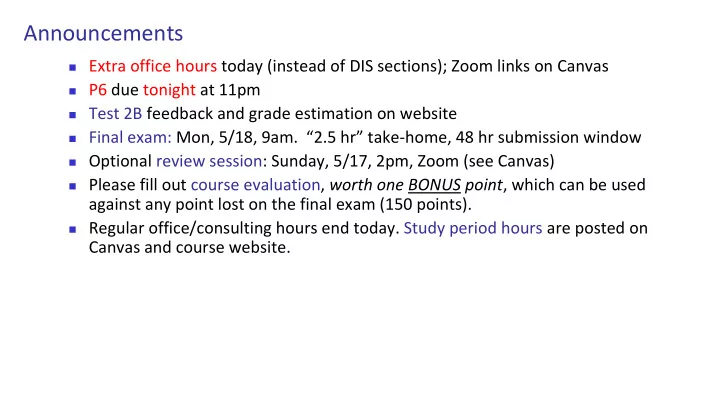
◼ Extra office hours today (instead of DIS sections); Zoom links on Canvas ◼ P6 due tonight at 11pm ◼ Test 2B feedback and grade estimation on website ◼ Final exam: Mon, 5/18, 9am. “2.5 hr” take-home, 48 hr submission window ◼ Optional review session: Sunday, 5/17, 2pm, Zoom (see Canvas) ◼ Please fill out course evaluation, worth one BONUS point, which can be used
against any point lost on the final exam (150 points).
◼ Regular office/consulting hours end today. Study period hours are posted on
Canvas and course website.
SLIDE 2 ◼ Previous Lecture (and exercise):
◼ Algorithms for sorting and searching
◼ Insertion Sort ◼ (Read about Bubble Sort in Insight) ◼ Linear Search ◼ Binary Search
◼ Efficiency (complexity) analysis: analyze loops, count number
- f operations, use timing functions
◼ Time efficiency vs. memory efficiency
◼ Today, Lecture 26:
◼ Another “divide and conquer” strategy: Merge Sort ◼ Review recursion ◼ Semester wrap-up
SLIDE 3
Binary search is efficient, but we need to sort the vector in the first place so that we can use binary search
◼ Many different algorithms out there... ◼ We saw insertion sort (and read about bubble
sort)
◼ Let’s look at merge sort ◼ Another example of the “divide and conquer”
approach (like binary search) but using recursion
SLIDE 4 Which task fundamentally requires less work: sort a length 1000 array, or merge* two length 500 sorted arrays into one? *Merge two sorted arrays so that the resultant array is sorted (not concatenate two arrays)
- A. Sort
- B. Merge
- C. The same
SLIDE 5 Comparison counting How many comparisons (between elements) are required to run insertion sort on the following vector? [ 9, 13, 24, 96, 12, 18, 56 ]
SLIDE 6
The central sub-problem is the merging of two sorted arrays into one single sorted array
12 33 45 35 15 42 65 55 75 12 15 35 33 42 45 55 75 65
SLIDE 7
12 33 45 35 15 42 65 55 75 x: y: z: 1 1 1 ix: iy: iz:
Merge
ix<=4 and iy<=5: x(ix) <= y(iy) ???
SLIDE 8
12 33 45 35 15 42 65 55 75 12 x: y: z: 1 1 1 ix: iy: iz:
Merge
ix<=4 and iy<=5: x(ix) <= y(iy) YES
SLIDE 9
12 33 45 35 15 42 65 55 75 12 x: y: z: 2 1 2 ix: iy: iz:
Merge
ix<=4 and iy<=5: x(ix) <= y(iy) ???
SLIDE 10
12 33 45 35 15 42 65 55 75 12 15 x: y: z: 2 1 2 ix: iy: iz:
Merge
ix<=4 and iy<=5: x(ix) <= y(iy) NO
SLIDE 11
12 33 45 35 15 42 65 55 75 12 15 x: y: z: 2 2 3 ix: iy: iz:
Merge
ix<=4 and iy<=5: x(ix) <= y(iy) ???
SLIDE 12
12 33 45 35 15 42 65 55 75 12 15 33 x: y: z: 2 2 3 ix: iy: iz:
Merge
ix<=4 and iy<=5: x(ix) <= y(iy) YES
SLIDE 13
12 33 45 35 15 42 65 55 75 12 15 33 x: y: z: 3 2 4 ix: iy: iz:
Merge
ix<=4 and iy<=5: x(ix) <= y(iy) ???
SLIDE 14
12 33 45 35 15 42 65 55 75 12 15 35 33 x: y: z: 3 2 4 ix: iy: iz:
Merge
ix<=4 and iy<=5: x(ix) <= y(iy) YES
SLIDE 15
12 33 45 35 15 42 65 55 75 12 15 35 33 x: y: z: 4 2 5 ix: iy: iz:
Merge
ix<=4 and iy<=5: x(ix) <= y(iy) ???
SLIDE 16
12 33 45 35 15 42 65 55 75 12 15 35 33 42 x: y: z: 4 2 5 ix: iy: iz:
Merge
ix<=4 and iy<=5: x(ix) <= y(iy) NO
SLIDE 17
12 33 45 35 15 42 65 55 75 12 15 35 33 42 x: y: z: 4 3 6 ix: iy: iz:
Merge
ix<=4 and iy<=5: x(ix) <= y(iy) ???
SLIDE 18
12 33 45 35 15 42 65 55 75 12 15 35 33 42 45 x: y: z: 4 3 6 ix: iy: iz:
Merge
ix<=4 and iy<=5: x(ix) <= y(iy) YES
SLIDE 19
12 33 45 35 15 42 65 55 75 12 15 35 33 42 45 x: y: z: 5 3 7 ix: iy: iz:
Merge ix > 4
SLIDE 20
12 33 45 35 15 42 65 55 75 12 15 35 33 42 45 55 x: y: z: 5 3 7 ix: iy: iz:
Merge ix > 4: take y(iy)
SLIDE 21
12 33 45 35 15 42 65 55 75 12 15 35 33 42 45 55 x: y: z: 5 4 8 ix: iy: iz:
Merge iy <= 5
SLIDE 22
12 33 45 35 15 42 65 55 75 12 15 35 33 42 45 55 65 x: y: z: 5 4 8 ix: iy: iz:
Merge iy <= 5
SLIDE 23
12 33 45 35 15 42 65 55 75 12 15 35 33 42 45 55 65 x: y: z: 5 5 9 ix: iy: iz:
Merge iy <= 5
SLIDE 24
12 33 45 35 15 42 65 55 75 12 15 35 33 42 45 55 75 65 x: y: z: 5 5 9 ix: iy: iz:
Merge iy <= 5
SLIDE 25
function z = merge(x,y) nx = length(x); ny = length(y); z = zeros(1, nx+ny); ix = 1; iy = 1; iz = 1;
SLIDE 26
function z = merge(x,y) nx = length(x); ny = length(y); z = zeros(1, nx+ny); ix = 1; iy = 1; iz = 1; while ix<=nx && iy<=ny end % Deal with remaining values in x or y
SLIDE 27
function z = merge(x,y) nx = length(x); ny = length(y); z = zeros(1, nx+ny); ix = 1; iy = 1; iz = 1; while ix<=nx && iy<=ny if x(ix) <= y(iy) z(iz)= x(ix); ix=ix+1; iz=iz+1; else z(iz)= y(iy); iy=iy+1; iz=iz+1; end end % Deal with remaining values in x or y
SLIDE 28
function z = merge(x,y) nx = length(x); ny = length(y); z = zeros(1, nx+ny); ix = 1; iy = 1; iz = 1; while ix<=nx && iy<=ny if x(ix) <= y(iy) z(iz)= x(ix); ix=ix+1; iz=iz+1; else z(iz)= y(iy); iy=iy+1; iz=iz+1; end end while ix<=nx % copy remaining x-values z(iz)= x(ix); ix=ix+1; iz=iz+1; end while iy<=ny % copy remaining y-values z(iz)= y(iy); iy=iy+1; iz=iz+1; end
SLIDE 29 Merge sort: Motivation
If I have two helpers, I’d…
- Give each helper half the array to
sort
- Then I get back the sorted
subarrays and merge them.
SLIDE 30 Cost of dividing work
Suppose each comparison we make costs $1 Given a vector with N elements,
◼ Insertion sort costs $N(N-1)/2 ◼ Merge costs $(N-1)
(worst case) Consider a vector with 8 elements
◼ Sorting by ourselves: $26 ◼ Sorting by delegating work:
◼ Left delegate (4 elements): $6 ◼ Right delegate (4 elements): $6 ◼ Merge (8 elements): $7 ◼ Profit: $7!
SLIDE 31 Merge sort: Motivation
What if those two helpers each had two sub-helpers? If I have two helpers, I’d…
- Give each helper half the array to
sort
- Then I get back the sorted
subarrays and merge them. And the sub-helpers each had two sub-sub-helpers? And…
SLIDE 32
Subdivide the sorting task
J N R C P D F L A Q B K M G H E A Q B K M G H E J N R C P D F L
SLIDE 33
Subdivide again
A Q B K M G H E J N R C P D F L M G H E A Q B K P D F L J N R C
SLIDE 34
And again
M G H E A Q B K P D F L J N R C M G H E A Q B K P D F L J N R C
SLIDE 35
And one last time
J N R C P D F L A Q B K M G H E
SLIDE 36
Now merge
G M E H A Q B K D P F L J N C R J N R C P D F L A Q B K M G H E
SLIDE 37
And merge again
H M E G K Q A B L P D F N R C J G M E H A Q B K D P F L J N C R
SLIDE 38
And again
M Q H K E G A B P R L N F J C D H M E G K Q A B L P D F N R C J
SLIDE 39
And one last time
M Q H K E G A B P R L N F J C D E F C D A B J K G H N P L M Q R
SLIDE 40
Done!
E F C D A B J K G H N P L M Q R
SLIDE 41
function y = mergeSort(x) % x is a vector. y is a vector % consisting of the values in x % sorted from smallest to largest. n = length(x); if (task is trivial) % Base case else % Divide work % Delegate subproblems % Merge results end
SLIDE 42
function y = mergeSort(x) % x is a vector. y is a vector % consisting of the values in x % sorted from smallest to largest. n = length(x); if n==1 y = x; else % Divide work % Delegate subproblems % Merge results end
SLIDE 43
function y = mergeSort(x) % x is a vector. y is a vector % consisting of the values in x % sorted from smallest to largest. n = length(x); if n==1 y = x; else m = floor(n/2); yL = mergeSort(x(1:m)); yR = mergeSort(x(m+1:n)); y = merge(yL,yR); end
SLIDE 44 function y=mergeSort(x) n=length(x); if n==1 y=x; else m=floor(n/2); yL=mergeSort(x(1:m)); yR=mergeSort(x(m+1:n)); y=merge(yL,yR); end
SLIDE 45 function y=mergeSort(x) n=length(x); if n==1 y=x; else m=floor(n/2); yL=mergeSort(x(1:m)); yR=mergeSort(x(m+1:n)); y=merge(yL,yR); end
SLIDE 46 function y=mergeSort(x) n=length(x); if n==1 y=x; else m=floor(n/2); yL=mergeSort(x(1:m)); yR=mergeSort(x(m+1:n)); y=merge(yL,yR); end
SLIDE 47
How do merge sort and insertion sort compare?
◼ Insertion sort: (worst case) makes k comparisons to insert an
element in a sorted array of k elements. For an array of length N: 1+2+…+(N-1) = N(N-1)/2, say N2 for big N
◼ Merge sort:
SLIDE 48
function y = mergeSort(x) % x is a vector. y is a vector % consisting of the values in x % sorted from smallest to largest. n = length(x); if n==1 y = x; else m = floor(n/2); yL = mergeSort(x(1:m)); yR = mergeSort(x(m+1:n)); y = merge(yL,yR); end
All the comparisons between vector values are done in merge
SLIDE 49
Merge sort: about log2(N) “levels”; about N comparisons each level
J N R C P D F L A Q B K M G H E
SLIDE 50
How do merge sort and insertion sort compare?
◼ Insertion sort: (worst case) makes i comparisons to insert an
element in a sorted array of i elements. For an array of length N: 1+2+…+(N-1) = N(N-1)/2, say N2 for big N
◼ Merge sort: N· log2(N) ◼ Insertion sort is done in-place; merge sort (recursion) requires
extra memory (call frames plus merge area)
See compareInsertMerge.m
SLIDE 51 How to choose??
◼ Depends on application ◼ Merge sort is especially good for sorting large data sets
◼ Easily adapted to work with files if data is too big for memory
◼ Sort “stability” matters for object handles (elements may compare
equal, but are actually distinct)
◼ Insertion, Merge are intrinsically stable. QuickSort is not, but MATLAB’s
sort() does extra work to stabalize
◼ Insertion sort is “order N2” at worst case, but what about an average
case?
◼ Insertion good for “fixing” a mostly sorted array, or adding just a few new
elements
SLIDE 52 What we learned…
◼ Develop/implement algorithms for problems ◼ Develop programming skills
◼ Design, implement, document, test, and debug
◼ Programming “tool bag”
◼ Functions for reducing redundancy ◼ Control flow (if-else; loops) ◼ Recursion ◼ Data structures, type ◼ Graphics ◼ File handling
SLIDE 53 What we learned… (cont’d)
◼ Applications and concepts
◼ Image processing ◼ Object-oriented programming—custom type ◼ Sorting and searching (you should know the algorithms
covered)
◼ Approximation and error ◼ Simulation, sensitivity analysis ◼ Computational effort and efficiency
SLIDE 54
Where to go from here?
◼ Mathworks.com – Many free tutorials available on specific topics,
e.g., signal processing, Simulink, …, etc.
◼ More detailed intro to scientific and engineering uses: “Getting
Started with MATLAB” by Rudra Pratap. Excellent for independent, non-
course-based learning
◼ Just play, i.e., experiment, with MATLAB programs! Many
programs available in MATLAB “Community” forum “File Exchange”
SLIDE 55 Some courses for future consideration
◼ ENGRD/CS 2110 Object-oriented programming and data
structure
◼ CS 2111 Programming practicum
◼ CS 2800 Discrete Math (logic, proof, probability theory) ◼ CS 3220 Computational Mathematics for Computer Science ◼ Short language courses (e.g., Python, C++)
Highly recommended companion to CS2110
SLIDE 56 Computing gives us insight into a problem
◼ Computing is not about getting one answer! ◼ We build models and write programs so that we can
“play” with the models and programs, learning—gaining insights—as we vary the parameters and assumptions
◼ Good models require domain-specific knowledge (and
experience)
◼ Good programs …
◼ are correct and have been thoroughly tested ◼ are modular and cleanly organized ◼ are well-documented ◼ use appropriate data structures and algorithms ◼ are reasonably efficient in time and memory
SLIDE 57