Adventure Racing/Navigation 101 Adventure Racing (AR) is a - - PowerPoint PPT Presentation

adventure racing navigation 101
SMART_READER_LITE
LIVE PREVIEW

Adventure Racing/Navigation 101 Adventure Racing (AR) is a - - PowerPoint PPT Presentation

Adventure Racing/Navigation 101 Adventure Racing (AR) is a multi-sport, team event in which racers navigate their way from checkpoint to checkpoint using a map, compass and route strategy within a set time length. AR usually takes place in


slide-1
SLIDE 1

Adventure Racing/Navigation 101

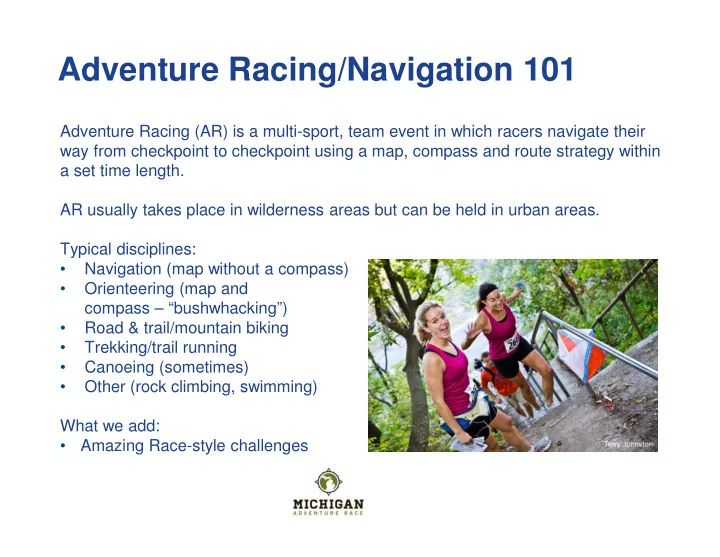
Adventure Racing (AR) is a multi-sport, team event in which racers navigate their way from checkpoint to checkpoint using a map, compass and route strategy within a set time length. AR usually takes place in wilderness areas but can be held in urban areas. Typical disciplines:

  • Navigation (map without a compass)
  • Orienteering (map and

compass – “bushwhacking”)

  • Road & trail/mountain biking
  • Trekking/trail running
  • Canoeing (sometimes)
  • Other (rock climbing, swimming)

What we add:

  • Amazing Race-style challenges
slide-2
SLIDE 2

Why Adventure Race?

  • Multi-sport challenges
  • Blend of smarts and speed, brains and brawn
  • Wilderness experience
  • Challenge/self discovery
  • For all levels of abilities
  • Teamwork
  • Chance to act like a kid

(treasure hunt)

  • Explore new places
  • Anticipation, memories
  • Like no other sport/event
slide-3
SLIDE 3

What to Expect

  • Pre-Race briefing:
  • Explain the course, rules, hand out maps and the passport
  • Passport:
  • Must get signed or punched at every checkpoint.
  • Control points or Checkpoints (CP):
  • All teams must locate the CPs. Some will be manned and some will be a

triangle flag with a hole punch

  • Transition Areas (TA for short):
  • Where teams change disciplines and have a chance to replenish supplies

Gear check:

  • Most races will have random locations throughout the course to check if the

team and individuals have all mandatory gear

  • Finish:
  • Your performance is based on how many checkpoints you get within a set

time limit; 4 hours for the ArtPrize. If you get 30 checkpoints in 3 hours but another team gets 31 checkpoints in 3:59, they finish above you.

slide-4
SLIDE 4

Keys to Success in AR

  • Navigation – get good with maps
  • Endurance training – keep your pace
  • Speed – more relevant in sprint races
  • Hydration & food – 200-300 calories/hour; sip/snack small & often
  • Team dynamics & mental strength
  • Challenges – avoiding lines/limited equipment and stations
  • Following other teams – why and why not
slide-5
SLIDE 5

Gear List (ArtPrize Edition)

Provided

  • Tandem kayak, life vests and paddles for optional

paddle loop

Required Gear per Person

  • Bicycle. Mountain, cyclocross or road bike. Road and

hybrid bikes without front shocks not allowed on one short section that can be run (with bike along side) instead. Tandem bikes are not allowed.

  • Bike helmet. Must be specifically approved for biking.
  • Whistle
  • Hydration system/capacity, 30 oz. or greater (water

bottles are acceptable; hydration must be accompany you

  • n both on-foot and bike legs)

Required Gear per Team

  • Mobile phone, fully charged, powered off and sealed in

waterproof or double-zip-locked bag

  • Pencil

$5 for charity challenge not required, but will likely help you conquer the challenge.

Recommended (depends on race)

  • $5 for the charity challenge
  • Small piece of scratch paper
  • Compass (base plate or sighting type with metric ruler)
  • Waterproof map case or doubled-up ziplock baggies
  • Contact paper or clear tape to waterproof your instruction

sheet and map (at Meijer in household goods). Maps can easily shred from sweat or rain/mud)

  • Water-resistant jacket
  • Long pants, tights, long-sleeved shirt (weather-

dependent)

  • Emergency/space/mylar blanket – full size, metallic style,
  • First aid kit
  • $5-10 cash for emergency purchases
  • Trail running shoes
  • Wicking socks
  • Food (energy gel, bars, etc.)
  • Spare tires
  • Tire pump
  • Tire levers, Allen key set
  • Hat
  • Sunglasses, sunblock
  • Bug spray
  • Zip ties, duct tape for emergency repairs
  • Synthetic, wicking t-shirt
  • Bike shorts
  • Bike gloves
slide-6
SLIDE 6

Reentrant Spur Saddle Ridge/Slope

Topography and Topographic Maps

Basic Features

  • Steep slopes - contours

closely spaced

  • Gentle slopes - contours

less closely spaced

  • Summits/hilltops –concentric

circles (knoll is a smaller hill)

  • Depressions - concentric

circles with lines radiating to the center

  • Spurs – bulge off of a ridge line.

U-shaped series of lines off high ground.

  • Reentrants (gullies)–

Indentations along ridges (marking water drain). V-shaped series of lines off high ground.

  • Saddles – area between

summits

  • Ridges - parallel lines sloping

down hill Colors Green: woods, brush Blue: water White: light vegetation Brown: contour lines Red/gray: urban areas

  • NOTE – Look for low spots

and water. Water flows down hill.

slide-7
SLIDE 7

Compass Elements, How to Use

  • Rotate compass housing to align with

the desired direction (“bearing”, e.g., west or 270 degrees) with the direction of travel arrow.

  • Follow the direction of the travel

arrow on the compass, keeping the magnetic needle aligned with the

  • rienting arrow on the housing (red in

the shed).

  • To determine what direction you are

facing, point the direction of travel arrow and rotate the compass housing until the needle is aligned with the orienting arrow.

slide-8
SLIDE 8

How to Navigate with Compass & Map

To find the Bearing from point X to Y

  • Align the edge of the compass with

starting (X) and finishing (Y) points

  • Rotate the compass housing until the
  • rienting lines on the compass line up with

the N/S orientation lines on the map. North

  • n the compass degree dial should match

North on the map. Read bearing. To “orient the map”

  • Rotate the map and compass together

until the red end of the compass needle points north (red in the shed). To go from X-> Y

  • Follow the direction of the travel arrow on

the compass (the arrow on the baseplate, not the red end of the compass needle), keeping the needle aligned with the

  • rienting arrow on the housing. Use
  • bjects such as trees in the distance to

follow rather than always looking down at compass.

slide-9
SLIDE 9

Common Mistakes

  • Orienteering only works if you know where you are (X).
  • Ensure that you are lining up the compass with direction of travel arrow

pointing from X (where you are) to Y (destination), not Y to X.

  • When you rotate compass housing to line up north/south lines on compass

with those on the map, make sure that north on the compass matches north on the map.

  • Make sure you know how far you have to go (distance)
  • On a 1:24,000 scale map, every 1 cm = 240 meters
  • On a 1:10,000 scale map, every 1 cm = 100 meters
  • Try counting your steps or paces (every other step) in the woods to get a good

idea of how far you are going. And measure how long it takes you on average to travel 100, 400, 800 meters in various types of terrain.