ACTIVE 1. WELCOME and JUMPING IN LEARNING 1. WHAT IS ACTIVE - - PowerPoint PPT Presentation

active
SMART_READER_LITE
LIVE PREVIEW

ACTIVE 1. WELCOME and JUMPING IN LEARNING 1. WHAT IS ACTIVE - - PowerPoint PPT Presentation

ACTIVE 1. WELCOME and JUMPING IN LEARNING 1. WHAT IS ACTIVE LEARNING? la Carte 1. CONSTRUCTING our TEACHING CHALLENGES in a low tech 1. ORCHESTRATION environment 1. SHOW-AND-TELL Selma Hamdani Psychology / DALC / Neuroscience


slide-1
SLIDE 1
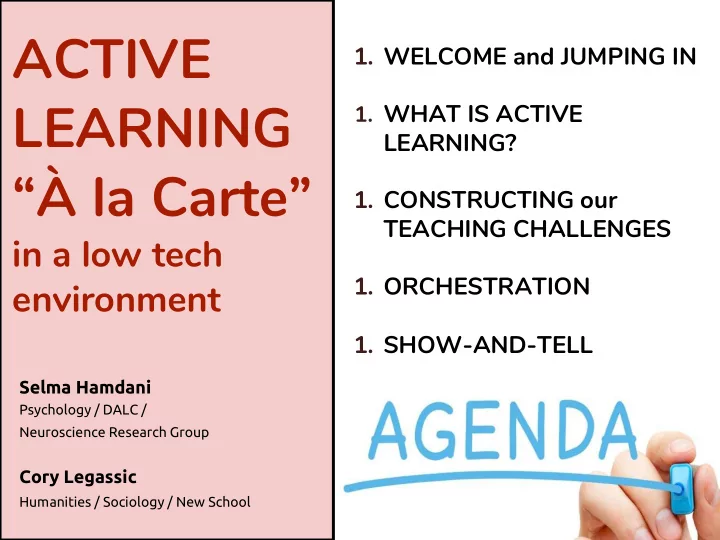
  • 1. WELCOME and JUMPING IN
  • 1. WHAT IS ACTIVE

LEARNING?

  • 1. CONSTRUCTING our

TEACHING CHALLENGES

  • 1. ORCHESTRATION
  • 1. SHOW-AND-TELL

ACTIVE LEARNING “À la Carte”

in a low tech environment

Selma Hamdani

Psychology / DALC / Neuroscience Research Group

Cory Legassic

Humanities / Sociology / New School

slide-2
SLIDE 2
slide-3
SLIDE 3

Let’s jump in

  • 1. challenge(s) that needs attention
slide-4
SLIDE 4

DALC à la carte

slide-5
SLIDE 5

What is active learning? What is the DALC? Why?

slide-6
SLIDE 6

What is active learning?

the long more formal answer….

slide-7
SLIDE 7

What is active learning?

“Active Learning is generally defined as any instructional method that engages students in the learning process. In short, active learning requires students to do meaningful learning activities and think about what they are doing.” (Prince, 2004) “Active learning has become a way to describe instruction rooted in constructivist and social constructivist learning theories. Active learning shifts teaching practices away from a transmission of knowledge model to a student-centered model. It focuses on designing for student participation and engagement, and it takes into account the cognitive, social and emotional aspects of learning.” (Charles et al., 2015)

slide-8
SLIDE 8

What is active learning?

for today….

slide-9
SLIDE 9

What is active learning?

slide-10
SLIDE 10

What is active learning?

the lingo….

slide-11
SLIDE 11

What is active learning?

Orchestration & Scripts:

Teachers orchestrate learning

  • pportunities through a script
  • f diverse & flexible activities

that include:

  • Modeling
  • Coaching (classroom

management)

  • Scaffolding

Design:

  • Activity (creating artifacts)
  • Classroom
slide-12
SLIDE 12

SALTISE: from strategy to activities

The DALC

https://www.dawsoncollege.qc.ca/active-learning/

slide-13
SLIDE 13
slide-14
SLIDE 14
slide-15
SLIDE 15

Teaching CHALLENGES

constructing

Remember what you wrote earlier …

slide-16
SLIDE 16

Teaching CHALLENGES

STEP 1: constructing

“...too much grading”

instead...

“I have my students write many one-minute papers in my class, but I find it is too much

  • grading. I feel bad

asking them to do work that I don’t look at.”

slide-17
SLIDE 17

Teaching CHALLENGES

STEP 1: constructing

“...passive or no reading”

instead...

“I have worked hard at providing a variety of texts in my class, but I do have a few important textbook chapters that I need my students to read. The chapter is long with a lot of

  • content. How do I motivate

students to read this important content more actively?”

slide-18
SLIDE 18

Teaching CHALLENGES

STEP 1: constructing

“... ‘seemingly’ low engagement from a few students...”

instead...

“Students are using in- class time to work in groups on a collaborative research project. In one group, you notice at least

  • ne student sitting back

watching the others do the

  • work. In another group,

two students chat off topic.”

slide-19
SLIDE 19

Teaching CHALLENGES

constructing Revise the formulation of your own challenge.

slide-20
SLIDE 20

AL Orchestration:

  • group formation and composition
  • group coaching: monitoring, giving feedback &

direction

  • alternating between group & whole class

interactions

  • assessing group work

Teaching CHALLENGES

constructing

slide-21
SLIDE 21

Teaching CHALLENGES

constructing

3 pillars of orchestration

Quickly brainstorm your own challenge through these 3 pillars

design coaching assessment

slide-22
SLIDE 22

Teaching CHALLENGES

constructing

“I have worked hard at providing a variety of texts in my class, but I do have a few important textbook chapters that I need my students to read. The chapter is long with a lot of content. How do I motivate students to read this important content more actively?”

Design Coaching Assessing

slide-23
SLIDE 23

Teaching CHALLENGES

constructing

  • Introductions
  • Share with your table
  • Choose one challenge to address and

apply the 3 pillars

slide-24
SLIDE 24
slide-25
SLIDE 25

Teaching CHALLENGES

constructing

Share with the room

slide-26
SLIDE 26

DESIGN COACHING ASSESSING

Cracker Barrel el

Teaching CHALLENGES

slide-27
SLIDE 27

+1

  • 1

+2

  • 2

let’s count off!

count off in your group: +1, +2, -1, -2

slide-28
SLIDE 28

+1

  • 1

+2

  • 2

let’s shuffle!

slide-29
SLIDE 29
slide-30
SLIDE 30

DESIGN COACHING ASSESSING

Cracker Barrel el

Teaching CHALLENGES

Time to share

slide-31
SLIDE 31
slide-32
SLIDE 32

side dishes

more stuff

slide-33
SLIDE 33

Collaborative Work

  • Group size (full class, ½ class, smaller groups)
  • Timing and duration of activities
  • Collaborative writing in class & out of class
  • Technology can help with out of class work

(google docs, SLSO, Workspan etc.)

slide-34
SLIDE 34

coaching groups in the classroom – AL Orchestration:

a few example tools

slide-35
SLIDE 35

Table 1

Please sit

according

to your

astrological

sign

Table 2 Table 4 Table 5 Table 3 Table 6

slide-36
SLIDE 36
slide-37
SLIDE 37
slide-38
SLIDE 38
slide-39
SLIDE 39
  • There is no single right way to form groups;
  • To monitor groups you need access to the students and

their artifacts;

  • to give timely feedback and direction you need to monitor

group actions and interact with their products;

  • to focus the attention of the whole class on an artifact, you

must be able to get their (collective attention) and the artifact must be accessible to all students – technology can help.

coaching groups in the classroom – AL Orchestration:

slide-40
SLIDE 40

Managing groups begins with effective activity design:

slide-41
SLIDE 41

coaching techniques

slide-42
SLIDE 42

coaching and assessing

slide-43
SLIDE 43

Why CATs (Classroom Assessment Techniques)

  • Takes “pulse” of the class
  • Provide timely feedback about the teaching-learning

process

  • Students can monitor their own learning & progress
slide-44
SLIDE 44

Different types

  • 1. Course-related knowledge and skills
  • 2. Student attitudes, values, & self-awareness
  • 3. Reactions to instruction methods

Broadly, can be used to assess...

care of Catherine Roy

slide-45
SLIDE 45

WHO? CAT Description Resources

Yann Brouillette

“Blink”

An in-class application of myDalite using student cell phones - allows peer instruction and immediate feedback

www.mydalite.org https://www.youtube.com/watch?v=0tJVVy2ay7 c&t Cathy Roy

“Plickers”

Uses teacher cell phone app & QR codes (students) for anonymous formative quizzing - allows teachers to track individual students and whole class over the term

https://get.plickers.com/ https://help.plickers.com/hc/en-us Vanessa Gangai

Study skills/ teaching strategies survey

Using online surveys to encourage meta-cognition and improve classroom environment. Examples: study strategies survey and Stop-Start-Continue.

http://archive.wceruw.org/cl1/flag/cat/attitude/att itude1.htm https://online.uga.edu/node/4707 Marta Cerruti

1-minute paper

Short formative writing assignment to assess learner understanding, gage class comprehension, and provide learners with the means to self- assess their own understanding.

https://www.saltise.ca/activity/eng- piece_of_paper_question/
slide-46
SLIDE 46

Tips for successful implementation

Start with simple/familiar techniques Timing: use before first major assignment Allow more time than anticipated Don’t overdo it (too many → survey overload) Do explain the purpose to students “Close the loop”: Act on what you find Report findings to students

care of Catherine Roy

slide-47
SLIDE 47

Learn More:

50 CATS by Angelo and Cross (Compiled by the University of Oregon Teaching Effectiveness Program from Angelo, T.A. and Cross, K.P. (1993). Classroom Assessment Technologies (Second Edition). San Francisco: Jossey-Bass Publishers. https://wiki.ubc.ca/images/a/ad/50_CATs_Classroom_Assessment_Techniques.pdf

SALTISE

Active Learning Strategies: “Evidence-based sequenced tasks that engage students in cognitive, social and motivational mechanisms that promote learning”: https://www.saltise.ca/strategies/ Active Learning Activities: “detailed examples of Active Learning instructions”: https://www.saltise.ca/resources/activities/

slide-48
SLIDE 48
slide-49
SLIDE 49
slide-50
SLIDE 50

Assessment

  • Clear purpose & criteria
  • Meaningful Feedback
  • Self assessment/reflection
  • Peer assessment
  • Group assessment
  • Instructor assessment