A short introduction to our new rx7620 1 December 1, 2005 Basic - - PowerPoint PPT Presentation

a short introduction to our new rx7620
SMART_READER_LITE
LIVE PREVIEW

A short introduction to our new rx7620 1 December 1, 2005 Basic - - PowerPoint PPT Presentation

A short introduction to our new rx7620 1 December 1, 2005 Basic Properties 8 CPUs - 1.6GHz Itanium2 (6MB L3 cache) 8GB RAM 14 PCI-X slots ( o nly ~8GB/s total I/O) Supports hardware partitioning No VGA port access


slide-1
SLIDE 1

December 1, 2005 1
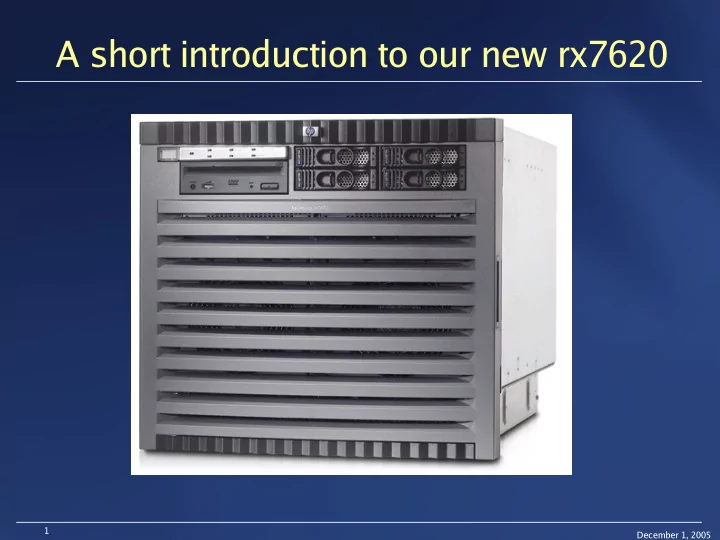
A short introduction to our new rx7620

slide-2
SLIDE 2

December 1, 2005 2

Basic Properties

  • 8 CPUs - 1.6GHz Itanium2 (6MB L3 cache)
  • 8GB RAM
  • 14 PCI-X slots (“
  • nly”

~8GB/s total I/O)

  • Supports hardware partitioning
  • No VGA port – access only via serial port
  • Weight ~100kg; Height 10U (rx2600 is 2U)
  • Came in it’s own rack
  • Nice, but incompatible with CERN standard racks :-(
slide-3
SLIDE 3

December 1, 2005 3

Overview I

slide-4
SLIDE 4

December 1, 2005 4

Overview II

slide-5
SLIDE 5

December 1, 2005 5

Internal Layout

slide-6
SLIDE 6

December 1, 2005 6

sx1000 Chipset - Schematics

slide-7
SLIDE 7

December 1, 2005 7

Cell board - Design

slide-8
SLIDE 8

December 1, 2005 8

I/O - Schematics

slide-9
SLIDE 9

December 1, 2005 9

Possible Areas of Application

  • Applications requiring massive I/O cpabilities
  • CASTOR (disk-/tape-server)
  • Dataexport to the LCG Tier-1 sites
  • Massive parallel Applications
  • Computational Fluid dynamics
  • Database server
  • Fast compile machine (to make Sverre happy :-) )
  • etc.
slide-10
SLIDE 10

December 1, 2005 10

Installation - Hardware

  • The positive side
  • Very nice and simple to use mechanism to physically

install the machine (~100kg+~60kg rack!!)

  • Overall simple & smooth installation (except power distribution)
  • The negative side
  • Power cables are not supported at CERN
  • Could re-use cables from another box which is not used

anymore (big mess otherwise...)

  • In General: HP seems to assume that the entire computing

center follows one particular way of power distribution (I assume

any vendor does that...)

slide-11
SLIDE 11

December 1, 2005 11

Installation - OS/software

  • OS installation could not be started because boot kernels

did not boot (incl. HP Linux Enablement kit)

  • Linux supports only a “simple” mapping partition ↔ I/O subsystem
  • Machine had single partition but still two separate I/O subsystems
  • nPartition manual (399 pages!!) a bit confusing (helpful only if you know

what you’re looking for...) (...but I learned a lot about the internals of the box...)

  • Hint from the Gelato mailinglist helped (“acpiconfig single-pci-domain”)
  • PXE boot (Netboot) doesn’t work
  • PXE protocol “spoken” by the NIC is not supported by our new

network infrastructure!! (is it too new or too old?)

  • Installed “private” DHCP-/PXE-/Installation-server and it worked :-)