A few more pointer points A few more pointer points Beware null - - PowerPoint PPT Presentation

a few more pointer points a few more pointer points
SMART_READER_LITE
LIVE PREVIEW

A few more pointer points A few more pointer points Beware null - - PowerPoint PPT Presentation

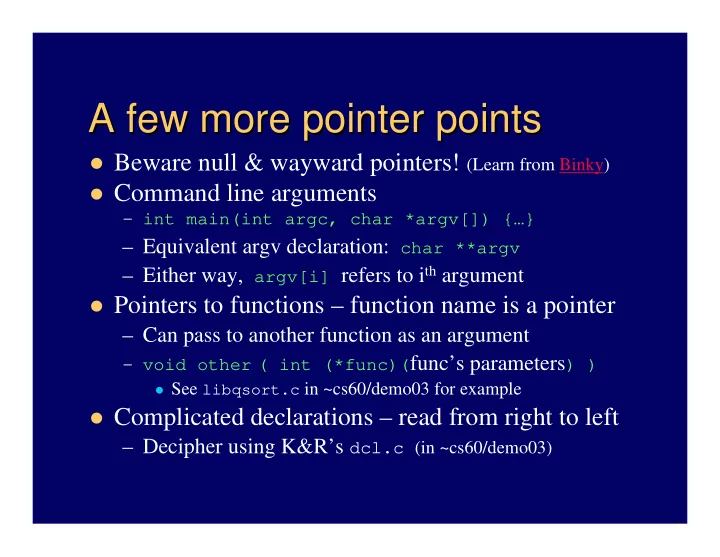
A few more pointer points A few more pointer points Beware null & wayward pointers! (Learn from Binky) Command line arguments int main(int argc, char *argv[]) {} Equivalent argv declaration: char **argv Either way,


slide-1
SLIDE 1

A few more pointer points A few more pointer points

Beware null & wayward pointers! (Learn from Binky) Command line arguments

– int main(int argc, char *argv[]) {…}

– Equivalent argv declaration: char **argv – Either way, argv[i] refers to ith argument

Pointers to functions – function name is a pointer

– Can pass to another function as an argument

– void other ( int (*func)(func’s parameters) )

See libqsort.c in ~cs60/demo03 for example

Complicated declarations – read from right to left

– Decipher using K&R’s dcl.c (in ~cs60/demo03)

slide-2
SLIDE 2

int int printf(char printf(char * *fmt fmt, , a1 a1, , a2 a2, , … …) )

Prints to stdout – formatted

– Same as fprintf(stdout, char *fmt, a1, …) – Variable length argument list after format – one for each % in format string (in order)

%[-][width][.][precision]character

– ‘-’ specifies left justification – width – maximum field width in characters – [.][precision] – for floating point nums only – Character – specific for type to convert

d, i, o, x, u – for integers f, e, g – for floating point s for strings, and c for chars

slide-3
SLIDE 3

Line input and output Line input and output

Note: K&R getline is non-standard – better to

use fgets from <stdio.h>:

char *fgets(char *line, int max, FILE *fp);

– Reads at most max – 1 characters, including ‘\n’ – The array, line, must be able to hold max chars

But do not use gets(…) – it’s dangerous

fputs – alternative to fprintf to output lines: int fputs(char *line, FILE *fp); /* returns EOF if error */

– Or just use puts(…) for stdout

slide-4
SLIDE 4

int int scanf(char scanf(char * *fmt fmt, , a1 a1, , a2 a2, , … …) )

Formatted input from stdin For all except %c – skips white space Arguments corresponding to conversion

characters must be pointers:

int x; char word[20]; scanf(“%d %s”, &x, word);

– Note – word is already a pointer, so no & – Another note – word array must be large enough

Also sscanf and fscanf – for input from a

string or a file (i.e., like sprintf and fprintf)

slide-5
SLIDE 5

Variable Variable-

  • length argument lists

length argument lists

#include <stdarg.h> va_list ap;

/* first: declare pointer to unnamed args */

va_start(ap, last named-arg);

/* aim pointer at first unnamed argument (note: must be at least one named argument) */

type value = va_arg(ap, type)

/* get current unnamed argument, and increment */

va_end(ap);

/* must be called when done – before returning */

slide-6
SLIDE 6

File input/output File input/output

FILE *fp; /* declare a file pointer */ fp = fopen(“filename”, mode);

/* associate a file with the pointer */ – mode is char * – either “r”, “w”, or “a”

Input or output using the file pointer:

– getc(fp); /* returns next int from file */ – putc(intValue, fp); /* outputs value to file */ – fscanf(fp, format, …); /* input from file */ – fprintf(fp, format, …); /* output to file */

slide-7
SLIDE 7

Error handling basics Error handling basics

Do NOT print errors to stdout

– Print error messages to stderr instead:

fprintf(stderr, “message”, args…);

Often need to terminate execution due to errors

– In main – return EXIT_FAILURE; /* or any non-zero */ – In other functions – exit(EXIT_FAILURE);

Sometimes want to check error status of file (fp)

– General error – ferror(fp); /* returns 0 if no errors */ – End-of-file – feof(fp); /* returns non-0 if end of file */

slide-8
SLIDE 8

C structures C structures – – some basics some basics

Structures are user-defined types with multiple data fields e.g., define structure to hold a char and a double: struct example{ /* type is 2 words: struct example */ char c; double d; };

/* the semicolon is mandatory */

Create a structure, and declare and assign a pointer struct example e, *ep = &e; Or, if won’t need to refer to type name again: struct { /* can leave off the “tag” */ char c; double d; } e, *ep;

slide-9
SLIDE 9

More structure basics More structure basics

Access fields with the dot ‘.’ operator

– By using the structure’s name: e.d = 2.5; – Or the pointer: (*ep).c = ‘a’; /* parens needed */

Easier to use the arrow ‘->’ operator for pointers

– ep->c = ‘a’;

Can initialize all fields in one step:

– struct example e2 = { ‘c’, 97.14 };

Note – size of structure >= sum of field sizes:

– sizeof e >= sizeof(char) + sizeof(double)

slide-10
SLIDE 10

typedef typedef

Can precede any declaration with typedef

– Defines a name for the given type:

typedef struct example ExampleType; ExampleType e, *ep; /* e, ep same as prior slide */

Can even use a defined type to define another:

typedef ExampleType *ETPointer; ETPointer ep; /* ep same as above */

Note – can simplify code with macros too:

#define C(p) (p)->c C(ep) = ‘b’;

/* preprocessor substitutes correct code */

slide-11
SLIDE 11

Structures and functions Structures and functions

Usually better to pass pointers – avoid copy costs

– But gives function access to original fields

Note: const not guaranteed in C

Do not return pointers to local structure variables

– In this case, accept the copying costs – But okay if dynamically allocate memory for structure

Returning defined types aids readability:

– ETPointer someFunction() is easy to read – struct example *someFunction() is not

slide-12
SLIDE 12

Collections of structures Collections of structures

Arrays – an alternative to “parallel arrays”

– Mostly handle like all other array types

ExampleType array[/*size*/], *p; p = array + 2; /* p points at third struct */

– See keyword counting programs, K&R p. 134 & 137

(today’s demo programs in ~cs60/demo04/)

Linked data structures – a.k.a. self-referential

typedef struct node { DataType data; struct node *next; /* a pointer to next node */ } ListNode;

– Also see binary search tree program, K&R pp. 140-2

slide-13
SLIDE 13

Unions Unions

Can hold different data types/sizes (at different times)

e.g., define union to hold an int or a double:

union myValue{ int x; double d; } u, *up; /* u is a union, up can point to one */

Access x or d by u. or up-> just like structures sizeof u is size of largest field in union

– Equals sizeof(double) in this case

Often store inside a structure, with a key to identify type

– Otherwise might be no way to know which field to access

slide-14
SLIDE 14

More library functions More library functions

Become familiar with K&R appendix B!

<string.h> – to deal with char * data <ctype.h> – to handle individual chars <math.h> – trig functions, logs, many more

– Note: usually must link to libm.a – use -lm

<stdlib.h> – various utilities

– Inc. atoi, qsort, rand, malloc, exit, system, …

<assert.h> – one cool macro: assert(int) <time.h>, <limits.h>, … – check them out!