2019 Latin American Protests A series of protests Exploring pro - - PowerPoint PPT Presentation

2019 latin american protests
SMART_READER_LITE
LIVE PREVIEW

2019 Latin American Protests A series of protests Exploring pro - - PowerPoint PPT Presentation

<Your Name> 2019 Latin American Protests A series of protests Exploring pro and anti- that shocked the region at the end government movements during of 2019. the 2019 Ecuadorian protests They started in Haiti, followed by


slide-1
SLIDE 1

<Your Name> 1

Center for Computational Analysis of Social and Organizational Systems http://www.casos.cs.cmu.edu/

Exploring pro and anti- government movements during the 2019 Ecuadorian protests

Ramon Villa-Cox

rvillaco@andrew.cmu.edu School of Computer Science, Carnegie Mellon Summer Institute 2020

11 June 2020 2 Ramon Villa-Cox

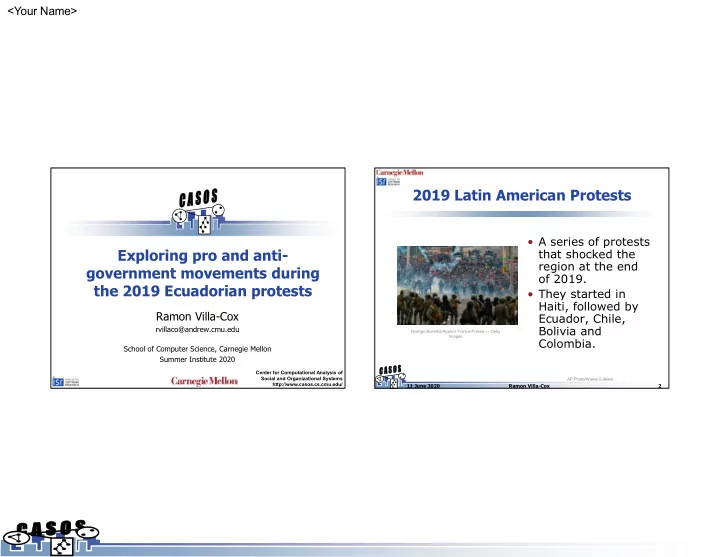
2019 Latin American Protests

Rodrigo Buendia/Agence France-Presse — Getty Images AP Photo/Ariana Cubillos

  • A series of protests

that shocked the region at the end

  • f 2019.
  • They started in

Haiti, followed by Ecuador, Chile, Bolivia and Colombia.

slide-2
SLIDE 2

<Your Name> 2

11 June 2020 3 Ramon Villa-Cox

2019 Latin American Protests

  • These effectively

paralyzed the countries for weeks and in some cases, months.

  • They also had a

massive online presence and there was reported involvement

  • f international and

regional actors that sought to influence the evolution of the different protests.

AP Photo/Ariana Cubillos

11 June 2020 4 Ramon Villa-Cox

2019 Latin American Protests

  • We collected Twitter data across the different
  • countries. More than 180 hashtags and terms

were used for each countries.

  • A special effort was taken to collect

conversations around antagonistic positions, by including hashtags that were used by different groups (for and against the different governments).

  • During this hands-on session, we are going to

focus on a subset of the Ecuadorian data.

slide-3
SLIDE 3

<Your Name> 3

11 June 2020 5 Ramon Villa-Cox

Ecuadorian Protests

  • Protests were originated as

a response of an International Monetary Fund (IMF) sponsored austerity package which involved a rise in fuel costs.

  • Interested parties that

fomented the protests included indigenous leaders, student

  • rganizations and followers
  • f former president.

Agence France-Presse — Getty Images

11 June 2020 6 Ramon Villa-Cox

Ecuadorian Protests

  • Protests occurred from

September to October and included violent incidents. The strike caused the paralysis of the economy due to looting and closed highways.

  • After two weeks of violent

manifestations in several of the main cities of the country, the President agreed with indigenous leaders to cancel the austerity package proposed.

Agence France-Presse — Getty Images Agence France-Presse — Getty Images

slide-4
SLIDE 4

<Your Name> 4

11 June 2020 7 Ramon Villa-Cox

Determining Pro and Anti Protests Tweets

  • 180+ Hashtags and terms were used to

collect data around the Ecuadorian protests, from September 20 to October 21 of 2019.

  • This resulted in over 11 million tweets from

1.4+ million users.

  • Hashtags were classified into either pro, anti
  • r neutral to the protests based on a

sample of the tweets.

  • This resulted in 64 pro tags and 28 anti (the

remainder being either neutral or not a hashtag).

11 June 2020 8 Ramon Villa-Cox

Co-Hashtag Network

slide-5
SLIDE 5

<Your Name> 5

11 June 2020 9 Ramon Villa-Cox

Assigning Stance to Users

  • Noisy stance labels

were assigned to users based on their usage.

  • Users were assigned a

label if they only used tags for one side of the argument, either on their tweets or their user descriptions.

  • This resulted in a

subset of 203990 users.

User Protest Stance Distribution

11 June 2020 10 Ramon Villa-Cox

What we can do with identified stances?

  • Contrast Bot presence.
  • Consumption of official and alternative news
  • media. This includes Venezuelan and Russian

news media.

  • Presence of international campaigns seeking to

incentivize the riots. There are multiple accounts from Venezuelan origins that were involved in the discussion across multiple countries.

  • Interactions within and between groups.
  • Construct a classifier to extrapolate the results

from these accounts to the rest of the data collected.

slide-6
SLIDE 6

<Your Name> 6

11 June 2020 11 Ramon Villa-Cox

PREPROCESSING THE DATA

11 June 2020 12 Ramon Villa-Cox

Preparing Data for Hands On Session

  • The subset of the data shown is too large to

use in the present session. This provides the

  • pportunity to review tools available in ORA

to work with big data.

  • The first thing is to exclude retweets and

users that tweeted only one time. This was not done with ORA.

  • The following slides show the steps taken in

ORA to construct the data that is provided with the lecture.

slide-7
SLIDE 7

<Your Name> 7

11 June 2020 13 Ramon Villa-Cox

Step 1: Importing Data

First, we are going to import the raw JSON file to ORA by using the Twitter importer as shown in the figures. By clicking in the derived networks tab, we also deselect networks related to location and words (as we won’t use it). Make sure Hashtag x Hashtag – Co- Ocurrence is selected.

11 June 2020 14 Ramon Villa-Cox

Step 2: Selecting the Principal Component

  • We are going first

select users that are in the main component of the “Agent x Agent – Common Hashtags” network.

slide-8
SLIDE 8

<Your Name> 8

11 June 2020 15 Ramon Villa-Cox

Step 3: Selecting the Principal Component

Then select the giant component and ask ORA to extract all the relevant networks that involve the Agent nodeset.

11 June 2020 16 Ramon Villa-Cox

Step 4: Removing Isolates

  • The newly created

Meta-Network not only includes the main component of the Common Hashtag network, as it extracts it based on the networks selected at the end.

  • We need to remove

the remaining isolates.

slide-9
SLIDE 9

<Your Name> 9

11 June 2020 17 Ramon Villa-Cox

Step 4: Removing Isolates

  • We are going to

remove isolates based

  • n the following

networks:

– Agent x Agent – Common Hashtags – Agent x Agent – All Communication – Agent x Hashtag – Agent x Tweet – Sender

11 June 2020 18 Ramon Villa-Cox

Step 5: Select Maximal K-Core

  • Finally, we are going

to select the Maximal K-Core of the Common Hashtag network.

  • A K-Core of a network

is a maximal subgraph were all nodes have at least K connections.

slide-10
SLIDE 10

<Your Name> 10

11 June 2020 19 Ramon Villa-Cox

Step 5: Select Maximal K-Core

  • This subset is still too big, so we are going to select

the Maximal K-Core of the All Communication networks.

11 June 2020 20 Ramon Villa-Cox

Step 5: Select Maximal K-Core

  • This still includes isolates (as we specified the

extraction of all other networks). So we are going to remove the remaining isolates (based on the same networks specified before), resulting in 2000+ agents.

slide-11
SLIDE 11

<Your Name> 11

11 June 2020 21 Ramon Villa-Cox

FINDING COMMUNITIES IN THE DATA

11 June 2020 22 Ramon Villa-Cox

Steps to take

  • Open the file StancesEcuador.json. This is

a de-identified version of the one constructed in the previous slides. This is done to adhere to Twitter’s regulations for sharing collected tweets.

  • We are going to import the data and

identify the different communities present in the data.

  • Then we will contrast them to the
  • bserved stances derived for the users.
slide-12
SLIDE 12

<Your Name> 12

11 June 2020 23 Ramon Villa-Cox

Import Data

  • We are going to import the JSON data, making sure

that we include the custom attributes included in the JSON specifying the stance of the users.

11 June 2020 24 Ramon Villa-Cox

Import Data

  • This imports the extra attribute as shown in the
  • figure. We could also import the data if we have a

separate file with the value for the different users.

slide-13
SLIDE 13

<Your Name> 13

11 June 2020 25 Ramon Villa-Cox

Remove Extra-Tweets

  • ORA parses the JSON strings taking the ids to users

and tweets that were not part of our original sample.

  • To maintain the small subset relevant to us, we are

going to take again the K-Core of the relevant network.

11 June 2020 26 Ramon Villa-Cox

Remove Extra-Tweets

  • Again, given we extract all other networks, the

extracted K-core includes a lot of isolates that we need to remove.

slide-14
SLIDE 14

<Your Name> 14

11 June 2020 27 Ramon Villa-Cox

Determine User Communities

  • There are several ways we can find the communities

in the data. First, we can do it by using the visualizer.

11 June 2020 28 Ramon Villa-Cox

Determine User Communities

  • The previous methods does not create attributes in

the nodeset. We can do this by using ORA reports.

slide-15
SLIDE 15

<Your Name> 15

11 June 2020 29 Ramon Villa-Cox

Determine User Communities

  • This creates additional attributes in the agent-set

specifying the group membership of an agent.

11 June 2020 30 Ramon Villa-Cox

Color Nodes by Group

slide-16
SLIDE 16

<Your Name> 16

11 June 2020 31 Ramon Villa-Cox

Color nodes by stance

  • We see that the users against the protests are also

concentrated in one of the groups identified by either algorithm.

11 June 2020 32 Ramon Villa-Cox

Discussion

  • There is a clear pattern of

communication within the anti-protest

  • users. They are grouped together by

both community detection algorithms.

  • However, they are also grouped with

several other pro-protest users.

  • This is to be expected as we are not

considering the nature of the interactions between the users.

slide-17
SLIDE 17

<Your Name> 17

11 June 2020 33 Ramon Villa-Cox

Discussion

  • Part of my research focuses on

identifying the stances of those interactions.

  • These stances can not only inform

community detection algorithms, but they can be predictors of how tweets diffuse within the different communities.