2 2018/19 GouTP @ SCEE About: Useful and various tools as a Christmas - - PowerPoint PPT Presentation

2
SMART_READER_LITE
LIVE PREVIEW

2 2018/19 GouTP @ SCEE About: Useful and various tools as a Christmas - - PowerPoint PPT Presentation

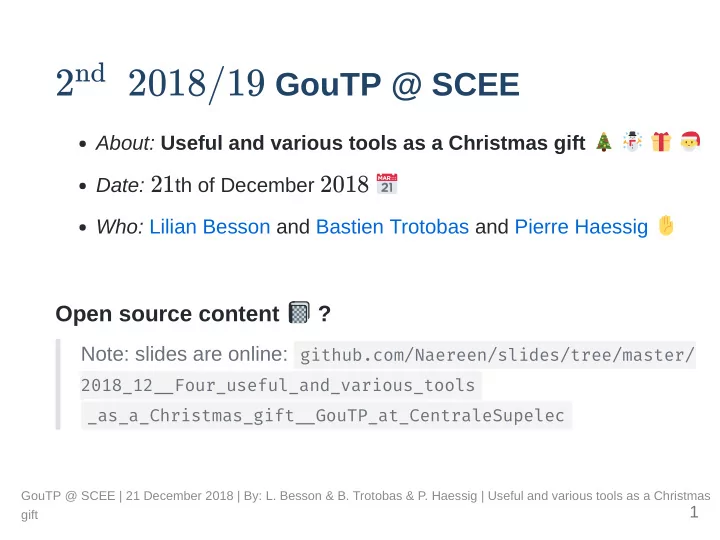
nd 2 2018/19 GouTP @ SCEE About: Useful and various tools as a Christmas gift Date: 21 th of December 2018 Who: Lilian Besson and Bastien Trotobas and Pierre Haessig Open source content ? Note: slides are online:


slide-1
SLIDE 1

2

2018/19 GouTP @ SCEE

About: Useful and various tools as a Christmas gift Date: 21th of December 2018 Who: Lilian Besson and Bastien Trotobas and Pierre Haessig

Open source content ?

Note: slides are online: github.com/Naereen/slides/tree/master/

2018_12Four_useful_and_various_tools _as_a_Christmas_giftGouTP_at_CentraleSupelec

nd

GouTP @ SCEE | 21 December 2018 | By: L. Besson & B. Trotobas & P. Haessig | Useful and various tools as a Christmas gift

1

slide-2
SLIDE 2

What's a "GouTP" ?

Internal monthly technical training session Usually: on Thursday, at 3pm

  • 3:30pm

With coffee, tea and sweets: we relax while training ! Initiative of Quentin and Vincent in January 2017... Continued by Rémi, Muhammad, Rami and Lilian !

Not only @ SCEE ?

Now open to all the teams of CentraleSupélec, campus of Rennes.

GouTP @ SCEE | 21 December 2018 | By: L. Besson & B. Trotobas & P. Haessig | Useful and various tools as a Christmas gift

2

slide-3
SLIDE 3

Agenda for today

  • 1. Clipboard history manager
  • 2. Offline documentation browser
  • 3. Compressing PNG, JPEG and PDF
  • 4. Tools to write easily in a foreign language

Please

Ask questions and interrupt us if you want!

GouTP @ SCEE | 21 December 2018 | By: L. Besson & B. Trotobas & P. Haessig | Useful and various tools as a Christmas gift

3

slide-4
SLIDE 4

1st tool: Clipboard history manager

Simple and tiny tool to help you win some time!

Example of a problem?

You're editing some files, browsing Internet You use Ctrl+C / Ctrl+V a lot (like everybody does) But you're tired of losing your copied text/macro/piece of code/URL when you copy something on it

How to solve it?

Don't, just find again your text and copy it... Slow!! Use a software to keep track of your history of copy/paste!

GouTP @ SCEE | 21 December 2018 | By: L. Besson & B. Trotobas & P. Haessig | Useful and various tools as a Christmas gift

4

slide-5
SLIDE 5

On a GNU/Linux system

My favorite parcellite (parcellite.sourceforge.net)

$ sudo apt install parcellite

Or replace apt with aur , yum , pacman etc (= your distribution's package manager) Other good solutions diodon (launchpad.net/diodon) glipper (launchpad.net/glipper)

↪ superuser.com/questions/42991/clipboard-manager-for-ubuntu

All listed solutions I found are free, easy to install etc.

GouTP @ SCEE | 21 December 2018 | By: L. Besson & B. Trotobas & P. Haessig | Useful and various tools as a Christmas gift

5

slide-6
SLIDE 6

On a Windows or Mac OS X system

CopyQ (hluk.github.io/CopyQ) seems to be very good free, open source, easy to install, multi-platform! Other solutions? there is a lot!

GouTP @ SCEE | 21 December 2018 | By: L. Besson & B. Trotobas & P. Haessig | Useful and various tools as a Christmas gift

6

slide-7
SLIDE 7

Demo!

Me editing the source code of last slides, using parcellite

GouTP @ SCEE | 21 December 2018 | By: L. Besson & B. Trotobas & P. Haessig | Useful and various tools as a Christmas gift

7

slide-8
SLIDE 8

Good features for a clipboard history manager

Keep a history of your copied/pasted texts Accessible in the system menu (system tray) with your mouse Bonus if accessible from a keyboard shortcut as a floating menu ( Ctrl+Alth for parcellite on GNU/Linux, cf. demo)

Other features?

Works with images & files ( parcelitte don't support this, CopyQ does) Keep history after system reboot (they all do) Modify / clean your clipboard history Work with multiple items (for multi-cursor editors)

GouTP @ SCEE | 21 December 2018 | By: L. Besson & B. Trotobas & P. Haessig | Useful and various tools as a Christmas gift

8

slide-9
SLIDE 9

2nd tool: Offline documentation browser

TL;DR: if you use open source languages and tools for your work, the website devdocs.io is very useful! Browse and search documentation of languages and libraries Examples: Python, tensorflow, matplotlib, C++, etc Work offline (nice in a plane, train etc)

GouTP @ SCEE | 21 December 2018 | By: L. Besson & B. Trotobas & P. Haessig | Useful and various tools as a Christmas gift

9

slide-10
SLIDE 10

GouTP @ SCEE | 21 December 2018 | By: L. Besson & B. Trotobas & P. Haessig | Useful and various tools as a Christmas gift

10

slide-11
SLIDE 11

GouTP @ SCEE | 21 December 2018 | By: L. Besson & B. Trotobas & P. Haessig | Useful and various tools as a Christmas gift

11

slide-12
SLIDE 12

GouTP @ SCEE | 21 December 2018 | By: L. Besson & B. Trotobas & P. Haessig | Useful and various tools as a Christmas gift

12

slide-13
SLIDE 13

3rd tool: Compressing PNGs, JPEGs & PDFs

What? Reduce the size of figures with little or no quality loss. Why? Reduce the size of your research papers, Speed up your data transfers to your git, drive, etc, Reduce your environmental impact effortlessly. How?

  • i. (you can) remove EXIF data from figures
  • ii. Compress them.
  • iii. See next slides.

GouTP @ SCEE | 21 December 2018 | By: L. Besson & B. Trotobas & P. Haessig | Useful and various tools as a Christmas gift

13

slide-14
SLIDE 14

For PNGs Up to 60% compression rate!

$ advpng z -2 *.png # on *Nix systems 112098 88316 78% Zotero_desktop_idle.png 120106 89860 74% Zotero_online.png 124577 93638 75% bibtex_style.png 21961 16303 74% generate_IEEE.png 73520 56477 76% setup_proxy.png 452262 344594 76% # quite good!

GouTP @ SCEE | 21 December 2018 | By: L. Besson & B. Trotobas & P. Haessig | Useful and various tools as a Christmas gift

14

slide-15
SLIDE 15

For JPEGs already compressed

One can reduce the size with little loss. Lots of web tools. One among all CompressJPEG.com

GouTP @ SCEE | 21 December 2018 | By: L. Besson & B. Trotobas & P. Haessig | Useful and various tools as a Christmas gift

15

slide-16
SLIDE 16

Example: two compression steps

159 ko 47 ko (30%) 21 ko (13%) It depends on your use case!

GouTP @ SCEE | 21 December 2018 | By: L. Besson & B. Trotobas & P. Haessig | Useful and various tools as a Christmas gift

16

slide-17
SLIDE 17

For PDFs Up to 100% compression rate!

On Unix systems

Lilian wrote PDFCompress for this (↪ bitbucket.org/lbesson/bin ).

$ cp input.pdf output.pdf $ PDFCompress output.pdf # lot of verbose output $ du input.pdf output.pdf 2,1M input.pdf | 1,1M output.pdf # it does this command with gs (ghostscript): $ gs dBATCH dNOPAUSE q sDEVICE=pdfwrite \ sOutputFile=output.pdf input.pdf

On Windows systems

Use online tools such as SmallPDF.com

GouTP @ SCEE | 21 December 2018 | By: L. Besson & B. Trotobas & P. Haessig | Useful and various tools as a Christmas gift

17

slide-18
SLIDE 18

4th tools: Writing tools

Goal: increase quality and productivity when writing, e.g. in a non native language Three propositions:

  • 1. Dictionnary power user: WordReference.com + Firefox smart

keywords

  • 2. Fast translation with DeepL.com
  • 3. Grammar spellchecker with : Antidote.info

Fr + En = 120 + 60 € LaTeX compatible I used it for my PhD manuscript (in French), and all articles since then

GouTP @ SCEE | 21 December 2018 | By: L. Besson & B. Trotobas & P. Haessig | Useful and various tools as a Christmas gift

18

slide-19
SLIDE 19

4.1. Firefox keywords for dictionnaries

Goal: fast word translation with Wordreference or other dictionnary.

  • cf. support.mozilla.org/en-US/kb/Smart keywords.

Access dictionnaries without leaving the keyboard (no mouse click needed).

GouTP @ SCEE | 21 December 2018 | By: L. Besson & B. Trotobas & P. Haessig | Useful and various tools as a Christmas gift

19

slide-20
SLIDE 20

Firefox keywords: HOWTO 1/2

Step 1: right-click in search field: "Add a Keyword for this Search..."

GouTP @ SCEE | 21 December 2018 | By: L. Besson & B. Trotobas & P. Haessig | Useful and various tools as a Christmas gift

20

slide-21
SLIDE 21

Firefox keywords: HOWTO 2/2

Step 2: choose the keyword: "ling", "fren", "enfr"...

GouTP @ SCEE | 21 December 2018 | By: L. Besson & B. Trotobas & P. Haessig | Useful and various tools as a Christmas gift

21

slide-22
SLIDE 22

Firefox keywords: check

NB: keywords are associated with bookmarks. You can hack the bookmark record, playing with the %s placeholder:

GouTP @ SCEE | 21 December 2018 | By: L. Besson & B. Trotobas & P. Haessig | Useful and various tools as a Christmas gift

22

slide-23
SLIDE 23

Firefox keywords: usage (without mouse!)

( Ctrl+L to focus the address bar) Type keyword + space + search string: Then hit Enter to query the search:

GouTP @ SCEE | 21 December 2018 | By: L. Besson & B. Trotobas & P. Haessig | Useful and various tools as a Christmas gift

23

slide-24
SLIDE 24

4.2. DeepL online translator

↪ DeepL.com (by the makers of Linguee.com).

Key interesting points: word-by-word interactivity: adjust the translation to your taste integrated dictionnary

Don't use for private documents!

Important warning: in the free version, everything gets recorded (cf. privacy policy), like Google Translate...

GouTP @ SCEE | 21 December 2018 | By: L. Besson & B. Trotobas & P. Haessig | Useful and various tools as a Christmas gift

24

slide-25
SLIDE 25

DeepL demo

My tip: make changes forward, or you shall loose previous changes .

GouTP @ SCEE | 21 December 2018 | By: L. Besson & B. Trotobas & P. Haessig | Useful and various tools as a Christmas gift

25

slide-26
SLIDE 26

4.3. Antidote grammar spellchecker

NB: non free tool: 120 € + 60 € for French + English

Features

detects advanced grammar errors including false friends for French (e.g.: actuellement/actually) can spellcheck LaTeX includes dictionnaries with synonyms, antonyms, citations...

GouTP @ SCEE | 21 December 2018 | By: L. Besson & B. Trotobas & P. Haessig | Useful and various tools as a Christmas gift

26

slide-27
SLIDE 27

Demo of Antidote

GouTP @ SCEE | 21 December 2018 | By: L. Besson & B. Trotobas & P. Haessig | Useful and various tools as a Christmas gift

27

slide-28
SLIDE 28

Conclusion (1/3)

Sum-up

  • 1. A clipboard history manager is simple to use and can be useful!
  • 2. Offline documentation browser is awesome!
  • 3. Compress your figures before including them on your papers,

sending them online, storing them on your git, etc!

  • 4. Advanced writing tools

Pointers

↪ Other JPEGs and PNGs compression tools and Other PDFs

compression tools online

↪ DeepL.com and other websites

GouTP @ SCEE | 21 December 2018 | By: L. Besson & B. Trotobas & P. Haessig | Useful and various tools as a Christmas gift

28

slide-29
SLIDE 29

Conclusion (2/3)

Next GouTP @ SCEE

Any request or suggestion ?

We need participants!

By you? Any idea is welcome!

Co n ta ct us if yo u wa n t to d

  • a

Go uT P !

Note for PhD students

GouTP count as PhD training hours, come with a paper from Ecole Doctorale for us to sign!

GouTP @ SCEE | 21 December 2018 | By: L. Besson & B. Trotobas & P. Haessig | Useful and various tools as a Christmas gift

29

slide-30
SLIDE 30

Conclusion (3/3)

Happy holidays! And merry Christmas !

Your mission, if you accept it...

  • 1. Padawan level : be smart and try new tools!
  • 2. Jedi level : discuss about your tools with your colleagues and

friends!

  • 3. Master level : write your own open source tools to solve problems

nobody never had!

Tha n ks f

  • r

jo in in g !

GouTP @ SCEE | 21 December 2018 | By: L. Besson & B. Trotobas & P. Haessig | Useful and various tools as a Christmas gift

30