
SLIDE 1
1
The Classical OS Model in Unix The Classical OS Model in Unix A Lasting Achievement? A Lasting Achievement?
“Perhaps the most important achievement of Unix is to demonstrate that a powerful operating system for interactive use need not be expensive…it can run on hardware costing as little as $40,000.”
The UNIX Time-Sharing System*
- D. M. Ritchie and K. Thompson
DEC PDP-11/24
http://histoire.info.online.fr/pdp11.html
Elements of the Unix Elements of the Unix
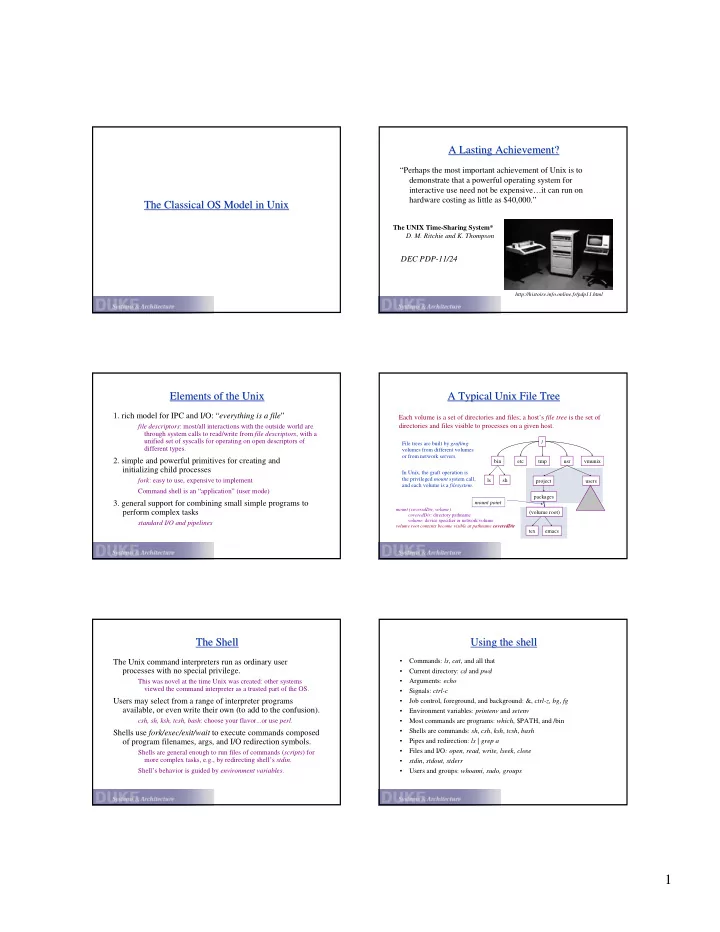
- 1. rich model for IPC and I/O: “everything is a file”
file descriptors: most/all interactions with the outside world are through system calls to read/write from file descriptors, with a unified set of syscalls for operating on open descriptors of different types.
- 2. simple and powerful primitives for creating and
initializing child processes
fork: easy to use, expensive to implement Command shell is an “application” (user mode)
- 3. general support for combining small simple programs to
perform complex tasks
standard I/O and pipelines
A Typical Unix File Tree A Typical Unix File Tree
/ tmp usr etc File trees are built by grafting volumes from different volumes
- r from network servers.
Each volume is a set of directories and files; a host’s file tree is the set of directories and files visible to processes on a given host.
bin vmunix ls sh project users packages (volume root) tex emacs In Unix, the graft operation is the privileged mount system call, and each volume is a filesystem. mount point
mount (coveredDir, volume) coveredDir: directory pathname volume: device specifier or network volume volume root contents become visible at pathname coveredDir
The Shell The Shell
The Unix command interpreters run as ordinary user processes with no special privilege.
This was novel at the time Unix was created: other systems viewed the command interpreter as a trusted part of the OS.
Users may select from a range of interpreter programs available, or even write their own (to add to the confusion).
csh, sh, ksh, tcsh, bash: choose your flavor...or use perl.
Shells use fork/exec/exit/wait to execute commands composed
- f program filenames, args, and I/O redirection symbols.
Shells are general enough to run files of commands (scripts) for more complex tasks, e.g., by redirecting shell’s stdin. Shell’s behavior is guided by environment variables.
Using the shell Using the shell
- Commands: ls, cat, and all that
- Current directory: cd and pwd
- Arguments: echo
- Signals: ctrl-c
- Job control, foreground, and background: &, ctrl-z, bg, fg
- Environment variables: printenv and setenv
- Most commands are programs: which, $PATH, and /bin
- Shells are commands: sh, csh, ksh, tcsh, bash
- Pipes and redirection: ls | grep a
- Files and I/O: open, read, write, lseek, close
- stdin, stdout, stderr
- Users and groups: whoami, sudo, groups