1 Disinfection Requirements for Tracer Studies and Contact Time: - - PDF document

1
SMART_READER_LITE
LIVE PREVIEW

1 Disinfection Requirements for Tracer Studies and Contact Time: - - PDF document

Essentials of Surface Water Background (continued) Treatment 1998 Interim Enhanced Surface Water Treatment Rule (Part 2) (IESWTR) Addressed concerns about Crypto (required 2-log removal) Oregon Health Authority CF/DF: Lowered


slide-1
SLIDE 1

1

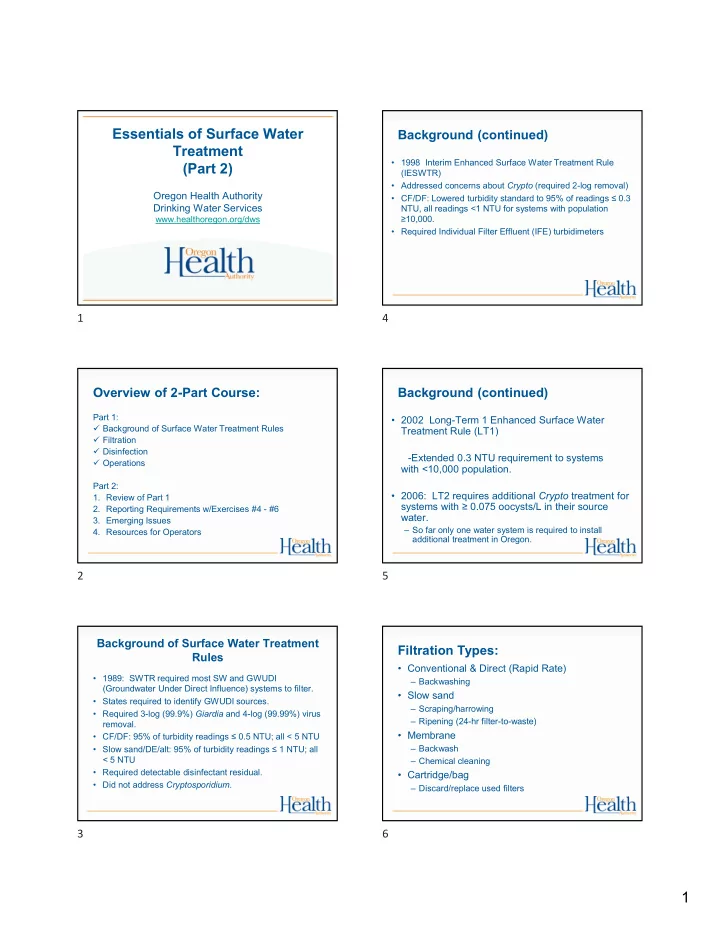
Essentials of Surface Water Treatment (Part 2)

Oregon Health Authority Drinking Water Services

www.healthoregon.org/dws

Overview of 2-Part Course:

Part 1:  Background of Surface Water Treatment Rules  Filtration  Disinfection  Operations Part 2:

  • 1. Review of Part 1
  • 2. Reporting Requirements w/Exercises #4 - #6
  • 3. Emerging Issues
  • 4. Resources for Operators

Background of Surface Water Treatment Rules

  • 1989: SWTR required most SW and GWUDI

(Groundwater Under Direct Influence) systems to filter.

  • States required to identify GWUDI sources.
  • Required 3-log (99.9%) Giardia and 4-log (99.99%) virus

removal.

  • CF/DF: 95% of turbidity readings ≤ 0.5 NTU; all < 5 NTU
  • Slow sand/DE/alt: 95% of turbidity readings ≤ 1 NTU; all

< 5 NTU

  • Required detectable disinfectant residual.
  • Did not address Cryptosporidium.

Background (continued)

  • 1998 Interim Enhanced Surface Water Treatment Rule

(IESWTR)

  • Addressed concerns about Crypto (required 2-log removal)
  • CF/DF: Lowered turbidity standard to 95% of readings ≤ 0.3

NTU, all readings <1 NTU for systems with population ≥10,000.

  • Required Individual Filter Effluent (IFE) turbidimeters

Background (continued)

  • 2002 Long-Term 1 Enhanced Surface Water

Treatment Rule (LT1)

  • Extended 0.3 NTU requirement to systems

with <10,000 population.

  • 2006: LT2 requires additional Crypto treatment for

systems with ≥ 0.075 oocysts/L in their source water.

– So far only one water system is required to install additional treatment in Oregon.

Filtration Types:

  • Conventional & Direct (Rapid Rate)

– Backwashing

  • Slow sand

– Scraping/harrowing – Ripening (24-hr filter-to-waste)

  • Membrane

– Backwash – Chemical cleaning

  • Cartridge/bag

– Discard/replace used filters

1 2 3 4 5 6

slide-2
SLIDE 2

2

Disinfection Requirements for Surface Water

  • Surface Water Treatment Rule (SWTR) requires

3-log reduction of Giardia using a combination of disinfection and filtration

  • 2.0 to 2.5-log removal is achieved through

filtration

  • 0.5 to 1.0-log inactivation is achieved through

disinfection

  • Determines which column of EPA tables used to

calculate CTs (0.5 or 1.0-log)

What are CT’s?

  • It’s a way to determine if disinfection is adequate
  • CT = Chlorine Concentration x Contact Time
  • Do not confuse “CT” and “Contact Time”

How do we calculate CT’s?

  • We use the EPA tables to determine the CTs

needed to inactivate Giardia (CTrequired)

– We need to know pH, temperature, and free chlorine residual at the first user in order to use the EPA tables.

  • Then we compare that with the CTs achieved in
  • ur water system (CTactual)
  • CTactual must be equal to or greater than

CTrequired

Tracer Studies and Contact Time:

  • Used to determine contact time (T) which is used in

calculating CT’s

  • Determines the time that chlorine is in contact with the

water from the point of injection to the point where it is measured (sometimes referred to as the “CT segment”)

  • May be at or before the 1st user
  • May be more than one CT segment
  • Estimates of contact time are not allowed for calculating

CT’s for surface water!

– The degree of short-circuiting is only approximately known until a tracer study is conducted.

Breitenbush River Mackey Creek (gravity flow to plant)

36,000 g raw water tank 4,000 g raw water tank

Slow sand filter Cell #1 Slow sand filter Cell #2 210,000 g clearwell/reservoir Distribution system Cl residual, pH, temp, flow Raw NTU Sodium hypochlorite Flow, NTU

Intake/pump station 25hp booster pump

So if we were conducting a tracer study, this is the segment we would be looking at and determining the contact time T for.

The shorter the path, the shorter the contact time (T)

7 8 9 10 11 12

slide-3
SLIDE 3

3

Tracer studies (continued):

  • Must redo if peak hour demand flow increases

more than 10% of the maximum flow used during the tracer study

  • Community water systems with populations

<10,000 and non-profit non-community systems can use the circuit rider to perform a tracer study

  • Must submit a proposal to DWS for approval

prior to conducting the tracer study (even if using the circuit rider).

Operations & Maintenance Manual

Keep written procedures on:

  • Instrument calibration methods and frequency
  • Data handling/reporting
  • Chemical dosage determinations
  • Filter operation and cleaning
  • CT determinations
  • Responding to abnormal conditions (emergency

response plan)

REPORTING REQUIREMENTS Overview

  • How to fill out the monthly SWTR operating

reports

– How often to record turbidities – Highest turbidity of the day – Peak hourly demand flow – CT calculations

  • Common mistakes
  • What to do when things go wrong

How to fill out the monthly SWTR reports

  • There are 4 forms:

– Conventional/Direct – Slow Sand / Membrane / DE / Unfiltered – Cartridge – UV (if used for Giardia credit)

  • Must use correct form because each has

questions that must be answered that are specific to the filtration type

How to fill out the monthly SWTR reports

Forms have places to report:

  • Turbidity
  • Peak Hourly Flow
  • CT calculations
  • Log inactivation requirement (0.5 or 1.0-log,

CF/DF only)

13 14 15 16 17 18

slide-4
SLIDE 4

4

Turbidity

  • Record how often?

– Conventional and direct: every 4 hours – SSF, DE & Alternative: daily

  • Report CFE turbidities
  • Answer questions about IFEs
  • Highest turbidity of the day (can be between the

4 hour readings)

Peak hourly flow

  • Report the Peak Hourly Flow

– greatest volume of water passing through the system during any one hour in a consecutive 24 hr period

  • Not the same as Peak Instantaneous Flow
  • Report demand flow: flow leaving the clearwell,

not plant flow (in most cases)

Method for determining peak hourly demand flow

  • On a daily basis, use the best available operational

data to identify the hour within the 24 hr period that had the highest demand flow

  • For the hour of highest demand flow:
  • Calculate the average flow rate within the one hour

period (i.e., add the flow rates and divide by the number of data points).

  • Use as many data points as possible, preferably no

less than four data points taken at 15 minute intervals

19 20 21 22 23 24

slide-5
SLIDE 5

5

Method for determining peak hourly demand flow (continued)

  • For systems that only have a flow totalizer, spot

check throughout the day to determine the time

  • f peak demand
  • Once that time has been identified (e.g., 8am or

9pm for residential; mid-day for industrial), then record how much water is used during that hour each day and divide by 60 minutes to get a peak hour demand

1000 2000 3000 4000 5000 6000 Demand Flow (gpm) Here’s an example chart, meant to represent continuous readings that shows demand flow through a reservoir used for contact time. The time period shown is from 7am to

  • 9am. What would you say the peak hourly demand flow is?

2400 3000 5000 4000 3500 4000 3500 2700 1000 2000 3000 4000 5000 6000 Demand Flow (gpm) Again, the peak hourly demand flow is the hour within the 24-hr period of the highest demand flow. The red line represents the span of 1 hour: 7:30 am to 8:30 am – the peak hour. The avg. of the 4 data points equals 4125 gpm - the peak hourly demand flow. 1000 2000 3000 4000 5000 6000

Demand Flow (gpm)

Peak instantaneous flow Peak hour was from 7:30 am to 8:30 am. Peak hourly flow = 4125 gpm

The highest flow point, 5000 gpm, is the peak instantaneous flow, not the peak hourly demand flow.

Exercise #4

  • Calculate peak hourly

demand flow based on continuous flow rate data

Questions:

  • At what 1-hour interval did PHD occur?
  • What is the peak hourly demand flow (gpm)?
  • What was the peak instantaneous demand flow (gpm)?

Bonus questions:

  • Is it ok to use the peak instantaneous flow instead for calculating time T?
  • If so, what are the advantages/disadvantages?
  • Is it ok to use the average daily flow instead for calculating time T?

Why or why not?

25 26 27 28 29 30

slide-6
SLIDE 6

6

Questions:

  • At what 1-hour interval did PHD occur?
  • What is the peak hourly demand flow (gpm)?
  • What was the peak instantaneous demand flow (gpm)?

Bonus questions:

  • Is it ok to use the peak instantaneous flow instead for calculating time T?
  • If so, what are the advantages/disadvantages?
  • Is it ok to use the average daily flow instead for calculating time T? Why or why not?

Questions: At what 1-hour interval did PHD occur? 7:00 am to 8:00 am What is the peak hourly demand flow (gpm)? 6375 gpm (sum 4 data pts & divide by 4) What was the peak instantaneous demand flow (gpm)? 7500 gpm

  • Example of calculate a running hourly average by

averaging the previous 4 data points every 15 minutes.

Exercise #4: Calculating Peak Hourly Demand Flow

Bonus questions:

Is it ok to use the peak instantaneous flow instead for calculating time T?

Yes - it’s more conservative

If so, what are the advantages/disadvantages?

Advantage - easy to determine. Disadvantage - may exceed tracer study flow by more than 10%

Is it ok to use the average daily flow instead for calculating time T?

No

Why or why not?

Averaging the whole day would not be conservative enough (it would not account for sustained period of high flow which is when it is important for CTs to be met)

How to use the EPA CT tables to figure out CTrequired

  • There are six EPA CT tables based on temp
  • Find the correct table based on your water

temperature in degrees Celsius.

  • °C = 5/9 x (°F – 32)
  • If water temp is between values, then round down
  • Example: for water temp of 12°C, use the

10°C table

  • Even if the water temp is 14.9°C, round down

to 10°C

  • Water gets more viscous the colder it gets and chemical

reactions take longer, so rounding temp down is more conservative.

31 32 33 34 35 36

slide-7
SLIDE 7

7

How to use the EPA CT tables (cont.)

  • There are 7 sections for pH on each table
  • Find the section that corresponds to your water’s

pH level

  • If your pH is between the choices, then round up

to the higher pH

  • Example: if pH of water is 6.8, use the pH 7.0

section

How to use the EPA CT tables (cont.)

  • Use the 0.5 log inactivation column if your plant

is rated at 2.5 log removal for Giardia

  • All others use the 1.0 log inactivation column
  • Note: unfiltered surface water must achieve the

3-log inactivation through disinfection

How to use the EPA CT tables (cont.)

  • Match your free chlorine residual on the far left

column

  • If in between, then round up

– Rounding chlorine residual up is more conservative because as chlorine residual increases at a given pH, more CT is required

  • The point where it intersects with the log

inactivation column is the CTrequired

  • Example: free chlorine residual is 0.6 ppm

37 38 39 40 41 42

slide-8
SLIDE 8

8

In review:

  • temp of 12°C,
  • pH of 6.8,
  • free chlorine residual of 0.6
  • CTrequired = 36
  • Remember…
  • CTachieved must be > CTrequired

(CT achieved = chlorine concentration x contact time)

15 Minute Break 15 Minute Break

  • 10 minutes left

15 Minute Break

  • 5 minutes left

Exercise #5

  • Using EPA CT tables to calculate CTs required

43 44 45 46 47 48

slide-9
SLIDE 9

9

Exercise #5

  • There are six EPA CT tables based on temp

Exercise #5: Using EPA CT tables to calculate CTs required Example #1: Conventional filter plant (2.5-log) Example #2: Slow sand filter plant (2-log) Example #3: Membrane filter plant (2.5-log)

CT parameters measured at the first user are provided below

Example #1: Conventional filter plant (2.5-log)

  • Temperature:

10° C

  • pH:

7.0

  • Free chlorine residual:

0.8 ppm

  • Contact time T: 100 minutes

Example #2: Slow sand filter plant (2-log)

  • Temperature:

16° C

  • pH:

6.6

  • Free chlorine residual:

0.5 ppm

  • Contact time T: 46 minutes

Example #3: Membrane filter plant (2.5-log)

  • Temperature:

8° C

  • pH:

7.3

  • Free chlorine residual:

1.3 ppm

  • Contact time T: 100 minutes

Directions: Use the data provided in the examples to determine the CTs

required for giardia inactivation at the treatment plant for that day

Example #1: Conventional filter plant (2.5-log)

  • Temperature:

10° C

  • pH:

7.0

  • Free chlorine residual:

0.8 ppm

  • Contact time T: 100 minutes

Example #2: Slow sand filter plant (2-log)

  • Temperature:

16° C

  • pH:

6.6

  • Free chlorine residual:

0.5 ppm

  • Contact time T: 46 minutes

Example #3: Membrane filter plant (2.5-log)

  • Temperature:

8° C

  • pH:

7.3

  • Free chlorine residual:

1.3 ppm

  • Contact time T: 100 minutes

Answer 3 questions for each example…

  • 1. What are the CTs required for that day?
  • 2. What was the CT achieved?
  • 3. Were CTs met?

Example #1: Conventional filter plant (2.5-log) Example #2: Slow sand filter plant (2-log) Example #3: Membrane filter plant (2.5-log)

Exercise #5

  • Remember to set the bar high for CTrequired

49 50 51 52 53 54

slide-10
SLIDE 10

10

Exercise #5

Avoid common mistakes for CTrequired… – Must round down for temperature – Must round up for pH – Must round up for free chlorine residual

Exercise #5: Use EPA CT tables to calculate CTs required

Example #1: Conventional filter plant (2.5-log)

  • Temperature:

10° C

  • pH:

7.0

  • Free chlorine residual: 0.8 ppm
  • Contact time T:

100 minutes Example #2: Slow sand filter plant (2-log)

  • Temperature:

16° C

  • pH:

6.6

  • Free chlorine residual: 0.5 ppm
  • Contact time T:

46 minutes Example #3: Membrane filter plant (2.5-log)

  • Temperature:

8° C

  • pH:

7.3

  • Free chlorine residual: 1.3 ppm
  • Contact time T:

100 minutes

For each example:

  • 1. What are the CTs required for

that day?

  • 2. What was the CT achieved?
  • 3. Were CTs met?

Exercise #5: Use EPA CT tables to calculate CTs required

Example #1: Conventional filter plant (2.5-log)

  • Temperature:

10° C

  • pH:

7.0

  • Free chlorine residual: 0.8 ppm
  • Contact time T:

100 minutes Example #2: Slow sand filter plant (2-log)

  • Temperature:

16° C

  • pH:

6.6

  • Free chlorine residual: 0.5 ppm
  • Contact time T:

46 minutes Example #3: Membrane filter plant (2.5-log)

  • Temperature:

8° C

  • pH:

7.3

  • Free chlorine residual: 1.3 ppm
  • Contact time T:

100 minutes

For each example:

  • 1. What are the CTs required for

that day?

  • 2. What was the CT achieved?
  • 3. Were CTs met?

Example #1: Conventional Filter Plant (2.5-log) CT Required = 18

Temp = 10° C pH = 7.0 Residual = 0.8 ppm

Example #1: Conventional Filter Plant (2.5-log)

Temp = 10° C pH = 7.0 Residual = 0.8 ppm Contact Time = 100 min

  • 1. What are the CTs required for that day? 18 (EPA Table)
  • 2. What was the CT achieved? 80 (0.8 ppm x 100 min)
  • 3. Were CTs met? Yes (CT achieved > CT required)

Example #2: Slow Sand Filter Plant (2.0-log) CT Required = 24

Temp = 16° C pH = 6.6 Residual = 0.5 ppm

55 56 57 58 59 60

slide-11
SLIDE 11

11

Example #2: Slow Sand Filter Plant (2.0-log)

Temp = 16° C pH = 6.6 Residual = 0.5 ppm Contact Time = 46 min

  • 1. What are the CTs required for that day? 24 (EPA Table)
  • 2. What was the CT achieved? 23 (0.5 ppm x 46 min)
  • 3. Were CTs met? No (CT achieved < CT required)

Example #3: Membrane Filter Plant (2.5-log) CT Required = 31

Temp = 8° C pH = 7.3 Residual = 1.3 ppm

Example #3: Membrane Filter Plant (2.5-log)

Temp = 8° C pH = 7.3 Residual = 1.3 ppm Contact Time = 100 min

  • 1. What are the CTs required for that day? 31 (EPA Table)
  • 2. What was the CT achieved? 130 (1.3 ppm x 100 min)
  • 3. Were CTs met? Yes (CT achieved > CT required)

Exercise #5: Using EPA CT tables to calculate CTs required

Directions: Use the data provided in the examples below to determine the CTs required for giardia inactivation at the treatment plant for that day Example #1: Conventional filter plant (2.5-log) CT parameters measured at the 1st user as follows:

  • Temperature:

10° C

  • pH:

7.0

  • Free chlorine residual:

0.8 ppm

  • Contact time T:

100 minutes What are the CTs required for that day? 18 What was the CT achieved?

80

Were CTs met?

Yes

Example #2: Slow sand filter plant (2-log) CT parameters measured at the 1st user as follows:

  • Temperature:

16° C

  • pH:

6.6

  • Free chlorine residual:

0.5 ppm

  • Contact time T:

46 minutes What are the CTs required for that day? 24 What was the CT achieved?

23

Were CTs met?

No

Example #3: Membrane filter plant (2.5-log) CT parameters measured at the 1st user as follows:

  • Temperature:

8° C

  • pH:

7.3

  • Free chlorine residual:

1.3 ppm

  • Contact time T:

100 minutes What are the CTs required for that day? 31 What was the CT achieved?

130

Were CTs met?

Yes

Bonus: Use the data provided below to determine the CTs required for virus

inactivation at the treatment plant for that day

CT parameters measured at the 1st user as follows:

  • Temperature:

10° C

  • pH:

7.0 1. What log inactivation is required for viruses in surface water? 2. What are the CTs required for viruses that day? 3. Assuming a contact time T of 30 minutes, what free chlorine concentration is needed to meet the CT required above? 4. What does this tell you about meeting the CT requirements for viruses compared to meeting the CT requirements for giardia? Bonus: Use the data provided in the examples below to determine the CTs required for virus inactivation at the treatment

plant for that day CT parameters measured at the 1st user as follows:

  • Temperature:

10° C

  • pH:

7.0

  • 1. What log inactivation is required for viruses in surface water? 4.0-log
  • 2. What are the CTs required for viruses that day? 6
  • 3. Assuming a contact time T of 30 minutes, what free chlorine concentration is needed to meet the CT

required above? 0.2 ppm

  • 4. What does this tell you about meeting the CT requirements for viruses compared to meeting the CT

requirements for giardia?

If you meet CT requirements for giardia, then you automatically meet them for viruses (i.e. it takes more CTs to inactivate Giardia than it does for viruses)

61 62 63 64 65 66

slide-12
SLIDE 12

12

Filling out the monthly surface water quality report form

So here’s our reporting form (available for download on our website…) Every day you must calculate the CTs required using the tables and record it on this form. So let’s enter our data from the example into the form starting w/ temp…

Picking up where we left off when determining required CT, these same parameters will be used to fill out the monthly surface water quality form.

  • temp of 12°C,
  • pH of 6.8,
  • free chlorine residual of 0.6
  • CTrequired = 36

Filling out the monthly surface water quality report form

Picking up where we left off when determining required CT, these same parameters will be used to fill out the monthly surface water quality form.

  • temp of 12°C,
  • pH of 6.8,
  • free chlorine residual of 0.6
  • CTrequired = 36

Yet to be determined is...

  • CT

actual = contact time x chlorine residual

  • Contact time
  • Peak hour demand flow
  • Turbidity data

Filling out the monthly surface water quality report form

12 Here’s where we enter temp 12 6.8 Here’s where we enter pH 12 6.8 0.6 Here’s where we enter free chlorine residual

67 68 69 70 71 72

slide-13
SLIDE 13

13

12 6.8 0.6 36 And here’s where we enter CT required 36, which we found from the EPA tables 12 6.8 0.6 36

  • OK. We now we need to calculate

the actual CTs achieved and compare it to the CTs required of 36 to determine if CTs were met for the day.

Filling out the monthly surface water quality report (cont.)

  • Remember:
  • CT achieved = Chlorine Concentration x Contact Time
  • We know the free chlorine residual at the first

user is 0.6 ppm

  • Contact Time (T) obtained from a disinfection

tracer study

  • Example: tracer study shows our contact time to be 110

minutes

12 6.8 0.6 36 110 Here’s where we enter contact time T from our tracer study 12 6.8 0.6 36 110 So free chlorine residual C of 0.6 ppm times 110 minutes of contact time = ? 12 6.8 0.6 36 110 66 CT achieved by the plant is 66. So now we compare this to CT required.

73 74 75 76 77 78

slide-14
SLIDE 14

14

12 6.8 0.6 36 66 110 In order for CTs to be met, CTactual must be greater than CTrequired, which it is. 12 6.8 0.6 36 66 110 Yes So in the CT MET column we write YES. CTs were met for this day.

Common mistakes:

  • Rounding errors:

– Must round down for temperature – Must round up for pH – Must round up for free chlorine residual

  • Bad formulas in excel spreadsheets:

– Make sure you understand your formula – Wilkes Equation not allowed, must use Regression Equation

Common mistakes (continued):

  • Not calculating CT’s daily

– Don’t wait until the end of the month to do the calculations because if you discover you didn’t meet CT’s, it’s too late!

  • If adjusting contact time according to flow rate, use the

demand flow, not the plant flow.

  • Failure to answer questions at bottom of form correctly

(or at all)

  • Always answering “Yes” to the questions at the bottom of

the form without actually looking at the numbers

Conventional or Direct:

Answer all the yes/no questions

Slow Sand/Membrane/DE/Unfiltered

Answer all the yes/no questions

79 80 81 82 83 84

slide-15
SLIDE 15

15

Cartridge/Bag

Answer all the yes/no questions

Everyone needs to fill out the CT section! Multiple CT segments

  • A “CT segment” is the point between which

chlorine is injected and free chlorine residual is measured

  • Treatment plants can have multiple CT

segments (i.e. multiple chlorine injection points)

Multiple CT segments

  • Multiple CT segments can be added together in
  • rder to meet CTs
  • Do not add contact times “T” together!

– Why? Chlorine, temp, pH may change throughout the process

Multiple CT segments (cont.)

  • Must calculate log inactivation ratios for each

segment and add ratios together

  • Inactivation ratio = C1T1actual + C2T2actual

CT1reqd CT2reqd

  • Modify reporting form: add column for log

inactivation ratios (sum must be >1)

  • Not to be confused with 1-log inactivation
  • Contact your regulator for further assistance

85 86 87 88 89 90

slide-16
SLIDE 16

16

What to do when things go wrong:

Such as:

  • Treatment interruptions
  • CTs not met
  • Turbidity exceeds regulatory limits

What to do:

  • Call your regulatory contact at the drinking water

program

In Summary:

  • In order to verify adequate disinfection is taking

place, we need to calculate CT achieved (CTactual)

  • EPA reviewed many disinfection studies in order to

create CT Tables that specify minimum CT requirements needed to achieve specific log reduction levels for Giardia (CTrequired)

  • CTactual must be equal to or greater than CTrequired

Things you should do:

  • Check how T is calculated at your plant
  • Do all treatment plant operators understand it?
  • Review spreadsheet equation for CTs (if applicable)
  • Write an SOP for CT determination
  • Arrange for a tracer study if necessary

Exercise #6 – Example 1

  • Filling out the monthly surface water quality
  • perating report for a 2.5-log conventional

filtration plant

Example #1: Conventional or direct filter plant - Turbidity

  • Use the data in the graph to record the 4-hour daily turbidities on the first

day of the month of the Conventional/Direct Filtration monthly reporting form.

  • What number should be entered in the “Highest Reading of the Day (NTU)”

column? Example #1: Conventional or direct filter plant - Turbidity

  • Use the data in the graph to record the 4-hour daily turbidities on the first

day of the month of the Conventional/Direct Filtration monthly reporting form.

  • What number should be entered in the “Highest Reading of the Day (NTU)”

column? 0.35 NTU

DAY 12 AM [NTU] 4 AM [NTU] 8 AM [NTU] NOON [NTU] 4 PM [NTU] 8 PM [NTU] Highest Reading of the Day1 [NTU] 1

0.05 0.07 0.08 0.07 0.15 0.28 0.35

2 3 4 5

OHA - Drinking Water Program – Turbidity Monitoring Report Form County: Conventional or Direct Filtration

System Name: ID #: WTP-: Month/Year:

91 92 93 94 95 96

slide-17
SLIDE 17

17

Example #1: Conventional or direct filter plant - Turbidity

  • Let’s say your plant runs 24 hours a day and you have turbidity readings

filled in for every 4-hour interval for all 31 days of the month. How many readings could you have that were > 0.3 NTU? (Hint: 95% of readings should be ≤ 0.3 NTU)

  • What should you do if you answer “no” to the turbidity question “All readings

≤ 1 NTU?” on the bottom of the form?

a) Call the state b) Issue a boil water notice c) Issue a public notice within 30 days d) Both a & c

  • What should you do if you answer “no” to the turbidity question “All readings

< IFE triggers?” on the bottom of the form?

a) Call the state b) Issue a boil water notice c) Issue a public notice within 30 days d) Both a & c

Example #1: Conventional or direct filter plant - Turbidity

  • Let’s say your plant runs 24 hours a day and you have turbidity readings

filled in for every 4-hour interval for all 31 days of the month. How many readings could you have that were > 0.3 NTU? (Hint: 95% of readings should be ≤ 0.3 NTU) 9

(6 readings/day x 31 days = 186 readings total. 5% x 186 = 9.3)

  • What should you do if you answer “no” to the turbidity question “All readings

≤ 1 NTU?” on the bottom of the form? a

a) Call the state b) Issue a boil water notice c) Issue a public notice within 30 days d) Both a & c

  • What should you do if you answer “no” to the turbidity question “All readings

< IFE triggers?” on the bottom of the form? a

a) Call the state b) Issue a boil water notice c) Issue a public notice within 30 days d) Both a & c

Example #1: Conventional or direct filter plant - Disinfection

  • Use the following parameters to calculate the CTs

achieved at a 2.5-log conventional plant and fill it in on the form on first day of the month:

– Free chlorine residual: 0.6 ppm – Contact time: 100 minutes – Peak hourly demand: 2000 gpm

  • Use the following parameters to calculate the CTs

required using the EPA tables from Exercise 5 and fill it in

  • n the form:

– Temp: 12°C – pH: 7.2 Example #1: Conventional or direct filter plant – Disinfection

  • Use the following parameters to calculate the CTs achieved at a 2.5-

log conventional plant and fill it in on the form on first day of the month:

– Free chlorine residual: 0.6 ppm – Contact time: 100 minutes – Peak hourly demand: 2000 gpm

  • Use the following parameters to calculate the CTs required using the

EPA tables from Exercise 5 and fill it in on the form:

– Temp: 12°C – pH: 7.2

Date / Time Minimum Cl2 Residual at 1st User ( C )

3

Contact Time ( T ) Actual CT Temp pH Required CT CT Met? 3 Peak Hourly Demand Flow [ppm or mg/L] [minutes] C X T [° C] Use tables Yes / No [GPM]

1 /

0.6 100 60 12 7.2 21 Yes 2000

2 / 3 / 4 / 5 / OHA - Drinking Water Program – Surface Water Quality Data Form - Giardia Inactivation System Name: ID #: WTP-: Month/Year:

Log Requirement (Circle One): 0.5 / 1.0 t

Example #1: Conventional or direct filter plant - Disinfection

  • Let’s say the Peak Hourly Demand Flow for the day was 2000 gpm. If the Peak

Hourly Demand Flow during the tracer study was 1750 gpm, is this a problem? Why or why not?

  • What should you do if you answer “no” to either of the CT questions on the turbidity

side of form?

  • “CTs met at all times?”

a) Call the state b) Issue a boil water notice c) Issue a public notice within 30 days d) Both a & c

  • “Residual at EP ≥ 0.2 ppm at all times?”

a) Call the state b) Issue a boil water notice c) Issue a public notice within 30 days d) Both a & c Example #1: Conventional or direct filter plant - Disinfection

  • Let’s say the Peak Hourly Demand Flow for the day was 2000 gpm. If the Peak

Hourly Demand Flow during the tracer study was 1750 gpm, is this a problem? Why or why not? Yes this is a problem – flow cannot exceed 10% of tracer study

  • flow. 10% x 1750 gpm = 175 gpm. 1750 + 175 = 1925 gpm. Therefore

flow cannot be >1925 gpm or else a new tracer study is needed.

  • What should you do if you answer “no” to either of the CT questions on the turbidity

side of form?

  • “CTs met at all times?” a

a) Call the state b) Issue a boil water notice c) Issue a public notice within 30 days d) Both a & c

  • “Residual at EP ≥ 0.2 ppm at all times?” a

a) Call the state b) Issue a boil water notice c) Issue a public notice within 30 days d) Both a & c

97 98 99 100 101 102

slide-18
SLIDE 18

18

Exercise #6 – Example 2

  • Filling out the monthly surface water quality
  • perating report for a 2.0-log slow sand plant

Example #2: Slow sand filter plant - Turbidity

  • Use the data in the graph to record the daily combined filter effluent turbidity
  • n the first day of the month of the slow sand monthly reporting form.

Which column should it be reported in and why?

  • What number should be entered in the “Highest Reading of the Day (NTU)”

column? Example #2: Slow sand filter plant - Turbidity

  • Use the data in the graph to record the daily combined filter effluent turbidity
  • n the first day of the month of the slow sand monthly reporting form.

Which column should it be reported in and why? Any of the columns is fine to use. Most people use the column that is closest to the time they observed the turbidity

  • What number should be entered in the “Highest Reading of the Day (NTU)”

column? 1.2 NTU Example #2: Slow sand filter plant - Turbidity

  • Let’s say your plant runs everyday and you have turbidity readings filled in
  • nce a day for all 31 days of the month. How many readings could you

have that were > 1 NTU and still meet the requirement of 95% of readings being ≤ 1 NTU?

  • What should you do if you answer “no” to the turbidity question “All readings

≤ 5 NTU?” on the bottom of the form?

a) Call the state b) Issue a boil water notice c) Issue a public notice within 30 days d) Both a & c

Example #2: Slow sand filter plant - Turbidity

  • Let’s say your plant runs everyday and you have turbidity readings filled in
  • nce a day for all 31 days of the month. How many readings could you

have that were > 1 NTU and still meet the requirement of 95% of readings being ≤ 1 NTU? 1 out of the 31 readings total. 5% x 31 = 1.6

  • What should you do if you answer “no” to the turbidity question “All readings

≤ 5 NTU?” on the bottom of the form? a

a) Call the state b) Issue a boil water notice c) Issue a public notice within 30 days d) Both a & c

Example #2: Slow sand filter plant - Disinfection

  • Use the following parameters to calculate the CTs

achieved at a 2.0-log slow sand plant and fill it in on the form on first day of the month:

– Free chlorine residual: 0.3 ppm – Contact time: 60 minutes

  • Use the chart to calculate peak hour demand.
  • Use the following parameters to calculate the CTs

required using the EPA tables from Exercise 5 and fill it in

  • n the form:

– Temp: 9°C – pH: 7.8

  • Are CTs met for this day?

103 104 105 106 107 108

slide-19
SLIDE 19

19

Example #2: Slow sand filter plant - Disinfection

  • Use the following parameters to calculate the CTs achieved at a 2.0-

log slow sand plant and fill it in on the form on first day of the month:

– Free chlorine residual: 0.3 ppm – Contact time: 60 minutes – Peak hourly demand: 3300 gpm

  • Use the following parameters to calculate the CTs required using the

EPA tables from Exercise 5 and fill it in on the form:

– Temp: 9°C – pH: 7.8

  • Are CTs met for this day - No - CT achieved (18) is < CT required (66)

Date / Time Minimum Cl2 Residual at 1st User ( C )

3

Contact Time ( T ) Actual CT Temp pH Required CT CT Met? 3 Peak Hourly Demand Flow [ppm or mg/L] [minutes] C X T [° C] Use tables Yes / No [GPM]

1 /

0.3 60 18 9 7.8 66 No 3300

2 / 3 / 4 / 5 / OHA - Drinking Water Program – Surface Water Quality Data Form - Giardia Inactivation System Name: ID #: WTP-: Month/Year:

Log Requirement (Circle One): 0.5 / 1.0 t

Example #2: Slow sand filter plant - Disinfection

  • How was peak hour demand calculated using only flow readings taken every hour?
  • Tabulate the chart data and calculate a running hourly average using 2 consecutive

flow readings for every hour. Example #2: Slow sand filter plant - Disinfection

  • What should you do if you answer “no” to either of the CT questions
  • n the turbidity side of form?
  • “CTs met at all times?”

a) Call the state b) Issue a boil water notice c) Issue a public notice within 30 days d) Both a & c

  • “Residual at EP ≥ 0.2 ppm at all times?”

a) Call the state b) Issue a boil water notice c) Issue a public notice within 30 days d) Both a & c

Example #2: Slow sand filter plant - Disinfection

  • “CTs met at all times?” a

a) Call the state b) Issue a boil water notice c) Issue a public notice within 30 days d) Both a & c

  • “Residual at EP ≥ 0.2 ppm at all times?” a

a) Call the state b) Issue a boil water notice c) Issue a public notice within 30 days d) Both a & c

Emerging Issues Emerging Issues

  • Climate change and water supply
  • Cyanobacteria (Harmful Algal Blooms)
  • www.healthoregon.org/dws

News & “Hot Topics”

109 110 111 112 113 114

slide-20
SLIDE 20

20

Climate Change and Water Supply

  • Earlier and heavier snowpack runoff
  • Increasing variability of storm frequency and intensity
  • Weather extremes already evident
  • Increased variability in water quality; can affect both

surface and groundwater systems.

  • Changes in rainfall patterns affect all systems
  • Rising sea levels could lead to salt water intrusion or

flooding

Cyanobacteria

  • Produce toxins that can be harmful
  • Occur in warm, slow moving water
  • Increasing in frequency and duration

– happening more or better reporting? – more people, more nutrients, warmer water

  • Resources for operators on-line at:

www.healthoregon.org/dwcyanotoxins

www.healthoregon.org/dws

  • News
  • Hot Topics

RESOURCES FOR OPERATORS Tools & Resources

  • For surface water systems:

www.healthoregon.org/dws Click on “Water System Operations” on left-side menu list, then “Surface Water Treatment”

  • Monthly Surface Water Quality Report form template
  • Tracer Study form
  • Surface Water Treatment Rule guidance

manual, Appendix C: Determination of Disinfectant Contact Time

Tools & Resources (continued)

  • EPA Rules

http://water.epa.gov/lawsregs/rulesregs/sdwa/cu rrentregulations.cfm

  • AWWA http://www.pnws-awwa.org/
  • OAWU http://www.oawu.net/
  • Circuit Rider

http://public.health.oregon.gov/HealthyEnvironm ents/DrinkingWater/Operations/Pages/circuitride r.aspx

  • ORWARN http://www.orwarn.org/

115 116 117 118 119 120

slide-21
SLIDE 21

21

Information Available Online

www.healthoregon.org/dws

“Data Online” (data specific to each water system) Information By Subject News and Hot Topics Contact Us

Information By Subject

  • 9. Water System Operations
  • Surface Water Treatment
  • Public Notice Resources
  • Fact Sheets & Best Practices
  • Outstanding Performance
  • Circuit Rider Program
  • Pipeline Newsletter

Drinking Water Data Online https://yourwater.oregon.gov/

Many data search options are available

Info by County Info by Water System

Find Your Water System

WS Name Look Up

  • 1. Select WS Name Look Up
  • 2. Enter water system name (e.g., “Salem”)
  • 3. Click Submit Query

Note: You also could have used WS ID Look Up and entered the ID# for Salem (00731)

Select Your Water System

Select the Water System by Clicking on the PWS ID#

https://yourwater.oregon.gov/inventory.php?pwsno=00731 General Information Sources Treatment

121 122 123 124 125 126

slide-22
SLIDE 22

22

Cross Connection Program Info Consumer Confidence Report (CCR) <= Many Other Options

General Information

View a list of Certified Operators All written correspondence goes to this person (e.g., violation notices, general mailings, etc.) System Classification

Sources

Clicking on a Well ID allows you to view well logs and data from the Oregon Water Resources Department

Treatment

Filter Type: SS = Slow Sand CT = Cartridge BG = Bag CF = Conventional Filtration DF = Direct Filtration MF = Membrane Filtration UF = Unfiltered Treatment Process

Sampling Schedules

  • 3. Chemical Schedule Details - progress report on chemical sampling

Sampling Schedules:

  • 1. Sampling Schedule for Coliform
  • Includes repeat schedules
  • 2. Chemical Schedule Summary
  • Required chemical sampling

Sampling Data

  • 1. Coliform Summary (by month)
  • 2. Coliform Results (by sample, results before 2002)
  • 3. Chemical Group Summary (VOC, SOC)
  • 4. Latest Chemical Results (individual contaminants)
  • 5. Latest Chemical Results (sorted by date)
  • 6. Entry Point Detects (detections only)
  • 7. Single Analyte Results (individual contaminants)
  • 8. Lead & Copper & Corrosion Control (L&C, pH, etc.)
  • 9. Nitrates, Arsenic, Radionuclides, DBPs, TOC & Alkalinity

10.Turbidity (maximum daily turbidity) 11.SWTR (results from the bottom of the monthly SW report) 12.RAA & LRAA (DBP running annual average results)

127 128 129 130 131 132

slide-23
SLIDE 23

23

Alerts, Contacts, Advisories & Site Visits

  • 1. Alerts - Sample results that require State/County/Dept of Ag staff to respond
  • 2. Contacts – Document alert follow-ups and other significant correspondence
  • 3. Advisories – boil water notice advisories, etc.
  • 4. Site Visits – Document surveys and treatment plant inspections

Violations, Enforcements & Public Notices

  • 1. Violations
  • Also shows related enforcement actions
  • Systems should strive to see “Returned to Compliance” or “RTC”
  • System score should be less than 11 and as close to 0 as possible
  • 2. Enforcements

View pdf copies of original Administrative Orders and Bilateral Compliance Agreements as well as their status

  • 3. Public Notice
  • Notices required
  • Notices delivered

Violations, Enforcements & Public Notices

  • 1. Violations
  • Systems should strive to see “Returned to Compliance” or “RTC”
  • System score should be less than 11 and as close to 0 as possible

Plan Review Information

  • 1. Project ID and Name
  • 2. Date Plans Received
  • 3. Date Preliminary Approval was Granted

(no conditions)

  • 4. Date Conditional Approval was Granted

(required items not shown on submitted plans)

  • 5. Date Abandoned (project was not completed)
  • 6. Final Approval Date (approval for use)
  • 7. Reviewer (initials of State staff engineer reviewing the plans)

System Info & Report For Lenders

  • 1. System Info
  • Main water system information page (already covered)
  • 2. Report for Lenders
  • Provides proof that the water supply is under regulatory oversight
  • Satisfies lending institutions

Information Available Online

www.healthoregon.org/dws/ https://yourwater.oregon.gov/

133 134 135 136 137 138

slide-24
SLIDE 24

24

End of Part 2

  • 0.3 CEU certificates for Part 2 will be e-mailed to

you soon.

  • If you missed Part 1, you can receive an

additional 0.3 CEU certificate.

  • Register for Part 1 under “Free Training

Resources” at www.healthoregon.org/swt

QUESTIONS?

  • E-mail questions to:

DWS.SurfaceWater@dhsoha.state.or.us

  • Call your technical services contact at the State.
  • State Drinking Water Services

– General Info: (971) 673-0405

Thank you!

  • Please remember to provide your feedback

today.

139 140 141