Virtual Memory Tevfik Ko ar Louisiana State University March 20 th - - PDF document

virtual memory
SMART_READER_LITE
LIVE PREVIEW

Virtual Memory Tevfik Ko ar Louisiana State University March 20 th - - PDF document

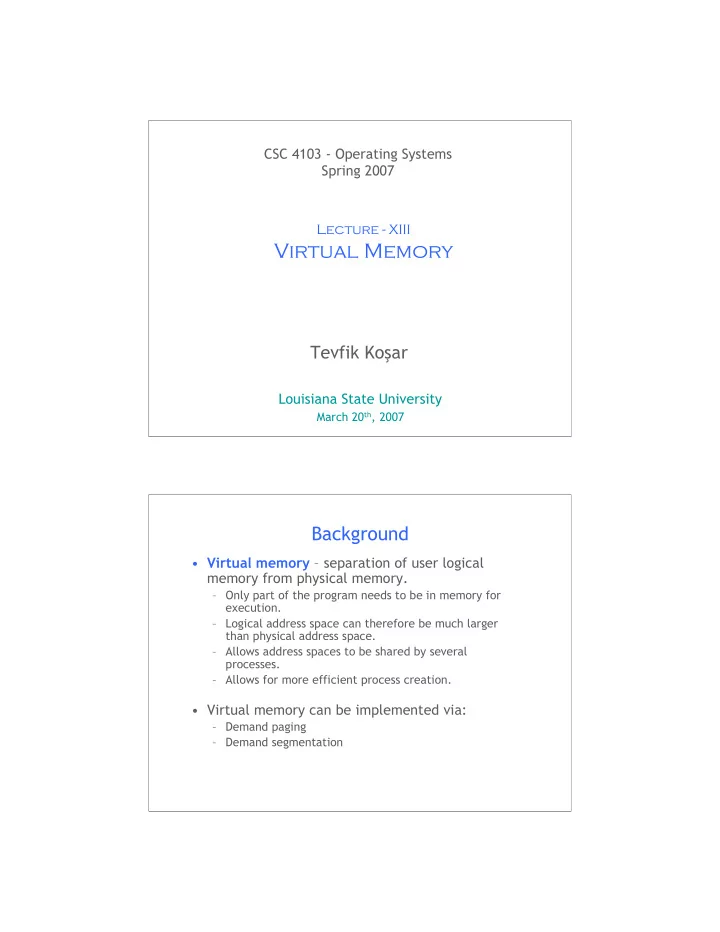
CSC 4103 - Operating Systems Spring 2007 Lecture - XIII Virtual Memory Tevfik Ko ar Louisiana State University March 20 th , 2007 1 Background Virtual memory separation of user logical memory from physical memory. Only part of


slide-1
SLIDE 1

1

CSC 4103 - Operating Systems Spring 2007

Tevfik Koşar

Louisiana State University

March 20th, 2007

Lecture - XIII

Virtual Memory

Background

  • Virtual memory – separation of user logical

memory from physical memory.

– Only part of the program needs to be in memory for execution. – Logical address space can therefore be much larger than physical address space. – Allows address spaces to be shared by several processes. – Allows for more efficient process creation.

  • Virtual memory can be implemented via:

– Demand paging – Demand segmentation

slide-2
SLIDE 2

Demand Paging

  • Bring a page into memory only when it is needed

– Less I/O needed – Less memory needed – Faster response – More users

  • Page is needed ⇒ reference to it

– invalid reference ⇒ abort – not-in-memory ⇒ bring to memory

Transfer of a Paged Memory to Contiguous Disk Space

slide-3
SLIDE 3

Valid-Invalid Bit

  • With each page table entry a valid–invalid bit is associated

(1 ⇒ in-memory and legal, 0 ⇒ not-in-memory or invalid)

  • Initially valid–invalid bit is set to 0 on all entries
  • Example of a page table snapshot:
  • During address translation, if valid–invalid bit in page table entry

is 0 ⇒ page fault 1 1 1 1 M

Frame # valid-invalid bit page table

Page Table When Some Pages Are Not in Main Memory

slide-4
SLIDE 4

Page Fault

  • If there is ever a reference to a page, first reference will

trap to OS ⇒ page fault

  • OS looks at another table to decide:

– Invalid reference ⇒ abort. – Just not in memory.

  • Get empty frame.
  • Swap page into frame.
  • Reset tables, validation bit = 1.
  • Restart instruction: Least Recently Used

– block move – auto increment/decrement location

Steps in Handling a Page Fault

slide-5
SLIDE 5

What happens if there is no free frame?

  • Page replacement – find some page in

memory, but not really in use, swap it out

– Algorithms (FIFO, LRU ..) – performance – want an algorithm which will result in minimum number of page faults

  • Same page may be brought into memory

several times

Performance of Demand Paging

  • Page Fault Rate 0 ≤ p ≤ 1.0

– if p = 0 no page faults – if p = 1, every reference is a fault

  • Effective Access Time (EAT)

EAT = (1 – p) x memory access + p x (page fault overhead + [swap page out] + swap page in + restart overhead)

slide-6
SLIDE 6

Demand Paging Example

  • Memory access time = 1 microsecond
  • 50% of the time the page that is being replaced has been modified

and therefore needs to be swapped out

  • Swap Page Time = 10 msec = 10,000 microsec
  • EAT = (1 – p) x 1 + p x (10,000 + 1/2 x 10,000)

= 1 + 14,999 x p (in microsec)

  • What if 1 out of 1000 memory accesses cause a page fault?
  • What if we only want 30% performance degradation?

Copy-on-Write

  • Copy-on-Write (COW) allows both parent and child

processes to initially share the same pages in memory If either process modifies a shared page, only then is the page copied

  • COW allows more efficient process creation as only

modified pages are copied

  • Free pages are allocated from a pool of zeroed-out

pages (zero-fill-on-demand pages)

slide-7
SLIDE 7

Page Replacement

  • Prevent over-allocation of memory by modifying page-

fault service routine to include page replacement

  • Use modify (dirty) bit to reduce overhead of page

transfers – only modified pages are written to disk

  • Page replacement completes separation between

logical memory and physical memory – large virtual memory can be provided on a smaller physical memory

Basic Page Replacement

  • 1. Find the location of the desired page on disk
  • 2. Find a free frame:
  • If there is a free frame, use it
  • If there is no free frame, use a page

replacement algorithm to select a victim frame

  • 3. Read the desired page into the (newly) free
  • frame. Update the page and frame tables.
  • 4. Restart the process
slide-8
SLIDE 8

Page Replacement Page Replacement Algorithms

  • Want lowest page-fault rate
  • Evaluate algorithm by running it on a

particular string of memory references (reference string) and computing the number of page faults on that string

  • In all our examples, the reference string is

1, 2, 3, 4, 1, 2, 5, 1, 2, 3, 4, 5

slide-9
SLIDE 9

Graph of Page Faults Versus The Number of Frames

First-In-First-Out (FIFO) Algorithm

  • Reference string: 1, 2, 3, 4, 1, 2, 5, 1, 2, 3, 4, 5
  • 3 frames (3 pages can be in memory at a time per

process)

  • 4 frames
  • FIFO Replacement – Belady’s Anomaly

– more frames ⇒ more page faults 1 2 3 1 2 3 4 1 2 5 3 4 9 page faults 1 2 3 1 2 3 5 1 2 4 5 10 page faults 4 4 3

slide-10
SLIDE 10

FIFO Illustrating Belady’s Anomaly Optimal Algorithm

  • Replace page that will not be used for longest period of time
  • 4 frames example

1, 2, 3, 4, 1, 2, 5, 1, 2, 3, 4, 5

  • How do you know this?
  • Used for measuring how well your algorithm performs

1 2 3 4 6 page faults 4 5

slide-11
SLIDE 11

Least Recently Used (LRU) Algorithm

  • Reference string: 1, 2, 3, 4, 1, 2, 5, 1, 2, 3, 4, 5
  • Needs hardware assistance
  • Counter implementation

– Every page entry has a counter; every time page is referenced through this entry, copy the clock into the counter – When a page needs to be changed, look at the counters to determine which are to change 1 2 3 5 4 4 3 5

LRU Algorithm (Cont.)

  • Stack implementation – keep a stack of page numbers

in a double link form:

– Page referenced:

  • move it to the top
  • requires 6 pointers to be changed

– No search for replacement

slide-12
SLIDE 12

Use Of A Stack to Record The Most Recent Page References

LRU Approximation Algorithms

  • Reference bit

– With each page associate a bit, initially = 0 – When page is referenced bit set to 1 – Replace the one which is 0 (if one exists). We do not know the order, however.

  • Additional Reference bits

– 1 byte for each page: eg. 00110011 – Shift right at each time interval

  • Second chance

– Need reference bit – Clock replacement – If page to be replaced (in clock order) has reference bit = 1 then:

  • set reference bit 0
  • leave page in memory
  • replace next page (in clock order), subject to same rules
slide-13
SLIDE 13

Second-Chance (clock) Page-Replacement Algorithm

Counting Algorithms

  • Keep a counter of the number of references

that have been made to each page

  • LFU Algorithm: replaces page with smallest

count

  • MFU Algorithm: based on the argument that

the page with the smallest count was probably just brought in and has yet to be used

slide-14
SLIDE 14

Allocation of Frames

  • Each process needs minimum number of pages
  • Example: IBM 370 – 6 pages to handle SS MOVE

instruction:

– instruction is 6 bytes, might span 2 pages – 2 pages to handle from – 2 pages to handle to

  • Two major allocation schemes

– fixed allocation – priority allocation

Fixed Allocation

  • Equal allocation – For example, if there are 100

frames and 5 processes, give each process 20 frames.

  • Proportional allocation – Allocate according to the

size of process

m S s p a m s S p s

i i i i i i

  • =

= =

  • =

= for allocation frames

  • f

number total process

  • f

size 59 64 137 127 5 64 137 10 127 10 64

2 1 2

  • =
  • =

= = = a a s s m

i

slide-15
SLIDE 15

Priority Allocation

  • Use a proportional allocation scheme using

priorities rather than size

  • If process Pi generates a page fault,

– select for replacement one of its frames – select for replacement a frame from a process with lower priority number

Global vs. Local Allocation

  • Global replacement – process selects a

replacement frame from the set of all frames; one process can take a frame from another

  • Local replacement – each process selects

from only its own set of allocated frames

slide-16
SLIDE 16

Thrashing

  • If a process does not have “enough” frames, the

page-fault rate is very high. This leads to:

– Replacement of active pages which will be needed soon again  Thrashing ≡ a process is busy swapping pages in and

  • ut
  • Which will in turn cause:

– low CPU utilization – operating system thinks that it needs to increase the degree of multiprogramming – another process added to the system

Thrashing (Cont.)

slide-17
SLIDE 17

Locality In A Memory-Reference Pattern

Working-Set Model

  • Δ ≡ working-set window ≡ a fixed number of page

references Example: 10,000 instruction

  • WSSi (working set of Process Pi) =

total number of pages referenced in the most recent Δ (varies in time)

– if Δ too small will not encompass entire locality – if Δ too large will encompass several localities – if Δ = ∞ ⇒ will encompass entire program

  • D = Σ WSSi ≡ total demand frames
  • if D > m ⇒ Thrashing
  • Policy if D > m, then suspend one of the processes
slide-18
SLIDE 18

Working-set model Keeping Track of the Working Set

  • Approximate with interval timer + a reference bit
  • Example: Δ = 10,000

– Timer interrupts after every 5000 time units – Keep in memory 2 bits for each page – Whenever a timer interrupts copy and sets the values of all reference bits to 0 – If one of the bits in memory = 1 ⇒ page in working set

  • Why is this not completely accurate?
  • Improvement = 10 bits and interrupt every 1000 time

units

slide-19
SLIDE 19

Page-Fault Frequency Scheme

  • Establish “acceptable” page-fault rate

– If actual rate too low, process loses frame – If actual rate too high, process gains frame

38

Any Questions?

Hmm..

slide-20
SLIDE 20

39

Reading Assignment

  • Read chapter 9 from Silberschatz.

40

Acknowledgements

  • “Operating Systems Concepts” book and supplementary

material by Silberschatz, Galvin and Gagne.