SLIDE 1
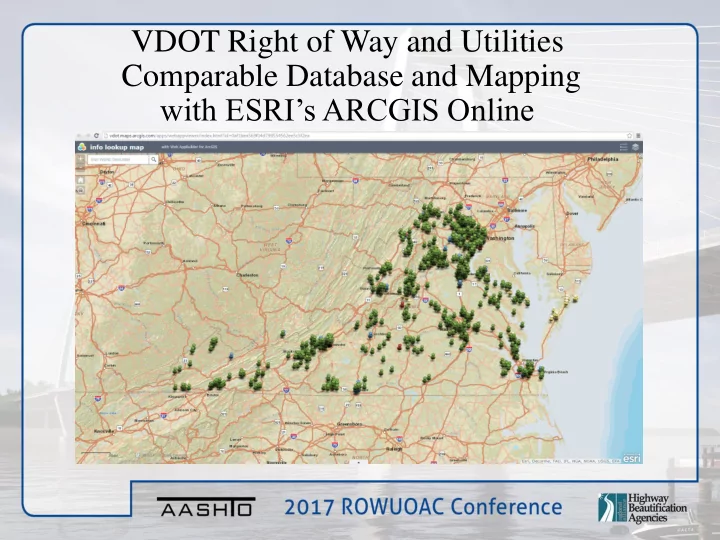
VDOT Right of Way and Utilities Comparable Database and Mapping with ESRI’s ARCGIS Online
SLIDE 2 Henrico County 0060-043- 122,RW- 201 Dinwiddie County 0058-026- 102,RW- 203 Fairfax County 6123-029- 122,RW- 122 Arlington County 6066-00- 152,C-501 Fauquier County 0029-030- 122,RW- 201
Like most, each of nine (9) offices started with a very organized set of 3 ring binder Project Brochures
SLIDE 3
Appraisers Travelling Outside their District Boundary
SLIDE 4 Electronic Database to House Comparable Sales, Phase
SLIDE 5
SLIDE 6
Comparable Database Directory
SLIDE 7
Comparable Sales
SLIDE 8
Comparable Sale Write-up
SLIDE 9
Comparable Sales Map Overview
SLIDE 10
Comparable Sales Map Layers
SLIDE 11
By Turning the “Land Sales” Layer on, all land sales entered into the Database will be shown on the map Land Sales are all shown in Green
SLIDE 12 By turning on the Residential, Commercial and Uneconomic layers the remaining sales entered into the Database will be shown. Residential “White” Commercial “Blue” Uneconomic “Red”
SLIDE 13
By clicking on a pushpin, you can see the basic information about the sale. (Sale Price, Sale Date, Site Size, Bldg Size)
SLIDE 14
By clicking on the image in the center of the window, you can view the complete write-up in the Database
SLIDE 15
VDOT Project Line Layer
SLIDE 16
By Clicking on a Project you can see the information regarding the project, UPC, Project Limits, Ad Dates, R/W End Dates, etc.
SLIDE 17
SLIDE 18
Tax Map Parcels for the State
SLIDE 19
Virginia Tax Map Parcels
SLIDE 20
Aerial View
SLIDE 21
The Project Line layer in combination with the Tax Parcel Layer provides a good reference of the parcels effected by the project
SLIDE 22
By adding on the World Imagery Layer, we can identify properties that may be improved.
SLIDE 23
County Tax Parcel/Assessment Information
SLIDE 24
Zoning Information
SLIDE 25
Project Consistency
SLIDE 26
SLIDE 27