SELinux Example: I may chmod o+a the file containing 506 grades, - - PDF document

selinux
SMART_READER_LITE
LIVE PREVIEW

SELinux Example: I may chmod o+a the file containing 506 grades, - - PDF document

12/6/12 MAC vs. DAC By default, Unix/Linux provides Discretionary Access Control The user (subject) has discretion to set security policies (or not) SELinux Example: I may chmod o+a the file containing 506 grades,


slide-1
SLIDE 1

12/6/12 ¡ 1 ¡

SELinux

Don Porter CSE 506

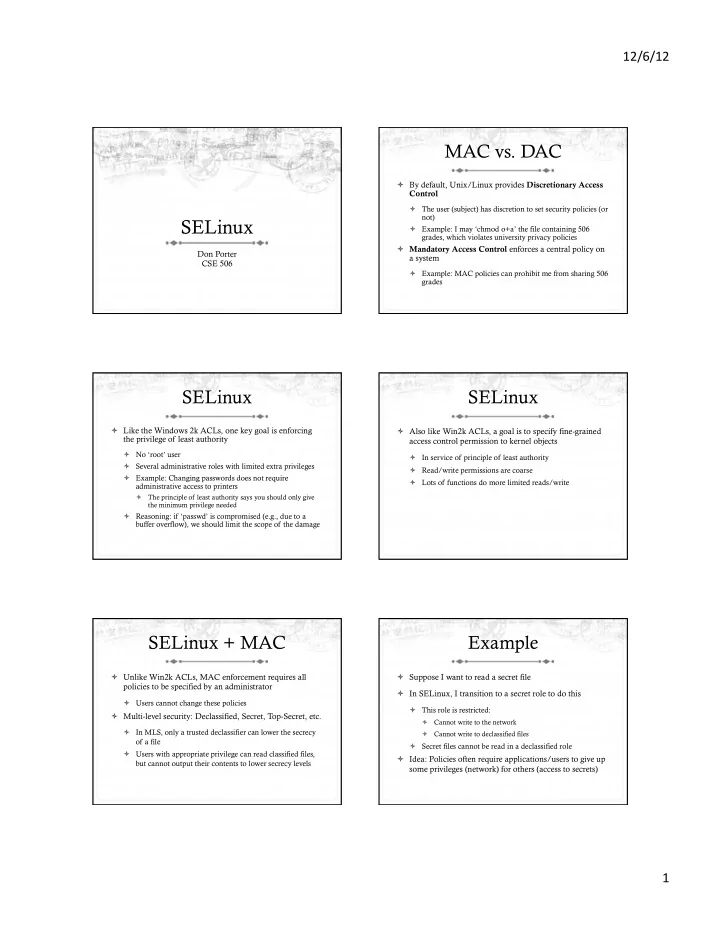
MAC vs. DAC

ò By default, Unix/Linux provides Discretionary Access Control

ò The user (subject) has discretion to set security policies (or not) ò Example: I may ‘chmod o+a’ the file containing 506 grades, which violates university privacy policies

ò Mandatory Access Control enforces a central policy on a system

ò Example: MAC policies can prohibit me from sharing 506 grades

SELinux

ò Like the Windows 2k ACLs, one key goal is enforcing the privilege of least authority

ò No ‘root’ user ò Several administrative roles with limited extra privileges ò Example: Changing passwords does not require administrative access to printers

ò The principle of least authority says you should only give the minimum privilege needed

ò Reasoning: if ‘passwd’ is compromised (e.g., due to a buffer overflow), we should limit the scope of the damage

SELinux

ò Also like Win2k ACLs, a goal is to specify fine-grained access control permission to kernel objects

ò In service of principle of least authority ò Read/write permissions are coarse ò Lots of functions do more limited reads/write

SELinux + MAC

ò Unlike Win2k ACLs, MAC enforcement requires all policies to be specified by an administrator

ò Users cannot change these policies

ò Multi-level security: Declassified, Secret, Top-Secret, etc.

ò In MLS, only a trusted declassifier can lower the secrecy

  • f a file

ò Users with appropriate privilege can read classified files, but cannot output their contents to lower secrecy levels

Example

ò Suppose I want to read a secret file ò In SELinux, I transition to a secret role to do this

ò This role is restricted:

ò Cannot write to the network ò Cannot write to declassified files

ò Secret files cannot be read in a declassified role

ò Idea: Policies often require applications/users to give up some privileges (network) for others (access to secrets)

slide-2
SLIDE 2

12/6/12 ¡ 2 ¡

General principles

ò Secrecy (Bell-LaPadula)

ò No read up, no write down ò In secret mode, you can’t write a declassified file, or read top-secret data

ò Integrity (Biba)

ò No write up, no read down ò A declassified user can’t write garbage into a secret file ò A top-secret application can’t read input/load libraries from an untrusted source (reduce risk of compromise)

SELinux Policies

ò Written by an administrator in a SELinux-specific language

ò Often written by an expert at Red Hat and installed wholesale ò Difficult to modify or write from scratch

ò Very expansive---covers all sorts of subjects, objects, and verbs

Key Points of Interest

ò Role-Based Access Control (RBAC) ò Type Enforcement ò Linux Security Modules (LSM)

ò Labeling and persistence

Role-Based Access Control

ò Idea: Extend or restrict user rights with a role that captures what they are trying to do ò Example: I may browse the web, grade labs, and administer a web server

ò Create a role for each, with different privileges ò My grader role may not have network access, except to blackboard ò My web browsing role may not have access to my home directory files ò My admin role and web roles can’t access students’ labs

Roles vs. Restricted Context

ò Win2k ACLs allow a user to create processes with a subset of his/her privileges ò Roles provide the same functionality

ò But also allow a user to add privileges, such as administrative rights

ò Roles may also have policy restrictions on who/when/ how roles are changed

ò Not just anyone (or any program) can get admin privileges

The power of RBAC

ò Conditional access control ò Example: Don’t let this file go out on the internet

ò Create secret file role

ò No network access, can’t write any files except other secret files ò Process cannot change roles, only exit ò Process can read secret files

ò I challenge you to express this policy in Unix permissions!

slide-3
SLIDE 3

12/6/12 ¡ 3 ¡

Roles vs. Specific Users

ò Policies are hard to write ò Roles allow policies to be generalized

ò Users everywhere want similar restrictions on their browser

ò Roles eliminate the need to re-tailor the policy file for every user

ò Anyone can transition to the browser role

Type Enforcement

ò Very much like the fine-grained ACLs we saw last time ò Rather than everything being a file, objects are given a more specific type

ò Type includes a set of possible actions on the object

ò E.g., Socket: create, listen, send, recv, close

ò Type includes ACLs based on roles

Type examples

ò Device types:

ò agp_device_t - AGP device (/dev/agpgart) ò console_device_t - Console device (/dev/console) ò mouse_device_t - Mouse (/dev/mouse)

ò File types:

ò fs_t - Defaults file type ò etc_aliases_t - /etc/aliases and related files ò bin_t - Files in /bin

More type examples

ò Networking:

ò netif_eth0_t – Interface eth0 ò port_t – TCP/IP port ò tcp_socket_t – TCP socket

ò /proc types

ò proc_t - /proc and related files ò sysctl_t - /proc/sys and related files ò sysctl_fs_t - /proc/sys/fs and related files

Detailed example

ò ping_exec_t type associated with ping binary ò Policies for ping_exec_t:

ò Restrict who can transition into ping_t domain

ò Admins for sure, and init scripts ò Regular users: admin can configure

ò ping_t domain (executing process) allowed to:

ò Use shared libraries ò Use the network ò Call ypbind (for hostname lookup in YP/NIS)

Ping cont.

ò ping_t domain process can also:

ò Read certain files in /etc ò Create Unix socket streams ò Create raw ICMP sockets + send/recv on them on any interface ò setuid (Why? Don’t know) ò Access the terminal ò Get file system attributes and search /var (mostly harmless

  • perations that would pollute the logs if disallowed)

ò Violate least privilege to avoid modification!

slide-4
SLIDE 4

12/6/12 ¡ 4 ¡

Full ping policy

01 type ping_t, domain, privlog; 02 type ping_exec_t, file_type, sysadmfile, exec_type; 03 role sysadm_r types ping_t; 04 role system_r types ping_t; 05 06 # Transition into this domain when you run this program. 07 domain_auto_trans(sysadm_t, ping_exec_t, ping_t)

  • 08. domain_auto_trans(initrc_t, ping_exec_t, ping_t)

09 10 uses_shlib(ping_t) 11 can_network(ping_t) 12 general_domain_access(ping_t) 13 allow ping_t { etc_t resolv_conf_t }:file { getattr read }; 14 allow ping_t self:unix_stream_socket create_socket_perms; 15 16 # Let ping create raw ICMP packets. 17 allow ping_t self:rawip_socket {create ioctl read write bind getopt setopt}; 18 allow ping_t any_socket_t:rawip_socket sendto; 19 20 auditallow ping_t any_socket_t:rawip_socket sendto; 21 22 # Let ping receive ICMP replies. 23 allow ping_t { self icmp_socket_t }:rawip_socket recvfrom; 24 25 # Use capabilities. 26 allow ping_t self:capability { net_raw setuid }; 27 28 # Access the terminal. 29 allow ping_t admin_tty_type:chr_file rw_file_perms; 30 ifdef(`gnome-pty-helper.te', `allow ping_t sysadm_gph_t:fd use;') 31 allow ping_t privfd:fd use; 32 33 dontaudit ping_t fs_t:filesystem getattr; 34 35 # it tries to access /var/run 36 dontaudit ping_t var_t:dir search;

Linux Security Modules

ò Culturally, top Linux developers care about writing a good kernel

ò Not as much about security ò Different specializations

ò Their goal: Modularize security as much as humanly possible

ò Security folks write modules that you can load if you care about security; kernel developers don’t have to worry about understanding security

Basic deal

ò Linux Security Modules API:

ò Linux developers put dozens of access control hooks all

  • ver the kernel

ò See include/linux/security.h

ò LSM writer can implement access control functions called by these hooks that enforce arbitrary policies ò Linux also adds opaque “security” pointer that LSM can use to store security info they need in processes, inodes, sockets, etc.

SELinux example

ò A task has an associated security pointer

ò Stores current role

ò An inode also has a security pointer

ò Stores type and policy rules

ò Initialization hooks for both called when created

SELinux example, cont.

ò A task reads the inode

ò VFS function calls LSM hook, with inode and task pointer ò LSM reads policy rules from inode

ò Suppose the file requires a role transition for read

ò LSM hook modifies task’s security data to change its role ò Then read allowed to proceed

Problem: Persistence

ò All of these security hooks are great for in memory data structures

ò E.g., VFS inodes

ò How do you ensure the policy associated with a given file persists across reboots?

slide-5
SLIDE 5

12/6/12 ¡ 5 ¡

Extended Attributes

ò In addition to 9+ standard Unix attributes, associate a small key/value store with an on-disk inode

ò User can tag a file with arbitrary metadata ò Key must be a string, prefixed with a domain ò User, trusted, system, security ò Users must use ‘user’ domain ò LSM uses ‘security’ domain

ò Only a few file systems support extended attributes

ò E.g., ext2/3/4; not NFS, FAT32

Persistence

ò All ACLs, type information, etc. are stored in extended attributes for persistence ò Each file must be labeled for MAC enforcement

ò Labeling is the generic problem of assigning a type or security context to each object/file in the system ò Can be complicated

ò SELinux provides some tools to help, based on standard system file names and educated guesses

Summary

ò SELinux augments Linux with a much more restrictive security model

ò MAC vs. DAC

ò Understand Roles and Types ò Basic ideas of LSM

ò Labeling and extended attributes