Security and Privacy Why Security is Difficult 12A. Operating - - PDF document

security and privacy why security is difficult
SMART_READER_LITE
LIVE PREVIEW

Security and Privacy Why Security is Difficult 12A. Operating - - PDF document

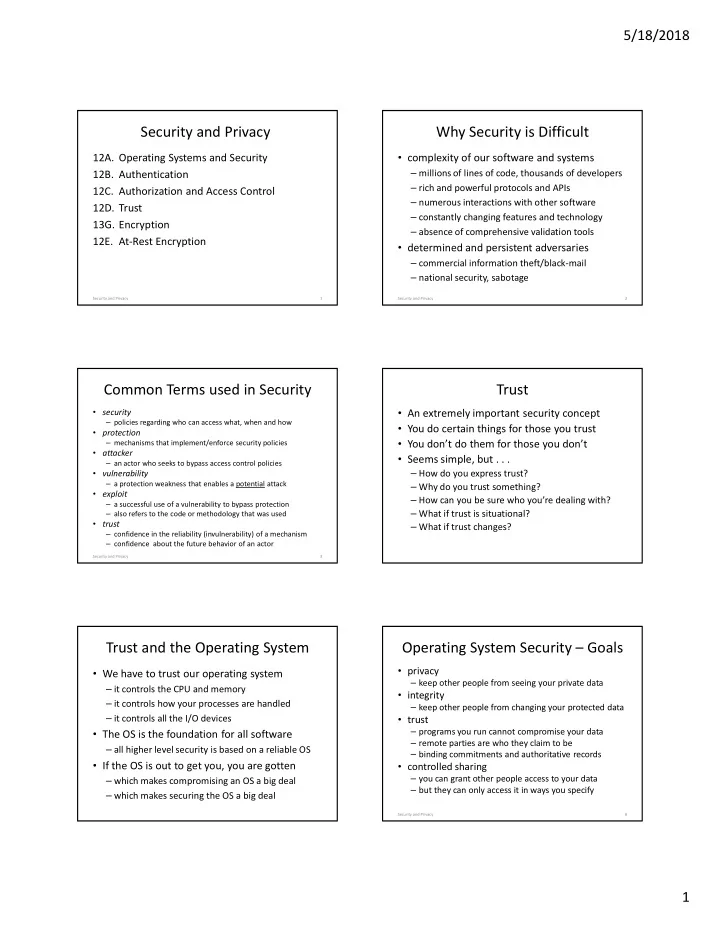
5/18/2018 Security and Privacy Why Security is Difficult 12A. Operating Systems and Security complexity of our software and systems 12B. Authentication millions of lines of code, thousands of developers rich and powerful protocols


slide-1
SLIDE 1

5/18/2018 1

Security and Privacy

  • 12A. Operating Systems and Security
  • 12B. Authentication
  • 12C. Authorization and Access Control
  • 12D. Trust
  • 13G. Encryption
  • 12E. At-Rest Encryption

Security and Privacy 1

Why Security is Difficult

  • complexity of our software and systems

– millions of lines of code, thousands of developers – rich and powerful protocols and APIs – numerous interactions with other software – constantly changing features and technology – absence of comprehensive validation tools

  • determined and persistent adversaries

– commercial information theft/black-mail – national security, sabotage

Security and Privacy 2

Common Terms used in Security

  • security

– policies regarding who can access what, when and how

  • protection

– mechanisms that implement/enforce security policies

  • attacker

– an actor who seeks to bypass access control policies

  • vulnerability

– a protection weakness that enables a potential attack

  • exploit

– a successful use of a vulnerability to bypass protection – also refers to the code or methodology that was used

  • trust

– confidence in the reliability (invulnerability) of a mechanism – confidence about the future behavior of an actor

Security and Privacy 3

Trust

  • An extremely important security concept
  • You do certain things for those you trust
  • You don’t do them for those you don’t
  • Seems simple, but . . .

– How do you express trust? – Why do you trust something? – How can you be sure who you’re dealing with? – What if trust is situational? – What if trust changes?

Trust and the Operating System

  • We have to trust our operating system

– it controls the CPU and memory – it controls how your processes are handled – it controls all the I/O devices

  • The OS is the foundation for all software

– all higher level security is based on a reliable OS

  • If the OS is out to get you, you are gotten

– which makes compromising an OS a big deal – which makes securing the OS a big deal

Operating System Security – Goals

  • privacy

– keep other people from seeing your private data

  • integrity

– keep other people from changing your protected data

  • trust

– programs you run cannot compromise your data – remote parties are who they claim to be – binding commitments and authoritative records

  • controlled sharing

– you can grant other people access to your data – but they can only access it in ways you specify

6 Security and Privacy

slide-2
SLIDE 2

5/18/2018 2

Terms w/very special meanings

  • principals

– (e.g. users) own, control, and use protected objects

  • agents

– (e.g. programs) act on behalf of principals

  • authentication

– confirming the identity of requesting principal – confirming the integrity of a request

  • credentials

– information that confirms identity of requesting principal

  • authorization

– determining if a particular request is allowed

  • mediated access

– agents must access objects through control points

Security and Privacy 7

Security – Key Elements

  • reliable authentication

– we must be sure who is requesting every operation – we must prevent masquerading of people/processes

  • trusted policy data

– policy data accurately describes desired access rules

  • reliable enforcement mechanisms

– all operations on protected objects must be checked – it must be impossible to circumvent these checks

  • audit trails

– reliable records of who did what, when

8 Security and Privacy

Authentication

  • security policy says who is allowed to do what
  • enforcement presumes we know who is asking
  • Authentication problems

– how to authenticate an actor’s claimed identity? – how can we trust authentication secrets? – how can we trust authentication dialogs?

Security and Privacy 9

Internal (process) Authentication

  • OS associates credentials with each process

– stored, within the OS, in the process descriptor – automatically inherited by all child processes – identify the agent on whose behalf requests are made

  • they are the basis for access control decisions

– they are consulted when accessing protected data – they are reported in audit logs of who did what

  • how do we ensure their correctness

– commands are coming from the indicated principal – not from some would-be attacker/impostor

10 Security and Privacy

UNIX Credential Establishment

Security and Privacy 11

virtual terminal login agent encrypted passwords user registry name, password lookup(name) encrypted password verify lookup(name) UID, GID setGid/setUid exec(shell) shell prompt

External (user) Authentication

  • authentication done by trusted "login" agent

– typically based on passwords and/or identity tokens – movement towards biometric authentication

  • ensuring secure passwords

– they must not be guess-able or brute-force-able – they must not be steal-able

  • ensuring secure authentication dialogs

– protection from crackers: humanity checkers – protection from snoopers: challenge/response – protection from fraudulent servers: certificates

  • evolving encryption technology can assist us here

12 Security and Privacy

slide-3
SLIDE 3

5/18/2018 3

Cryptographic Hash Functions

  • “one-way encryption” function: H(M)

– H(M) is much shorter than M – it is inexpensive to compute H(M) – it is infeasible to compute M(H) – it is infeasible to find an M’: H(M’) = H(M)

  • uses

– store passwords as H(pw)

  • verify by testing H(entered) = stored H(pw)

– secure integrity assurance

  • deliver H(msg) over a separate channel

Security and Privacy 13

Secure Passwords

  • one-way hashes protect stored passwords
  • unless they are easily guessed, because

… they are short enough to brute-force … they are obvious enough to guess … they are words in a dictionary … they have been shared with others … they were written where others found them … they are seldom changed

  • password guidelines try to prevent these

challenge/response authentication

  • untrusted authentication

– client/server distrust one-another & connecting wire – both claim to know the secret password – neither is willing to send it over the network

  • client and server agree on a complex function

– response = F(challenge,password) – F may be well known, but is very difficult to invert

  • server issues random challenge string to client

– server & client both compute F(challenge,password) – client sends response to server, server validates it

  • man-in-middle cannot snoop, spoof, or replay

15 Security and Privacy

Goals for Access Control

  • Complete mediation

– all protected object access is subject to control

  • Cost and usability

– mediation does not impose performance penalties – mediation does not greatly complicate use

  • Useful in a networked environment

– where all resources not controlled by a single OS

  • Scalability

– large numbers of computers, agents, and objects

Complete Mediation?

  • protected resources must be inaccessible

– hardware protection must be used to ensure this – only the OS can make them accessible to a process

  • to get access, issue request to resource manager

– resource manager consults access control policy data

  • access may be granted directly

– resource manager maps resource into process

  • access may be granted indirectly

– resource manager returns a “capability” to process – capability can be used in subsequent requests

17 Security and Privacy

Access Mediation

  • Per-Operation Mediation (e.g. file)

– all operations are via requests – we can check access on every operation – revocation is simple (cancel the capability) – access is relatively expensive (system call/request)

  • Open-Time Mediation (e.g. shared segment)

– one-time access check at open time – if permitted, resources is mapped in to process – subsequent access is direct (very efficient) – revocation may be difficult or awkward

Security and Privacy 18

slide-4
SLIDE 4

5/18/2018 4

Capabilities and ACLs

  • Capabilities – per agent access control

– record, for each principal, what it can access – each granted access is called a "capability" – a capability is required to access any system object

  • Access Control Lists – per object access control

– record, for each object, which principals have access – each protected object has an Access Control List – OS consults ACL when granting access to any object

  • Either must be protected & enforced by the OS

19 Security and Privacy

Access Control Lists vs. Capabilities

  • Access Control Lists

– short to store and easy to administer

  • Capabilities make very convenient handles

– if you have the capability, you can do the operation – without one, you can't even ask for operations

  • many operating systems actually use both

– ACLs describe what accesses are allowed – when access is granted, a Capability is issued – capability is used as handle for subsequent operations

20 Security and Privacy

Unix files – access control lists

  • Subject Credentials:

– user and group ID, established by password login

  • Supported operations:

– read, write, execute, chown, chgrp, chmod

  • Representation of ACL information:

– rules (owner:rwx, group:rwx, others:rwx) – owner privileges apply to the file's owner – group privileges apply to the file's owning group – others privileges apply to all other users – only owner can chown/chgrp/chmod

21 Security and Privacy

Unix File Access – example

given a file with:

user ID: 100 group ID: 15 file protection:

UID/GID read write execute chmod

yes yes yes yes yes no yes no yes no no no yes yes yes yes

* In UNIX, a process with UID=0 (super user) can do anything

r w x r

  • x

r

  • -

100/001 001/015 001/001 000/###*

22 Security and Privacy

Unix files also have capabilities

  • if a process wants to read or write a file

– it must open the file, requesting read or write access – open will check permissions before granting access – if operation permitted, OS returns a file descriptor

  • the user file descriptor is a capability

– it is an unforgable token conferring access to the file – it confers a specific access (r/w) to a specific file – a required argument to the read/write system calls – without a file descriptor reads/writes are impossible

23 Security and Privacy

Truly Unforgeable Capabilities

  • real capabilities come from a trusted source (OS)

– who checks access permissions before granting them – having a capability conveys access to the resource

  • resource references must be unforgeable

– otherwise people could forge references for anything

  • ensure this by keeping them inside the OS

– give the user an index into a per-process table

  • e.g. user file descriptors are index into a per-process array

– process can only refer to capabilities by index number

  • a system call can pass capabilities to others

– because only the OS can create the table entries

24 Security and Privacy

slide-5
SLIDE 5

5/18/2018 5

Very Hard-to-forge Capabilities

  • random cookies from sparse name spaces

– they can be verified, but are very difficult to forge – this is easily achieved with encryption techology

  • resource mgr decrypts cookie on each request

– determine which object is to be used – ensure requester has adequate access for operation

  • this is also a very common approach

– product activation codes (product, version) – heavily exploited in distributed systems

  • such cookies are easily exchanged in messages

25 Security and Privacy

Trusted Computing Base

  • All protection information stored in OS

– applications cannot directly access/modify it

  • OS creates and maintains process state

– OS can associate a principal w/each process

  • OS implements file, process, IPC operations

– OS can mediate all access to these objects – no way to access without going through OS

  • This is a foundation on which apps run

– apps can depend on processes and files – higher level services can depend on these

Security and Privacy 26

Principle of Least Privilege

  • operate with minimum possible privileges

– surrender privileges when no longer needed – operate in the most restricted possible context

  • allow minimum possible access to resources

– apply multiple levels of protection

  • trust, but verify

– sanity check requests before performing them

  • minimize amount of privileged software

– minimize the attack surface – minimize amount of code to be audited

Security and Privacy 27

Quis Custodiet ipsos Custodes?

  • OS can do a very good job of enforcement

– if reasonably designed, reviewed, and implemented

  • What does the OS enforce?

– all access is according to access control database

  • Enforcement is only as good as the policy data

– human beings set up the authorization policy data – they may misunderstand our intentions – they may make errors in entering the rules – they may deliberately violate our intentions

  • These are problems the OS cannot solve

28 Security and Privacy

Privileged Users – the big hole

  • OS Maintenance requires extraordinary privileges

– installing and configuring system software – backing up and restoring file systems

  • many systems have privileged users

– authorized to update system files – authorized to perform privileged operations – often there is a Super-User, who can do anything

  • users with these passwords are dangerous

– they can make mistakes or do mischief – they can leak the passwords to others

29 Security and Privacy

Finer Granularity Authorization

  • “super users” are dangerous

– they are permitted to do anything

  • not merely a single particular privileged operation

– accidentally mistyped commands can be disastrous

  • ordinary file protections do not prevent them
  • finer granularities of privilege

– backups, file system allocation, user creation, etc.

  • finer granularities of operations

– privilege granted for only one operation at a time – confirmation dialogs in system management tools

30 Security and Privacy

slide-6
SLIDE 6

5/18/2018 6

Role Based Access Control (RBAC)

  • system management is not “a person”

– it is a role that some people, sometimes, perform

  • don’t predicate authorization decisions on identity

– users are authorized to perform roles – they must declare that they are operating in a role

  • checks their authorization to function in the role
  • creates credentials to authorize role based operations

– privileged operations check role credentials

  • specifically check for role-specific privileges
  • superior authorization control

– fine grained operation control for limited periods – audit records record the “real person” who took the actions

31 Security and Privacy

Trust Worthy Software

  • very carefully developed

– designed with security as a primary goal – stringent design and code review processes – extensive testing – open source helps, but is a two-edged sword

  • obtained from a trusted source

– who can certify its authenticity – who has a high stake in its correctness – who maintains and updates it well

32 Security and Privacy

Trusted Applications

  • Not all trusted code is in the OS kernel

– file system management and back-up – login and user-account management – network services (remote file systems, email)

  • These applications have special privileges

– they can execute privileged system calls – they can access files that belong to multiple users – they can access otherwise protected devices – they can compromise system security

Security and Privacy 33

Special Application Privileges

  • privileged daemons ... started by the OS

– many system daemons run as the super user – others are run as the owner of key resources

  • privileged commands ... run by users

– UNIX SetUID/SetGID load modules – run with the credentials of the program’s owner – may be able to create/set their own credentials

  • e.g. login, sudo

– these must be very carefully designed/reviewed

34 Security and Privacy

Can we trust trusted applications?

  • most complex programs have many bugs

– unfortunately even the best code is imperfect – some bugs just make the program fail – some bugs make the programs do the wrong thing

  • real example: login buffer overflow bug

– login program checks entered passwd w/correct one – buffer for real passwd is after buffer for entered one – entering a very long password overwrites real one

  • determined hackers will find & exploit such bugs

35 Security and Privacy

the login buffer overflow bug

char inbuf[80]; /* buffer for user entered password */ char pwbuf[80]; /* buffer for real password (encrypted) */ .... getpwent( uname, pwbuf ); /* get real (encrypted) password */ stty( 0, no_echo ); /* no echo, character at a time input */ write(1,”password: “, 9); /* prompt user for password */ p = inbuf; do { read(0, p, 1); /* read password entered by user */ } while (*p++) != '\n'); /* until a newline character is entered */ pwencrypt(inbuf); /* encrypt what the user entered */ if (strncmp(inbuf, pwbuf, 8) == 0) /* see if it matches real password */ ... he's in

36 Security and Privacy

slide-7
SLIDE 7

5/18/2018 7

Trojan Horses

  • accidental bugs in trusted software create holes

– what if the software was designed with evil intent?

  • the original "Trojan Horse" and the fall of Troy

– the Greeks built it, left it, and departed – the Trojans thought it was a tribute to their valor – the Trojans brought it into the city and had a party – that night, soldiers came out and destroyed Troy

  • modern “Trojan Horses” (pfishing)

– pretend to be the login program – pretend to be financial institution web-page

37 Security and Privacy

Ken Thompson's 3-part Trojan Horse

login program Trojan horse #1 C compiler Trojan horse #2 Trojan horse #3

Trojan horse #1 … in the login program recognizes a special (hard-coded) password and will allow anyone who knows it to log on as any user. Trojan horse #2 … in the C compiler recognizes the password checking code in the login program, and automatically inserts Trojan horse #1 into the compiled code. Trojan horse #3 … in the C compiler recognizes the code generator in the C compiler, and automatically inserts both Trojan horses (#2 and #3) into the compiled code. None of these can be found by reading the code of either the login program or compiler.

38 Security and Privacy

Plaintext and Ciphertext

  • Plaintext is the original

form of the message (often referred to as P)

Transfer $100 to my savings account

  • Ciphertext is the

encrypted form of the message (often referred to as C)

Sqzmredq #099 sn lx rzuhmfr zbbntms

Symmetric Cryptosystems

  • C = E(K,P)

– cipher text is encrypted using key and plain text

  • P = D(K,C)

– plain text is decrypted using key and cipher text

  • P = D(K, E(K,P))

– decryption is the inverse of encryption – E() and D() may be different functions

  • Privacy: difficult to infer P from C without K
  • Authenticity: difficult to forge P’ without K

Simple Symmetric Encryption

symmetric encryption shared secret (e.g. password) message symmetric encryption message

sender’s system receiver’s system insecure network encrypted transmission

41 Distributed Systems: Issues and Approaches

Some Popular Symmetric Ciphers

  • The Data Encryption Standard (DES)

– the old US encryption standard (56-bit keys) – still fairly widely used, due to legacy – weak by modern standards

  • The Advanced Encryption Standard (AES)

– the current US encryption standard (128-256 bit keys) – probably the most widely used cipher

  • Blowfish

– popular, general purpose, public domain – relatively strong (32-448 bit keys)

  • there are many others
slide-8
SLIDE 8

5/18/2018 8

Symmetric Encryption

  • Advantages

– privacy and authentication in one operation – relatively efficient/inexpensive algorithms – no central authentication services required

  • Disadvantages

– scalability … establishing keys w/many partners – authentication … doesn’t work w/new partners – privacy … shared secret is known by one-too-many – weakness … short keys are subject to brute force

Distributed Systems: Issues and Approaches 43

Tamper Detection: Cryptographic Hashes

  • check-sums often used to detect data corruption

– add up all bytes in a block, send sum along with data – recipient adds up all the received bytes – if check-sums agree, the data is probably OK – check-sum (parity, CRC, ECC) algorithms are weak

  • cryptographic hashes are very strong check-sums

– unique –two messages won’t produce same hash – one way – cannot infer original input from output – well distributed – any change to input changes output

  • much less expensive than encryption

44 Distributed Systems: Issues and Approaches

Cryptographic Hash Authentication

cryptographic hash message cryptographic hash message

secure transmission insecure transmission

summary summary’ compare

45 Distributed Systems: Issues and Approaches

(Using Cryptographic Hashes)

  • start with a message you want to protect
  • compute a cryptographic hash for that message

– e.g. using the Message Digest 5 (MD5) algorithm

  • transmit the hash over a separate channel
  • recipient computes hash of received text

– if both hash results agree, the message is intact – else message has been corrupted/compromised

  • hash must be delivered over a secure channel

– encrypted, or otherwise separate and trusted – or else bad guy could just forge the validation hash

46 Distributed Systems: Issues and Approaches

Bypassing Mediation

  • OS can enforce authorization policy

– control the operations processes can perform

  • OS enforcement has exceptions and limits

– privileged users can override file protection – passwords can be observed/stolen/guessed – bugs may enable malware to gain privileges – backups can be accessed w/o the OS – file systems can be accessed w/o OS – data stored in the cloud is beyond our protection

Security and Privacy 47

At-Rest Encryption

  • added data protection, beyond file protection
  • Disk (or file system) level

– password must be given at boot or mount time – driver or file system does encrypt/decrypt – protects computer against unauthorized access

  • File level

– password must be given when file is opened – application (or library) does encrypt/decrypt – protects file against unauthorized access

Security and Privacy 48

slide-9
SLIDE 9

5/18/2018 9

Assignments

  • Reading

– Arpaci C47 (Distributed Systems) – Reiher: Distributed Systems Security – Goals and Challenges – RESTful interfaces

  • Lab

– Project 3B

Security and Privacy 49

Supplementary Slides

50 Security and Privacy

Authentication and Authorization

  • In many security situations, we need to know

who wants to do something

– We allow trusted parties to do it – We don’t allow others to do it

  • That means we need to know who’s asking

– Determining that is authentication

  • Then we need to check if that party should be

allowed to do it

– Determining that is authorization – Authorization usually requires authentication

Why Should we Trust the OS

  • Can we trust the supplier’s intentions?

– do they have the right business incentives? – will their customers keep them honest?

  • Can we trust the supplier’s processes?

– design and code review processes – testing processes (including penetration) – security bug fixes and patches – security bug frequency and severity

  • Open Source … a two edged sword

Security and Privacy 52

Direct Access to Resources

  • resource is mapped into process address space

– process manipulates resource w/normal instructions – examples: shared data segment or video frame buffer

  • advantages

– access check is performed only once, at grant time – very efficient, process can access resource directly

  • disadvantages

– process may be able to corrupt the resource – access revocation may be awkward

C2

53 Security and Privacy

Indirect Access to Resources

  • resource is not directly mapped into process

– process must issue service requests to use resource – examples: network and IPC connections

  • advantages

– only resource manager actually touches resource – resource manager can ensure integrity of resource – access can be checked, blocked, revoked at any time

  • disadvantages

– overhead of system call every time resource is used

C3

54 Security and Privacy