QstatLab: software for statistical process control and robust - - PDF document

qstatlab software for statistical process control and
SMART_READER_LITE
LIVE PREVIEW

QstatLab: software for statistical process control and robust - - PDF document

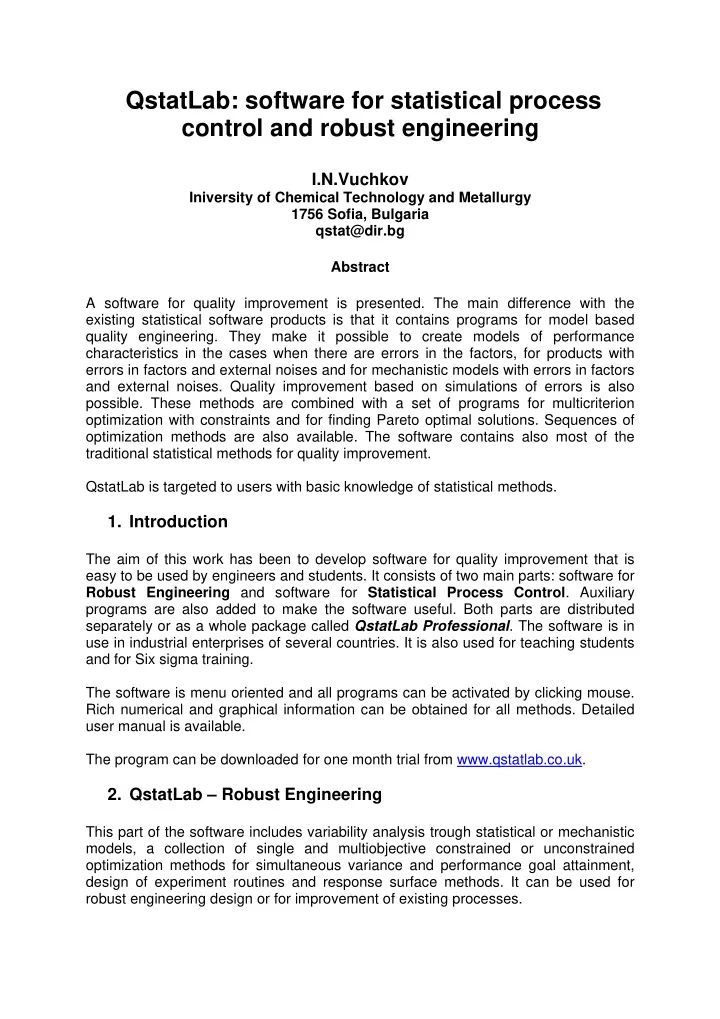
QstatLab: software for statistical process control and robust engineering I.N.Vuchkov Iniversity of Chemical Technology and Metallurgy 1756 Sofia, Bulgaria qstat@dir.bg Abstract A software for quality improvement is presented. The main


slide-1
SLIDE 1

QstatLab: software for statistical process control and robust engineering

I.N.Vuchkov

Iniversity of Chemical Technology and Metallurgy 1756 Sofia, Bulgaria qstat@dir.bg Abstract A software for quality improvement is presented. The main difference with the existing statistical software products is that it contains programs for model based quality engineering. They make it possible to create models of performance characteristics in the cases when there are errors in the factors, for products with errors in factors and external noises and for mechanistic models with errors in factors and external noises. Quality improvement based on simulations of errors is also

  • possible. These methods are combined with a set of programs for multicriterion
  • ptimization with constraints and for finding Pareto optimal solutions. Sequences of
  • ptimization methods are also available. The software contains also most of the

traditional statistical methods for quality improvement. QstatLab is targeted to users with basic knowledge of statistical methods.

  • 1. Introduction

The aim of this work has been to develop software for quality improvement that is easy to be used by engineers and students. It consists of two main parts: software for Robust Engineering and software for Statistical Process Control. Auxiliary programs are also added to make the software useful. Both parts are distributed separately or as a whole package called QstatLab Professional. The software is in use in industrial enterprises of several countries. It is also used for teaching students and for Six sigma training. The software is menu oriented and all programs can be activated by clicking mouse. Rich numerical and graphical information can be obtained for all methods. Detailed user manual is available. The program can be downloaded for one month trial from www.qstatlab.co.uk.

  • 2. QstatLab – Robust Engineering

This part of the software includes variability analysis trough statistical or mechanistic models, a collection of single and multiobjective constrained or unconstrained

  • ptimization methods for simultaneous variance and performance goal attainment,

design of experiment routines and response surface methods. It can be used for robust engineering design or for improvement of existing processes.

slide-2
SLIDE 2

The main programs in this part are:

  • Analysis of variance (ANOVA). This is a program for multiple classification

ANOVA, including one way and two way ANOVA. It can work with single or repeated observations. The program provides an ANOVA table, performs significance tests, calculates multiple correlation and adjusted multiple correlation coefficients and tests their significance. It provides main effects and interaction plots that make it possible to find the best combination of factor’s

  • levels. It is possible to put several plots on a panel for easy comparison of
  • effects. Bartlet’s and Leven’s tests for testing hypothesis for equality of

variances are available.

  • Multiple regression. This program creates polynomial models of first to fourth

degree for several factors. It is easy to include or exclude terms with immediate return of results. It provides full ANOVA for the model, tests significance of the regression coefficients and calculates multiple correlation coefficient, adjusted multiple correlation coefficient and prediction multiple correlation coefficient. Significance tests for all correlation coefficients are

  • available. The program calculates residuals, PRESS-statistics, and Mallows
  • statistics. Following graphical procedures are available: test for normality of

residuals, normal and half normal plots of effects, plots of residuals as function

  • f predicted output, factors or the time. The program can work with ordinary or

standardized residuals. A stepwise regression procedure is also available that provides automatic model selection.

  • Design of experiments (DoE). QstatLab can generate many of the most

frequently used designs. Some of them are classical designs like two level full factorial experiments with any number of levels for the factors (it could be different for the factors). Two level fractional factorial designs with analysis of aliasing structure, optimal composite designs and rotatable central composite designs are available. A program for sequentially generated D-optimal designs is included. It provides an opportunity for flexible choice of number of experiments and for augmentation of existing designs after changes of polynomial structure. As a result good designs for model structure that is

  • btained on the basis of a sequential experimentation can be obtained. 2D

and 3D plots of the predicted output variance are available. They can be very useful for educational purposes. Some other designs like Latin hyper cubes and orthogonal arrays can be generated. They are useful for experiments analyzed by ANOVA, for Taguchi method or model based robust engineering. LPτ designs that are often used for simulation experiments can also be generated.

  • Optimization. This program makes it possible to find optimal values of the

performance characteristics on the basis of regression models, obtained by regression analysis procedure or mechanistic models provided by the user. There is a choice among the following algorithms: genetic algorithm, random search, exhaustive search, gradient method. Sequences of different algorithms are created that can accelerate the search while obtaining good

  • accuracy. For example a sequence can start with random search, followed by

genetic algorithm and then by gradient algorithm. The user can create own

  • sequences. The search can be done with respect to all factors or part of them.

The factors can be continuous or with discrete levels. An important property of the program is that constrained multicriterion optimization can be performed

slide-3
SLIDE 3

(up to 20 constraints can be defined). Another possibility is to obtain Pareto

  • ptimal solutions of multicriterion optimization problem by use of genetic
  • algorithm. This makes it possible to easily solve so called dual response

problem in robust engineering when variance of a performance characteristic is minimized while keeping the mean value on target. There is a simple transition to 2D and 3D plots for the optimal solutions. The search process can be visualized by plotting the path from the initial point to the extremum and plotting the corresponding performance characteristic changes. This property is very useful for teaching students.

  • Contour plots. This program creates contours of the performance

characteristics as function of 2 factors while keeping the other factors on given

  • values. Different colors of the contours can be chosen, the accuracy can also

be selected by fixing the grid density. The contours can be marked by the

  • user. Several functions can be plotted simultaneously, some of them being

defined as constraints that define feasible region. There is an easy transition to optimization procedures. The plots can be created in coded or natural factors.

  • 3D plots. This program makes it possible to present the response surface in

3D space. The plot can be rotated and the user can see the plot in a desired

  • perspective. The size of the figure can also be changed. The optimal point can

be marked and its coordinates can be easily read. A region of feasible solutions can also be plotted for multiobjective optimization tasks. Color and graphical refinement of the plot is also possible. There is an easy transition to

  • ptimization procedures. The plots can be created in coded or natural factors.
  • Taguchi method. The program makes it possible to create crossed arrays for

Taguchi type experiments. Three main signal-to-noise ratios can be calculated, which are defined as statistical functions, available from a list of

  • functions. The analysis of Taguchi type experiments can be done by ANOVA

program, including its graphical tools.

  • Models with errors in factors. This program can create analytically following

models based on a regression: Mean value model and Variance (or Standard deviation) model. The standard deviation of errors in factors can be set as constant or as % of the nominal value. The robust solution can be found by minimizing variance (or standard deviation) while keeping the mean value

  • n target. This approach makes it possible to drastically decrease the number
  • f experimental runs as compared with Taguchi method. 2D and 3D plots can

be easily created.

  • Models with errors in product parameters and external noise factors.

Mean value and variance (standard deviation) models can be created on the basis of a regression model obtained through combined array design with product (process) parameters and external noises. Then the robust solution can be found by minimizing variance (or standard deviation) while keeping the mean value on target. Optimization is carried out only with respect to product (process) parameters. 2D and 3D plots can be created.

  • Mechanistic models with errors. This option is useful when a mechanistic

model of the product (process) exists. Script editor is available to enter a mechanistic model into the program. Another option is to use QstatLab

  • spreadsheet. First or second order Taylor expansion is used to create mean

and variance models when there are errors in factors. The robust solution can

slide-4
SLIDE 4

be found by minimizing variance (or standard deviation) while keeping the mean value on target. 2D and 3D plots can be created.

  • Robust solutions by use of regression models for mean and variance. If

there are repeated observations in the design points then regression models

  • f mean and variance (standard deviation) functions can be obtained through

regression analysis. The robust solution can be found by minimizing variance (or standard deviation) while keeping the mean value on target. 2D and 3D plots can be created.

  • Robust solutions through simulations. Based on regression or mechanistic

models one can organize simulations of errors in factors and external noises with normal or uniform distributions. Then the variance can be minimized while keeping the mean value on target and 2D and 3D plots can be drawn.

  • 3. QstatLab – SPC

Following tools are available in this part:

  • Pareto diagrams. Pareto diagrams with easy stratification on separate or

common panel are available.

  • Histograms and process capability analysis. This program makes it

possible plotting and stratification of histograms on separate or common

  • panels. Scale adjustments for comparison of histograms before and after the

improvement are possible. Both process capability and process performance indices based on short term and long term variation respectively are available.

  • Scatter plots. This program plots and stratifies scatter plots on separate or

common panel. It calculates correlation coefficient and tests significance

  • hypothesis. Regression line, confidence and prediction intervals can also be

plotted and hypotheses for significance of its coefficients can be tested.

  • Control charts for variables. QSTATLAB makes it possible to plot, stratify

and analyze the following control charts for variables: individual observations (

i

x - chart), means ( x -chart), medians ( x ~ -chart), ranges (R-chart), standard deviations (s–chart), moving range (MR-chart), tolerance chart and the following combined control charts: R x −

  • chart,

s x − - chart, R x − ~

  • chart,

MR xi −

  • chart. The charts can be with constant or variable subgroup size.

Process capability and process performance indices can be printed together with the charts when specification limits are given. Change of scale is possible for “before” and “after” comparisons.

  • Control charts for attributes. Following control charts for attributes can be

plotted, stratified on separate or common plots and analyzed: charts for fraction nonconforming (р – chart and np-chart), control charts for nonconformities (c – chart), control chart for average number of nonconformities per unit (u-chart). They can be for cases with constant or variable sample size and used when standard is given or not given.

  • Gage capability analysis. QSTATLAB makes it possible to perform R&R

analysis, to calculate P/T – ratio, ratio of standard deviations for gage and product, number of distinct values. Rich graphical information is provided: R x −

  • chart for gage, contribution plots, run charts for operators and

products, interaction plots. All plots can be stratified on separate or common panels.

slide-5
SLIDE 5
  • 4. QstatLab – Other tools

Following tools and properties are also available:

  • QstatLab spreadsheet. This program makes it possible accelerated data

entering, calculations with 79 built-in functions, including coding and decoding

  • f factors for DoE, Taguchi signal-to-noise ratios calculation, model definition

and entering and other statistical, algebraic and logic functions.

  • Basic statistical data analysis. QstatLab makes it possible to estimate basic

parameters of statistical distributions like mean value, variance, standard deviation, correlation coefficient. One-sided and two-sided confidence intervals for these parameters can also be found. All popular hypothesis testing procedures for these parameters are also available.

  • Normality test. Performs Anderson-Darling normality test, calculates AD and

p-statistics and provides normal probability plots.

  • Time series. Plots ordered in time data. Run chart is available. Individual or

grouped data can be plotted.

  • Interpolations. One or several performance characteristics can be plotted

against one variable. They can be approximated with 11 functions like: linear, polynomial, reciprocal, hyperbolic, reciprocal hyperbolic, logarithmic, reciprocal logarithmic, Gaussian, power functions, Hoerl function, and spline function. Several approximation plots can be presented on a common panel for doing

  • comparisons. Statistical analysis is available for the functions linear in

parameters.

  • Distribution calculator. Provides critical values for Normal, t, F and

2

χ distributions and their inverse distributions.

  • Random numbers generators. Generates random numbers with normal

(Gaussian),

2

χ , Weibull, Beta, t, inverse normal, Poisson, binomial, negative binomial and uniform distributions.

  • 5. Conclusions

QstatLab is user friendly software for quality engineers and students. It is permanently upgraded. Upgrades can be downloaded form Internet.