Public News Network Digital Sampling to Create a Hybrid Media Feed - - PowerPoint PPT Presentation

public news network
SMART_READER_LITE
LIVE PREVIEW

Public News Network Digital Sampling to Create a Hybrid Media Feed - - PowerPoint PPT Presentation

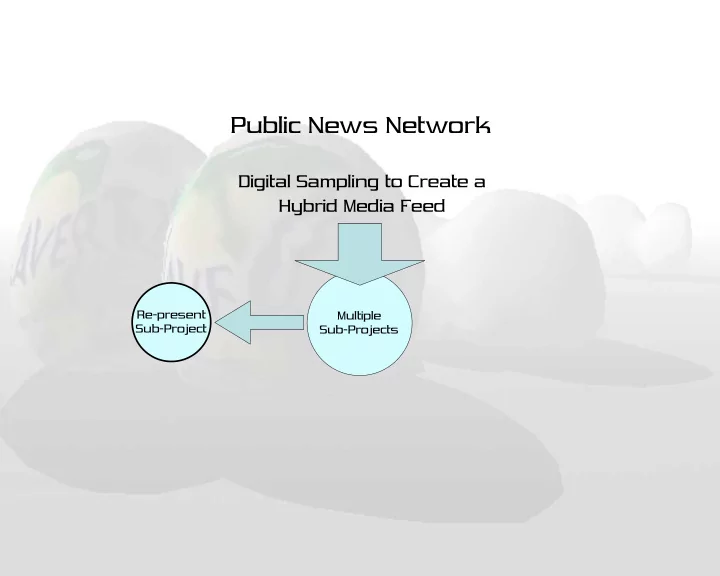
Public News Network Digital Sampling to Create a Hybrid Media Feed Re-present Multiple Sub-Project Sub-Projects INTRODUCTION TO PNN OBJECTIVE Create an Application that uses principles of sampling to produce an Aesthetic Response


slide-1
SLIDE 1

Multiple Sub-Projects

Public News Network

Digital Sampling to Create a Hybrid Media Feed

Re-present Sub-Project

slide-2
SLIDE 2

INTRODUCTION TO PNN

slide-3
SLIDE 3
  • Create an Application that uses principles
  • f sampling to produce an Aesthetic

Response

  • Create a Framework for Art Production

OBJECTIVE

slide-4
SLIDE 4

FOUNDATION

'What is an artist, basically? He's a collector who wants to establish a collection of his own, making the pictures himself that he likes by other

  • people. That's how I begin, and then it turns into something else.'

and… "To copy others is necessary, but to copy oneself is pathetic.”

  • Pablo Picasso
slide-5
SLIDE 5

Music

  • Classical Composers - versions of the

same symphony

  • Musique Concrete - music from “found

sound”

– Stockhausen, Cage, Reich

  • HipHop

– Sugar Hill Gang - WuTang Clan

slide-6
SLIDE 6

Visual Art

  • Sculpture of David

– Donatello, Verrocchio, Michelangelo, Bernini

  • Cubism

– Braque, Picasso

  • Dada and Surrealism

– Ernst, Duchamp

  • Contemporary - appropriation

– Levine, Kruger, Prince

slide-7
SLIDE 7
  • In the visual arts, one of the fundamental changes is the

transition to the digital sampling of imagery. Now the sources of appropriation can be replicated and redistributed without

  • degradation. The distribution of imagery is not limited to “one off”

art objects.

Transition to Digital

slide-8
SLIDE 8

PREVIOUS WORK

  • Art Tools - functional
  • Artworks - non-functional
slide-9
SLIDE 9

Art Tools: Max/MSP+Jitter

  • Cycling74
  • When combined

with Jitter, becomes a sampling visual art production tool

  • Can create

standalone artworks

slide-10
SLIDE 10

Art Tools: Auto-Illustrator

  • Signwave UK
  • Automatic,

generative graphic tools

  • Interface and tool

design idiosyncratic to the programmer.

slide-11
SLIDE 11

Artworks: Web Stalker

  • Artist - I/O/D
  • 1997
  • Considered the

first stand- alone Internet art application

  • Alternative

Browser

slide-12
SLIDE 12

Artworks: Shredder

  • Artist - Mark

Napier

  • 1998
  • Alternative

browser

  • Reformats

existing web pages

  • Reliant on

traditional web browser

slide-13
SLIDE 13

Artworks: Netomat

  • Artist - Maciej

Wisniewski

  • 1999
  • Alternative

Browser

  • True standalone

application

  • Netomatic (XML)

files

slide-14
SLIDE 14

Artworks: combinFormation

  • Artist - Andruid Kerne
  • 2000
  • Recombinant

Information Space

  • Dynamism
slide-15
SLIDE 15

Artwork: EARTH

  • Artist - John Klima
  • 2001
  • Visualization of

Internet derived information

  • Macro to micro

point of view

  • Gives form to data
slide-16
SLIDE 16

Concepts

  • Simulation
  • Sampling
  • Dynamism
  • Cognition
  • Digital Rights
slide-17
SLIDE 17

Working Process

slide-18
SLIDE 18

Working Process

slide-19
SLIDE 19

Simulation

  • Oliver Grau - Virtual Reality: From Illusion to

Immersion

– Roman frescoes 60 B.C

  • Lev Manovich - Language of New Media

– History of the Screen

  • Classical
  • Dynamic
  • Real-time
  • Virtual
slide-20
SLIDE 20

Simulation - PNN

  • Focus

– Environment stripped of superfluous stimuli – Minimize noise

  • Situationist International

– Détournment – Dérive

slide-21
SLIDE 21

Sampling

  • Well established history in visual arts

– Braque, Picasso, Eisenstein

  • Semiotics

– Sign composed of Signifier and Signified – Signifier not essentially related to Signified – Meaning is a construct of our culture – Re-contextualized imagery creates new meaning

slide-22
SLIDE 22

Sampling - PNN

  • PNN will work with these ideas to create an

environment that extracts cultural content and provides the viewer the opportunity to manipulate meaning effects.

slide-23
SLIDE 23

Dynamism

  • Content that takes advantage of “instant”

connectivity of the Internet

  • Combined with navigable space, it becomes

a media type unique to new media

slide-24
SLIDE 24

Cognition

  • Object-Oriented Models of Cognitive

Processing

– Dynamic process versus procedural

  • Story Elaboration

– Many people “complete” stories independent of facts relayed by the news broadcast itself – Meaning created by newsbyte

slide-25
SLIDE 25

Digital Rights

  • Originated in England

– Means of censorship granted to publishing industry, printing press owners – Rewritten in 1710 as “anti-censorship” law so authors could claim their own work – Rewritten to “encourage public learning”

  • U.S. - An Act for the Encouragement of

Learning”

– Expedite the integration of innovation into the public domain – Never intended to control free speech nor contributions to daily dialog of culture

slide-26
SLIDE 26

Digital Rights - PNN

  • Place the responsibility for DRM in the

hands of the individual as opposed to the programmer or corporations

slide-27
SLIDE 27

API

  • Java
  • JOGL - Java for OpenGL
  • QuickTime for Java
slide-28
SLIDE 28

Hardware

  • Development - Apple

G5 Dual 2Ghz - OSX

  • Server - Apple G4

Dual 800 - OSX

slide-29
SLIDE 29

Hardware

  • Video Capture -

Sony DSR-20 Digital Video Recorder

slide-30
SLIDE 30

Hardware

  • Boca Labs

TextGrabber GP500 Closed Caption Decoder

slide-31
SLIDE 31

Scope

  • Project divided into three major

components

– Client Application – Server Application – Website

  • M.S. Thesis implements Client application,

PhD work integrates Client/Server/ Distribution - case study of immersive aesthetic experience

slide-32
SLIDE 32

Client Application

  • Initialization
  • Main Window
  • Mouse Navigation
  • Episode Information and Transcripts
  • Episode Video
  • Video Search
  • Settings and Preferences
  • SCREENSHOTS
slide-33
SLIDE 33

Server Application

  • Video
  • Transcripts
  • Models

Re-present Sub-Project

slide-34
SLIDE 34

Server Application - Schematic

slide-35
SLIDE 35

Server Application - Transcripts

slide-36
SLIDE 36

Re-present

  • A research project that functions as an

independent hypertext artwork, yet exercises ideas and implements methods initiated in the development of PNN.

  • Hyper-textual visualization that searches

television news broadcast transcripts, and “Re-presents” the data in a way that affords the viewer the opportunity to come to a “new” understanding.

slide-37
SLIDE 37

Re-present Schematic

Indexer Captionator Re-present Client CC Decoder PNN Server Re-present Server

slide-38
SLIDE 38

Indexer Captionator

Captionator - Transcripts

  • Decode transcripts and save to server.

– Integrate time-code to match text with video – Serial connection to CC Decoder and DV Recorder

Indexer - Reverse Index

  • Create searchable index of terms to reside
  • n server
  • Using Jakarta Lucene
slide-39
SLIDE 39

Re-present Client

  • Fullscreen Java application
  • Uses Jakarta XML-RPC for remote

procedure execution

PNN Server Re-present Server Re-present Client

slide-40
SLIDE 40
  • Interfaces with Lucene
  • Uses Jakarta XML-RPC
  • CLI daemon

Re-present Server

Re-present Client PNN Server Re-present Server

slide-41
SLIDE 41

Re-present Client Functionality

  • Displays Broadcasts, Date and Time
slide-42
SLIDE 42

Re-present Client Functionality

  • displays temporal location of search term

results

slide-43
SLIDE 43

Re-present Client Functionality

  • Displays broadcast title and number
  • Height of broadcast is related to term

frequency within the transcript

slide-44
SLIDE 44

Re-present Client Functionality

  • Height of broadcast node is related to term

position within the document

– shorter to front, longer towards rear

slide-45
SLIDE 45

Re-present Client Functionality

  • Mousing over the broadcast node displays

the phrases containing the search term.

slide-46
SLIDE 46

Re-present Demo

slide-47
SLIDE 47

EVALUATION

  • Art is subjective - individual response

dependent on experience of observer

  • Function is objective

– Performance – Bugs

slide-48
SLIDE 48

FUTURE WORK

  • Integrate WordNet to enable word

interpretation, and expansion of “meanings”

  • Implement “stretch text” on phrases
  • Implement word expansion, link following
  • Improve “visualization” perhaps with

animated node responses

  • Develop community - setup open source
  • repository. Members could develop their
  • wn visualizations of PNN data.
  • Develop tactile response
slide-49
SLIDE 49

CONCLUSION

  • Satisfies Client application goals
  • Successfully presents the opportunity for

the manipulation of meaning in the context

  • f an aesthetic experience
  • Provides framework for art production
slide-50
SLIDE 50

Public News Network Re-present Subproject

Digital Sampling to Create a Hybrid Media Feed