Professional Development Model Training Objective: To facilitate a - - PDF document

professional development model
SMART_READER_LITE
LIVE PREVIEW

Professional Development Model Training Objective: To facilitate a - - PDF document

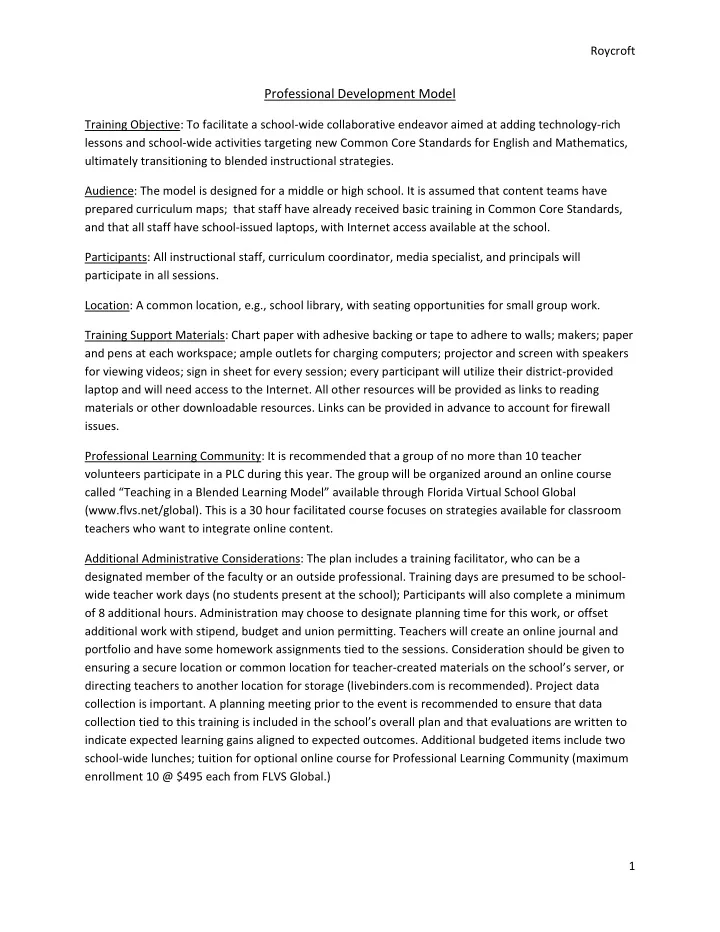
Roycroft Professional Development Model Training Objective: To facilitate a school-wide collaborative endeavor aimed at adding technology-rich lessons and school-wide activities targeting new Common Core Standards for English and Mathematics,


slide-1
SLIDE 1

Roycroft 1

Professional Development Model

Training Objective: To facilitate a school-wide collaborative endeavor aimed at adding technology-rich lessons and school-wide activities targeting new Common Core Standards for English and Mathematics, ultimately transitioning to blended instructional strategies. Audience: The model is designed for a middle or high school. It is assumed that content teams have prepared curriculum maps; that staff have already received basic training in Common Core Standards, and that all staff have school-issued laptops, with Internet access available at the school. Participants: All instructional staff, curriculum coordinator, media specialist, and principals will participate in all sessions. Location: A common location, e.g., school library, with seating opportunities for small group work. Training Support Materials: Chart paper with adhesive backing or tape to adhere to walls; makers; paper and pens at each workspace; ample outlets for charging computers; projector and screen with speakers for viewing videos; sign in sheet for every session; every participant will utilize their district-provided laptop and will need access to the Internet. All other resources will be provided as links to reading materials or other downloadable resources. Links can be provided in advance to account for firewall issues. Professional Learning Community: It is recommended that a group of no more than 10 teacher volunteers participate in a PLC during this year. The group will be organized around an online course called “Teaching in a Blended Learning Model” available through Florida Virtual School Global (www.flvs.net/global). This is a 30 hour facilitated course focuses on strategies available for classroom teachers who want to integrate online content. Additional Administrative Considerations: The plan includes a training facilitator, who can be a designated member of the faculty or an outside professional. Training days are presumed to be school- wide teacher work days (no students present at the school); Participants will also complete a minimum

  • f 8 additional hours. Administration may choose to designate planning time for this work, or offset

additional work with stipend, budget and union permitting. Teachers will create an online journal and portfolio and have some homework assignments tied to the sessions. Consideration should be given to ensuring a secure location or common location for teacher-created materials on the school’s server, or directing teachers to another location for storage (livebinders.com is recommended). Project data collection is important. A planning meeting prior to the event is recommended to ensure that data collection tied to this training is included in the school’s overall plan and that evaluations are written to indicate expected learning gains aligned to expected outcomes. Additional budgeted items include two school-wide lunches; tuition for optional online course for Professional Learning Community (maximum enrollment 10 @ $495 each from FLVS Global.)

slide-2
SLIDE 2

Roycroft 2 Overview of Schedule: There will be 5 scheduled training days during the year where there will be no students in the building. In addition, all participants will have some individual assignments to complete totaling 8 additional hours.

Schedule of School-wide Meetings for Distribution to Staff Date Time Topic Brief Description What to Bring Preservice Day 8-3, with one hour lunch break. Lunch will be served at school and you will have time to meet with your subject area teams during that time. Blending Common Core We will explore the unique characteristics of students today, investigate some of the requirements of the Common Core Standards, and explore ways that we can elevate technology-based instruction school-wide. Bring your laptop and an inquiring mind! Lunch is provided. August 8-12 Training 1-3 Small Groups Web 2.0 Tools for Creative Classrooms Lesson sharing, tools and tips will be the focus of this day. We will begin with some training on reflection and portfolio keeping so that you will have a way to track your work this year. Bring: 1. Your laptop 2. Your content team’s curriculum map for the year ahead 3. A list of your favorite online tools. 4. If you have samples of what you do with the tools, bring those in a file and we’ll give you a chance to share. You will have one hour for lunch. You may bring your lunch, but we will also place a group order for carry out lunch that

  • morning. Prepayment will be required.

November 8-12 Training 1-3 Small Groups Extending the power of student-student collaboration We will lay the foundation for

  • ur school’s online

collaboration programs. Bring your laptop and a collaborative spirit! You will have one hour for lunch. You may bring your lunch, but we will also place a group order for carry out lunch that

  • morning. Prepayment will be required.

February 8-12 Training 1-3 Small Groups Support, troubleshooting, and evaluation methods Our focus will be on academic integrity, accommodating

  • nline learners, and methods
  • f evaluation.

Bring: 1. Your laptop 2. An example of academic violation that occurred in your class 3. An example of accommodations you are currently making for special needs students in your

  • nline activities

4. At least one example of a grading rubric or assessment you use for an online activity in your classroom You will have one hour for lunch. You may bring your lunch, but we will also place a group order for carry out lunch that morning. Prepayment will be required. Last Day of School 8-3 with a community lunch provided Visioning for the year ahead We will reflect on the work of the year past and plan for the future ahead, including identifying some specific new Bring: 1. Your reflections, data sets and portfolio 2. Your team’s curriculum maps

slide-3
SLIDE 3

Roycroft 3

strategies for summer study. 3. Your calendar 4. One lesson you want to implement next year using technology, tied to Common Core Lunch is provided.

Preservice Day: Blending Common Core Schedule: 8am-3pm with lunch on site with your content teams Essential Questions:

  • Who are today’s students? Who are our students?
  • What are the Common Core Standards and what do they mean to us and our students?
  • How can we integrate technology, career and college readiness, and our own lessons?
  • What is blended learning and how do we do it right here and right now?

Agenda: Welcome and overview Goals and vision for the year; importance of training Principal 30 minutes Self-assessment of technology skills (example: http://wcache.quia.com/sv/55395.html; this will need to be created for the site) All participants; results collected by media specialist 30 minutes “A Vision of Student’s Today” Video http://www.youtube.com/watch?v=_A-ZVCjfWf8 This short (4 min) video is a follow through to a video produced in 2007 by a cultural anthropology course at Kansas State University. The video was immediately popular and viewed by millions. The

  • riginal piece and commentary can be found here:

http://www.britannica.com/blogs/2008/10/a-vision-of-students- today-what-teachers-must-do/ Guided reflection on the video Full group, with thoughts recorded on chart paper.

  • initial reactions?
  • what does this mean for us?
  • what do we need to stop, start or continue to meet the

needs of our students?

  • what resources and training are needed to make that

happen? Training Facilitator 30 minutes Generational differences between learners and teachers “Millennials, Gen Xers, & Boomers” Video

http://www.youtube.com/watch?v=5xdum8MO6LY

Training Facilitator with assistance for small groups from Media Specialists,

slide-4
SLIDE 4

Roycroft 4 This 10 minute “My Generation” video highlights the differences between generations of learners and is a great way to being a conversation about the cultural experiences, education, and mindset

  • f the teaching faculty.

Generational attitudes conversation: Small group activity; grade level groups facilitated by media specialist, asst. principals

  • 1. Discuss the video, reactions- what is true for you; how does this

impact the way you teach?

  • 2. Who are our students?
  • 3. What do we need to stop, start or continue, based on what we

have learned? Report back to the larger group; sharing of overall observations. Principal should be prepared to add data- school demographics, in particular, tied to the student body. Optional resources to reference: Edwards, D. (2013). Rethink: Planning and designing for k-12 next generation learning. Retrieved from http://net.educause.edu/ir/library/pdf/NGT1303.pdf Research on Teens by the Pew Charitable Trust http://www.pewinternet.org/topics/Teens.aspx?typeFilter=5 Forbes article focusing on business impact of differences between millennials and boomers http://www.forbes.com/sites/shenegotiates/2013/01/08/millennials- vs-boomers-negotiate-a-truce/ EchoBoomers- list of criteria http://echoboombomb.blogspot.com/p/who-are-echo-boomers.html

  • Asst. Principals

60 minutes Common Core Standards: What do they mean for our students and for us?

  • Brief review of main components of Common Core and why they were

created

  • Focus on text complexity, depth of knowledge
  • Expectations for Common Core inclusion in all subjects- vocabulary,

analysis, evaluation of resources, research Main areas of focus for the year’s professional development:

  • 1. Standards for mathematical practice

http://www.corestandards.org/Math/Practice

  • 2. Career and College Readiness skills for speaking, listening, writing

http://www.corestandards.org/ELA-Literacy/introduction/students-who- are-college-and-career-ready-in-reading-writing-speaking-listening- Facilitator: 30 minutes

slide-5
SLIDE 5

Roycroft 5 language (information also in Appendix A) Assignment: Break into subject area groups. Review each of the Standard sections above individually and with your group. Designate a scribe to record your conversations. Answer the following questions:

  • 1. What is expected of our students; specifically what skills should we see at

the end of the year?

  • 2. How can we support students attain these skills? List at least 5 things you

can do as a team to make this happen.

  • 3. How can technology play a role in getting us where we need to go?
  • 4. List 5 specific technology-based activities that you can do individually or

as a team to infuse these Common Core Standards into your classroom.

  • 5. What do you (the teachers) need in order to support our students?

Media Specialists, Counselors, Assistant Principals will tackle two additional Standard sets and prepare a brief presentation on each, identifying specific skills and strategies that could be utilized at the school to meet the Standards: http://www.iste.org/docs/pdfs/nets-s-2007-student-profiles-en.pdf?sfvrsn=4 Profile for Technology Literate Students http://www.iste.org/docs/pdfs/nets-t-standards.pdf?sfvrsn=2 ISTE Standards for Teachers http://www.inacol.org/cms/wp- content/uploads/2013/02/iNACOL_TeachingStandardsv2.pdf Quality Online Teaching Standards Scribes from each group will share back with the entire school immediately after lunch; debrief and discussion. We will search for common themes and explore the opportunities that were suggested for helping our students. Small group work: 2 hours, includes lunch together 60 minute debrief led by facilitator, with presentations by each scribe Blended Learning: What is it and how can we make it happen? A general overview of blended learning will be provided. Using the suggestions put forward by the teachers, discussion will center on possible models of implementation to plan for in the year ahead. This is a thought-provoking conversation, not intended to result in a specific decision. Resource: Bailey, J., Hassel, B., Hassel, E., Schenider, C., & VanderArk, T. (2013). How blended learning can improve the teaching profession. Digital Learning Now!

http://www.digitallearningnow.com/dln-smart-series/

Videos demonstrating blending learning models are available at this website. Select one or two that might appeal to the teachers.

http://www.blendmylearning.com/

Facilitator and principal 30 minutes Review of the training year ahead:

  • 1. Web 2.0 tools, Collaboration, Academic Integrity, Accommodations,

Evaluation are the main topics of professional development for the year ahead.

  • 2. You have been given a lot of information to ponder between now and the

Principal and facilitator

slide-6
SLIDE 6

Roycroft 6 next session. Please review your notes, read the additional resources

  • provided. Our next session will be a full day devoted to learning some

specific skills and putting some plans into action. Bring: 1. Your laptop 2. Your content team’s curriculum map for the year ahead 3. A list of your favorite online tools. 4. If you have samples of what you do with the tools, bring those in a file and we’ll give you a chance to share. You will have one hour for lunch. You may bring your lunch, but we will also place a group order for carry out lunch that morning. Prepayment will be required.

  • 3. Optional professional learning community who will take an online course
  • n blended learning. The course is 30 hours and is facilitated. Expectation

is that the course will be completed by the end of the year. Your work will include a PLC meeting monthly along with graded course work. Interested volunteers see the principal. We will have no more than 10 in the group.

  • 4. Evaluation of the day: Review the essential questions; written evaluation

collected before exit 30 minutes

slide-7
SLIDE 7

Roycroft 7 August Day: Web 2.0 Tools for Creative Classrooms Schedule: 8-3 with 1 hour for lunch; lunch orders will be taken or you can bring your own Essential Questions:

  • How are changing paradigms impacting our students, our school, and our lives?
  • What is blended learning and how do we do it right here and right now? (repeated from day 1)
  • What are Web 2.0 tools and how can they help us integrate technology, career and college

readiness, and our own lessons? Agenda: Welcome and Overview Present notes from last session in packet form and/or digitally; optional lunch orders and other housekeeping Principal 15 minutes Sir Ken Robinson on Changing Education Paradigms http://www.youtube.com/watch?v=zDZFcDGpL4U Video runs about 10 minutes Additional Resources: http://sirkenrobinson.com/ Small group share: Reflect with small groups of 2-4 seated

  • nearby. What applies to this school and to us?

Principal/Facilitator 30 minutes Revisiting Blended Learning Plans:

  • Initial reflections from our first meeting
  • Responses from the PLC as it begins
  • Introduction to models for reflection and

journaling for the year ahead; expectations for 8 additional hours of time committed to this year’s training

  • Data collection plans

Principal/Facilitator 45 minutes Web 2.0 tools presentation See the list of resources in Appendix B

  • Define Web 1.0, 2.0 and 3.0
  • Why use tools
  • Selecting tools
  • Review of popular tools

Facilitator/Media Specialist 1.5 hours Teacher sharing time Teachers will share their favorite tools and the ways they use them in their classrooms Teachers 1 hour Lunch- on your own/delivery for those who ordered 1 hour Content group work Content teams will work together to select at least 3 tools to utilize in the year ahead and will select Standards/Units/Benchmarks to target for the use of the Teams, facilitated by media specialist, assistant principals, team leads

slide-8
SLIDE 8

Roycroft 8

  • tools. Every teacher will write and implement a lesson

with each tool during the year ahead. Teachers will use their journals and portfolios to record their experiences. A data collection plan will be implemented, aligned with the current practices at the school. This should be planned prior to the training session. 1.5 hours Wrap Up

  • Group sharing of experience with discussing tools
  • Plans for next meeting on collaboration
  • Level-setting expectations for teachers to

implement lessons, record observations

  • Evaluation: Review essential questions, complete

written evaluation before exit. Principal 30 minutes

slide-9
SLIDE 9

Roycroft 9 November Day: Extending the Power of Student-Student Collaboration Schedule: 8-3 with 1 hour for lunch; lunch orders will be taken or you can bring your own Essential Questions:

  • How do we ensure our students can navigate the Web safely, while taking advantage of the

resources it makes available to them?

  • What is blended learning and how do we do it right here and right now? (repeated from day 1)
  • What does effective collaboration look like?
  • What is the value of collaboration and how do we incorporate it into our school’s curriculum,

using technology? Agenda: Welcome and Overview Present notes from last session in packet form and/or digitally; optional lunch orders and other housekeeping Principal 15 minutes Learning to Change, Changing to Learn This thought-provoking 5 minute video features comments from the leaders of the technology and innovation movement today. http://www.youtube.com/watch?v=tahTKdEUAPk Full-group question: What does “living in the nearly now” mean to you? Brief discussion. Principal or facilitator 30 minutes Internet Safety and Web Literacy Evaluating online information and appropriately citing information are important. This presentation will be based on the resource below and will include tips for safety, a review of our school safety policies, netiquette, and Web literacy. Resource: November Learning Alan November has dedicated his career to facilitating quality, safe interactions between students and the Web. http://novemberlearning.com/educational-resources-for- educators/information-literacy-resources/ Media Specialist/Facilitator 1 hour Role Playing Activities In small groups, participants will tackles scenarios involving students use of the Web, and problem-solve solutions 45 minutes Discussion Reflection and brainstorming on impact for students at

  • ur school

Facilitator 30 minutes Collaboration, Common Core, and Technology Facilitator

slide-10
SLIDE 10

Roycroft 10 Presentation reviewing the requirements for collaboration and communication within common core, and ways in which students can use technology to collaborate. 1 hour Lunch- on your own/delivery for those who ordered it 1 hour Grade Level Planning: Collaboration Opportunities What does effective collaboration look like? How do we grade it? What tools are best for your grade level? How can your teams encourage their use? Assign a scribe to record your responses and be prepared to report back to the group. 1 hour School-Wide Planning: Sharing responses from grade level planning; what works for our students? What tools do we need?

  • Review of assignments from last session
  • Report from PLC team
  • Additional assignments for this session:

Implement one collaborative, technology-based, activity in your classroom

  • Use of journals and portfolios
  • Data collection plan
  • Review of next session (not until February):

academic integrity, accommodations and accessibility, and evaluation. Bring: An example

  • f academic violation that occurred in your class;

an example of accommodations you are currently making for special needs students in your online activities; at least one example of a grading rubric

  • r assessment you use for an online activity in

your classroom Evaluation: Review essential questions and complete written evaluation before exit. Principal or facilitator 1 hour

slide-11
SLIDE 11

Roycroft 11 February Day: Support, Troubleshooting, and Evaluation Methods Schedule: 8-3 with 1 hour for lunch; lunch orders will be taken or you can bring your own Essential Questions:

  • How do we ensure the safety, accessibility, and appropriateness of the online options we

provide for students at our school?

  • What is our school’s academic integrity policy? What role do we plan in it?
  • What guidelines are necessary to ensure quality online programming for our students?
  • What guidelines are necessary to grade online activities in which our students participate?

Agenda: Welcome and Overview Present notes from last session in packet form and/or digitally; optional lunch orders and other housekeeping Principal 15 minutes Sharing Updates for PLC’s; opportunities for teachers to share about Web 2.0 tools and collaboration experiences Facilitator 1 hour Accommodations Universal Design for Learning http://www.udlcenter.org/aboutudl/whatisudl/3principles 6 minute video about Universal Design for Learning- the power to be flexible in choices and different paths allow us to address the needs of all students. How does technology allow us to do that? What pitfalls should we be aware of? Discussion of ways we use additional accommodations in technology (homework assignment) Facilitator 1 hour Academic Integrity We will review the school and district policies for academic integrity and consider updates necessary for technology- associated issues. Presentation on academic integrity in a virtual world will review ways that students cheat online, and ways that we can educate them before it is too late. This session includes presentations by teachers on infractions they have addressed. Facilitator and Principal 1 hour Small group scenarios- Working with small groups (no particular configuration), teachers will review scenarios

slide-12
SLIDE 12

Roycroft 12 addressing academic integrity and accommodations. They will create some solutions and share back with the larger group. 45 minutes Lunch- on your own/delivery for those who ordered it 1 hour Creating rubrics for effective evaluation of technology- rich lessons- Content area groups In this session, groups will work together to review activities using technology and the grading format utilized. Teams will level set grading, when possible, and develop common rubrics for activities using Web 2.0 tools and

  • collaboration. Teams will revisit Common Core Standards,

content standards, ISTE Standards, and iNACOL Standards if necessary to complete this project. Media Specialists and Assistant Principals will assist groups. 1 hour Wrap Up Groups will share their rubrics and the staff will reflect on the work done. Are there common standards that need to be incorporated school-wide?

  • Review Essential Questions
  • Prepare to fine tune grading rubrics,

accommodations strategies, integrity protocols

  • Prepare for last session. For this session, you will

bring:

  • Your reflections, data sets and portfolio
  • Your team’s curriculum maps
  • Your calendar
  • One lesson you want to implement next year

using technology, tied to Common Core

  • Written evaluation prior to exit

Principal and Facilitator 1 hour

slide-13
SLIDE 13

Roycroft 13 Last Day of School: Visioning for the Year Ahead Schedule: 8am-3pm with lunch on site with your content teams Essential Questions:

  • How do our students benefit from the use of technology in our classrooms?
  • How can our school provide engaging, technology-enriched content supporting Common Core

Standards?

  • What tools and resources do we need to sustain and improve our technology-focused work?

Agenda: Welcome and Overview Present notes from last session in packet form and/or digitally; recognitions and kudos Principal 30 minutes Data-Driven Decision Making How do we evaluate the impact of our work this year? We will review options, including student achievement, your portfolios, Standards-based assessments, and your reflections Facilitator 1 hour Work Time Teachers will work together in content and grade level teams, and will have time to work solo with the assistance of the facilitator, principal, media specialist, and assistant principals, to evaluate your data 2 hours Sharing Results We will share our reactions to the year, along with results before and during lunch 30 minutes- 1 hour Community Lunch 1 hour Planning for next year Members of the PLC will share their reactions to their experience and we will offer some additional new options for the year ahead.

  • Sharing lessons you want to improve with

technology

  • Planning for implementation of blended

learning with access to online lesson content Facilitator 1.5 hours Final Wrap Up Review essential questions, final written evaluation Principal 30 minutes

slide-14
SLIDE 14

Roycroft 14 Appendix A Excerpts from Website Common Core Standards for Mathematics: Mathematical Practice http://www.corestandards.org/Math/Practice

Mathematics » Standards for Mathematical Practice » Construct viable arguments and critique the reasoning of

  • thers.

Mathematically proficient students understand and use stated assumptions, definitions, and previously established results in constructing arguments. They make conjectures and build a logical progression of statements to explore the truth of their conjectures. They are able to analyze situations by breaking them into cases, and can recognize and use counterexamples. They justify their conclusions, communicate them to others, and respond to the arguments of others. They reason inductively about data, making plausible arguments that take into account the context from which the data arose. Mathematically proficient students are also able to compare the effectiveness of two plausible arguments, distinguish correct logic or reasoning from that which is flawed, and—if there is a flaw in an argument—explain what it is. Elementary students can construct arguments using concrete referents such as objects, drawings, diagrams, and actions. Such arguments can make sense and be correct, even though they are not generalized or made formal until later grades. Later, students learn to determine domains to which an argument applies. Students at all grades can listen or read the arguments of others, decide whether they make sense, and ask useful questions to clarify or improve the arguments.

http://www.corestandards.org/ELA-Literacy/introduction/students-who-are-college-and-career-ready- in-reading-writing-speaking-listening-language

English Language Arts Standards » Introduction » Students Who are College and Career Ready in Reading, Writing, Speaking, Listening, & Language

The descriptions that follow are not standards themselves but instead offer a portrait of students who meet the standards set out in this document. As students advance through the grades and master the standards in reading, writing, speaking, listening, and language, they are able to exhibit with increasing fullness and regularity these capacities of the literate individual.

They demonstrate independence.

Students can, without significant scaffolding, comprehend and evaluate complex texts across a range of types and disciplines, and they can construct effective arguments and convey intricate or multifaceted

  • information. Likewise, students are able independently to discern a speaker’s key points, request

clarification, and ask relevant questions. They build on others’ ideas, articulate their own ideas, and

slide-15
SLIDE 15

Roycroft 15

confirm they have been understood. Without prompting, they demonstrate command of standard English and acquire and use a wide-ranging vocabulary. More broadly, they become self-directed learners, effectively seeking out and using resources to assist them, including teachers, peers, and print and digital reference materials.

They build strong content knowledge.

Students establish a base of knowledge across a wide range of subject matter by engaging with works of quality and substance. They become proficient in new areas through research and study. They read purposefully and listen attentively to gain both general knowledge and discipline-specific expertise. They refine and share their knowledge through writing and speaking.

They respond to the varying demands of audience, task, purpose, and discipline.

Students adapt their communication in relation to audience, task, purpose, and discipline. They set and adjust purpose for reading, writing, speaking, listening, and language use as warranted by the task. They appreciate nuances, such as how the composition of an audience should affect tone when speaking and how the connotations of words affect meaning. They also know that different disciplines call for different types of evidence (e.g., documentary evidence in history, experimental evidence in science).

They comprehend as well as critique.

Students are engaged and open-minded—but discerning—readers and listeners. They work diligently to understand precisely what an author or speaker is saying, but they also question an author’s or speaker’s assumptions and premises and assess the veracity of claims and the soundness of reasoning.

They value evidence.

Students cite specific evidence when offering an oral or written interpretation of a text. They use relevant evidence when supporting their own points in writing and speaking, making their reasoning clear to the reader or listener, and they constructively evaluate others’ use of evidence.

They use technology and digital media strategically and capably.

Students employ technology thoughtfully to enhance their reading, writing, speaking, listening, and language use. They tailor their searches online to acquire useful information efficiently, and they integrate what they learn using technology with what they learn offline. They are familiar with the strengths and limitations of various technological tools and mediums and can select and use those best suited to their communication goals.

They come to understand other perspectives and cultures.

Students appreciate that the twenty-first-century classroom and workplace are settings in which people from often widely divergent cultures and who represent diverse experiences and perspectives must learn and work together. Students actively seek to understand other perspectives and cultures through reading and listening, and they are able to communicate effectively with people of varied backgrounds. They evaluate other points of view critically and constructively. Through reading great classic and

slide-16
SLIDE 16

Roycroft 16

contemporary works of literature representative of a variety of periods, cultures, and worldviews, students can vicariously inhabit worlds and have experiences much different than their own.

English Language Arts Standards » Anchor Standards » College and Career Readiness Anchor Standards for Speaking and Listening

The K–12 standards on the following pages define what students should understand and be able to do by the end of each grade. They correspond to the College and Career Readiness (CCR) anchor standards below by number. The CCR and grade-specific standards are necessary complements—the former providing broad standards, the latter providing additional specificity—that together define the skills and understandings that all students must demonstrate.

Standards in this strand:

  • CCSS.ELA-Literacy.CCRA.SL.1
  • CCSS.ELA-Literacy.CCRA.SL.2
  • CCSS.ELA-Literacy.CCRA.SL.3
  • CCSS.ELA-Literacy.CCRA.SL.4
  • CCSS.ELA-Literacy.CCRA.SL.5
  • CCSS.ELA-Literacy.CCRA.SL.6

Comprehension and Collaboration

  • CCSS.ELA-Literacy.CCRA.SL.1 Prepare for and participate effectively in a range of conversations and

collaborations with diverse partners, building on others’ ideas and expressing their own clearly and persuasively.

  • CCSS.ELA-Literacy.CCRA.SL.2 Integrate and evaluate information presented in diverse media and

formats, including visually, quantitatively, and orally.

  • CCSS.ELA-Literacy.CCRA.SL.3 Evaluate a speaker’s point of view, reasoning, and use of evidence and

rhetoric.

Presentation of Knowledge and Ideas

  • CCSS.ELA-Literacy.CCRA.SL.4 Present information, findings, and supporting evidence such that

listeners can follow the line of reasoning and the organization, development, and style are appropriate to task, purpose, and audience.

  • CCSS.ELA-Literacy.CCRA.SL.5 Make strategic use of digital media and visual displays of data to express

information and enhance understanding of presentations.

  • CCSS.ELA-Literacy.CCRA.SL.6 Adapt speech to a variety of contexts and communicative tasks,

demonstrating command of formal English when indicated or appropriate.

slide-17
SLIDE 17

Roycroft 17

Note on range and content of student speaking and listening

To build a foundation for college and career readiness, students must have ample opportunities to take part in a variety of rich, structured conversations—as part of a whole class, in small groups, and with a

  • partner. Being productive members of these conversations requires that students contribute accurate,

relevant information; respond to and develop what others have said; make comparisons and contrasts; and analyze and synthesize a multitude of ideas in various domains. New technologies have broadened and expanded the role that speaking and listening play in acquiring and sharing knowledge and have tightened their link to other forms of communication. Digital texts confront students with the potential for continually updated content and dynamically changing combinations of words, graphics, images, hyperlinks, and embedded video and audio.

slide-18
SLIDE 18

Roycroft 18

Appendix B- Web 2.0 Tools Resources

Discovery Education’s list of web 2.0 resources http://web2012.discoveryeducation.com/web20tools.cfm Index of apps Go2web20 http://www.go2web20.net/ 100 Web 2.0 Tools Every Teacher Should Know About http://edudemic.com/2012/05/best-web-tools-slides/ Web tools by task http://webtools4u2use.wikispaces.com/Finding+the+Right+Tool Kathy Schrock’s guide to web 2.O and “Bloomin apps”- Bloom’s for the 21st Century http://www.schrockguide.net/bloomin-apps.html Criteria for selecting good tools http://sloanconsortium.org/Web_2.0_Selection_Criteria_Save_Time_Choosing_an_Appropriate_Tool Resources for using web 2.0 http://www.classroom20.com/ http://teacher20.com/ School 2.0 toolkit for creating common vision for technology in your school http://etoolkit.org/etoolkit/

Collaborative notetaking www.wallwisher.com

World Clouds http://tagul.com/ http://www.wordle.net/ Brainstorming and mapping https://bubbl.us/

slide-19
SLIDE 19

Roycroft 19 Voicethread http://voicethread.com Voki- create avatars http://www.voki.com/create.php Animoto- animations, video and audio http://animoto.com/ Scribblar-Online Collaboration and interactive whiteboard http://www.scribblar.com/ Go!Animate www.goanimate.com Zooburst 3D books http://www.zooburst.com/ Blogs- WordPress http://wordpress.org/ Lulu self-publishing http://www.lulu.com/ Prezi presentation tools http://prezi.com/explore/education/ Live Binders http://www.livebinders.com/ Weebly http://www.weebly.com/ Wikispaces http://www.wikispaces.com/content/teacher

Sketchup

slide-20
SLIDE 20

Roycroft 20

http://www.sketchup.com/

Educational Origami- a blog and a wiki about 21st century learning, including information about web 2.0

  • pportunities; includes an excellent description of tools available for each skill

http://edorigami.wikispaces.com/