SLIDE 1
INSTRUMENTAL INTERACTION
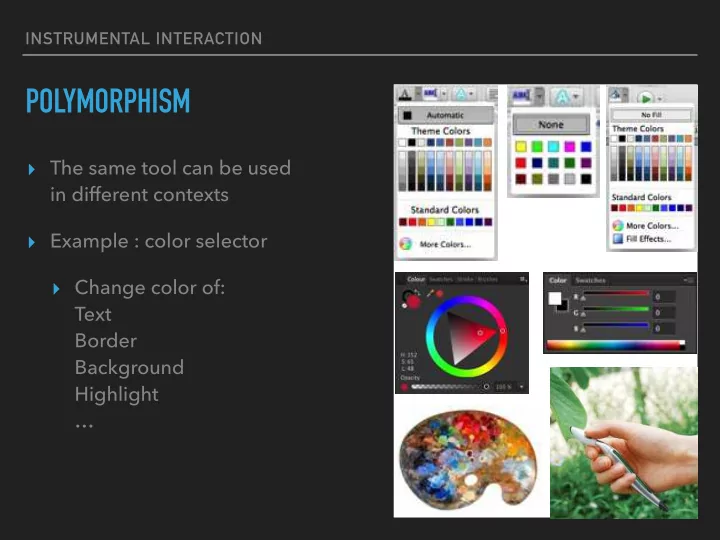
POLYMORPHISM
▸ The same tool can be used
in different contexts
▸ Example : color selector ▸ Change color of:
Text
Border
Background
Highlight
…
SLIDE 2
INSTRUMENTAL INTERACTION
POLYMORPHISM
▸ The same tool can be used
in different contexts
▸ Example : color selector ▸ Common examples:
Open, cut, paste, delete, move
▸ Apply command to group:
apply to each object, if meaningful
▸ Free the tools from the
applications where they are trapped!
SLIDE 3
INSTRUMENTAL INTERACTION
REUSE
▸ Output reuse (objects) ▸ Example : copy-paste, duplicate
SLIDE 4
INSTRUMENTAL INTERACTION
REUSE
▸ Output reuse (objects) ▸ Example : copy-paste, duplicate ▸ Input reuse (commands) ▸ Example : redo, history, macros
SLIDE 5 INSTRUMENTAL INTERACTION
ANALYZING STICKYLINES
▸ Reification of alignment ▸ Polymorphic ▸ Align objects of different types ▸ Move command adds/removes
- bject to/from StickyLines
▸ Reusable ▸ Copy StickyLine (with objects) ▸ Copy tweaks
SLIDE 6
INSTRUMENTAL INTERACTION
INTEGRATING THE PRINCIPLES
▸ Reification and polymorphism: ▸ More objects and fewer commands ▸ Reification facilitates output reuse: ▸ More first-class objects can be reused ▸ Polymorphism facilitates input reuse: ▸ Increases the scope of commands
SLIDE 7 INSTRUMENTAL INTERACTION
STYLES
▸ Reification
- f a collection of attributes
▸ Polymorphism ▸ Apply style to different objects ▸ Reuse ▸ Extract style from object ▸ Apply to other objects
Style Style picker Style dropper
SLIDE 8
INSTRUMENTAL INTERACTION
OTHER EXAMPLES
▸ Groups ▸ Reify a selection ▸ Support polymorphism ▸ Layers ▸ Reify modes ▸ Macros ▸ Reify sequences of commands
SLIDE 9 INSTRUMENTAL INTERACTION
OBJECT-ORIENTED DRAWING
- H. Xia, B. Araujo, T. Grossman, D. Wigdor
SLIDE 10
INSTRUMENTAL INTERACTION
UBICOMP INSTRUMENTS
▸ Instruments spanning multiple
interaction surfaces
▸ Multi surface interaction ▸ VIGO (CHI’09)
SLIDE 11
INSTRUMENTAL INTERACTION
EXERCISE
▸ Work in groups and use last week’s homework ▸ Identify tools that are common between the applications
you analyzed
▸ Pick tools that seem specific to an application,
and see if you can make them useful in the others