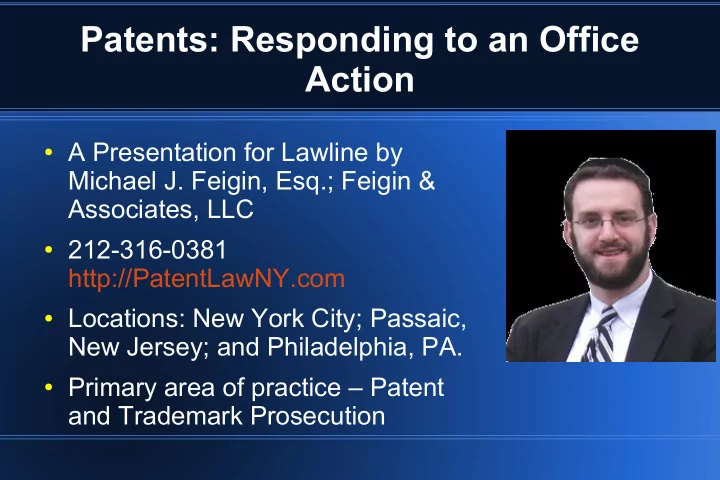
Patents: Responding to an Office Action A Presentation for Lawline - - PowerPoint PPT Presentation

patents responding to an office action
SMART_READER_LITE
LIVE PREVIEW

Patents: Responding to an Office Action A Presentation for Lawline - - PowerPoint PPT Presentation

Patents: Responding to an Office Action A Presentation for Lawline by Michael J. Feigin, Esq.; Feigin & Associates, LLC 212-316-0381 http://PatentLawNY.com Locations: New York City; Passaic, New Jersey; and Philadelphia, PA.


slide-1
SLIDE 1

Patents: Responding to an Office Action

  • A Presentation for Lawline by

Michael J. Feigin, Esq.; Feigin & Associates, LLC

  • 212-316-0381

http://PatentLawNY.com

  • Locations: New York City; Passaic,

New Jersey; and Philadelphia, PA.

  • Primary area of practice – Patent

and Trademark Prosecution

slide-2
SLIDE 2

Outline of Today's Presentation

1) Introduction 2) Draft Patent with the Office Action in Mind 3) Non-Prior Art Rejections (e.g. § 101) 4) Prior Art Rejections (e.g. § 102, 103) 5) Examiner Interview 6) Writing a Response to an Office Action

slide-3
SLIDE 3

Introduction

slide-4
SLIDE 4

Quick Background on the Process...

  • - Receive disclosure from

inventor; generally conduct a Novelty Search

  • Draft and File Patent

Application

  • First Office Action on the

Merits 1 to 3 yrs later

  • ^ Response = topic of

today's presentation

slide-5
SLIDE 5

Response to Crazy Office Action

  • Claim in the application:

“7. The device of claim 1, wherein said … device is coupled to a neutral wire.”

  • Office Action: “see Hart 5B”, no further explanation.

(Presumably, the Examiner means “Figure 5B”)

  • So we look at Figure 5B in Hart...
slide-6
SLIDE 6

Response to Crazy Office Action

  • Anyone see anything coupled to

a neutral wire in that figure?

  • Telephone interview – Examiner

refuses to discuss claim; I forced the issue, as it was so egregious.

  • After 20 minutes of back and

forth, Examiner finally says, “we're so pressed for time.”

  • Common refrain – not enough

time to examine applications.

slide-7
SLIDE 7

Draft your Patent with the Office Action in Mind

slide-8
SLIDE 8

Draft your patent with the Office Action in mind

  • Some Examiners will only read the claims, little more.
  • Define all key terms used in your claim language.
  • Avoid 112 rejections – e.g. if you say “substantially”,

define “substantially” in the Specification.

  • Have backup terminology and variations in

specification, in case you need to amend.

  • Use signals so you can find the variations years later

when you receive the Office Action, e.g. “alternate embodiment”, “defined as X or Y”.

slide-9
SLIDE 9

Background (optional section)

  • You can use the 'background' section to discuss the

prior art – what is the problem with the prior art?

  • “sell” your invention to the Examiner
  • Tell the Examiner what you’re talking about, where to

search

  • Be Careful - Anything you write here is admitted prior

art

slide-10
SLIDE 10

Summary (optional)

  • Tracks the claim language in plain English

– Avoid words like “comprising” in the summary. – Write it, as close as possible, in “regular” English

  • Might be what a Judge will read in determining

infringement

slide-11
SLIDE 11

Drawings

  • Makes your life easier when responding to an Office

Action

  • Good practice: copy a relevant portion of drawing in a

Response so the Examiner needs only look at one document.

– Can also show next to a picture of the prior art cited. – Visuals make your arguments easier to understand

  • With method claims, use corresponding flow charts;

try to use wording from the claim.

slide-12
SLIDE 12

Be Expansive in Your Application

  • Patent Applications used to fit on 1 to 3 pages –

today, more like 10 pages (single spaced, small font)

  • Don’t limit yourself - be expansive

– e.g. disclose “comprising” and “consisting of” in case

you need to narrow the claim language (where applicable)

– e.g. use “may” or “in another embodiment”

  • No new matter after filing (unless CPA), so get it all in
  • Don't talk negatively about the technology (or the

prior art)

slide-13
SLIDE 13

Claim Drafting with Office Action in Mind

  • If you have support for variations, you'll be better

prepared if the Patent Office finds art that reads on some of your claims; can amend claims.

  • Make your claims count – include novel variations in

dependent claims.

  • Draft claims limited to what is new and unobvious
  • ver prior art, but as broad as possible.
  • Two schools of thought on claims in Office Action –

fight for claims, or amend to let Examiner feel a “win”.

slide-14
SLIDE 14

Non-Prior Art Rejections

slide-15
SLIDE 15

When You First Receive an Office Action . . .

  • Send it to the client without comment or review it first?

– What is sophistication level of the client? – Most clients will want at least some comment on it

  • How well do you understand the technology vs. your

client?

– You may need to send the cited art to the client for

comment on what's different about his tech.

– Keep the goal in mind: Respond in the best manner to

get broadest claims allowed.

slide-16
SLIDE 16

Parts of an Office Action - Cover Page

  • Mailing Date on the Cover – used for calculations
  • Docket dates: (typical dates are as follows)

– 1 month – 'ping' client (personally, I send an invoice

right away, due in 30 days with automatic reminders)

– 2 month – begin work, if haven't already – 3 month – regular DEADLINE – 5 month – incessantly 'ping' client – one month left! – 6 month - ABANDONED

slide-17
SLIDE 17

Office Action Summary

  • Not always accurate, but gives you something of a

'roadmap'

  • May want to take allowed claims to protect them; file

a Divisional Application for the rest of the claims

  • If Office Action is 'final' tread with more caution

– Consider 'Notice of Pre-Appeal' – Be on top of your client to respond quicker – If filing Request for Cont. Exam (RCE), treat like non-

final, but more $$$ to government

slide-18
SLIDE 18
slide-19
SLIDE 19

Restriction Requirement

MPEP § 803: “There are two criteria for a proper requirement for restriction between patentably distinct inventions:

  • (A) The inventions must be independent or distinct as

claimed; and

  • (B) There would be a serious burden on the examiner

if restriction is not required.”

  • Rarely applied properly, but overcoming it is rare.
slide-20
SLIDE 20

Restrictions Increasing, Overcoming Restrictions Also Increasing

  • Example: Biotech Art Unit:

– 1993: ~1000 restrictions; ~32,000 Office Actions – 2008: ~22,000 restrictions; ~42,000 Office Actions

  • (source: Jon Dudas, Former USPTO Director, 2009)
  • But Overcoming Restrictions Also Rising:

– Biotech: 54% overcome; Chemical: 21% overcome – Computer: 6% overcome; Mechanical: 18% overcome

  • (source: Patently-O blog, 2010, based on sampling of

20,000 applications)

slide-21
SLIDE 21

Example of Restriction likely to “stick”

  • Likely to stick:

– Claims 1-10, drawn to a method of making [complex

article of manufacture], classified in class 265, subclass xxx.xx

– Claims 11-20, drawn to a device for making [same

thing], in class 425, subclass xxx.

– Prior Art Search had revealed that for the past 20

years, all the close prior art was restricted like this.

– Examiner properly applied MPEP § 803 as follows . . .

slide-22
SLIDE 22
slide-23
SLIDE 23

Example of a Restriction you May Overcome

  • Restriction was as follows:

– Claims 15-20 – method of playing game of chance,

class 273, subclass 269

– Claims 11-14 – balls for ball selector, class 273,

subclass 144A

– Claims 1-10 – ball selector, class 463, subclass 17

  • Office Action:

– – WHAT?! That's your job! Sorry to burden you, but that is

not the legal standard! (Don't say it that way)

slide-24
SLIDE 24

More Clues to Overcome Restriction

  • Look at Examiner's Search Report

– It's right after the Office Action – What classes/subclasses did they

search?

– Was the class/subclass even

relevant? (on the right, nope!)

  • Argue language of MPEP § 803 (for

some reason, Off.Action's seem to use a different text) with quotations.

slide-25
SLIDE 25

A Winning Argument - Example

  • Must provisionally elect one grouping, no choice.
  • Must say you are electing one group with traverse.
  • Must provide arguments with your traversal.
  • Best argument: “intertwinement” between groupings

– means search burden of one grouping makes exam of

additional groupings something less than a “substantial burden”

– Overlap in limitations between one group and another

slide-26
SLIDE 26

A Winning Argument - Continued

  • “ patent for any one of these groups likely placed in

each subclass” … or the subclass is the same

  • Examiner will argue: “but independent claim 1 has A,

B, C, and D and claim 11 has A, B, C, and E”

– Preempt/argue that, e.g. claim 2 depends on claim 1

and has element E; claim 12 depends on claim 1 and has element D

– Argue that “E” doesn't add a substantial search burden

  • e.g. “a bettery holder” (this really happened . . .)

– Argue if we followed your logic, we'd need an 8-way

restriction and that can't be what § 803 means

slide-27
SLIDE 27

Rejection under 35 U.S.C. § 101

  • § 101 limits patentability to: "any new and useful

process, machine, manufacture, or composition of matter, or any new and useful improvement thereof."

  • In practice, most § 101 rejections (for “properly”

written applications) are in business method patents (software); come to wording

  • Bilski: Supreme Court said one test is “transformation
  • f matter” or “tied to a specific machine”
slide-28
SLIDE 28

How to Overcome Many § 101 Rejections

  • Acceptable wording changes every few years

– Real life example: In 2007 we'd say “computer

readable storage medium” even with no direct support in specification – don't try this today

– In 2012, we'd say, “processor” - in a current case, no

support in specification is needed

  • May follow the Office Action's suggested wording...
  • Avoiding 101: Can't patent law of nature, but can

potentially patent “method of creating conditions for ball lightning”

slide-29
SLIDE 29

Prior Art Rejections

slide-30
SLIDE 30

First Review of Office Action

  • Goal is to break down the Office Action into

manageable pieces

  • Avoid getting caught up in the Office Action – focus
  • n Prior Art Cited
  • Review in a systematic order:

– Review your patent application, claims first – Review major prior art cited – Look for differences

  • Do high level analysis, then LCTA method . . .
slide-31
SLIDE 31

Before We get Started . . .

  • Check earliest filing date of each cited reference

– Make sure it's a valid prior art citation – (until 2013, can 'swear behind' a reference)

  • Look at Search Report – see where Examiner

Searched, did they find a lot, did they spend a lot of time, . . . gives you some clues.

  • Reality: Most first Office Actions are poor
  • Reality: Most Applications can at least one rejection,

whether warranted or not.

slide-32
SLIDE 32

1) High Level Analysis

  • What's the “point” (e.g. problem solved) of your

technology?

– Review / refresh recollection before getting side-

tracked by prior art

  • Put this in your head; or even better . . .
  • Write our a paragraph in your own words, with citations

– Review cited prior art – what's it's point?

  • Put this in your head / write out a paragraph, with

citations

  • Why is it different?
slide-33
SLIDE 33

High Level Analysis Example: My Application

  • a spherical ball with internal transponder freely movable about in

interior space such that the transponder falls to the gravitational bottom (paragraph [039]).

  • This prevents the ball from getting lost by rolling away as the

transponder is constantly working against the centrifugal motion of the ball. Further, as recited in paragraph [039], “this has important implications for efficient reading of data on the transponder” as the reader is placed immediately below or next to the known position of the transponder when the ball is in a resting position.

slide-34
SLIDE 34

High Level Analysis Example: Cited Prior Art

US 2006/0046837 to Ito et. al., is directed towards balls that are made of translucent resin with an RFID tag (paragraph [0054]) Figure 3 of the Ito reference shows the RFID tag 3 fixed to a plane passing through the center of a ball 2. No reference has been located stating whether the ball is hollow or solid (?), or that the RFID tag is anywhere other than in it's fixed position shown in Figure 3.

slide-35
SLIDE 35

High Level Analysis Recap

  • We have reviewed our claims
  • We have looked at the prior art ourselves
  • We have picked out differences in claimed features
  • Now we are ready to look at the arguments in the

Office Action

slide-36
SLIDE 36

2) LCTA Method – Delving into the Rejection

  • Remember: An Office Action is improper unless each

and every limitation is cited in the prior art

– § 102 – In one piece of art – § 103 – in multiple pieces of prior art

  • If § 103 used, must give reason for combination.

– That being said, the most successful arguments are

that a feature is not shown, alone or in combiation.

slide-37
SLIDE 37

LCTA Method Explained

  • LCTA is a systematic method of responding.
  • Limitation – Look at each limitation in your claim
  • Citation – Is there a citation?
  • Text – Copy cited text.
  • Analysis – Is the citation correct?
slide-38
SLIDE 38

Carrying out the LCA Method

  • Limitation: "generally spherical encasement with a

hollow interior"

  • Citation:
  • Text:
  • Analysis: Figure 3 not enough to show “hollow”
slide-39
SLIDE 39

Carrying out LCTA on Another Claim Limitation

  • Limitation: “a near field communication reader below

an exit tube”

  • Citation:
  • Text: No recitation of “Antenna 48” in

paragraph [067]! Find it myself...

– Why? Not being in the Office Action properly

isn't enough – need to make sure it's not in the prior art!

slide-40
SLIDE 40

Found it . . .

  • Paragraph [0068]:
  • … which
  • Describes
  • Figure 8:
slide-41
SLIDE 41

Conclusion of Second LCTA Example

  • Limitation – reader (or antenna...) below exit tube
  • Citation – bogus; but we looked further and found a

“proper” citation of the antenna

  • Text – shows antenna is a coil around ball, not under

the exit tube

  • Analysis: This prior art citation does not show “reader

below exit tube” because the reader is actually around the ball path, and above the exit tube.

slide-42
SLIDE 42

Repeat LCTA for Each and Every Limitation

  • Rejection under 35 U.S.C. § 102 and § 103 treated

exactly the same in this regard

  • If you can find a proper citation for each and every

limitation (it happens), then don't argue it

  • If, and only if, there is a proper citation for each and

every limitation – add more limitations (amend claims)

– Can take limitation of dependent claim – Can add limitation from specification

  • Keep your High Level + LCTA notes in order
slide-43
SLIDE 43

Examiner Interview

slide-44
SLIDE 44

Examiner Interview

  • Etiquette and good manners are critical!
  • Statistics show shorter prosecution, greater

allowances when an Interview is conducted

– In person, best – Telephonic, second best

  • Often, easier to explain with a “give and take” of direct

communication than on paper

  • Can also understand Examiner's position better
slide-45
SLIDE 45

When To Have an Examiner Interview

  • Early and often.

– Before final rejection, an Examiner will have the most

leeway to act.

  • Patent Office allocates 1 hr, per application for

Examiner's to talk to you.

  • Do your homework (High Level and LCTA analysis)

and:

– Be prepared with claim amendment; and/or – Be prepared to explain difference over prior art

slide-46
SLIDE 46

Writing a Response to an Office Action

slide-47
SLIDE 47

Your Response

  • Part I: Cover Sheet
  • Part II: Amendments
  • Part III: Arguments
  • Part IV: Declarations

– (e.g. test results, swearing behind, . . . )

Your Response

slide-48
SLIDE 48
  • Heading Block
  • State what it is
  • State what page

each item starts

  • n.

Cover Sheet

slide-49
SLIDE 49

Interview Summary

  • Examiner will also

provide one.

  • Good idea to state

(politely) what was discussed.

  • Creates a paper

record.

slide-50
SLIDE 50

Amended Claims

  • Use status identifiers on

amended claims:

– Original – Currently amended – Withdrawn – Canceled – …

  • Underline new text, strike-

through deleted.

slide-51
SLIDE 51

Remarks (Arguments)

  • State what the Office

Action said succinctly.

– Rejection under ? – Allowance of certain

claims?

– Restriction?

  • State what you are doing.

– Arguing? – Amending?

slide-52
SLIDE 52

Writing Up Response to 102/103 . . .

  • Paragraph on your

patent app (with citations).

  • Paragraph on

each prior art reference (with citations).

slide-53
SLIDE 53

State the Law

  • 102 court case >

– With legal test.

  • 103 court case >

– With legal test.

slide-54
SLIDE 54

Then, Use Your LCTA for each Limitation . . .

  • Limitation →
  • Citation →
  • Text →
  • Analysis -->
slide-55
SLIDE 55

Conclusion

  • Please

allow the claims . . .

slide-56
SLIDE 56

Thank You . . .

  • Questions? Reach Michael J. Feigin, Esq. at:

– michael@PatentLawNY.com – PatentLawNY.com – (212)316-0381

  • Disclaimer: This presentation is meant to be a broad overview and

is a teaching aid – no legal advice is contained in the presentation.