SLIDE 1 CSci 5271 Introduction to Computer Security Day 9: OS security basics
Stephen McCamant
University of Minnesota, Computer Science & Engineering
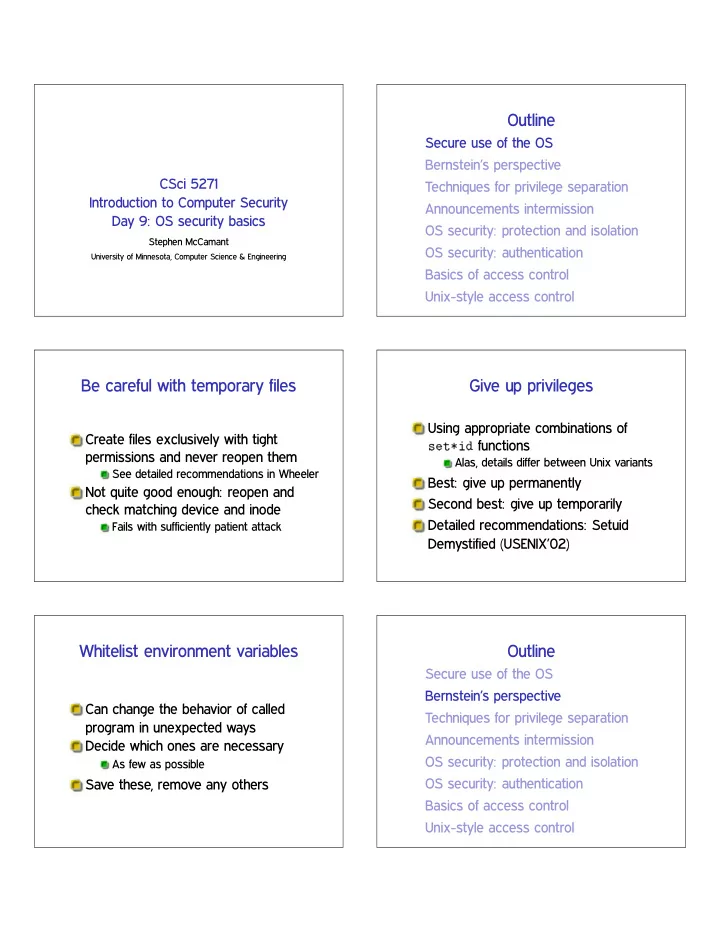
Outline
Secure use of the OS Bernstein’s perspective Techniques for privilege separation Announcements intermission OS security: protection and isolation OS security: authentication Basics of access control Unix-style access control
Be careful with temporary files
Create files exclusively with tight permissions and never reopen them
See detailed recommendations in Wheeler
Not quite good enough: reopen and check matching device and inode
Fails with sufficiently patient attack
Give up privileges
Using appropriate combinations of s❡t✯✐❞ functions
Alas, details differ between Unix variants
Best: give up permanently Second best: give up temporarily Detailed recommendations: Setuid Demystified (USENIX’02)
Whitelist environment variables
Can change the behavior of called program in unexpected ways Decide which ones are necessary
As few as possible
Save these, remove any others
Outline
Secure use of the OS Bernstein’s perspective Techniques for privilege separation Announcements intermission OS security: protection and isolation OS security: authentication Basics of access control Unix-style access control
SLIDE 2
Historical background
Traditional Unix MTA: Sendmail (BSD)
Monolithic setuid root program Designed for a more trusting era In mid-90s, bugs seemed endless
Spurred development of new, security-oriented replacements
Bernstein’s qmail Venema et al.’s Postfix
Distinctive qmail features
Single, security-oriented developer Architecture with separate programs and UIDs Replacements for standard libraries Deliveries into directories rather than large files
Ineffective privilege separation
Example: prevent Netscape DNS helper from accessing local file system Before: bug in DNS code
✦ read user’s private files
After: bug in DNS code
✦ inject bogus DNS results ✦ man-in-the-middle attack ✦ read user’s private web data
Effective privilege separation
Transformations with constrained I/O General argument: worst adversary can do is control output
Which is just the benign functionality
MTA header parsing (Sendmail bug) ❥♣❡❣t♦♣♥♠ inside ①❧♦❛❞✐♠❛❣❡
Eliminating bugs
Enforce explicit data flow Simplify integer semantics Avoid parsing Generalize from errors to inputs
Eliminating code
Identify common functions Automatically handle errors Reuse network tools Reuse access controls Reuse the filesystem
SLIDE 3
The “qmail security guarantee”
$500, later $1000 offered for security bug Never paid out Issues proposed:
Memory exhaustion DoS Overflow of signed integer indexes
Defensiveness does not encourage more submissions
qmail today
Originally had terms that prohibited modified redistribution
Now true public domain
Latest release from Bernstein: 1998; netqmail: 2007 Does not have large market share All MTAs, even Sendmail, are more secure now
Outline
Secure use of the OS Bernstein’s perspective Techniques for privilege separation Announcements intermission OS security: protection and isolation OS security: authentication Basics of access control Unix-style access control
Restricted languages
Main application: code provided by untrusted parties Packet filters in the kernel JavaScript in web browsers
Also Java, Flash ActionScript, etc.
SFI
Software-based Fault Isolation Instruction-level rewriting like (but predates) CFI Limit memory stores and sometimes loads Can’t jump out except to designated points E.g., Google Native Client
Separate processes
OS (and hardware) isolate one process from another Pay overhead for creation and communication System call interface allows many possibilities for mischief
SLIDE 4 System-call interposition
Trusted process examines syscalls made by untrusted Implement via ♣tr❛❝❡ (like strace, gdb)
Easy policy: deny
Interposition challenges
Argument values can change in memory (TOCTTOU) OS objects can change (TOCTTOU) How to get canonical object identifiers? Interposer must accurately model kernel behavior Details: Garfinkel (NDSS’03)
Separate users
Reuse OS facilities for access control Unit of trust: program or application Older example: qmail Newer example: Android Limitation: lots of things available to any user
❝❤r♦♦t
Unix system call to change root directory Restrict/virtualize file system access Only available to root Does not isolate other namespaces
OS-enabled containers
One kernel, but virtualizes all namespaces FreeBSD jails, Linux LXC, Solaris zones, etc. Quite robust, but the full, fixed, kernel is in the TCB
(System) virtual machines
Presents hardware-like interface to an untrusted kernel Strong isolation, full administrative complexity I/O interface looks like a network, etc.
SLIDE 5
Virtual machine designs
(Type 1) hypervisor: ‘superkernel’ underneath VMs Hosted: regular OS underneath VMs Paravirtualizaion: modify kernels in VMs for ease of virtualization
Virtual machine technologies
Hardware based: fastest, now common Partial translation: e.g., original VMware Full emulation: e.g. QEMU proper
Slowest, but can be a different CPU architecture
Modern example: Chrom(ium)
Separates “browser kernel” from less-trusted “rendering engine”
Pragmatic, keeps high-risk components together
Experimented with various Windows and Linux sandboxing techniques Blocked 70% of historic vulnerabilities, not all new ones
❤tt♣✿✴✴s❡❝❧❛❜✳st❛♥❢♦r❞✳❡❞✉✴✇❡❜s❡❝✴ ❝❤r♦♠✐✉♠✴
Outline
Secure use of the OS Bernstein’s perspective Techniques for privilege separation Announcements intermission OS security: protection and isolation OS security: authentication Basics of access control Unix-style access control
Note to early readers
This is the section of the slides most likely to change in the final version If class has already happened, make sure you have the latest slides for announcements
HA1 week 4
Both OS/logic and memory safety bugs still exist Remaining ones are complex for various reasons Also this week: design analysis and suggestions
SLIDE 6
Outline
Secure use of the OS Bernstein’s perspective Techniques for privilege separation Announcements intermission OS security: protection and isolation OS security: authentication Basics of access control Unix-style access control
OS security topics
Resource protection Process isolation User authentication Access control
Protection and isolation
Resource protection: prevent processes from accessing hardware Process isolation: prevent processes from interfering with each other Design: by default processes can do neither Must request access from operating system
Reference monitor
Complete mediation: all accesses are checked Tamperproof: the monitor is itself protected from modification Small enough to be thoroughly verified
Hardware basis: memory protection
Historic: segments Modern: paging and page protection
Memory divided into pages (e.g. 4k) Every process has own virtual to physical page table Pages also have R/W/X permissions
Linux 32-bit example
SLIDE 7
Hardware basis: supervisor bit
Supervisor (kernel) mode: all instructions available User mode: no hardware or VM control instructions Only way to switch to kernel mode is specified entry point Also generalizes to multiple “rings”
Outline
Secure use of the OS Bernstein’s perspective Techniques for privilege separation Announcements intermission OS security: protection and isolation OS security: authentication Basics of access control Unix-style access control
Authentication factors
Something you know (password, PIN) Something you have (e.g., smart card) Something you are (biometrics) CAPTCHAs, time and location, . . . Multi-factor authentication
Passwords: love to hate
Many problems for users, sysadmins, researchers But familiar and near-zero cost of entry User-chosen passwords proliferate for low-stakes web site authentication
Password entropy
Model password choice as probabilistic process If uniform, log✷ ❥❙❥ Controls difficulty of guessing attacks Hard to estimate for user-chosen passwords
Length is an imperfect proxy
Password hashing
Idea: don’t store password or equivalent information Password ‘encryption’ is a long-standing misnomer
E.g., Unix ❝r②♣t✭✸✮
Presumably hard-to-invert function ❤ Store only ❤✭♣✮
SLIDE 8
Dictionary attacks
Online: send guesses to server Offline: attacker can check guesses internally Specialized password lists more effective than literal dictionaries
Also generation algorithms (s ✦ $, etc.)
✘25% of passwords consistently vulnerable
Better password hashing
Generate random salt s, store ✭s❀ ❤✭s❀ ♣✮✮
Block pre-computed tables and equality inferences Salt must also have enough entropy
Deliberately expensive hash function
AKA password-based key derivation function (PBKDF) Requirement for time and/or space
Password usability
User compliance can be a major challenge
Often caused by unrealistic demands
Distributed random passwords usually unrealistic Password aging: not too frequently Never have a fixed default password in a product
Backup authentication
Desire: unassisted recovery from forgotten password Fall back to other presumed-authentic channel
Email, cell phone
Harder to forget (but less secret) shared information
Mother’s maiden name, first pet’s name
Brittle: ask Sarah Palin or Mat Honan
Centralized authentication
Enterprise-wide (e.g., UMN ID) Anderson: Microsoft Passport Today: Facebook Connect, Google ID May or may not be single-sign-on (SSO)
Biometric authentication
Authenticate by a physical body attribute ✰ Hard to lose ✲ Hard to reset ✲ Inherently statistical ✲ Variation among people
SLIDE 9 Example biometrics
(Handwritten) signatures Fingerprints, hand geometry Face and voice recognition Iris codes
Error rates: ROC curve Outline
Secure use of the OS Bernstein’s perspective Techniques for privilege separation Announcements intermission OS security: protection and isolation OS security: authentication Basics of access control Unix-style access control
Mechanism and policy
Decision-making aspect of OS Should subject ❙ (user or process) be allowed to access object (e.g., file) ❖? Complex, since admin must specify what should happen
Access control matrix
grades.txt /dev/hda /usr/bin/bcvi Alice r rw rx Bob rw
Carol r
Slicing the matrix
❖✭♥♠✮ matrix impractical to store, much less administer Columns: access control list (ACL)
Convenient to store with object E.g., Unix file permissions
Rows: capabilities
Convenient to store by subject E.g., Unix file descriptors
SLIDE 10 Groups/roles
Simplify by factoring out commonality Before: users have permissions After: users have roles, roles have permissions Simple example: Unix groups Complex versions called role-based access control (RBAC)
Outline
Secure use of the OS Bernstein’s perspective Techniques for privilege separation Announcements intermission OS security: protection and isolation OS security: authentication Basics of access control Unix-style access control
UIDs and GIDs
To kernel, users and groups are just numeric identifiers Names are a user-space nicety
E.g., ✴❡t❝✴♣❛ss✇❞ mapping
Historically 16-bit, now 32 User 0 is the special superuser r♦♦t
Exempt from all access control checks
File mode bits
Core permissions are 9 bits, three groups of three Read, write, execute for user, group,
❧s format: r✇① r✲① r✲✲ Octal format: 0754
Interpretation of mode bits
File also has one user and group ID Choose one set of bits
If users match, use user bits If subject is in the group, use group bits Otherwise, use other bits
Note no fallback, so can stop yourself
But usually, ❖ ✒ ● ✒ ❯
Directory mode bits
Same bits, slightly different interpretation Read: list contents (e.g., ❧s) Write: add or delete files Execute: traverse X but not R means: have to know the names
SLIDE 11 Process UIDs and s❡t✉✐❞✭✷✮
UID is inherited by child processes, and an unprivileged process can’t change it But there are syscalls root can use to change the UID, starting with s❡t✉✐❞ E.g., login program, SSH server
Setuid programs, different UIDs
If 04000 “setuid” bit set, newly exec’d process will take UID of its file owner
Other side conditions, like process not traced
Specifically the effective UID is changed, while the real UID is unchanged
Shows who called you, allows switching back
More different UIDs
Two mechanisms for temporary switching:
Swap real UID and effective UID (BSD) Remember saved UID, allow switching to it (System V)
Modern systems support both mechanisms at the same time Linux only: file-system UID
Once used for NFS servers, now mostly
Setgid, games
Setgid bit 02000 mostly analogous to setuid But note no supergroup, so UID 0 is still special Classic application: setgid ❣❛♠❡s for managing high-score files
Special case: ✴t♠♣
We’d like to allow anyone to make files in ✴t♠♣ So, everyone should have write permission But don’t want Alice deleting Bob’s files Solution: “sticky bit” 01000
Special case: group inheritance
When using group to manage permissions, want a whole tree to have a single group When 02000 bit set, newly created entries with have the parent’s group
(Historic BSD behavior)
Also, directories will themselves inherit 02000
SLIDE 12
Other permission rules
Only file owner or root can change permissions Only root can change file owner
Former System V behavior: “give away ❝❤♦✇♥”
Setuid/gid bits cleared on ❝❤♦✇♥
Set owner first, then enable setuid
Non-checks
File permissions on st❛t File permissions on link, unlink, rename File permissions on read, write Parent directory permissions generally
Except traversal I.e., permissions not automatically recursive
“POSIX” ACLs
Based on a withdrawn standardization More flexible permissions, still fairly Unix-like Multiple user and group entries
Decision still based on one entry
Default ACLs: generalize group inheritance Command line: ❣❡t❢❛❝❧, s❡t❢❛❝❧
ACL legacy interactions
Hard problem: don’t break security of legacy code
Suggests: “fail closed”
Contrary pressure: don’t want to break functionality
Suggests: “fail open”
POSIX ACL design: old group permission bits are a mask on all novel permissions
“POSIX” “capabilities”
Divide root privilege into smaller (✘35) pieces Note: not real capabilities First runtime only, then added to FS similar to setuid Motivating example: ♣✐♥❣ Also allows permanent disabling
Privilege escalation dangers
Many pieces of the root privilege are enough to regain the whole thing
Access to files as UID 0 ❈❆P ❉❆❈ ❖❱❊❘❘■❉❊ ❈❆P ❋❖❲◆❊❘ ❈❆P ❙❨❙ ▼❖❉❯▲❊ ❈❆P ▼❑◆❖❉ ❈❆P P❚❘❆❈❊ ❈❆P ❙❨❙ ❆❉▼■◆ (♠♦✉♥t)
SLIDE 13
Legacy interaction dangers
Former bug: take away capability to drop privileges Use of temporary files by no-longer setuid programs For more details: “Exploiting capabilities”, Emeric Nasi
Next time
Object capability systems Mandatory access control Information-flow security