Outline Introduction Intrusion Detection Characteristics of - - PDF document

outline
SMART_READER_LITE
LIVE PREVIEW

Outline Introduction Intrusion Detection Characteristics of - - PDF document

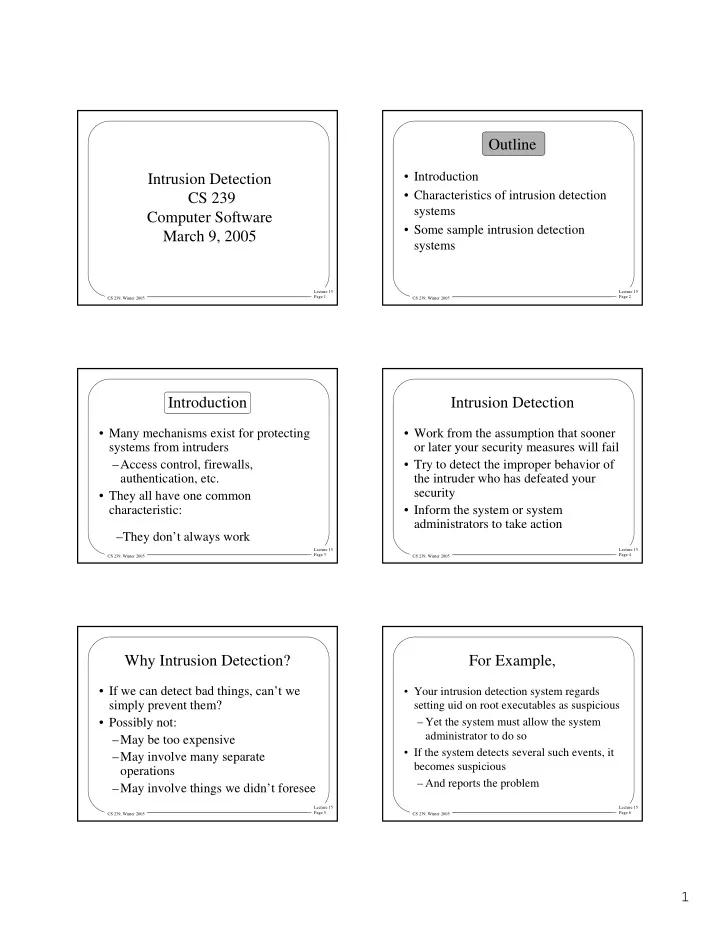
Outline Introduction Intrusion Detection Characteristics of intrusion detection CS 239 systems Computer Software Some sample intrusion detection March 9, 2005 systems Lecture 15 Lecture 15 Page 1 Page 2 CS 239, Winter 2005


slide-1
SLIDE 1

1

Lecture 15 Page 1 CS 239, Winter 2005

Intrusion Detection CS 239 Computer Software March 9, 2005

Lecture 15 Page 2 CS 239, Winter 2005

Outline

  • Introduction
  • Characteristics of intrusion detection

systems

  • Some sample intrusion detection

systems

Lecture 15 Page 3 CS 239, Winter 2005

Introduction

  • Many mechanisms exist for protecting

systems from intruders –Access control, firewalls, authentication, etc.

  • They all have one common

characteristic: –They don’t always work

Lecture 15 Page 4 CS 239, Winter 2005

Intrusion Detection

  • Work from the assumption that sooner
  • r later your security measures will fail
  • Try to detect the improper behavior of

the intruder who has defeated your security

  • Inform the system or system

administrators to take action

Lecture 15 Page 5 CS 239, Winter 2005

Why Intrusion Detection?

  • If we can detect bad things, can’t we

simply prevent them?

  • Possibly not:

–May be too expensive –May involve many separate

  • perations

–May involve things we didn’t foresee

Lecture 15 Page 6 CS 239, Winter 2005

For Example,

  • Your intrusion detection system regards

setting uid on root executables as suspicious – Yet the system must allow the system administrator to do so

  • If the system detects several such events, it

becomes suspicious – And reports the problem

slide-2
SLIDE 2

2

Lecture 15 Page 7 CS 239, Winter 2005

Couldn’t the System Just Have Stopped This?

  • Perhaps, but -
  • The real problem was that someone got

root access –The changing of setuid bits was just a symptom

  • And under some circumstances the

behavior is legitimate

Lecture 15 Page 8 CS 239, Winter 2005

Intrusions

  • “any set of actions that attempt to

compromise the integrity, confidentiality, or availability of a resource”1

  • Which covers a lot of ground

–Implying they’re hard to stop

1Heady, Luger, Maccabe, and Servilla, “The Architecture of a Network Level

Intrusion Detection System,” Tech Report, U. of New Mexico, 1990.

Lecture 15 Page 9 CS 239, Winter 2005

Is Intrusion Really a Problem?

  • Is intrusion detection worth the

trouble?

  • Yes, at least for some installations
  • Consider the experience of NetRanger

intrusion detection users

Lecture 15 Page 10 CS 239, Winter 2005

The NetRanger Data

  • Gathered during 5 months of 1997
  • From all of NetRanger’s licensed

customers

  • A reliable figure, since the software

reports incidents to the company

Lecture 15 Page 11 CS 239, Winter 2005

NetRanger’s Results

  • 556,464 security alarms in 5 months
  • Some serious, some not

– “Serious” defined as attempting to gain unauthorized access

  • For NetRanger customers, serious attacks
  • ccurred .5 to 5 times per month

– Electronic commerce sites hit most

Lecture 15 Page 12 CS 239, Winter 2005

Kinds of Attacks Seen

  • Often occurred in waves

–When someone published code for a particular attack, it happened a lot –Because of “Script Kiddies”

  • 100% of web attacks were on web

commerce sites

slide-3
SLIDE 3

3

Lecture 15 Page 13 CS 239, Winter 2005

Where Did Attacks Come From?

  • Just about everywhere
  • 48% from ISPs
  • But also attacks from major

companies, business partners, government sites, universities, etc.

  • 39% from outside US

–Only based on IP address, though

Lecture 15 Page 14 CS 239, Winter 2005

Kinds of Intrusions

  • External intrusions
  • Internal intrusions

Lecture 15 Page 15 CS 239, Winter 2005

External Intrusions

  • What most people think of
  • An unauthorized (usually remote) user

trying to illicitly access your system

  • Using various security vulnerabilities

to break in

  • The typical case of a hacker attack

Lecture 15 Page 16 CS 239, Winter 2005

Internal Intrusions

  • An authorized user trying to gain

privileges beyond those he is entitled to

  • No longer the majority of problems

–But often the most serious ones

  • More dangerous, because insiders have

a foothold and know more

Lecture 15 Page 17 CS 239, Winter 2005

Basics of Intrusion Detection

  • Watch what’s going on in the system
  • Try to detect behavior that

characterizes intruders

  • While avoiding improper detection of

legitimate access

  • Hopefully all at a reasonable cost

Lecture 15 Page 18 CS 239, Winter 2005

Intrusion Detection and Logging

  • A natural match
  • The intrusion detection system

examines the log –Which is being kept, anyway

  • Secondary benefits of using the

intrusion detection system to reduce the log

slide-4
SLIDE 4

4

Lecture 15 Page 19 CS 239, Winter 2005

On-Line Vs. Off-Line Intrusion Detection

  • Intrusion detection mechanisms can be

complicated and heavy-weight

  • Perhaps better to run them off-line

–E.g., at nighttime

  • Disadvantage is that you don’t catch

intrusions as they happen

Lecture 15 Page 20 CS 239, Winter 2005

Failures In Intrusion Detection

  • False positives

– Legitimate activity identified as an intrusion

  • False negatives

– An intrusion not noticed

  • Subversion errors

– Attacks on the intrusion detection system

Lecture 15 Page 21 CS 239, Winter 2005

Desired Characteristics in Intrusion Detection

  • Continuously running
  • Fault tolerant
  • Subversion resistant
  • Minimal overhead
  • Must observe deviations
  • Easily tailorable
  • Evolving
  • Difficult to fool

Lecture 15 Page 22 CS 239, Winter 2005

Host Intrusion Detection

  • Run the intrusion detection system on a

single computer

  • Look for problems only on that

computer

  • Often by examining the logs of the

computer

Lecture 15 Page 23 CS 239, Winter 2005

Advantages of the Host Approach

  • Lots of information to work with
  • Only need to deal with problems on
  • ne machine
  • Can get information in readily

understandable form

Lecture 15 Page 24 CS 239, Winter 2005

Network Intrusion Detection

  • Do the same for a local (or wide) area

network

  • Either by using distributed systems

techniques

  • Or (more commonly) by sniffing

network traffic

slide-5
SLIDE 5

5

Lecture 15 Page 25 CS 239, Winter 2005

Advantages of Network Approach

  • Need not use up any resources on

users’ machines

  • Easier to properly configure for large

installations

  • Can observe things affecting multiple

machines

Lecture 15 Page 26 CS 239, Winter 2005

Network Intrusion Detection and Data Volume

  • Lots of information passes on the

network

  • If you grab it all, you will produce vast

amounts of data

  • Which will require vast amounts of

time to process

Lecture 15 Page 27 CS 239, Winter 2005

Network Intrusion Detection and Sensors

  • Use programs called sensors to grab only

relevant data

  • Sensors quickly examine network traffic

– Record the relevant stuff – Discard the rest

  • If you design sensors right, greatly reduces

the problem of data volume

Lecture 15 Page 28 CS 239, Winter 2005

Styles of Intrusion Detection

  • Misuse intrusion detection

– Try to detect things known to be bad

  • Anomaly intrusion detection

– Try to detect deviations from normal behavior

  • Specification intrusion detection

– Try to detect deviations from defined “good states”

Lecture 15 Page 29 CS 239, Winter 2005

Misuse Detection

  • Determine what actions are undesirable
  • Watch for those to occur
  • Signal an alert when they happen
  • Often referred to as signature detection

Lecture 15 Page 30 CS 239, Winter 2005

Level of Misuse Detection

  • Could look for specific attacks

– E.g., Syn attacks or IP spoofing

  • But that only detects already-known attacks
  • Better to also look for known suspicious

behavior – Like trying to become root – Or changing file permissions

slide-6
SLIDE 6

6

Lecture 15 Page 31 CS 239, Winter 2005

How Is Misuse Detected?

  • By examining logs

– Only works after the fact

  • By monitoring system activities

– Often hard to trap what you need to see

  • By scanning the state of the system

– Can’t trap actions that don’t leave traces

  • By sniffing the network

– For network intrusion detection systems

Lecture 15 Page 32 CS 239, Winter 2005

Pluses and Minuses of Misuse Detection

+ Few false positives + Simple technology + Hard to fool – Only detects known problems – Gradually becomes less useful if not updated – Sometimes signatures are hard to generate

Lecture 15 Page 33 CS 239, Winter 2005

Misuse Detection and Commercial Systems

  • Essentially all commercial intrusion

detection systems detect misuse – Primarily using signatures of attacks

  • Many of these systems are very similar

– With only different details

  • Differentiated primarily by quality of their

signature library – How large, how quickly updated

Lecture 15 Page 34 CS 239, Winter 2005

Anomaly Detection

  • Misuse detection can only detect

known problems

  • And many potential misuses can also

be perfectly legitimate

  • Anomaly detection instead builds a

model of valid behavior –And watches for deviations

Lecture 15 Page 35 CS 239, Winter 2005

Methods of Anomaly Detection

  • Statistical models

–User behavior –Program behavior –Overall system/network behavior

  • Expert systems
  • Misuse detection and anomaly

detection sometimes blur together

Lecture 15 Page 36 CS 239, Winter 2005

Pluses and Minuses of Anomaly Detection

+ Can detect previously unknown attacks – Hard to identify and diagnose nature of attacks – Unless careful, may be prone to many false positives – Depending on method, can be expensive and complex

slide-7
SLIDE 7

7

Lecture 15 Page 37 CS 239, Winter 2005

Anomaly Detection and Academic Systems

  • Most academic research on IDS in this area

– More interesting problems – Greater promise for the future

  • But few really effective systems currently

use it – Not entirely clear that will ever change

Lecture 15 Page 38 CS 239, Winter 2005

Specification Detection

  • Define some set of states of the system

as good

  • Detect when the system is in a

different state

  • Signal a problem if it is

Lecture 15 Page 39 CS 239, Winter 2005

How Does This Differ From Misuse and Anomaly Detection?

  • Misuse detection says that certain things are

bad

  • Anomaly detection says deviations from

statistically normal behavior are bad

  • Specification detection specifies exactly

what is good and calls the rest bad

  • A relatively new approach

Lecture 15 Page 40 CS 239, Winter 2005

Some Challenges

  • How much state do you have to look

at? –Typically dealt with by limiting

  • bservation to state relevant to

security

  • How do you specify a good state?

Lecture 15 Page 41 CS 239, Winter 2005

Pluses and Minuses of Anomaly Detection

+ Allows formalization of what you’re looking for + Limits where you need to look + Can detect unknown attacks

  • Not very well understood yet
  • Based on locating right states to

examine

Lecture 15 Page 42 CS 239, Winter 2005

Customizing and Evolving Intrusion Detection

  • A single intrusion detection solution is

impossible – Good behavior on one system is bad behavior on another – Behaviors change and new vulnerabilities are discovered

  • Intrusion detection systems must change to

meet needs

slide-8
SLIDE 8

8

Lecture 15 Page 43 CS 239, Winter 2005

How Do Intrusion Detection Systems Evolve?

  • Manually or semi-automatically

–New information added that allows them to detect new kinds of attacks

  • Automatically

–Deduce new problems or things to watch for without human intervention

Lecture 15 Page 44 CS 239, Winter 2005

A Problem With Evolving Intrusion Detection Systems

  • Very clever intruders can use the evolution

against them

  • Instead of immediately performing

dangerous actions, evolve towards them

  • If the intruder is more clever than the

system, the system gradually accepts the new behavior

Lecture 15 Page 45 CS 239, Winter 2005

Practicalities of Operation

  • Most commercial intrusion detection

systems are add-ons – They run as normal applications

  • They must make use of readily available

information – Audit logged information – Sniffed packets – Output of systems calls they make

  • And performance is very important

Lecture 15 Page 46 CS 239, Winter 2005

Practicalities of Audit Logs for IDS

  • Operating systems only log certain stuff
  • They don’t necessarily log what an

intrusion detection system really needs

  • They produce large amounts of data

– Expensive to process – Expensive to store

  • If attack was successful, may be corrupted

Lecture 15 Page 47 CS 239, Winter 2005

What Does an IDS Do When It Detects an Attack?

  • Automated response

–Shut down the “attacker” –Or more carefully protect the attacked service

  • Alarms

–Notify a system administrator –Who investigates and takes action

Lecture 15 Page 48 CS 239, Winter 2005

Consequences of the Choices

  • Automated

– Too many false positives and your network stops working – Is the automated response effective?

  • Alarm

– Too many false positives and your administrator ignores them – Is the administrator able to determine what’s going on fast enough?

slide-9
SLIDE 9

9

Lecture 15 Page 49 CS 239, Winter 2005

Intrusion Prevention Systems

  • Essentially a new buzzword for IDS that

takes automatic action when intrusion is detected

  • Goal is to quickly take remedial actions to

threats

  • Since IPSs are automated, false positives

could be very, very bad

  • “Poor man’s” version is IDS controlling a

firewall

Lecture 15 Page 50 CS 239, Winter 2005

Sample Intrusion Detection Systems

  • Emerald
  • NetRanger
  • CIDF

Lecture 15 Page 51 CS 239, Winter 2005

Emerald

  • From SRI
  • In a family of intrusion detection systems

– IDES and NIDES were earlier versions

  • Addresses practical intrusion detection

problems – Heterogeneity – Scaling – Multiple levels of abstraction

Lecture 15 Page 52 CS 239, Winter 2005

Emerald Characteristics

  • Combines multiple approaches to

detecting problems

  • Has built-in capabilities to invoke code

to deal with problems

  • Component-based architecture
  • Intended to scale well

Lecture 15 Page 53 CS 239, Winter 2005

Emerald Architecture

  • Divided into generic components and

specific object components

  • Generic components provide base engine

for intrusion detection – No code relating to specific events or characteristics here

  • Bulk of code in specific object components

Lecture 15 Page 54 CS 239, Winter 2005

Object Monitors

  • Code intended to watch for intrusions
  • n particular types of system objects

–Types of services (FTP, HTTP) –Network elements (firewalls, routers) –Possible kinds of attacks

slide-10
SLIDE 10

10

Lecture 15 Page 55 CS 239, Winter 2005

Object Monitor Architecture

Target-Specific Resource Object Resolver Signature Engines Profiler Engines Signature Engines

Lecture 15 Page 56 CS 239, Winter 2005

Signature Engines

  • Analyzes behavior to find known

problems

  • Uses expert systems technology

–Allowing detection beyond pattern matching of signatures

  • But also watches for problems expert

system knows about

Lecture 15 Page 57 CS 239, Winter 2005

Object Monitor Architecture

Target-Specific Resource Object Resolver Signature Engines Profiler Engines Profiler Engines

Lecture 15 Page 58 CS 239, Winter 2005

Profiler Engines

  • Statistically-based subsystem to watch for

unusual behavior

  • Types of statistical variables:

– Categorical (discrete types) – Continuous (numerical qualities) – Traffic intensity (volume over time) – Event distribution (e.g., meta-measure of

  • ther measures)

Lecture 15 Page 59 CS 239, Winter 2005

Object Monitor Architecture

Target-Specific Resource Object Resolver Signature Engines Profiler Engines Resolver

Lecture 15 Page 60 CS 239, Winter 2005

Resolver

  • Coordinator of monitor’s external

reporting system

  • Implements monitor’s response policy

–E.g., could shut down all HTTP traffic if things look very bad –Or could simply request more detailed monitoring

slide-11
SLIDE 11

11

Lecture 15 Page 61 CS 239, Winter 2005

Customizing Emerald

  • On installation, administrator chooses

from library of resource objects –Depending on what his system does and what threats he anticipates

  • Can also develop new resource objects

for new/particular threats

  • Goal is high reusability of code

Lecture 15 Page 62 CS 239, Winter 2005

Analyzing Systems From Multiple Perspectives

  • Emerald is designed to allow correlation of

multiple analyses

  • E.g., detecting common types of events

from different monitors

  • Or combining low-rate events from

different monitors

  • Or analyzing the same system from multiple

perspectives

Lecture 15 Page 63 CS 239, Winter 2005

NetRanger

  • Now bundled into Cisco products
  • For use in network environments

– “Sensors” in promiscuous mode capture packets off the local network

  • Examines data flows

– Raises alarm for suspicious flows

  • Using misuse detection techniques

– Based on a signature database

Lecture 15 Page 64 CS 239, Winter 2005

The Common Intrusion Detection Framework (CIDF)

  • An attempt to allow intrusion detection

systems to interoperate

  • Possibly combining advantages of all
  • An architecture, a communication

specification, and a language

  • IETF also working on intrusion

detection standard

Lecture 15 Page 65 CS 239, Winter 2005

Basic CIDF Architecture

  • Several kinds of components:

–Event generators (E-boxes) –Event analyzers (A-boxes) –Event databases (D-boxes) –Response units (R-boxes)

Lecture 15 Page 66 CS 239, Winter 2005

CIDF Generalized Intrusion Detection Objects (Gidos)

  • The means of communicating among other

components

  • Some examples:

– Encoding occurrence of particular event at particular time – Encoding a conclusion about a set of events – Transporting instruction to carry out an action

slide-12
SLIDE 12

12

Lecture 15 Page 67 CS 239, Winter 2005

Conclusions

  • Intrusion detection systems are helpful

enough that those who care about security should use them

  • They are not yet terribly sophisticated

– Which implies they aren’t that effective

  • Much research continues to improve them