Outline OS trust and assurance CSci 5271 Introduction to Computer - - PDF document

outline
SMART_READER_LITE
LIVE PREVIEW

Outline OS trust and assurance CSci 5271 Introduction to Computer - - PDF document

Outline OS trust and assurance CSci 5271 Introduction to Computer Security Announcements intermission Day 11: OS security: higher assurance Stephen McCamant Unix access control University of Minnesota, Computer Science & Engineering


slide-1
SLIDE 1

CSci 5271 Introduction to Computer Security Day 11: OS security: higher assurance

Stephen McCamant

University of Minnesota, Computer Science & Engineering
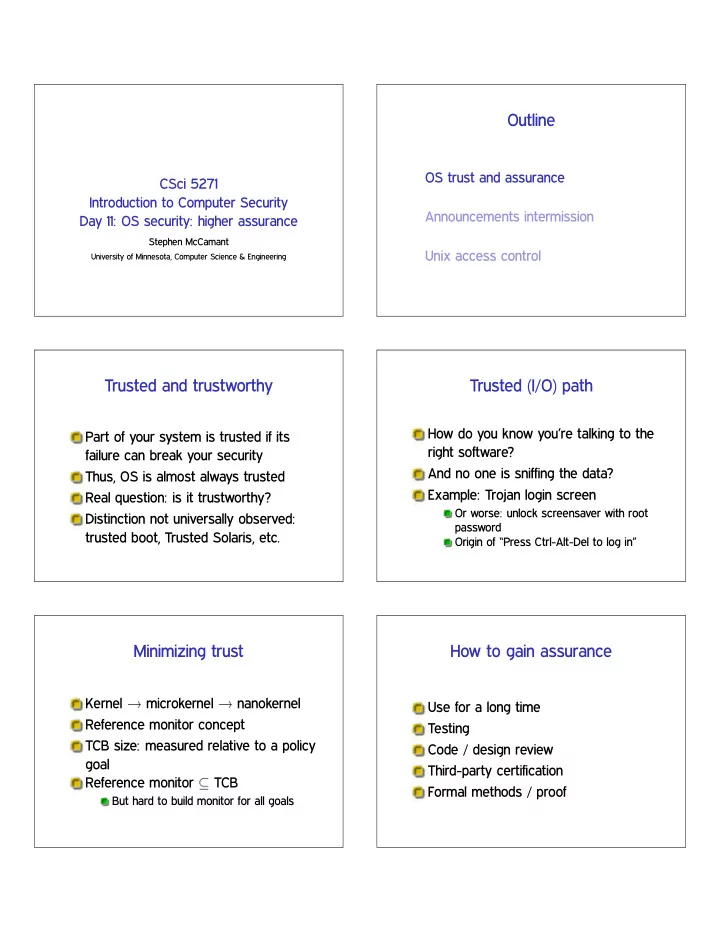
Outline

OS trust and assurance Announcements intermission Unix access control

Trusted and trustworthy

Part of your system is trusted if its failure can break your security Thus, OS is almost always trusted Real question: is it trustworthy? Distinction not universally observed: trusted boot, Trusted Solaris, etc.

Trusted (I/O) path

How do you know you’re talking to the right software? And no one is sniffing the data? Example: Trojan login screen

Or worse: unlock screensaver with root password Origin of “Press Ctrl-Alt-Del to log in”

Minimizing trust

Kernel ✦ microkernel ✦ nanokernel Reference monitor concept TCB size: measured relative to a policy goal Reference monitor ✒ TCB

But hard to build monitor for all goals

How to gain assurance

Use for a long time Testing Code / design review Third-party certification Formal methods / proof

slide-2
SLIDE 2

Evaluation / certification

Testing and review performed by an independent party Goal: separate incentives, separate accountability Compare with financial auditing Watch out for: form over substance, misplaced incentives

Orange book OS evaluation

Trusted Computer System Evaluation Criteria

  • D. Minimal protection
  • C. Discretionary protection

C2 adds, e.g., secure audit over C1

  • B. Mandatory protection

B1❁B2❁B3: stricter classic MLS

  • A. Verified protection

Common Criteria

International standard and agreement for IT security certification Certification against a protection profile, and evaluation assurance level EAL 1-7 Evaluation performed by non-government labs Up to EAL 4 automatically cross-recognized

Common Criteria, Anderson’s view

Many profiles don’t specify the right things OSes evaluated only in unrealistic environments

E.g., unpatched Windows XP with no network attacks

“Corruption, Manipulation, and Inertia”

Pernicious innovation: evaluation paid for by vendor Labs beholden to national security apparatus

Formal methods and proof

Can math come to the rescue? Checking design vs. implementation Automation possible only with other tradeoffs

E.g., bounded size model

Starting to become possible: machine-checked proof

Proof and complexity

Formal proof is only feasible for programs that are small and elegant If you honestly care about assurance, you want your TCB small and elegant anyway Should provability further guide design?

slide-3
SLIDE 3

Some hopeful proof results

seL4 microkernel (SOSP’09 and

  • ngoing)

7.5 kL C, 200 kL proof, 160 bugs fixed, 25 person years

CompCert C-subset compiler (PLDI’06 and ongoing) RockSalt SFI verifier (PLDI’12)

Outline

OS trust and assurance Announcements intermission Unix access control

Note to early readers

This is the section of the slides most likely to change in the final version If class has already happened, make sure you have the latest slides for announcements

Outline

OS trust and assurance Announcements intermission Unix access control

UIDs and GIDs

To kernel, users and groups are just numeric identifiers Names are a user-space nicety

E.g., ✴❡t❝✴♣❛ss✇❞ mapping

Historically 16-bit, now 32 User 0 is the special superuser r♦♦t

Exempt from all access control checks

File mode bits

Core permissions are 9 bits, three groups of three Read, write, execute for user, group,

  • ther

❧s format: r✇① r✲① r✲✲ Octal format: 0754

slide-4
SLIDE 4

Interpretation of mode bits

File also has one user and group ID Choose one set of bits

If users match, use user bits If subject is in the group, use group bits Otherwise, use other bits

Note no fallback, so can stop yourself

  • r have negative groups

But usually, ❖ ✒ ● ✒ ❯

Directory mode bits

Same bits, slightly different interpretation Read: list contents (e.g., ❧s) Write: add or delete files Execute: traverse X but not R means: have to know the names

Process UIDs and s❡t✉✐❞✭✷✮

UID is inherited by child processes, and an unprivileged process can’t change it But there are syscalls root can use to change the UID, starting with s❡t✉✐❞ E.g., login program, SSH server

Setuid programs, different UIDs

If 04000 “setuid” bit set, newly exec’d process will take UID of its file owner

Other side conditions, like process not traced

Specifically the effective UID is changed, while the real UID is unchanged

Shows who called you, allows switching back

More different UIDs

Two mechanisms for temporary switching:

Swap real UID and effective UID (BSD) Remember saved UID, allow switching to it (System V)

Modern systems support both mechanisms at the same time Linux only: file-system UID

Once used for NFS servers, now mostly

  • bsolete

Setgid, games

Setgid bit 02000 mostly analogous to setuid But note no supergroup, so UID 0 is still special Classic application: setgid ❣❛♠❡s for managing high-score files

slide-5
SLIDE 5

Special case: ✴t♠♣

We’d like to allow anyone to make files in ✴t♠♣ So, everyone should have write permission But don’t want Alice deleting Bob’s files Solution: “sticky bit” 01000

Special case: group inheritance

When using group to manage permissions, want a whole tree to have a single group When 02000 bit set, newly created entries with have the parent’s group

(Historic BSD behavior)

Also, directories will themselves inherit 02000

“POSIX” ACLs

Based on a withdrawn standardization More flexible permissions, still fairly Unix-like Multiple user and group entries

Decision still based on one entry

Default ACLs: generalize group inheritance Command line: ❣❡t❢❛❝❧, s❡t❢❛❝❧

ACL legacy interactions

Hard problem: don’t break security of legacy code

Suggests: “fail closed”

Contrary pressure: don’t want to break functionality

Suggests: “fail open”

POSIX ACL design: old group permission bits are a mask on all novel permissions

“POSIX” “capabilities”

Divide root privilege into smaller (✘35) pieces Note: not real capabilities First runtime only, then added to FS similar to setuid Motivating example: ♣✐♥❣ Also allows permanent disabling

Privilege escalation dangers

Many pieces of the root privilege are enough to regain the whole thing

Access to files as UID 0 ❈❆P ❉❆❈ ❖❱❊❘❘■❉❊ ❈❆P ❋❖❲◆❊❘ ❈❆P ❙❨❙ ▼❖❉❯▲❊ ❈❆P ▼❑◆❖❉ ❈❆P P❚❘❆❈❊ ❈❆P ❙❨❙ ❆❉▼■◆ (♠♦✉♥t)

slide-6
SLIDE 6

Legacy interaction dangers

Former bug: take away capability to drop privileges Use of temporary files by no-longer setuid programs For more details: “Exploiting capabilities”, Emeric Nasi