Key Escrow Key escrow system allows authorized third party to - - PDF document

key escrow
SMART_READER_LITE
LIVE PREVIEW

Key Escrow Key escrow system allows authorized third party to - - PDF document

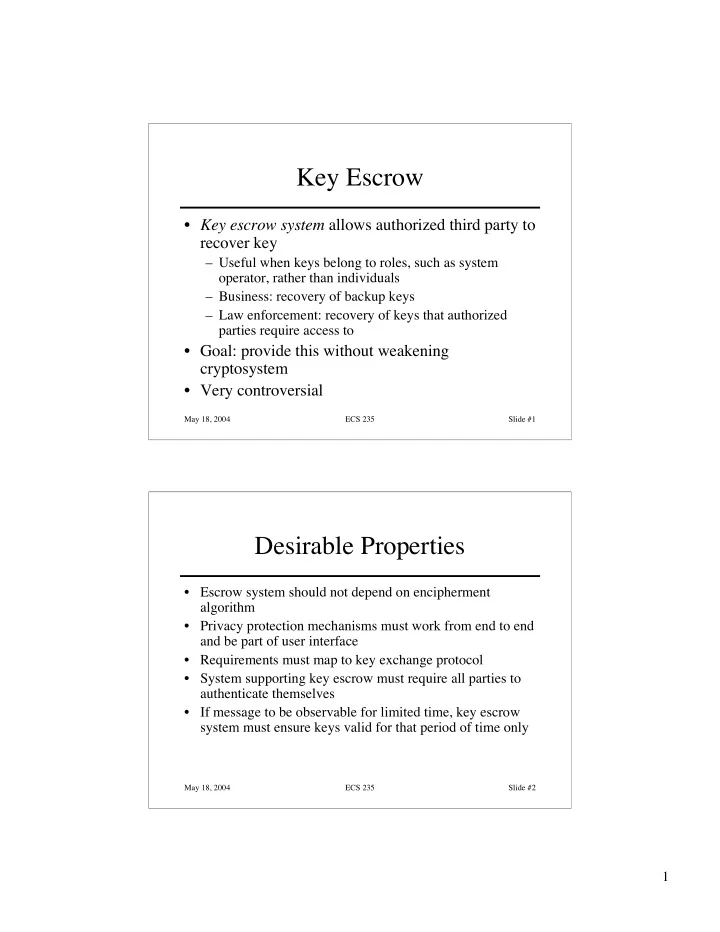
Key Escrow Key escrow system allows authorized third party to recover key Useful when keys belong to roles, such as system operator, rather than individuals Business: recovery of backup keys Law enforcement: recovery of keys


slide-1
SLIDE 1

1

May 18, 2004 ECS 235 Slide #1

Key Escrow

  • Key escrow system allows authorized third party to

recover key

– Useful when keys belong to roles, such as system

  • perator, rather than individuals

– Business: recovery of backup keys – Law enforcement: recovery of keys that authorized parties require access to

  • Goal: provide this without weakening

cryptosystem

  • Very controversial

May 18, 2004 ECS 235 Slide #2

Desirable Properties

  • Escrow system should not depend on encipherment

algorithm

  • Privacy protection mechanisms must work from end to end

and be part of user interface

  • Requirements must map to key exchange protocol
  • System supporting key escrow must require all parties to

authenticate themselves

  • If message to be observable for limited time, key escrow

system must ensure keys valid for that period of time only

slide-2
SLIDE 2

2

May 18, 2004 ECS 235 Slide #3

Components

  • User security component

– Does the encipherment, decipherment – Supports the key escrow component

  • Key escrow component

– Manages storage, use of data recovery keys

  • Data recovery component

– Does key recovery

May 18, 2004 ECS 235 Slide #4

Example: EES, Clipper Chip

  • Escrow Encryption Standard

– Set of interlocking components – Designed to balance need for law enforcement access to enciphered traffic with citizens’ right to privacy

  • Clipper chip prepares per-message escrow information

– Each chip numbered uniquely by UID – Special facility programs chip

  • Key Escrow Decrypt Processor (KEDP)

– Available to agencies authorized to read messages

slide-3
SLIDE 3

3

May 18, 2004 ECS 235 Slide #5

User Security Component

  • Unique device key kunique
  • Nonunique family key kfamily
  • Cipher is Skipjack

– Classical cipher: 80 bit key, 64 bit input, output blocks

  • Generates Law Enforcement Access Field (LEAF)
  • f 128 bits:

– { UID || { ksession } kunique || hash } kfamily – hash: 16 bit authenticator from session key and initialization vector

May 18, 2004 ECS 235 Slide #6

Programming User Components

  • Done in a secure facility
  • Two escrow agencies needed

– Agents from each present – Each supplies a random seed and key number – Family key components combined to get kfamily – Key numbers combined to make key component enciphering key kcomp – Random seeds mixed with other data to produce sequence of unique keys kunique

  • Each chip imprinted with UID, kunique, kfamily
slide-4
SLIDE 4

4

May 18, 2004 ECS 235 Slide #7

The Escrow Components

  • During initialization of user security

component, process creates ku1 and ku2 where kunique = ku1 ⊕ ku2

– First escrow agency gets { ku1 } kcomp – Second escrow agency gets { ku2 } kcomp

May 18, 2004 ECS 235 Slide #8

Obtaining Access

  • Alice obtains legal authorization to read message
  • She runs message LEAF through KEDP

– LEAF is { UID || { ksession } kunique || hash } kfamily

  • KEDP uses (known) kfamily to validate LEAF, obtain

sending device’s UID

  • Authorization, LEAF taken to escrow agencies
slide-5
SLIDE 5

5

May 18, 2004 ECS 235 Slide #9

Agencies’ Role

  • Each validates authorization
  • Each supplies { kui } kcomp, corresponding

key number

  • KEDP takes these and LEAF:

– Key numbers produce kcomp – kcomp produces ku1 and ku2 – ku1 and ku2 produce kunique – kunique and LEAF produce ksession

May 18, 2004 ECS 235 Slide #10

Problems

  • hash too short

– LEAF 128 bits, so given a hash:

  • 2112 LEAFs show this as a valid hash
  • 1 has actual session key, UID
  • Takes about 42 minutes to generate a LEAF with a

valid hash but meaningless session key and UID; in fact, deployed devices would prevent this attack

– Scheme does not meet temporal requirement

  • As kunique fixed for each unit, once message is read,

any future messages can be read

slide-6
SLIDE 6

6

May 18, 2004 ECS 235 Slide #11

Yaksha Security System

  • Key escrow system meeting all 5 criteria
  • Based on RSA, central server

– Central server (Yaksha server) generates session key

  • Each user has 2 private keys

– Alice’s modulus nA, public key eA – First private key dAA known only to Alice – Second private key dAY known only to Yaksha central server – dAA dAY = dA mod nA

May 18, 2004 ECS 235 Slide #12

Alice and Bob

  • Alice wants to send message to Bob

– Alice asks Yaksha server for session key – Yaksha server generates ksession – Yaksha server sends Alice the key as:

CA = (ksession)dAYeA mod nA

– Alice computes

(CA)dAA mod nA = ksession

slide-7
SLIDE 7

7

May 18, 2004 ECS 235 Slide #13

Analysis

  • Authority can read only one message per

escrowed key

– Meets requirement 5 (temporal one), because “time” interpreted as “session”

  • Independent of message enciphering key

– Meets requirement 1 – Interchange algorithm, keys fixed

  • Others met by supporting infrastructure

May 18, 2004 ECS 235 Slide #14

Alternate Approaches

  • Tie to time

– Session key not given as escrow key, but related key is – To derive session key, must solve instance of discrete log problem

  • Tie to probability

– Oblivious transfer: message received with specified probability – Idea: translucent cryptography allows fraction f of messages to be read by third party – Not key escrow, but similar in spirit

slide-8
SLIDE 8

8

May 18, 2004 ECS 235 Slide #15

Key Revocation

  • Certificates invalidated before expiration

– Usually due to compromised key – May be due to change in circumstance (e.g., someone leaving company)

  • Problems

– Entity revoking certificate authorized to do so – Revocation information circulates to everyone fast enough

  • Network delays, infrastructure problems may delay

information

May 18, 2004 ECS 235 Slide #16

CRLs

  • Certificate revocation list lists certificates that are

revoked

  • X.509: only certificate issuer can revoke

certificate

– Added to CRL

  • PGP: signers can revoke signatures; owners can

revoke certificates, or allow others to do so

– Revocation message placed in PGP packet and signed – Flag marks it as revocation message

slide-9
SLIDE 9

9

May 18, 2004 ECS 235 Slide #17

Digital Signature

  • Construct that authenticated origin, contents of

message in a manner provable to a disinterested third party (“judge”)

  • Sender cannot deny having sent message (service

is “nonrepudiation”)

– Limited to technical proofs

  • Inability to deny one’s cryptographic key was used to sign

– One could claim the cryptographic key was stolen or compromised

  • Legal proofs, etc., probably required; not dealt with here

May 18, 2004 ECS 235 Slide #18

Common Error

  • Classical: Alice, Bob share key k

– Alice sends m || { m }k to Bob

This is a digital signature WRONG WRONG

  • This is not a digital signature

– Why? Third party cannot determine whether Alice or Bob generated message

slide-10
SLIDE 10

10

May 18, 2004 ECS 235 Slide #19

Classical Digital Signatures

  • Require trusted third party

– Alice, Bob each share keys with trusted party Cathy

  • To resolve dispute, judge gets { m }kAlice, { m }kBob, and

has Cathy decipher them; if messages matched, contract was signed Alice Bob Bob Cathy Cathy Bob { m }kAlice { m }kAlice { m }kBob

May 18, 2004 ECS 235 Slide #20

Public Key Digital Signatures

  • Alice’s keys are dAlice, eAlice
  • Alice sends Bob

m || { m }dAlice

  • In case of dispute, judge computes

{ { m }dAlice }eAlice

  • and if it is m, Alice signed message

– She’s the only one who knows dAlice!

slide-11
SLIDE 11

11

May 18, 2004 ECS 235 Slide #21

RSA Digital Signatures

  • Use private key to encipher message

– Protocol for use is critical

  • Key points:

– Never sign random documents, and when signing, always sign hash and never document

  • Mathematical properties can be turned against

signer

– Sign message first, then encipher

  • Changing public keys causes forgery

May 18, 2004 ECS 235 Slide #22

Attack #1

  • Example: Alice, Bob communicating

– nA = 95, eA = 59, dA = 11 – nB = 77, eB = 53, dB = 17

  • 26 contracts, numbered 00 to 25

– Alice has Bob sign 05 and 17:

  • c = mdB mod nB = 0517 mod 77 = 3
  • c = mdB mod nB = 1717 mod 77 = 19

– Alice computes 05×17 mod 77 = 08; corresponding signature is 03×19 mod 77 = 57; claims Bob signed 08 – Judge computes ceB mod nB = 5753 mod 77 = 08

  • Signature validated; Bob is toast
slide-12
SLIDE 12

12

May 18, 2004 ECS 235 Slide #23

Attack #2: Bob’s Revenge

  • Bob, Alice agree to sign contract 06
  • Alice enciphers, then signs:

(meB mod 77)dA mod nA = (0653 mod 77)11 mod 95 = 63

  • Bob now changes his public key so he can make it appear

that Alice signed contract 13:

– Computes r such that 13r mod 77 = 06; say, r = 59 – Computes reB mod φ(nB) = 59×53 mod 60 = 7 – Replace public key eB with 7; corresponding private key dB = 43

  • Bob claims contract was 13. Judge computes:

– (6359 mod 95)43 mod 77 = 13 – Verified; now Alice is toast

May 18, 2004 ECS 235 Slide #24

El Gamal Digital Signature

  • Relies on discrete log problem
  • Choose p prime, g, d < p; compute y = gd mod p
  • Public key: (y, g, p); private key: d
  • To sign contract m:

– Choose k relatively prime to p–1, and not yet used – Compute a = gk mod p – Find b such that m = (da + kb) mod p–1 – Signature is (a, b)

  • To validate, check that

– yaab mod p = gm mod p

slide-13
SLIDE 13

13

May 18, 2004 ECS 235 Slide #25

Example

  • Alice chooses p = 29, g = 3, d = 6

y = 36 mod 29 = 4

  • Alice wants to send Bob signed contract 23

– Chooses k = 5 (relatively prime to 28) – This gives a = gk mod p = 35 mod 29 = 11 – Then solving 23 = (6×11 + 5b) mod 28 gives b = 25 – Alice sends message 23 and signature (11, 25)

  • Bob verifies signature: gm mod p = 323 mod 29 = 8 and yaab

mod p = 4111125 mod 29 = 8

– They match, so Alice signed

May 18, 2004 ECS 235 Slide #26

Attack

  • Eve learns k, corresponding message m, and

signature (a, b)

– Extended Euclidean Algorithm gives d, the private key

  • Example from above: Eve learned Alice

signed last message with k = 5

m = (da + kb) mod p–1 = (11d + 5×25) mod 28 so Alice’s private key is d = 6

slide-14
SLIDE 14

14

May 18, 2004 ECS 235 Slide #27

Key Points

  • Key management critical to effective use of

cryptosystems

– Different levels of keys (session vs. interchange)

  • Keys need infrastructure to identify holders, allow

revoking

– Key escrowing complicates infrastructure

  • Digital signatures provide integrity of origin and

content

Much easier with public key cryptosystems than with classical cryptosystems

May 18, 2004 ECS 235 Slide #28

Overview

  • Basics
  • Passwords

– Storage – Selection – Breaking them

  • Other methods
  • Multiple methods
slide-15
SLIDE 15

15

May 18, 2004 ECS 235 Slide #29

Basics

  • Authentication: binding of identity to

subject

– Identity is that of external entity (my identity, Matt, etc.) – Subject is computer entity (process, etc.)

May 18, 2004 ECS 235 Slide #30

Establishing Identity

  • One or more of the following

– What entity knows (eg. password) – What entity has (eg. badge, smart card) – What entity is (eg. fingerprints, retinal characteristics) – Where entity is (eg. In front of a particular terminal)

slide-16
SLIDE 16

16

May 18, 2004 ECS 235 Slide #31

Authentication System

  • (A, C, F, L, S)

– A information that proves identity – C information stored on computer and used to validate authentication information – F complementation function; f : A → C – L functions that prove identity – S functions enabling entity to create, alter information in A or C

May 18, 2004 ECS 235 Slide #32

Example

  • Password system, with passwords stored on

line in clear text

– A set of strings making up passwords – C = A – F singleton set of identity function { I } – L single equality test function { eq } – S function to set/change password

slide-17
SLIDE 17

17

May 18, 2004 ECS 235 Slide #33

Passwords

  • Sequence of characters

– Examples: 10 digits, a string of letters, etc. – Generated randomly, by user, by computer with user input

  • Sequence of words

– Examples: pass-phrases

  • Algorithms

– Examples: challenge-response, one-time passwords

May 18, 2004 ECS 235 Slide #34

Storage

  • Store as cleartext

– If password file compromised, all passwords revealed

  • Encipher file

– Need to have decipherment, encipherment keys in memory – Reduces to previous problem

  • Store one-way hash of password

– If file read, attacker must still guess passwords or invert the hash

slide-18
SLIDE 18

18

May 18, 2004 ECS 235 Slide #35

Example

  • UNIX system standard hash function

– Hashes password into 11 char string using one of 4096 hash functions

  • As authentication system:

– A = { strings of 8 chars or less } – C = { 2 char hash id || 11 char hash } – F = { 4096 versions of modified DES } – L = { login, su, … } – S = { passwd, nispasswd, passwd+, … }

May 18, 2004 ECS 235 Slide #36

Anatomy of Attacking

  • Goal: find a ∈ A such that:

– For some f ∈ F, f(a) = c ∈ C – c is associated with entity

  • Two ways to determine whether a meets these

requirements:

– Direct approach: as above – Indirect approach: as l(a) succeeds iff f(a) = c ∈ C for some c associated with an entity, compute l(a)

slide-19
SLIDE 19

19

May 18, 2004 ECS 235 Slide #37

Preventing Attacks

  • How to prevent this:

– Hide one of a, f, or c

  • Prevents obvious attack from above
  • Example: UNIX/Linux shadow password files

– Hides c’s

– Block access to all l ∈ L or result of l(a)

  • Prevents attacker from knowing if guess succeeded
  • Example: preventing any logins to an account from

a network

– Prevents knowing results of l (or accessing l)

May 18, 2004 ECS 235 Slide #38

Dictionary Attacks

  • Trial-and-error from a list of potential

passwords

– Off-line: know f and c’s, and repeatedly try different guesses g ∈ A until the list is done or passwords guessed

  • Examples: crack, john-the-ripper

– On-line: have access to functions in L and try guesses g until some l(g) succeeds

  • Examples: trying to log in by guessing a password
slide-20
SLIDE 20

20

May 18, 2004 ECS 235 Slide #39

Using Time

Anderson’s formula:

  • P probability of guessing a password in

specified period of time

  • G number of guesses tested in 1 time unit
  • T number of time units
  • N number of possible passwords (|A|)
  • Then P ≥ TG/N

May 18, 2004 ECS 235 Slide #40

Example

  • Goal

– Passwords drawn from a 96-char alphabet – Can test 104 guesses per second – Probability of a success to be 0.5 over a 365 day period – What is minimum password length?

  • Solution

– N ≥ TG/P = (365×24×60×60)×104/0.5 = 6.31×10¹¹ – Choose s such that Σs

j=0 96j ≥ N

– So s ≥ 6, meaning passwords must be at least 6 chars long

slide-21
SLIDE 21

21

May 18, 2004 ECS 235 Slide #41

Approaches: Password Selection

  • Random selection

– All elements of A equally likely to be selected – ICBS: maximizes time to guessing password

  • Be careful—it may not be really “random”
  • Remembering these is hard

– Write down transformed password, apply transformation to recover

  • Example: “Capitalize 3rd letter, append digit 2”; written down

is “Swqgle3” so password is “SwQgle32”

May 18, 2004 ECS 235 Slide #42

Pronounceable Passwords

  • Generate phonemes randomly

– Phoneme is unit of sound, eg. cv, vc, cvc, vcv – Examples: helgoret, juttelon are; przbqxdfl, zxrptglfn are not

  • Problem: too few
  • Solution: key crunching

– Run long key through hash function and convert to printable sequence – Use this sequence as password

slide-22
SLIDE 22

22

May 18, 2004 ECS 235 Slide #43

User Selection

  • Problem: people pick easy to guess passwords

– Based on account names, user names, computer names, place names – Dictionary words (also reversed, odd capitalizations, control characters, “elite-speak”, conjugations or declensions, swear words, Torah/Bible/Koran/… words) – Too short, digits only, letters only – License plates, acronyms, social security numbers – Personal characteristics or foibles (pet names, nicknames, job characteristics, etc.

May 18, 2004 ECS 235 Slide #44

Picking Good Passwords

  • “LlMm*2^Ap”

– Names of members of 2 families

  • “OoHeO/FSK”

– Second letter of each word of length 4 or more in third line of third verse of Star-Spangled Banner, followed by “/”, followed by author’s initials

  • What’s good here may be bad there

– “DMC/MHmh” bad at Dartmouth (“Dartmouth Medical Center/Mary Hitchcock memorial hospital”),

  • k here
  • Why are these now bad passwords? 
slide-23
SLIDE 23

23

May 18, 2004 ECS 235 Slide #45

Proactive Password Checking

  • Analyze proposed password for “goodness”

– Always invoked – Can detect, reject bad passwords for an appropriate definition of “bad” – Discriminate on per-user, per-site basis – Needs to do pattern matching on words – Needs to execute subprograms and use results

  • Spell checker, for example

– Easy to set up and integrate into password selection system