Integrating the Internet Into the Classroom Stephen Downes October - - PowerPoint PPT Presentation

integrating the internet into the classroom
SMART_READER_LITE
LIVE PREVIEW

Integrating the Internet Into the Classroom Stephen Downes October - - PowerPoint PPT Presentation

Integrating the Internet Into the Classroom Stephen Downes October 22, 2008 Teaching Today It used to be, you got in, you got out No evidence but now: Recording devices everywhere When Youre Recording Youre


slide-1
SLIDE 1

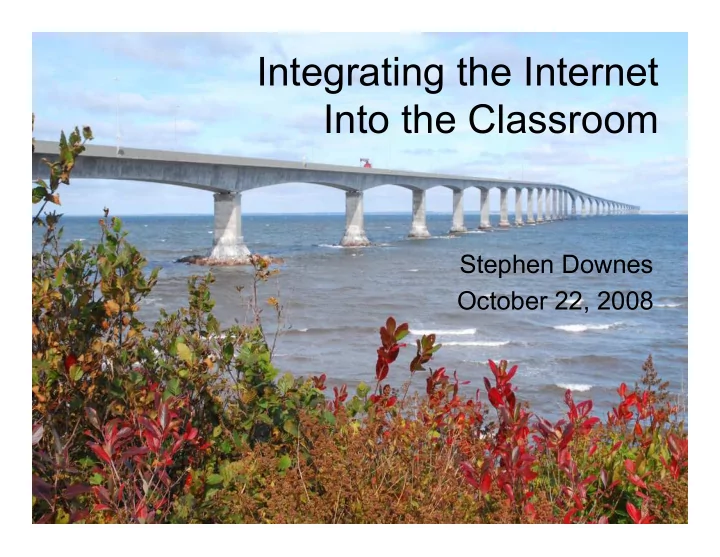
Integrating the Internet Into the Classroom

Stephen Downes October 22, 2008
slide-2
SLIDE 2

Teaching Today

  • It used to be, you got in, you got out…
  • No evidence… but now:
  • Recording devices everywhere
slide-3
SLIDE 3

When You’re Recording…

  • You’re always

speaking to more than one audience

  • Live audience
  • Recorded audience
  • Back-Channel
  • Multiple Things

Happening at Once

slide-4
SLIDE 4

Why Integrate Technology?

slide-5
SLIDE 5
  • 1. The school library only has 12

books from this century

slide-6
SLIDE 6
  • Books are expensive, and getting more

expensive

  • If we want to get learning material into

the hands of students (at a price we can afford) the internet is the only way to go

  • We can put all of knowledge into the

hands of students for the price of two or three textbooks

slide-7
SLIDE 7
  • Open Educational Resources:

– Government of Canada -- http://www.downes.ca/cgi- bin/wiki.cgi?OpenEducationalResources

– OER Commons - http://www.oercommons.org/ – Internet Archive - http://www.archive.org/details/education – UNESCO - http://oerwiki.iiep- unesco.org/index.php?title=Main_Page

slide-8
SLIDE 8
  • 2. Czechoslovakia

is no longer a country

slide-9
SLIDE 9
  • Events change faster than books and
  • ffline materials can be updated
  • Wiki-Based sites stay current

– Wikipedia - http://www.wikipedia.org/ – Wiki Educator - http://www.wikieducator.org – Curriki - http://www.curriki.org – Wikiversity - http://en.wikiversity.org – Wikispaces - http://www.wikispaces.com

slide-10
SLIDE 10
  • 3. Not everybody can tour

Mongolia

slide-11
SLIDE 11
  • Students can see things from around

the world much more clearly

  • Students need the internet to see these

things

  • It’s good for them to see these things
  • Tie direct knowledge of places with

current events - let them see what it feels like to be here

slide-12
SLIDE 12
  • Google maps - http://maps.google.com
  • Mongolia in Flickr -

http://www.flickr.com/search/?q=mongolia&w =all

  • Mongolia - Wikipedia -

http://en.wikipedia.org/wiki/Mongolia

  • Mongolia - YouTube -

http://www.youtube.com/results?search_quer y=mongolia&search_type=&aq=f

slide-13
SLIDE 13
  • 4. Nobody here speaks Khazak
slide-14
SLIDE 14
  • Authentic language training
  • Vs people with very think English accents
  • No opportunity to immerse oneself
  • Nobody here teaches Khazak either

» SpanishPod, ChinesePod » http://spanishpod.com/ » Italki » http://www.italki.com/ » More…

slide-15
SLIDE 15
  • 5. Nobody Else on the Football

Team is into Macrame

slide-16
SLIDE 16
  • You can look at subjects that aren’t

wildly interesting around here

» Clare Brooks, Australia » Manitoba, World Politics » The Only Goth in Minnedosa

  • You can find your niche group online…

– Yahoo Groups - http://groups.yahoo.com/ – Google Groups - http://groups.google.com

slide-17
SLIDE 17
  • 6. Anyone can be Napoleon
slide-18
SLIDE 18
  • Videogaming & simulations

– Immersion – Allows you to see from different perspectives – Puts you in the context of different events

» Pilot training » The helicopter simulation » Second Life in Education (SLEd), Jokaydia » Civilization in the Classroom

slide-19
SLIDE 19
  • Second Life - http://www.secondlife.com/
  • OpenSim, Croquet -

http://chris.superuser.com.au/tag/opensim

  • Civ III in the classroom -

http://www.nku.edu/~weirk/civ/civ.html

  • Apolyton - http://apolyton.net/
slide-20
SLIDE 20
  • 7. Speaking in front of an

audience is motivating

slide-21
SLIDE 21
  • (Not just for you, also for your students)

» Educational Blogging…

  • http://connect.educause.edu/Library/EDUCAUSE+Revie

w/EducationalBlogging/40493 » Clarence Fisher, Manitoba

  • http://remoteaccess.typepad.com/

» Students at Ecole St Joseph » Class of Web 2.0

  • http://www.solutionwatch.com/519/back-to-school-with-

the-class-of-web-20-part-3/

slide-22
SLIDE 22
  • 8. Collaboration on the test is no

longer cheating

slide-23
SLIDE 23
  • Collaboration and teamwork skills are the

new math

  • These can be practiced in class but you’ve

known these people your whole life

  • It’s much better to learn to negotiate

collaboration with people you don’t know - different objectives, different values, different background

slide-24
SLIDE 24
  • Collaboration using…
  • Skype - http://www.skype.com
  • Google Docs - http://docs.google.com
  • Collaboration Engines: Elluminate, Adobe

Connect, etc.

slide-25
SLIDE 25
  • 9. Instant Messaging is

cheaper than SMS

slide-26
SLIDE 26
  • Students are physically attached to their

cell phones…

  • On the internet, they can use

communications tools that are integrated with their learning tools

slide-27
SLIDE 27
  • 10. You Google them - they

Google you

slide-28
SLIDE 28
  • It gives students models - good and bad
  • of how to do things - research

» How to use Wikipedia in Research http://www.msoe.edu/library/resources/tutorials/ wikipedia/research.shtml » Exploratorium - Evidence (how do we know what we know) - http://www.exploratorium.edu/evidence/

slide-29
SLIDE 29
  • 11. You should learn

something about Facebook

slide-30
SLIDE 30
  • Students are using social networks
  • But they don’t always use them

appropriately

  • It’s a very complex environment
  • Right now they’re out there on their own
  • The need advice, suggestions and

supervision

  • The internet is the medium for

communication in the future

slide-31
SLIDE 31
  • List of social networking websites

http://en.wikipedia.org/wiki/List_of_social_networking_websites

  • Social networks in education -

http://socialnetworksined.wikispaces.com/

  • Ning http://www.ning.com
  • Elgg http://elgg.org/
slide-32
SLIDE 32
  • 12. Nobody uses trigonometry
  • n the bus
slide-33
SLIDE 33
  • “Why should we learn trigonometry?”
  • In the everyday life of a student there is

no use for trig - it just doesn’t come upo

  • But on the internet, you can be involved

in projects that draw you deep into technology

» Squeak, Smalltalk http://www.squeak.org/ » The perfect Star Trek game - rotate cube

slide-34
SLIDE 34
  • 13. Learning to code could

save the world

slide-35
SLIDE 35
  • Wargames - two kids start WW III
  • Students can learn certain skills only

from the internet - for example, internet programming

– Very different from programming on your computer… – Users, web services, etc – Students who code see very quickly the need for math, English, art and design

slide-36
SLIDE 36
  • 14. Teachers Need Somebody

To Talk To

slide-37
SLIDE 37
  • The internet is for the benefit of the

teachers too

  • Teaching can be the loneliest job in the

world

  • Engage with other teachers, other

classrooms

» The Flat Classroom Project » http://flatclassroomproject.wikispaces.com/ » OLDaily and CCK08 » http://connect.downes.ca

slide-38
SLIDE 38
  • 15. It gets students out of the

class

slide-39
SLIDE 39
  • The School is the only place that

doesn’t have internet

  • If we can have wireless internet on city

buses, we shoud have internet access in schools

  • Everything we do is infused by the

internet

  • It’s our responsibility to ensure stidents

are prepared

slide-40
SLIDE 40

This was a talk about why… but also about how…

  • Use it to access current materials
  • Use it to integrate current events
  • Use it to broaden students’ experiences
  • Support language training with online

conversations

  • Use the net to engage niche interests
slide-41
SLIDE 41
  • Find and plan simulations and

immersions

  • Have students present stuff online
  • Build collaborative exercises
  • Build communication into learning
  • Use to find out about students
slide-42
SLIDE 42
  • Spent time in social networks
  • Integrate class lesson in creative

projects

  • Support deep learning with deep

projects

  • Build your own personal learning

network

  • Integrate students into the community
slide-43
SLIDE 43

http://www.downes.ca/

* E-Learning 2.0 * Things You Really Need to Learn * How to Be Heard * How to Write Articles and Essays Quickly and Expertly * Principles for Evaluating Websites * Nine Rules for Good Technology * Educational Blogging * Managing Your Blog Entry - 11 Better Tips * Seven Habits of Highly Connected People * Ten Futures