SLIDE 1
Suggested line of text (optional): WE START WITH YES.
February 4, 2020
I/O Performance Addicts
erhtjhtyhy
Shane Snyder Argonne National Laboratory ECP Annual Meeting ’20 Houston, TX
SLIDE 2 Why are we here?
❖ Modern scientific computing applications access increasingly large and complex datasets to enable productive insights ❖ To support the diverse I/O needs of these applications, HPC systems are embracing deeper storage hierarchies and more elaborate layers of I/O libraries ❖ I/O analysis tools are of great help for navigating the complexity of HPC storage systems
Because I/O performance is addicting!
2
IBM Summit (OLCF) Visualization of entropy in Terascale Supernova Initiative application. Image from Kwan-Liu Ma (UC Davis)
SLIDE 3
Suggested closing statement (optional): WE START WITH YES. AND END WITH THANK YOU. DO YOU HAVE ANY BIG QUESTIONS?
Darshan: An application I/O characterization tool for HPC
SLIDE 4 ❖ Darshan is a lightweight I/O characterization tool that captures concise views
- f HPC application I/O behavior
➢ Produces a summary of I/O activity for each instrumented job ■ Counters, histograms, timers, & statistics ■ Full I/O traces (if requested)
❖ Widely available
➢ Deployed (and typically enabled by default!) at many HPC facilities relevant to ECP
❖ Easy to use
➢ No code changes required to integrate Darshan instrumentation ➢ Negligible performance impact; just “leave it on”
❖ Modular
➢ Adding instrumentation for new I/O interfaces or storage components is straightforward
What is Darshan?
4
SLIDE 5 How does Darshan work?
❖ Darshan inserts application I/O instrumentation at link-time (for static executables) or at runtime (for dynamic executables)
➢ Darshan instrumentation traditionally only compatible with MPI programs*
❖ As app executes, Darshan records file access statistics for each process
➢ Per-process memory usage is bounded to limit runtime overheads
❖ At app shutdown, collect, aggregate, compress, and write log data
➢ Lean on MPI to reduce shared file records to a single record and to collectively write log data
❖ With a log generated, Darshan offers command line analysis tools for inspecting log data
➢ darshan-job-summary - provides a summary PDF characterizing application I/O behavior ➢ darshan-parser - provides complete text-format dump of all counters in a log file
5
* More on this later
SLIDE 6
Suggested closing statement (optional): WE START WITH YES. AND END WITH THANK YOU. DO YOU HAVE ANY BIG QUESTIONS?
Using Darshan on ECP platforms
SLIDE 7 Using Darshan on Theta (ALCF)
7
Use ‘module list’ to confirm Darshan is actually loaded
❖ Theta is a Cray XC40 system that uses static linking by default*
➢ Static instrumentation enabled using Cray software module that injects linker options when compiling application
* More on this shortly
Darshan 3.1.5 current default version available on Theta If Darshan not loaded, you can load manually using ‘module load’
SLIDE 8 Using Darshan on Theta (ALCF)
❖ OK, Darshan is loaded...now what?
➢ Just compile and run your application! ➢ Darshan inserts instrumentation directly into executable
❖ After the application terminates, look for your log files:
8
Darshan logs stored in a central directory -- check site documentation for details. Logs further indexed using ‘year/month/day’ the job
- executed. Pay attention to
time zones to ensure you’re looking in the right spot. Log file name starts with the following pattern: ‘username_exename_jobid…’
SLIDE 9 Using Darshan on Cori (NERSC)
9
Use ‘module list’ to confirm Darshan is actually loaded
❖ Cori is also a Cray XC40 that has traditionally used static linking by default*
➢ Using Darshan on Cori is essentially identical to to the process used on Theta Darshan 3.1.7 current default version available on Cori
* More on this shortly
SLIDE 10 Using Darshan on Cori (NERSC)
❖ After compiling and running your application, look for your log files:
10
SLIDE 11 Using Darshan on Summit (OLCF)
❖ Summit is an IBM Power9-based system that uses dynamic linking by default
➢ LD_PRELOAD mechanism used to interpose Darshan instrumentation libraries at runtime ➢ Like Cori/Theta, software modules used to enable Darshan instrumentation
11
Summit also provides ‘module list’ command Darshan 3.1.7 is the default version on Summit. Note: darshan-runtime and darshan-util are separate modules, with only darshan-runtime loaded by default
SLIDE 12 Using Darshan on Summit (OLCF)
❖ Since Summit uses LD_PRELOAD, there is no need to re-compile your application -- just run it and then look for your logs:
12
SLIDE 13 Note about dynamic linking on Cori/Theta
❖ In recent changes to the Cray programming environment, the default linking method was changed to dynamic
➢ Cori adopted at the beginning of the year ➢ Theta will be adopting soon
❖ We are working with ALCF and NERSC to accommodate these changes, focusing on a couple of options:
➢ Use an LD_PRELOAD mechanism similar to that used on Summit ➢ Use rpath mechanism to embed Darshan library path in dynamically-linked executable
❖ Goal is to rely on software modules on these systems to transparently enable/disable Darshan instrumentation regardless of the link method
➢ In the meantime, may be necessary to use LD_PRELOAD manually to interpose Darshan
13
SLIDE 14
Suggested closing statement (optional): WE START WITH YES. AND END WITH THANK YOU. DO YOU HAVE ANY BIG QUESTIONS?
Analyzing Darshan logs
SLIDE 15 Analyzing Darshan logs
15
❖ After generating and locating your log, use Darshan analysis tools to inspect log file data:
Copy the log file somewhere else for analysis Invoke darshan-parser (already in PATH on Theta) to get detailed counters Modules use a common format for printing counters, indicating the corresponding module, rank, filename, etc. -- here sample counters are shown for both POSIX and MPI-IO modules
SLIDE 16 Analyzing Darshan logs
16
❖ But, darshan-parser output isn’t so accessible for most users… use darshan-job-summary tool to produce summary PDF of app I/O behavior
On Theta, texlive module is needed for generating PDF summaries -- may not be needed
Invoke darshan-job-summary on log file to produce PDF A few simple statistics (total I/O time and volume) are output on command line Output PDF file name based on Darshan log file name
SLIDE 17 Analyzing Darshan logs
17
Result is a multi-page PDF containing graphs, tables, and performance estimates characterizing the I/O workload of the application We will summarize some of the highlights in the following slides
SLIDE 18 Analyzing Darshan logs
18
PDF header contains some high-level information on the job execution I/O performance estimates (and total I/O volumes) provided for MPI-IO/POSIX and STDIO interfaces
SLIDE 19 Analyzing Darshan logs
19
Across main I/O interfaces, how much time was spent reading, writing, doing metadata, or computing? If mostly compute, limited opportunities for I/O tuning What were the relative totals of different I/O
- perations across key interfaces?
Lots of metadata operations (open, stat, seek, etc.) could be a sign of poorly performing I/O
SLIDE 20 Analyzing Darshan logs
20
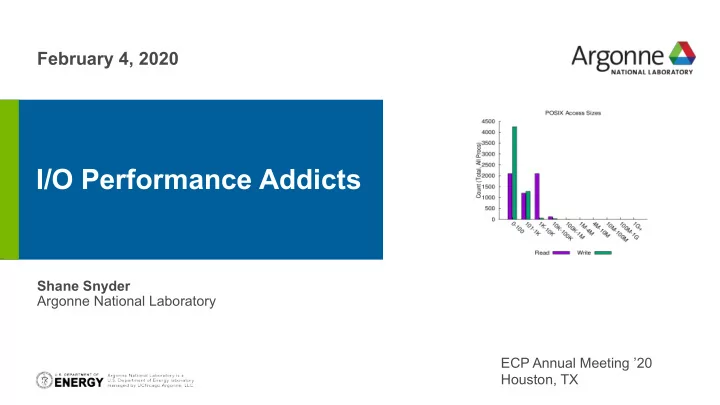
Histograms of POSIX and MPI-IO access sizes are provided to better understand general access patterns In general, larger access sizes perform better with most storage systems Table indicating total number of files of different types (opened, created, read-only, etc.) recorded by Darshan
SLIDE 21 Analyzing Darshan logs
21
Darshan can also provide basic timing bounds for read/write activity, both for independent file access patterns (illustrated) or for shared file access patterns
reads writes
SLIDE 22
Suggested closing statement (optional): WE START WITH YES. AND END WITH THANK YOU. DO YOU HAVE ANY BIG QUESTIONS?
What if we want more details?
SLIDE 23 Focusing analysis on individual files
23
❖ If we want to focus Darshan analysis tools on a specific file, Darshan offers a couple of different options
➢ darshan-convert utility can be used to create a new Darshan log file containing a specified file record ID (obtainable from darshan-parser output) ■ e.g., ‘darshan-convert --file RECORD_ID input_log.darshan output_log.darshan’ ■ New log file can be ran through existing log utilities we have already covered ➢ darshan-summary-per-file tool can be used to generate separate job summary PDFs for every file in a given Darshan log ■ Do not use if your application opens a lot of files!
SLIDE 24 Disabling reductions of shared records
You may notice that Darshan is unable to provide more detailed access information for shared file workloads, as illustrated here This is as a result of Darshan’s decision to aggregate shared file records into a single file record representing all processes’ access information
24
SLIDE 25 Disabling reductions of shared records
Setting the ‘DARSHAN_DISABLE_SHARED_REDUCTION’ environment variable will force Darshan to skip the shared file reduction step, retaining each process’s independent view
This results in larger log files, but may be useful in better understanding underlying access patterns in collective workloads
25
SLIDE 26 Obtaining fine-grained traces with DXT
❖ Darshan’s DXT module can be enabled at runtime for users wishing to capture detailed I/O traces for MPI-IO and POSIX interfaces
➢ Fine-grained trace data comes at cost of larger per-process memory overheads ➢ Set the DXT_ENABLE_IO_TRACE environment variable to enable
❖ darshan-dxt-parser can be then be used to dump text-format trace data:
26
SLIDE 27 Obtaining fine-grained traces with DXT
❖ dxt_analyzer Python script installed with darshan-util can be used to help visualize read/write trace activity:
27
Provides details on each I/O
- peration issued by each rank,
providing a complete picture of which ranks are performing I/O and how long they are spending
SLIDE 28
Suggested closing statement (optional): WE START WITH YES. AND END WITH THANK YOU. DO YOU HAVE ANY BIG QUESTIONS?
What’s new with Darshan?
SLIDE 29 DXT trace triggers
❖ DXT traces can enable fine-grained insights into application I/O behavior, but at the cost of increased memory overheads ❖ To address this, we have integrated “trace triggers” into DXT to provide users with more control over which files Darshan will trace at runtime
➢ Static trace triggers: use regex matching on static information related to file access to control whether a file is traced: ■ File name matching ■ Process rank matching ➢ Dynamic trace triggers: use internal file access statistics gathered by Darshan to control whether a file is traced: ■ Frequent small I/O accesses ■ Frequent unaligned I/O accesses
Available in Darshan 3.1.8
29
SLIDE 30 DXT trace triggers
❖ Users inform Darshan about their desired trace triggers using a text file, which can specify 1 or more triggers to be used at runtime:
Available in Darshan 3.1.8
30
Set this environment variable to inform Darshan about the trace triggers file Text-based descriptions of each trigger, one per-line
SLIDE 31 DXT trace triggers
❖ Users inform Darshan about their desired trace triggers using a text file, which can specify 1 or more triggers to be used at runtime:
Available in Darshan 3.1.8
31
Only trace files ending in prefix ‘.h5’ or with path prefix ‘/scratch’
SLIDE 32 DXT trace triggers
❖ Users inform Darshan about their desired trace triggers using a text file, which can specify 1 or more triggers to be used at runtime:
Available in Darshan 3.1.8
32
Only trace files accessed by ranks 1-2
SLIDE 33 DXT trace triggers
❖ Users inform Darshan about their desired trace triggers using a text file, which can specify 1 or more triggers to be used at runtime:
Available in Darshan 3.1.8
33
Only trace files that had greater than 50% small I/O accesses or greater than 50% unaligned I/O accesses
SLIDE 34 Non-MPI instrumentation support
❖ To support an evolving HPC software landscape, we have broken Darshan’s dependence on MPI to allow instrumentation in new contexts:
➢ non-MPI computing frameworks (e.g., Spark, TensorFlow) ➢ Inter- and intra-site file transfer utilities (e.g., Globus, cp) ➢ General serial applications
❖ This required significant modifications to Darshan:
➢ Build logic for detecting whether a compiler supports MPI ➢ Refactoring of Darshan core functionality to make MPI
➢ Definition of shared library constructor/destructor attributes to handle initialization/shutdown of the Darshan library*
WIP-ish (experimental version available in 3.2.0-pre1)
34
* Side effect: this instrumentation method only
works for dynamically linked executables
Darshan instrumentation
SLIDE 35 Non-MPI instrumentation support
WIP-ish (experimental version available in 3.2.0-pre1)
35
▪ To build Darshan with a non-MPI compiler (e.g., gcc), use the following arguments when configuring: ‘--without-mpi CC=gcc’
– Other compilers (e.g., clang, llvm) possible, but gcc is recommended
▪ When running your app, you must set the DARSHAN_ENABLE_NONMPI environment variable (in addition to LD_PRELOAD):
SLIDE 36 Non-MPI instrumentation support
WIP-ish (experimental version available in 3.2.0-pre1)
36
This simple Spark example generated a lot
SLIDE 37 Non-MPI instrumentation support
WIP-ish (experimental version available in 3.2.0-pre1)
37
Focusing analysis on the Java executable that does all of the I/O for this example
SLIDE 38 Detailed HDF5 instrumentation module
❖ Darshan has traditionally offered very little in the ways of HDF5 instrumentation, providing only basic statistics about HDF5 file open calls ❖ But, understanding and improving the I/O behavior of HDF5 workloads is critical to the performance of many current HPC applications
➢ HDF5 provides a convenient abstract data model for scientific data, but it obscures how HDF5 storage constructs interact with lower layers of the I/O software stack (i.e., MPI-IO and POSIX levels)
❖ We have developed a new implementation of the HDF5 module that allows for better understanding of HDF5 I/O behavior from file- and dataset-level perspectives
WIP-ish (available in branch dev-detailed-hdf5-mod, include in 3.2.0)
38
SLIDE 39 Detailed HDF5 instrumentation module
❖ We split the original HDF5 module into two instrumentation modules: H5F (for HDF5 files) and H5D (for HDF5 datasets), each independently recording instrumentation records ❖ H5F module highlights:
➢ Operation counts ■
■ flush ➢ MPI-IO usage ➢ Metadata timing
WIP-ish (awaiting merge, will include in 3.2.0)
39
SLIDE 40 Detailed HDF5 instrumentation module
❖ H5D module highlights:
➢ Operation counts: ■
■ read/write ■ flush ➢ Total bytes read/written ➢ Access size histograms ➢ Dataspace selection types ■ Points ■ Regular hyperslab ■ Irregular hyperslab ➢ Dataspace total dimensions, points ➢ MPI-IO collective usage ➢ Deprecated function usage ➢ Read, write, and metadata timing
WIP-ish (awaiting merge, will include in 3.2.0)
40
SLIDE 41 darshan-util Python bindings
❖ The only existing interface to Darshan logs is via the darshan-util C library
➢ Non-C log file analysis tools require a costly conversion to text format (using darshan-parser) which the tool must then find a way to ingest
❖ To address this, we are developing Python bindings for the darshan-util library that simplify the interfacing of Darshan analysis tools with log data
➢ Use Python CFFI module to provide Python bindings to the native darshan-utils C API ➢ Organize Darshan log data using native Python constructs (e.g., dictionaries) to allow simple and efficient access to log data
❖ We are hopeful this will lead to more productive Darshan log file analysis tools that can be distributed with Darshan
WIP (tentatively planning to include in 3.2.0)
41
SLIDE 42 Wrapping up
❖ We’ve covered a lot of ground in a short amount of time, but don’t be
➢ No one is expected to be an expert at the end of this session! ➢ Instead, we just want to equip you with resources you can consult to start to think about understanding and improving I/O performance using Darshan ➢ Don’t hesitate to reach out to us if you have questions, comments, or suggestions ❖ Darshan website: https://www.mcs.anl.gov/research/projects/darshan/ ❖ Darshan-users mailing list: darshan-users@lists.mcs.anl.gov ❖ Source code, issue tracking: https://xgitlab.cels.anl.gov/darshan/darshan
42
SLIDE 43
Thanks to all for attending! All comments/questions are welcome!