G2-1 Two Key Features Further details: void 1. The name of the - - PDF document

g2 1
SMART_READER_LITE
LIVE PREVIEW

G2-1 Two Key Features Further details: void 1. The name of the - - PDF document

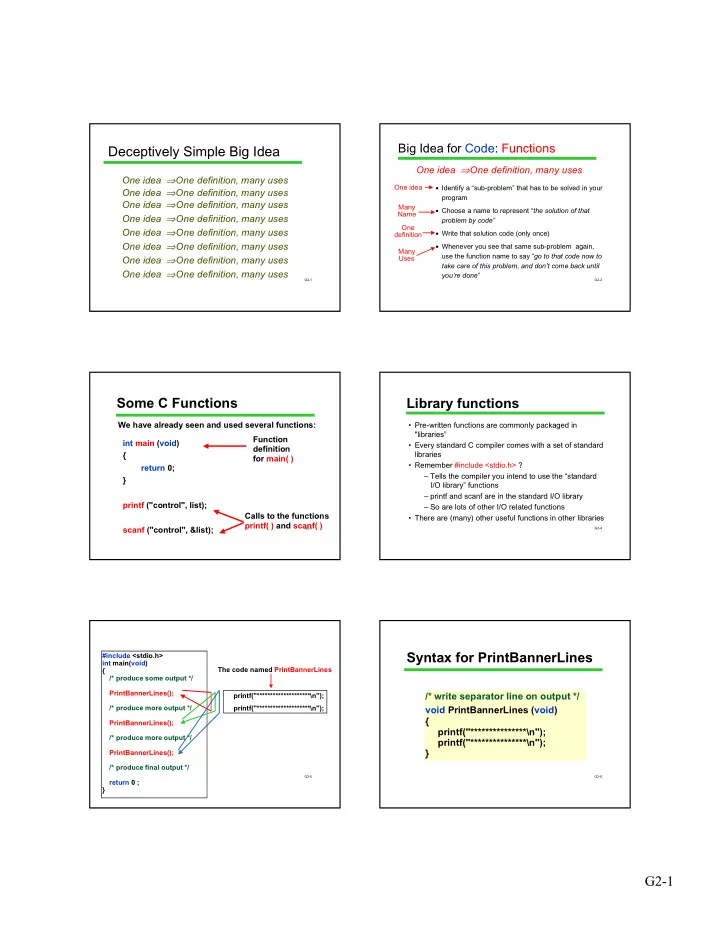
Big Idea for Code: Functions Deceptively Simple Big Idea One idea One definition, many uses One idea One definition, many uses One idea Identify a sub-problem that has to be solved in your One idea One definition, many uses


slide-1
SLIDE 1

G2-1

G2-1

Deceptively Simple Big Idea

One idea ⇒One definition, many uses One idea ⇒One definition, many uses One idea ⇒One definition, many uses One idea ⇒One definition, many uses One idea ⇒One definition, many uses One idea ⇒One definition, many uses One idea ⇒One definition, many uses One idea ⇒One definition, many uses

G2-2

  • Identify a “sub-problem” that has to be solved in your

program

  • Choose a name to represent “the solution of that

problem by code”

  • Write that solution code (only once)
  • Whenever you see that same sub-problem again,

use the function name to say “go to that code now to take care of this problem, and don’t come back until you’re done”

Big Idea for Code: Functions

One idea ⇒One definition, many uses

One idea One definition Many Uses Many Name

G2-3

Some C Functions

We have already seen and used several functions: int main (void) { return 0; } printf ("control", list); scanf ("control", &list); Function definition for main( ) Calls to the functions printf( ) and scanf( )

G2-4

Library functions

  • Pre-written functions are commonly packaged in

"libraries”

  • Every standard C compiler comes with a set of standard

libraries

  • Remember #include <stdio.h> ?

– Tells the compiler you intend to use the “standard I/O library” functions – printf and scanf are in the standard I/O library – So are lots of other I/O related functions

  • There are (many) other useful functions in other libraries

G2-5

#include <stdio.h> int main(void) { /* produce some output */ PrintBannerLines(); /* produce more output */ PrintBannerLines(); /* produce more output */ PrintBannerLines(); /* produce final output */ return 0 ; } printf("********************\n"); printf("********************\n"); The code named PrintBannerLines

G2-6

Syntax for PrintBannerLines

/* write separator line on output */ void PrintBannerLines (void) { printf("***************\n"); printf("***************\n"); }

slide-2
SLIDE 2

G2-2

G2-7

Two Key Features

  • 1. The name of the function and
  • 2. the function body: code that is to be executed

when the function is called.

/* write separator line on output*/ void PrintBannerLines (void) { printf("***************\n"); printf("***************\n"); }

function body (statements to be executed). A function can have ANY number of ANY kind of statements. function name heading comment

G2-8

/* write separator line on output*/ void PrintBannerLines (void) { printf("***************\n"); printf("***************\n"); }

Further details: void

The keyword void has two different roles in this function definition.

indicates that the function has no parameters. indicates that the function does not return a value.

G2-9

Using PrintBannerLines

#include <stdio.h> void PrintBannerLines (void) { printf("***************\n"); printf("***************\n"); } int main (void) { /* produce some output */ … PrintBannerLines( ); ... return 0; }

Empty ( ) is required when a parameter-less (void) function is called. The definition of the function must precede all calls to it in the file.

G2-10

Providing an Input to the Function: Parameters

Can we modify the function so that instead of print two rows of asterisks (callee decides) it will: print N rows of asterisks (caller decides) where N is the number of rows that we want “this time” when we call it N is information that the function needs to know

#include <stdio.h> int main(void) { PrintBannerLines(5); /* produce some output */ PrintBannerLines(2); /* produce final output */ PrintBannerLines(5); return 0; } The value in the parentheses is called the “parameter” of this call. 5

Code for PrintBannerLines

G2-12

Code for the Modified Function

The function will start off this way:

void PrintBannerLines (int n) { ...

n is the “parameter” of the function. n can be used inside the function just like a variable

(The full solution won’t be shown now. It requires a feature called “iteration” that we will cover later. We’ll see parameters in other examples.)

slide-3
SLIDE 3

G2-3

G2-13

Parameters are New Variables!!!

PrintBannerLines(num); void PrintBannerLines (int n) { … n = n – 1; … return; } 5 = ….? PrintBannerLines(5);

G2-14

Some Terminology Confusion

Many people use the term formal parameter instead of parameter and actual parameter instead of argument. We will try to stick to parameter and argument for simplicity, but the

  • ther terminology will probably slip in from time to

time. People often refer to replacing a parameter with the argument in a function call as “passing the argument to the function”.

G2-15

Passing Results Back to the Caller

Specification: Write a function that, given the radius, computes the area of a circle with that radius. What should it do with the result?

Please compute the area

  • f a circle of radius 1.7.

newArea = Area(1.7); Area function Caller

G2-16

Returned Values

Parameters are a way for the calling routine to “send data” to the function The new concept, return values, are the

  • pposite, a way for the function to send

data back to the calling routine

Please compute the area of a circle of radius 1.7. It’s 9.08

newArea = Area(1.7); return 3.14 * r * r;

G2-17

Returned values

/* return area of circle with radius r */ double Area (double r) { return 3.14 * r * r; } Type of value passed in Type of value passed back “Local variable” initialized to caller’s argument In the calling statement, the call is evaluated as this value

G2-18

Control and Data Flow

int main (void) { double x, y, z; y = 6.0; x = Area(y/3.0) ; .... .... z = 3.4 * Area(7.88) ; .... return 0; } /* Find area of circle with radius r */ double Area (double r) { return 3.14 * r * r; } 7.88 194.976... 2.0 12.56

slide-4
SLIDE 4

G2-4

G2-19

More on return

For void functions: return; causes control flow to return to the statement following the call in the caller For functions that return a value: return expression; causes control flow to return to the

  • caller. The function call is “replaced” with the returned

value. totalArea = Area(1.7) + Area(3.4); Note: no parentheses are needed around the expression Return is a C statement. It is not a function call

G2-20

Discussion Questions

  • 1. Can you have more than one return inside a

function?

  • 2. Does a return statement have to be the last

statement of a function?

  • 3. If a function starts off as

double calculation (void) {…

could it contain this statement?

return;

  • 4. If a function starts off as

void printfBankBalance (void) {…

could it contain this statement?

return currentBalance;

G2-21

Matching Up Types

The actual arguments must be of the type of the parameter. The returned value will be of the type given before the function’s name. The “usual” conversion rules apply (as in expressions).

int main (void) { ... z = 98.76; x = 34.575 * area ( z/2.0 ); … return 0; } /* Find area of circle with radius r */ double area (double r) { return 3.14 * r * r; }

G2-22

Multiple Parameters

A function may have more than one parameter Arguments must match parameters in number,

  • rder, and type

double Avg (double total, int count) { return total / (double) count ; } double gpt, gpa; gpt = 3.0 + 3.3 + 3.9; gpa = Avg ( gpt, 3 ); ...

arguments parameters

G2-23

Local Variables

A function can define its own local variables. The locals have meaning only within the function. Local variables are created when the function is called. Local variables cease to exist when the function returns. Parameters are also local.

G2-24

/* return area of circle with radius r */ double CircleArea (double r) { double rsquared, area; rsquared = r * r ; area = 3.14 * rsquared ; return area; }

A Function with Local Variables

local variables parameter

slide-5
SLIDE 5

G2-5

G2-25

/* return area of circle with radius r */ double CircleArea (double r) { double rsquared, area; rsquared = r * r ; area = 3.14 * rsquared ; return area; }

LOCAL Variables

int main (void) { double result; result = CircleArea(8.0); rsquared = 2.0; result = CircleArea(2.0); }

Scope Error

(undeclared identifier)

G2-26

/* return area of circle with radius r */ double CircleArea (double r) { double rsquared, area; rsquared = r * r ; area = 3.14 * rsquared ; return area; }

Another Scope Error

int main (void) { double result; result = CircleArea(8.0); }

Scope Error

(undeclared identifier)

G2-27

Scope

Function names are defined everywhere (“globally”) within the file starting at the point they are declared. Variables are local to the function in which they are declared.

G2-28

Global Variables

C lets you define variables that are not inside any function. They have global scope. Global variables have a few legitimate uses, but they often are: – a crutch to avoid using parameters – poor style

int main (void) { double result; CircleArea(8.0); result =myGlobal; } /* return area of circle with radius r */ void CircleArea (double r) { double rsquared; rsquared = r * r ; myGlobal = 3.14 * rsquared ; } int myGlobal;

G2-29

Surgeon General's Warning

In this course: global variables are completely verboten! Only local variables are allowed in homework programs Exception: symbolic constants may be global Their use is encouraged!

G2-30

Local Variables: Summary

(Formal) parameters and variables declared in a function are local to it: cannot be accessed (used) by other functions except by being passed as actual parameters or return values) Allocated (created) on function entry, de-allocated (destroyed) on function return. (Formal) parameters initialized by copying value of argument (actual parameter). (“Call-by-value”) A good idea? YES! localize information; reduce interactions.

slide-6
SLIDE 6

G2-6

G2-31

Functions: Summary

Functions may take several parameters, or none. Functions may return one value, or none. Functions are valuable! A tool for program structuring. Provide abstract services: the caller cares what the functions do, but not how. Make programs easier to write, debug, and understand.

G2-32

Looking Ahead

There is still more to learn about functions We’ll study other methods of parameter passing We’ll also look at functions as a fundamental design technique Many students report that functions are the first really difficult concept of the course. They have to be mastered. You haven’t seen the last

  • f functions, and you never will!