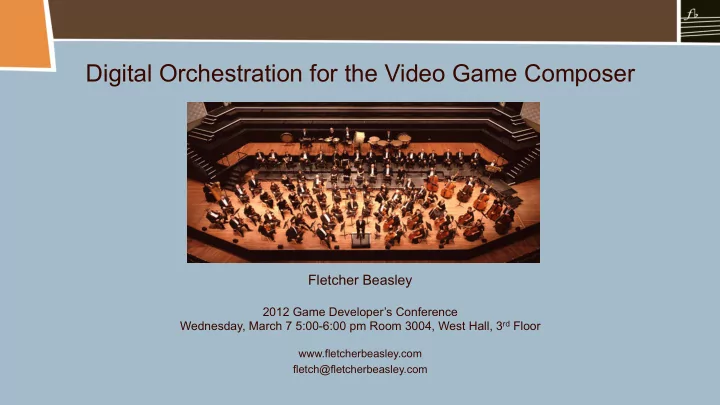
SLIDE 1 Digital Orchestration for the Video Game Composer
Fletcher Beasley
2012 Game Developer’s Conference Wednesday, March 7 5:00-6:00 pm Room 3004, West Hall, 3rd Floor
www.fletcherbeasley.com fletch@fletcherbeasley.com
SLIDE 2 Digital Orchestration Talk Outline
- I. Sequencing for orchestral performance
- a. Phrasing and dynamic crossfading
- b. Legato Techniques
- c. Section specific techniques
- II. Mixing techniques for the digital orchestra
- a. Use of reverb
- i. Pre-fader sending
- ii. Convolution reverbs
- iii. Use of multiple reverbs for depth
- b. Equalization
- c. Panning
- d. Mixing live instruments
SLIDE 3
- Create parts that are appropriate for the instrument you are sequencing.
- Be mindful of ranges and timbre of instrument in that range.
- Pay close attention to the phrasing of each part. Does the part sound good when
soloed?
- Make use of MIDI continuous controllers to get better expressiveness from parts.
- In some ways easier to emulate the sound of a large, bombastic orchestra digitally,
than a smaller, more delicate group because individual parts are less exposed.
- Patches that are good for composing are not necessarily the ones to use for
creating a realistic sound.
- When possible, overdub real players on key parts or sections to inject life into the
sequence.
General Sequencing Thoughts
SLIDE 4
Dynamic Crossfading
Use patches that have been programmed for dynamic crossfading for maximum expression.
SLIDE 5
Instrument Phrasing
Wind instruments should have spaces programmed between phrases to simulate breathes a player would take.
SLIDE 6
Dynamic Crossfading
Dynamic crossfading of strings is very helpful for getting realistic performances.
SLIDE 7
Overlapping Notes
A more natural sound is often achieved with a slight overlap of notes.
SLIDE 8
Good Legato Results with non legato patches
Parts are offset on adjacent tracks using two instances of the same sound.
SLIDE 9
Entrances and Exits
It is often helpful to program crescendoes and diminuendos into the phrases.
SLIDE 10
Entrances and Exits
Good endings to ensemble phrases can be achieved by copying CC data from one part to another.
SLIDE 11
Quantizing
Light quantization can help make parts sit better together.
SLIDE 12
Negative Note Delays
Using negative delay values for legato strings is often necessary in order to get them to play in time.
SLIDE 13
Timing Issues
If parts are not jelling rhythmically, solo them and make adjustments against the click track.
SLIDE 14
Combining Sounds from Different Libraries
A better sound can be achieved by combining libraries on the same part in some cases.
SLIDE 15
Combining Sounds from Different Libraries
This can be quite effective for fortissimo brass sections playing in unison or octaves.
SLIDE 16
Harmony in Brass and Winds
Use ensemble patches for unison parts and solo patches for harmony.
SLIDE 17
Crescendos
Rendering crescendos as audio files allows you to fit the timing to your piece.
SLIDE 18
- Using good orchestration techniques and well balanced libraries will go along
way to getting a good mix.
- Parts that would naturally blend together with a real orchestra may require
careful balancing in the digital environment. Our ears tend to hear the highest lowest voices of a harmonized part or chord most clearly, but the middle voices may be unnaturally loud in a sequence.
- When using a library that was recorded with reverb, it is necessary to match that
reverb on libraries that have been recorded dry.
- Use reverb and panning to place the orchestral instruments with proper stereo
spacing and depth.
- Consider what type of sound is appropriate for your orchestra. Not all orchestral
recordings sound the same so it is a good idea to know what you like and what are trying to emulate.
- Reference recordings to compare your mixes to the real thing.
General Mixing Thoughts
SLIDE 19 Characteristics of the Hollywood Sound
- Listener is positioned closer to orchestra in Hollywood sound.
- Harp and piano often use a close mic’ed sound.
- Solo parts and sections may be close mic’ed.
- Percussion is often more up front than is possible with a conventionally mic’ed
- rchestra because it may have been recorded separately.
- Heightened or more present low end in Hollywood sound.
- Contrabasses may be centered in Hollywood sound.
- Instruments may be compressed so they are more present in the mix. Low pizzes
and percussion my be compressed for greater sustain.
- Non traditional and/or electronic elements may be mixed with orchestra.
- A digital reverb may be used in addition to the natural sound of the hall.
SLIDE 20
- A good hall reverb goes a long way to making the mix sound good.
- Use reverbs on aux tracks and control the levels for section or instrument using
pre-fader sending.
- I generally like to use one reverb per section – strings, brass, winds, percussion
and keys/mallets but it is possible to get good results with a single reverb.
- When using a single reverb make sure you are sending levels that are
appropriate for the orchestral section. The further away a section sits the more reverb it needs.
- Sometimes a reverb on the main output can help glue the mix together.
- Use the same basic reverb setting for different cues throughout the game in
- rder to give a consistent sound to your orchestra. Slower pieces can have a
longer reverb tail, while faster, action cues might benefit from a shorter tail.The basic hall reverb should be consistent.
Reverb
SLIDE 21
Convolution Reverbs
A convolution reverb uses a pre-recorded audio sample of the impulse response to model an acoustic space and can be used to achieve the sound of an actual physical space. Altiverb by Audioease
SLIDE 22
Digital Reverbs
High quality digital hardware reverbs or plugins can be used as well. Lexicon PCM Reverb Plugin
SLIDE 23
In pop mixing, one would normally choose post fader sending because you want a blend of the dry and wet signal with the dry signal being dominant. Most DAWs will default to post fader sending when you set up a send. In an orchestral mix, pre fader sending generally works better because you are blending more of the sound of the instrument in the space (the reverb) and will have less of the direct sound instrument.
Logic Pro Digital Performer Pro Tools
Pre-fader Sending of Reverb
SLIDE 24
Using a different reverb for each orchestral section
Allows for a different convolution sample based on seated position of section.
SLIDE 25
Using a different reverb for each orchestral section
Reverbs on individual aux tracks per section.
SLIDE 26
- Basic balancing of frequencies should be done through orchestration.
- EQ can be used to balance timbral/recording differences between different
libraries.
- EQ can be used to make the sound of the patch more pleasant as some libraries
can have a very nasal sound.
- EQ can be used to roll off the low end of a reverb which basically sounds good
but has a “boomy” quality.
- EQ can be used to roll off the low end of an instrument that has been recorded
close up and therefore has more low end than would be natural in a orchestral setting.
- EQ can be used to roll off some top end to make an instrument sound further
away.
Equalization
SLIDE 27
Low: 20-200 Hz (heavy, boomy, ballsy) Low midrange: 200-1000 Hz (warmth) High midrange: 1 kHz-5 kHz (presence, nasal, brittle) High: 5 kHz-20 kHz (air)
Frequency Ranges
SLIDE 28
Equalizer
An EQ is an important tool for shaping the sound.
SLIDE 29
Panning the Orchestra
SLIDE 30
10:00-2:00
11:15-12:00
12:00-1:15
11:00-12:00
12:00-2:00
11:00-12:15
12:15-1:00
1:00-1:45
11:00-2:00
1:00-2:00
10:30-1:00
10:45 or 1:15
11:45-12:15
10:30
10:00-12:00
10:30-12:30
11:30-1:30
11:00-12:00
10:30-2:00
Panning Position for the Orchestra
SLIDE 31
Wave’s S1 Imager Plugin
SLIDE 32
Logic’s Direction Mixer Plugin
SLIDE 33 Adding a live player or two can really bring a sequence to life. It’s not difficult to
- verdub players individually and doesn’t require an expensive studio.
Adding Live Players
MIDI Mix Final mix with live winds and harp
SLIDE 34
Live/Sequenced Hybrid
Live MIDI Hybrid