Computer Presentation Programs and Teaching Research Methodologies - - PDF document

computer presentation programs and teaching research
SMART_READER_LITE
LIVE PREVIEW

Computer Presentation Programs and Teaching Research Methodologies - - PDF document

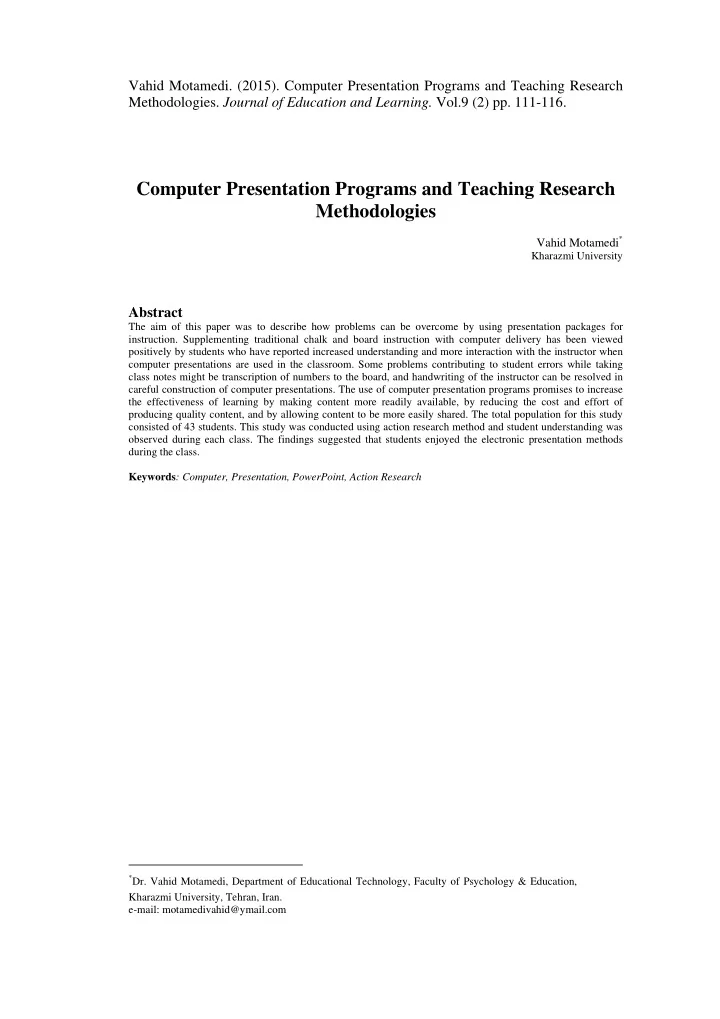
Vahid Motamedi. (2015). Computer Presentation Programs and Teaching Research Methodologies. Journal of Education and Learning. Vol.9 (2) pp. 111-116. Computer Presentation Programs and Teaching Research Methodologies Vahid Motamedi * Kharazmi


slide-1
SLIDE 1

Vahid Motamedi. (2015). Computer Presentation Programs and Teaching Research

  • Methodologies. Journal of Education and Learning. Vol.9 (2) pp. 111-116.

Computer Presentation Programs and Teaching Research Methodologies

Vahid Motamedi*

Kharazmi University

Abstract

The aim of this paper was to describe how problems can be overcome by using presentation packages for

  • instruction. Supplementing traditional chalk and board instruction with computer delivery has been viewed

positively by students who have reported increased understanding and more interaction with the instructor when computer presentations are used in the classroom. Some problems contributing to student errors while taking class notes might be transcription of numbers to the board, and handwriting of the instructor can be resolved in careful construction of computer presentations. The use of computer presentation programs promises to increase the effectiveness of learning by making content more readily available, by reducing the cost and effort of producing quality content, and by allowing content to be more easily shared. The total population for this study consisted of 43 students. This study was conducted using action research method and student understanding was

  • bserved during each class. The findings suggested that students enjoyed the electronic presentation methods

during the class. Keywords: Computer, Presentation, PowerPoint, Action Research

*Dr. Vahid Motamedi, Department of Educational Technology, Faculty of Psychology & Education,

Kharazmi University, Tehran, Iran. e-mail: motamedivahid@ymail.com

slide-2
SLIDE 2

112

Computer Presentation Programs and Teaching Research Methodologies

Introduction

"Do you use computers?" "Do your students use the Internet?" These are some of the questions that any teacher can expect to hear. As Pitler, Hubbell and Kuhn (2012) point out our students must learn not only how to use current technologies but also how to evaluate which ones work best for particular tasks or projects. The Internet and the World Wide Web offer everyone new ways to learning and presenting teachers with fresh opportunities to perform their professional role. A teacher's success in making the most of computer rests only in part on his/her professional skills in computer use. It also depends on making wise instructional decisions about using a computer to enhance instruction. A computer can be very versatile. There is a wide diversity of computer software available that can assist a teacher in his/her classroom to carry out his/her challenge to teach. Computers in the classroom have been used in many ways to deliver instructional material to the student. Four distinctive methods of classroom computer use are presented by Bates and Poole (2003): (a) presentation systems; (b) laboratory instruments; (c) computerized lecture halls; and (d) self-paced classrooms. Instructional content can be expanded and student interest increased using the Internet, CD-ROMS and programs specific to the course material. For years college classes in statistics have been taught with parallel work performed using computers located in computer labs to calculate and solve problems. Moving the computer into the classroom allows interaction between the student, the instructor and the media. Commercial software such as PowerPoint, Freelance Graphics, and others enable innovative ways of presenting instructional material (Susskind, 2008). Presentation software is a category of application program used to create sequences of words and pictures that tell a story or help support a speech or public presentation of information. Presentation software can be divided into business presentation software and more general multimedia authoring tools, with some products having characteristics of

  • both. Business presentation software emphasizes ease-and quickness-of-learning and use. Multimedia

authoring software can create a more sophisticated presentation that includes audio and video

  • sequences. Business presentation software usually includes images and sometimes audio and video

developed with other tools. Virtually everyone is familiar with Microsoft PowerPoint and has been the leader in the presentation software market. However, there are some other very popular presentation software such as Prezi, Keynote, Google Slides, Clear Slide, and Slide Dog (Robarts, 2014). Selimoglu, Arsoy, and Erian (2009) state that giving the lessons with PowerPoint presentations provides to present the information to student more effectively, more dynamically, and more

  • aesthetically. Haynes (2014) suggests that one should liven up a traditional lecture by using a

PowerPoint presentation that incorporates photographs, diagrams, sound effects, music, or video clips. Several situations in which computer use was beneficial in classroom instruction are suggested: (a) simulations of real world experiences; (b) visualization of complex images; (c) accommodation of multiple learning styles; (d) using multimedia (video and audio) forms of instruction; (e) increasing interest; (f) creating additional time for discussion between faculty and students; and (g) where Internet access facilitates learning (Clark, 2008; Giers & Kreiner, 2009). For statistical concepts several of these situations occur during classroom instruction. A random sample can be demonstrated in real time thus illustrating the advantages and disadvantages of sample size quickly and graphically. The demonstration

  • f a sample distribution location within a larger population distribution helps students understand

sampling and comparison problems. Versions of commercial presentation packages allow multimedia to be used in the classroom in the form of video clips, audio, and interactive graphics as well as the more common text and static graphics. Attention increases with the appropriate use of any of these tools formally spent on physically draw concepts on the chalkboard can be better used in interacting with students while they view a prepared slide. Some classrooms have access or permit the use of the Internet to further increase the range and variety of the presentation. Electronic presentations have several advantages such as ease of involving new information without change to the content of the lesson and encouraging students' attention to instruction involving the greater use of senses (Armbruster, 2009). In spite of the many benefits there are some potential problems that can occur when attempting to alter tradition classroom presentations. When a computer presentation delivery is good, it is very good and students respond favorably, but when it is bad students are distracted from the original task of

  • learning. The learning curve can also be steep for the instructor. As with any new use of technology,

presentation can require more than just a few minutes of extra work (Daniels, et al. 2008). These drawbacks may deter new use of presentation technology for classroom instruction especially when there is a lack of faculty rewards for teaching excellence. Many faculty members from various disciplines are doing these electronic presentation but few experimental designs are being set up to test the educational value. In order to format an experimental design to test the instructional value some ground work in the basic delivery must be undertaken to see if it can deliver in a manner that enables students to gain knowledge.

slide-3
SLIDE 3

Vahid Motamedi. (2015). Journal of Education and Learning. Vol.9 (2) pp. 111-116.

113

Lecturing, like learning, has individualistic styles and packaging the presentation must follow personal styles of the lecturer. The first endeavors should translate simple outlines of classroom

  • presentation. Much like an outline, each point should be presented to the class using slides for major

point and for more complex issues. Like a good paper, a good presentation opens with an impact statement that tells the audience what they can expect during the lecture. If a title is used for the first slide, it should heighten expectation to what is ahead. The next slide can present a problem to be solved

  • r a graphic representing what is to be discussed.

Design considerations must be incorporated in the creation process. Additional work for the instructor beyond content will include choices of color, text, charts, and graphics. The opportunity to add color to heighten attention to the presentation has some guidelines which need to be considered. "The color of an object depends not only on the object itself but also the light source illuminating the object and the color of the surrounding objects. The perception of color varies with each individual viewer" (Brown, Earnshaw, Jern & Vince, 1995). So what does this mean for the classroom? If we are working with an LCD panel, the lights in the room will have to be dimmed. Using this method the dimmed lights favors the use of a brighter background such as light yellow which will allow the text to show up but also will add light to the darkened room thus aiding note taking. Using a project with 400 plus limens, dark background can be used as the classroom lights can remain at normal levels during the presentation. If the image is to be used with a TV monitor as the source of the image, darker backgrounds with high contrast letters or symbols is very important as the image will not be as sharp as it is seen through the computer monitor. Novice users of presentation packages have a tendency to put too much information on the

  • slides. As Phillips (2011) points out the main goal of PowerPoint is to transfer information, knowledge,
  • r inspiration from you to your audience. Words on a screen can do those things, but not nearly as well

as an inspired presenter who uses simple graphics and visuals to reinforce the most important points. Research shows that people notice graphics second only to headings. Optimum placement of an image (clipart or photo) used to support text is in the lower right quadrant of the slide. Your image acts as a "draw" to pull the viewer's eyes from the title area, through the text area, to focus on the graphic. Galitz (2007) recommends a six by six rule: keep the number of lines on each screen to six or less with no more than 6 words per line. Emphasis can be created with the use of position of screen, boxes surrounding information, bold typeface, and indented margins. Like other material, statistical information seems less confusing when presented to the student using a limited amount of textual

  • information. If more text needs to be presented it is better to use several slides to reduce overloading the
  • student. It is recommended not to use complete sentences for your slides. Phrases and key words should

be used to help the reader follow the presentation and to emphasize main points. Periods at the end of bulleted items should be omitted. Other punctuation marks should be used only when necessary because punctuation marks are difficult to read when projected. Far too many students attempt to copy each and every word creating a conflict between the smooth delivery of the lecture and the student note taking

  • process. According to Phillips (2011) “As presenters, we want to focus our audience’s attention on

exactly the point we want them to focus on. But when speakers fill almost every centimetre of their slides with words, bullets, and graphics, they give the audience no sense of priority. Cluttered slides make it impossible for the audience to know where to look first.” He further points out that “not to fill every inch of the frame” and “white space is a critical component of guiding viewers to your most important point.” Approximately 60-70 percent of the slide should be blank to avoid clutter and increase readability. Using printed slides as handouts aids audience attention to the material. Handouts allow the presenter to have eye contact with the student rather than looking at the top of their head while they write as quickly as possible. One caveat, however, is that providing all information on the handouts allows student's attention to wander. A solution is to have two versions of each presentation, one used for handouts and another for classroom presentation. The handout is an outline which must be completed by the student as information is projected on the overhead. This abbreviated version allows the important information such as formulas and definitions to be clearly stated, with additional information to be noted by the student during lecture. This method increases students' attention during the presentation. Bitter and Pierson (2005) point out that “Graphics in a presentation should serve an instructional purpose rather than merely providing aesthetic decoration or clutter. A picture can show concepts that words can only hint at, illustrating relationships that might remain unclear with mere descriptions” (p. 274). Caution should be noted when using graphics strictly for décor or cuteness as they can become tiresome and distracting from the lesson. Four rules of thumb are offered by Duarte (2008) about the use of graphics: use graphics only when they add to the information, teach facts of concepts, motivate students, or demonstrate procedures.

slide-4
SLIDE 4

114

Computer Presentation Programs and Teaching Research Methodologies Guidelines offered by Tufte (2001) suggest that charts should emphasize the important data and reduce the visibility of the data which does not illustrate the point. Design graphic material using simple data coding schemas with emphasis on the data not the variations in design. Unnecessary design

  • bjects such as grids and ornamentation should be excluded to insure student focus.

Methods of analysis

The population for this study consisted of 43 students, of whom 46% were male (n=20) and 54% female (n=23). Using an action research approach, student understanding was observed during each class, enabling further development and refinement of key points. During the first semester, based

  • n statistical concepts, three different methods of delivery were used: video clips, traditional chalkboard

and computer delivered presentations. At several points of the semester students were asked about which presentation they liked best. Their comments provided the basis for analysing these methods.

Findings

Pace of Instruction

One student pointed out that the presentations at times were too fast for the students to create good notes. There is a tendency to move quickly through the material when the presenter just clicks to go on to the next piece of the presentation. It is more natural to speak about the subject at hand when all the information is not on screen. According to another student, "I like it better when you write it out

  • better. It is more personal and I understood it better because it gave me time to do the problem with

you!" Development of a presentation that builds step by step, symbol by symbol, was investigated with the next generation of presentation delivery. Using a standard software package, symbols were created as objects which then were presented one at a time with attention to their source. This led to a better classroom deliver.

Integration of Knowledge

"Sometimes the subject matter appeared to be better presented by using the tried and true method of chalk and board." Subject matter often needs cognitive time for the students to observe and integrate. The traditional chalkboard methods allow students time to build and integrate new material. Images built using the standard equation editor does not allow for slowly building the completed problem. Attempts to make this transition are not quite successful. "With the computer, everything pops up so it's easier to get lost with what steps we are working on." "Computer image is much easier to read but was already set up. Whereas when you write the formula on the board it is easier to understand." "Both methods were good and easy to understand. I think I like the written better because I could watch you do the steps rather than having the screen move." These and other comments gave to considerations concerning what the student is seeing and why the differences. Perhaps, it is that during the writing of the problem the student can infer the completion of what we are writing. If this is the case then deliver one symbol or one number at a time, with explanation or demonstrations of where the numbers are derived. "I like the newest delivery as I can see where information comes from and I can mentally work along." "I think this delivery is better, it is like when you wrote it and yet you are not in the way." "The appearance of the number and symbols is similar to how I write it and I can see it clearly." Twenty minutes of a video is a long time for student's attention to be focused in one place about a subject like statistics. Shorter clips or pauses with conversation about the material greatly help the student's attitude toward watching the videos. "Videos contained more than the students wanted and could retain in one sitting." "I like seeing the application but there is too much to see." These comments and others help improve the instruction for the next semester.

The Next Step

Moving to the Internet support of class work is an easier transition coming from the computer classroom delivery. During the classroom delivery, the material presented takes on the form of an

  • utline with lecturing supporting more complex material. This differs from the Internet based delivery
slide-5
SLIDE 5

Vahid Motamedi. (2015). Journal of Education and Learning. Vol.9 (2) pp. 111-116.

115

which requires more thought about content. Material must be clear and complete so the student without additional information from the instructor can understand the complexity of a subject such as statistics. The original classroom notes must now be flashed out presenting more information without becoming the electronic textbook. The web allows more freedom for the student with the ability to individualize the content

  • delivery. Brunswik (1955) suggests that individuals learn more especially when allowed their own

method, time and pace. During the fall of 2013, classroom support was offered by a web-page. Contents

  • f this page included the following: syllabus, interactive sites, continual surveys of students, glossary,

class notes, assignments, practice opportunities, and an area for peer and instructor communication. Within the interactive sites, there are the opportunities to investigate the effect of an outlier on a regression line, the effect of sample size on a distribution, mean and median, random sampling, systematic sampling, and how varying numbers in a distribution alters skewness. The glossary is an evolving source of definitions as each class chooses a term and attempts to reword the definition as they understand it. Not only do they work with a word but their classmates and

  • thers after them are able to see their wording of the term thus adding to students' understanding of

terms. Chapter content contains material which was discussed in class. This area also evolves with feedback from the students. New explanations and illustrations will continue to make this section more students friendly. The composition of the classes creates differences with regard to messages from students. For those with equipment and a fast connection, it is often easier to e-mail questions directly to the instructor or classmates than to attempt office visits. The question can come at any hour and knowing the response will come, allows the student the confidence to ask. It can be difficult for some students. "I'll admit there are some frustrating factors. For instance, the line can get busy and therefore cause a delay in logging on." For some students it is the computer arena they would prefer to avoid. "I hate computers, the only experience I have had with them is typing up a paper. My parents just bought a computer, but I would rather stay away from it because they bug me." It is with expectation that the students will overcome any disfavor with computers to realize the potential value of this tool.

Implication and Contribution

Progress and innovation use of technology in education allows us to better serve the diverse learning styles of our students. Technology exists in classrooms to enhance the learning process. Many different types of technology can be used to support and enhance learning. Everything from video content, digital moviemaking and laptop computing has been used in classrooms. Each technology plays a different role in students' learning. Microsoft PowerPoint is a leading presentation/slideshow sharing software which its use may have impact on every aspect of our lives. Whether one application is business, how-to, education, school, online training or just for fun, PowerPoint is a great resource. The pressure to give students access to the newest technology can be a challenge. Technology is expensive when new technologies are adopted, learning how to use the technology may take precedence over learning through the technology. Technology may exclude those who may not have access to it or may not be able to use it. Few schools can afford to change their hardware and software configuration every time a new technology is introduced. Technology must be used to promote new learning goals and teaching strategies that are student-centered, collaborative, engaging, and self-directed.

Conclusion

It appears that students enjoy the electronic presentation methods during the class. If they are provided notes created from the presentation program, they feel that their class notes will enable better results on both homework and exams. The problems of image jumping in the previously created presentation modes have been satisfactorily resolved for classroom delivery. The completed web-page has a bit more refinement before it becomes public. With consideration of the teachers' time, allowance

  • f three years to complete a web-based instructional unit is not an unrealistic goal.

Future research will begin to assess learning via the computer presentation as compared to traditional chalk and board instruction. Comparison of field independence levels versus the students' perceptions about computer presentation delivery. Delivery via the distance learning will be compared to traditional model of teaching.

slide-6
SLIDE 6

116

Computer Presentation Programs and Teaching Research Methodologies

References

Armbruster, B.B. (2009). Note taking from lectures, pp. 220-249. In R.F. Flippo & D.C. Caverly (Eds.). Handbook of college reading and study strategy research. Second Edition. New York, NY: Routledge. Bates, A.W. & Poole, G. (2003). Effective teaching with technology in higher education: Foundations for success. San Francisco, CA: Jossey-Bass. Bitter, G.G., & Pierson, M.E. (2005). Using technology in the classroom. Boston, MA: Allyn and Bacon Brown, J.R., Earnshaw, R. Jern, M. & Vince, J. (1995). Visualization: Using computer graphics to explore date and present information. New York, NY: John Wiley & Sons. Brunswik, E. (1955). Representative design and probabilistic theory in a functional psychology. Psychological Review, 62(3), 193-217. Clark, J. (2008). PowerPoint and pedagogy: Maintaining student interest in university lectures. College Teaching, 56(1), 39-44. Daniels, L., Kane, J., Rosario, B., Creahan, T., Liard-Muriente, C.F. & Mallia, M.E. (2008). The impact

  • f PowerPoint on student performance and course evaluations in Economics courses: An

experiment at six institutions. Retrieved October 20, 2014, from http://papers.ssrn.com/sol3/papers.cfm?abstract_id=1090662 Duarte, N. (2008). Slide:ology: The art and science of creating great presentations. Sebastopol, California: O'Reilly Media. Galitz, W.O. (2007). The essential guide to user interface design: An introduction to GUI design principles and techniques. Third Edition. Indianapolis, Indiana: Wiley Publishing. Giers, V.S. & Kreiner, D.S. (2009). Incorporating active learning with PowerPoint-based lectures using content-based question. Teaching of Psychology, 36(2), 134-139. Haynes, K. (2014). 12 easy ways to use technology in the classroom, even for technophobic teachers. Retrieved November 15, 2014, from http://www.teachhub.com Phillips, B. (2011). The five most common PowerPoint mistakes. Retrieved October 27, 2014, from www.phillipsmediarelation.com Pitler, H., Hubbell, E.R., Kuhn, M. (2012). Using technology with classroom instruction that works. Denver, CO: McREL. Robarts, S. (2014). The best presentation software: Top 5 Power Point alternatives. Prezi: http://prezi.com, Keynote:

  • nly

compatible with Apple devices https://www.apple.com/uk/mac/keynote, Google Slides: http://www.google.co.uk/slides, ClearSlide: http://www.clearslide.com, SlideDog: http://slidedog.com. Retrieved October 22, 2014, from http://www.techradar.com Selimoglu, S.K., Arsoy, A.P. & Erian, Y. (2009). The effect of Power Point preferences of students on their performance: A research in Anadolu University. Turkish Online Journal of Distance Education, 10(1), Article 5. Retrieved October 20, 2014, from http://toje.anadolu.edu.tr/tojde23/articles/article_5.htm Susskind, J.E. (2008). Limits of PowerPoint's power: Enhancing students' self-efficacy and attitudes but not their behavior. Computers & Education, 50(4), 1228-1239. Tuufte, E.R. (2001). Visual Display of Quantitative Information. Chesire, CT: Graphic Press. Wolfe, R. (2000). Bringing the introductory computer graphics course into the 21st century. Computers & Graphics, 24 (1), 151-155.