Chapter 20 Lists, Stacks, Queues, and Priority Queues A collection - - PDF document

chapter 20 lists stacks queues
SMART_READER_LITE
LIVE PREVIEW

Chapter 20 Lists, Stacks, Queues, and Priority Queues A collection - - PDF document

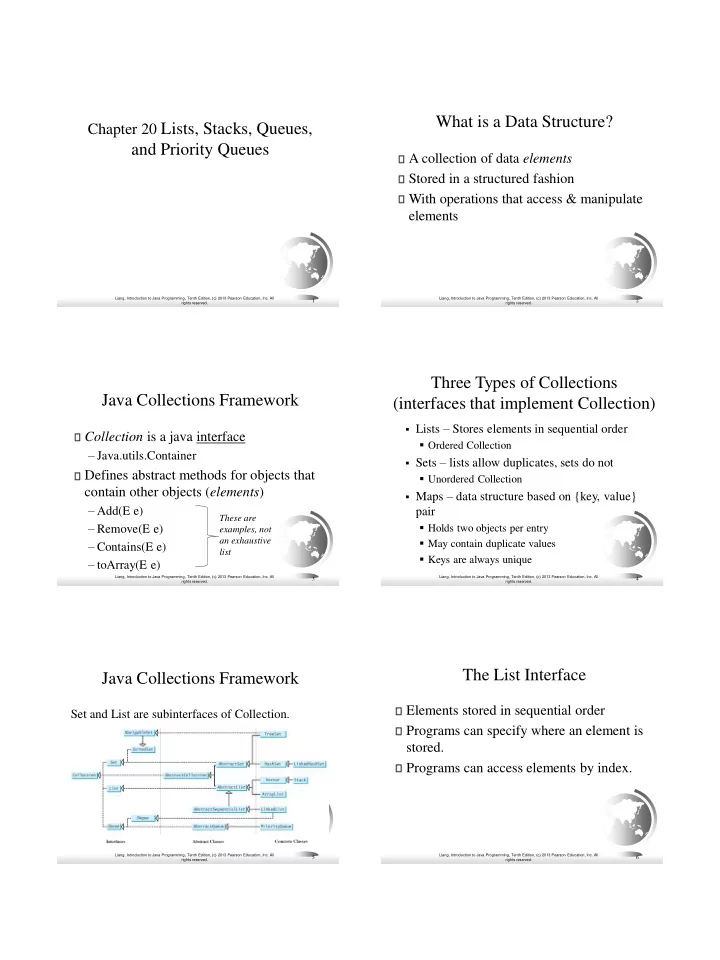
What is a Data Structure? Chapter 20 Lists, Stacks, Queues, and Priority Queues A collection of data elements Stored in a structured fashion With operations that access & manipulate elements Liang, Introduction to Java Programming, Tenth


slide-1
SLIDE 1

Liang, Introduction to Java Programming, Tenth Edition, (c) 2013 Pearson Education, Inc. All rights reserved.

1

Chapter 20 Lists, Stacks, Queues,

and Priority Queues

Liang, Introduction to Java Programming, Tenth Edition, (c) 2013 Pearson Education, Inc. All rights reserved.

2

What is a Data Structure?

A collection of data elements Stored in a structured fashion With operations that access & manipulate elements

Liang, Introduction to Java Programming, Tenth Edition, (c) 2013 Pearson Education, Inc. All rights reserved.

3

Java Collections Framework

Collection is a java interface

– Java.utils.Container

Defines abstract methods for objects that contain other objects (elements)

– Add(E e) – Remove(E e) – Contains(E e) – toArray(E e)

These are examples, not an exhaustive list

Liang, Introduction to Java Programming, Tenth Edition, (c) 2013 Pearson Education, Inc. All rights reserved.

Three Types of Collections (interfaces that implement Collection)

▪ Lists – Stores elements in sequential order

▪ Ordered Collection

▪ Sets – lists allow duplicates, sets do not

▪ Unordered Collection

▪ Maps – data structure based on {key, value}

pair

▪ Holds two objects per entry ▪ May contain duplicate values ▪ Keys are always unique

4

Liang, Introduction to Java Programming, Tenth Edition, (c) 2013 Pearson Education, Inc. All rights reserved.

5

Java Collections Framework

Set and List are subinterfaces of Collection.

Liang, Introduction to Java Programming, Tenth Edition, (c) 2013 Pearson Education, Inc. All rights reserved.

6

The List Interface

Elements stored in sequential order Programs can specify where an element is stored. Programs can access elements by index.

slide-2
SLIDE 2

Liang, Introduction to Java Programming, Tenth Edition, (c) 2013 Pearson Education, Inc. All rights reserved.

7

The List Interface, cont.

Liang, Introduction to Java Programming, Tenth Edition, (c) 2013 Pearson Education, Inc. All rights reserved.

Iterators

An iterator is a generalization of a reference

– An abstract way of accessing an element

Iterator is an interface

– Java.util.Iterator

Methods for sequentially accessing elements

– hasNext() – next() – remove()

8

Liang, Introduction to Java Programming, Tenth Edition, (c) 2013 Pearson Education, Inc. All rights reserved.

Why Iterators?

Iterators allow you to abstract away the data structure Given an iterator, you can access elements in order

– In a list – In a set – In a map

The Iterable interface requires an object to implement iterators

9

Liang, Introduction to Java Programming, Tenth Edition, (c) 2013 Pearson Education, Inc. All rights reserved.

The Collection Interface

10

«interface» java.util.Collection<E> +add(e: E): boolean +addAll(c: Collection<? extends E>): boolean +clear(): void +contains(o: Object): boolean +containsAll(c: Collection<?>):boolean +isEmpty(): boolean +remove(o: Object): boolean +removeAll(c: Collection<?>): boolean +retainAll(c: Collection<?>): boolean +size(): int +toArray(): Object[] +stream(): Stream default +parallelStream(): Stream default Adds a new element e to this collection. Adds all the elements in the collection c to this collection. Removes all the elements from this collection. Returns true if this collection contains the element o. Returns true if this collection contains all the elements in c. Returns true if this collection contains no elements. Removes the element o from this collection. Removes all the elements in c from this collection. Retains the elements that are both in c and in this collection. Returns the number of elements in this collection. Returns an array of Object for the elements in this collection. Returns a stream from this collection (covered in Ch 23). Returns a parallel stream from this collection (covered in Ch 23).

«interface» java.util.Iterator<E>

+hasNext(): boolean +next(): E +remove(): void Returns true if this iterator has more elements to traverse. Returns the next element from this iterator. Removes the last element obtained using the next method.

«interface» java.lang.Iterable<E>

+iterator(): Iterator<E> +forEach(action: Consumer<? super E>): default void Returns an iterator for the elements in this collection. Performs an action for each element in this iterator.

The Iterable interface has an Iterator (diamond) allowing sequential access to the elements

Liang, Introduction to Java Programming, Tenth Edition, (c) 2013 Pearson Education, Inc. All rights reserved.

11

The List Iterator

Liang, Introduction to Java Programming, Tenth Edition, (c) 2013 Pearson Education, Inc. All rights reserved.

12

Array vs ArrayList vs LinkedList

  • ArrayList class and the LinkedList class
  • Concrete implementations of the List interface.
  • Usage depends on your specific needs.
  • Efficiency
  • ArrayList – Fast random access through indices
  • LinkedList – Fast insertion and deletion of elements

at specific locations

  • Array – Does not support insertion or deletion of

elements

  • But the most efficient if insert/delete not needed
slide-3
SLIDE 3

Liang, Introduction to Java Programming, Tenth Edition, (c) 2013 Pearson Education, Inc. All rights reserved.

13

java.util.ArrayList

«interface»

java.util.List<E>

Creates an empty list with the default initial capacity. Creates an array list from an existing collection. Creates an empty list with the specified initial capacity. Trims the capacity of this ArrayList instance to be the list's current size. +ArrayList() +ArrayList(c: Collection<? extends E>) +ArrayList(initialCapacity: int) +trimToSize(): void

«interface»

java.util.Collection<E>

java.util.ArrayList<E>

Liang, Introduction to Java Programming, Tenth Edition, (c) 2013 Pearson Education, Inc. All rights reserved.

14

java.util.LinkedList

«interface»

java.util.List<E>

Creates a default empty linked list. Creates a linked list from an existing collection. Adds the object to the head of this list. Adds the object to the tail of this list. Returns the first element from this list. Returns the last element from this list. Returns and removes the first element from this list. Returns and removes the last element from this list. +LinkedList() +LinkedList(c: Collection<? extends E>) +addFirst(o: E): void +addLast(o: E): void +getFirst(): E +getLast(): E +removeFirst(): E +removeLast(): E

«interface»

java.util.Collection<E>

java.util.LinkedList<E>

Liang, Introduction to Java Programming, Tenth Edition, (c) 2013 Pearson Education, Inc. All rights reserved.

15

LinkedList ArrayList AbstractList

interface

List

interface

Collection AbstractCollection AbstractSequentialList

interface

Iterable

interface

Iterator List Hierarchy

Liang, Introduction to Java Programming, Tenth Edition, (c) 2013 Pearson Education, Inc. All rights reserved.

16

Example: Using ArrayList and LinkedList

Create an array list filled with numbers Insert new elements in specific locations Create a linked list from the array list Insert and remove elements from the list. Traverse the list forward and backward.

Run

TestArrayAndLinkedList

Liang, Introduction to Java Programming, Tenth Edition, (c) 2013 Pearson Education, Inc. All rights reserved.

Comparable vs Comparator

Comparable

– Implemented with compareTo – Defines the natural order for the object

i.e. the order you will use most of the time

Comparator

– Implemented with compare() – Define an order for a specific purpose

17

Liang, Introduction to Java Programming, Tenth Edition, (c) 2013 Pearson Education, Inc. All rights reserved.

18

The Comparator Interface

An interface for comparing arbitrary elements

– The elements don’t have to be Comparable – Java.util.Comparator

Defines a method called compare(T o1, T o2) Used as an argument to methods like sort(collection, CompareObject)

slide-4
SLIDE 4

Liang, Introduction to Java Programming, Tenth Edition, (c) 2013 Pearson Education, Inc. All rights reserved.

19

The Comparator Interface

public int compare(Object element1, Object element2) Returns a negative value if element1 is less than element2, a positive value if element1 is greater than element2, and zero if they are equal.

Run

TestComparator GeometricObjectComparator

Liang, Introduction to Java Programming, Tenth Edition, (c) 2013 Pearson Education, Inc. All rights reserved.

20

The Collections Class

The Collections class contains various static methods for

  • perating on collections and maps, for creating

synchronized collection classes, and for creating read-

  • nly collection classes.

Liang, Introduction to Java Programming, Tenth Edition, (c) 2013 Pearson Education, Inc. All rights reserved.

21

The Collections Class UML Diagram

Liang, Introduction to Java Programming, Tenth Edition, (c) 2013 Pearson Education, Inc. All rights reserved.

22

The Vector and Stack Classes

The Java Collections Framework was introduced with Java 2. Several data structures were supported prior to Java 2. Among them are the Vector class and the Stack class. These classes were redesigned to fit into the Java Collections Framework, but their old-style methods are retained for compatibility. This section introduces the Vector class and the Stack class.

Liang, Introduction to Java Programming, Tenth Edition, (c) 2013 Pearson Education, Inc. All rights reserved.

23

The Stack Class

The Stack class represents a last-in-first-

  • ut stack of objects. The elements are

accessed only from the top of the stack. You can retrieve, insert, or remove an element from the top of the stack.

java.util.Stack<E>

+Stack() +empty(): boolean +peek(): E +pop(): E +push(o: E) : E +search(o: Object) : int

java.util.Vector<E>

Creates an empty stack. Returns true if this stack is empty. Returns the top element in this stack. Returns and removes the top element in this stack. Adds a new element to the top of this stack. Returns the position of the specified element in this stack.

The vector class is deprecated, but similar to ArrayList

Liang, Introduction to Java Programming, Tenth Edition, (c) 2013 Pearson Education, Inc. All rights reserved.

24

Queues and Priority Queues

Queue is a first-in/first-out data structure. Elements are appended to the end of the queue. Elements are removed from the beginning of the queue. Priority queues assign priorities to elements. The element with the highest priority is removed first.

slide-5
SLIDE 5

Liang, Introduction to Java Programming, Tenth Edition, (c) 2013 Pearson Education, Inc. All rights reserved.

25

The Queue Interface

Liang, Introduction to Java Programming, Tenth Edition, (c) 2013 Pearson Education, Inc. All rights reserved.

26

Using LinkedList for Queue

Liang, Introduction to Java Programming, Tenth Edition, (c) 2013 Pearson Education, Inc. All rights reserved.

27

The PriorityQueue Class

Run

PriorityQueueDemo

Liang, Introduction to Java Programming, Tenth Edition, (c) 2013 Pearson Education, Inc. All rights reserved.

28

Case Study: Evaluating Expressions

Stacks can be used to evaluate expressions.

Run

Evaluate Expression

Liang, Introduction to Java Programming, Tenth Edition, (c) 2013 Pearson Education, Inc. All rights reserved.

Some examples

2 + 3

When we see + we haven’t seen operand 3 yet. Use an

  • perandStack to push operands, and an operatorStack

to push operators: push (2, operandStack) push (+, operatorStack) push (3, operandStack) End of expression: apply operator to operands Why wait until we see the end or rest of expression? 2+3*4

29

Liang, Introduction to Java Programming, Tenth Edition, (c) 2013 Pearson Education, Inc. All rights reserved.

2 + 3 – 4 is (2+3) – 4, and NOT 2 + (3-4) push (2, operandStack) push (+, operatorStack) push (3, operandStack) Seeing -: apply operator on stack to operands push(-, operatorStack) push(4, operandStack) End: apply operator(s) to operands

30

slide-6
SLIDE 6

Liang, Introduction to Java Programming, Tenth Edition, (c) 2013 Pearson Education, Inc. All rights reserved.

2+3*4-5 push (2, operandStack) push (+, operatorStack) push (3, operandStack) *: has precedence over +, so push (*, operatorStack) push (4, operandStack)

  • : apply operators to operands,

push (-, operatorStack) 5:push (5, operandStack) End: apply operators to operands

31

Liang, Introduction to Java Programming, Tenth Edition, (c) 2013 Pearson Education, Inc. All rights reserved.

2*(3+4)/5 push (2, operandStack) push (*, operatorStack) (: make a substack at top of operatorStack: push ( ‘(‘, operatorStack) push (3, operandStack) push (+, operatorStack) push (4, operandStack) ): apply operators to operands until ‘(’, pop ( ‘(’ ) push (/, operatorStack) push (5, operandStack) End: apply operators to operands

32

Liang, Introduction to Java Programming, Tenth Edition, (c) 2013 Pearson Education, Inc. All rights reserved.

33

Algorithm

Phase 1: Scanning the expression The program scans the expression from left to right to extract operands, operators, and the parentheses. 1.1. If the extracted item is an operand, push it to operandStack. 1.2. If the extracted item is a + or - operator, process all the operators at the top of operatorStack and push the extracted operator to operatorStack. 1.3. If the extracted item is a * or / operator, process the * or / operators at the top of operatorStack and push the extracted operator to operatorStack. 1.4. If the extracted item is a ( symbol, push it to operatorStack. 1.5. If the extracted item is a ) symbol, repeatedly process the operators from the top of operatorStack until seeing the ( symbol on the stack. Phase 2: Clearing the stack Repeatedly process the operators from the top of operatorStack until

  • peratorStack is empty.

Liang, Introduction to Java Programming, Tenth Edition, (c) 2013 Pearson Education, Inc. All rights reserved.

34

Example

Liang, Introduction to Java Programming, Tenth Edition, (c) 2013 Pearson Education, Inc. All rights reserved.

35

Objectives

❑ To explore the relationship between interfaces and classes in the Java

Collections Framework hierarchy (§20.2).

❑ To use the common methods defined in the Collection interface for operating

collections (§20.2).

❑ To use the Iterator interface to traverse the elements in a collection (§20.3). ❑ To use a for-each loop to traverse the elements in a collection (§20.3). ❑ To explore how and when to use ArrayList or LinkedList to store elements

(§20.4).

❑ To compare elements using the Comparable interface and the Comparator

interface (§20.5).

❑ To use the static utility methods in the Collections class for sorting, searching,

shuffling lists, and finding the largest and smallest element in collections (§20.6).

❑ To develop a multiple bouncing balls application using ArrayList (§20.7). ❑ To distinguish between Vector and ArrayList and to use the Stack class for

creating stacks (§20.8).

❑ To explore the relationships among Collection, Queue, LinkedList, and

PriorityQueue and to create priority queues using the PriorityQueue class (§20.9).

❑ To use stacks to write a program to evaluate expressions (§20.10).