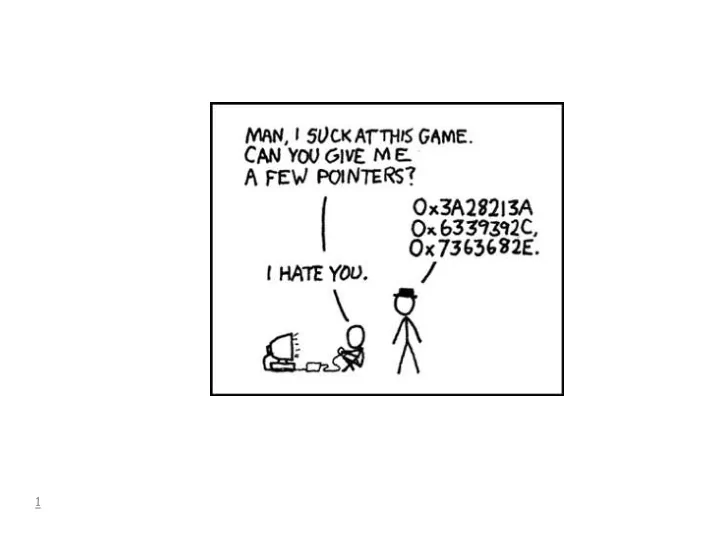
1 Pointers Better than sliced bread! Similar to Java references - - PowerPoint PPT Presentation

1 pointers
SMART_READER_LITE
LIVE PREVIEW

1 Pointers Better than sliced bread! Similar to Java references - - PowerPoint PPT Presentation

1 Pointers Better than sliced bread! Similar to Java references Java code example: myX = new X(); myX 2 Assume the X object instance fits in the box myX 3 19 20 42060 ( myX ) 20 4 Java code: myX.doSomething(13); C


slide-1
SLIDE 1

1

slide-2
SLIDE 2

2

Pointers

  • Better than sliced bread!
  • Similar to Java references
  • Java code example:

myX = new X(); myX

slide-3
SLIDE 3

3

myX Assume the X object instance fits in the box

slide-4
SLIDE 4

4

42060 (myX) 19 20

20

slide-5
SLIDE 5

5

Java code: myX.doSomething(13); C equivalent (mostly): doSomething(13, myX);

slide-6
SLIDE 6

6

A pointer is a variable. A pointer contains the address

  • f another variable.
slide-7
SLIDE 7

7

Two operators you need to know about:

  • & is called an addressing operator.

In an expression, it refers to the address of a variable.

  • * is called the dereferencing operator.

In an expression, it follows the pointer to the item being pointed to.

slide-8
SLIDE 8

Concepts that must be distinguished:

  • declaration
  • use

8

slide-9
SLIDE 9

pointer declaration: int x; /* integer variable */ int *px; /* pointer variable */

  • px is a variable
  • the type of px is pointer to an integer
  • operations on pointer variables are limited

9

slide-10
SLIDE 10

10

int x; /* integer variable */ int *px; /* pointer variable */ x = 13; px = &x;

address label

  • r symbol

85

x

104

px

. . . . . .

slide-11
SLIDE 11

11

int x; /* integer variable */ int *px; /* pointer variable */ x = 13; px = &x; *px = 56;

address label

  • r symbol

85

x

104

px

. . . . . .

slide-12
SLIDE 12

12

/* 4 statements that accomplish the same thing */ x = x - 12; *px = x - 12; *px = *px - 12; x = *px – 12;

1 2 3 4

slide-13
SLIDE 13

13

Allowed Operations on Pointers

int *px, *py; int x, y; px = &x; /* get address */ py = &y; px = py; /* assignment; both */ /* lhs and rhs are same type */ px = NULL; /* assignment to NULL */ if ( px == NULL) /* comparison */ printf("pointer is NULL\n");

slide-14
SLIDE 14

14

NOT Allowed on Pointers

int *px, *py, *pz; px = 12; /* assignment to */ /* non-NULL literal */ pz = px + py; /* add or subtract */ /*two pointer values */ px = py * 2 /* multiply or divide */ /* of pointer value(s)*/

slide-15
SLIDE 15

15

Draw a Diagram

int x, y, z; int *px, *py, *pz; px = &x; py = &y; pz = &z; *px = 24; py = px; z = 25; *py = x – z;

slide-16
SLIDE 16

16

Arrays

  • Designed for speed of access
  • Consecutive, same-sized elements

base base + (1 * size) base + (2 * size) base + (3 * size) array (one element per box)

slide-17
SLIDE 17

17

Declare: int a[5]; Use: a[0] = 1; a[1] = 2;

0 1 2 3 4

(index)

1 2

slide-18
SLIDE 18

18

As allocated within memory: (one integer fits into a box)

1 2

a

slide-19
SLIDE 19

19

No bounds checking!

int ar[12]; ar[12] = -1; /* No compiler error! */ ar[300] = ar[300] + 3; /* OK! */

This leads to the question: Why no bounds checking?

slide-20
SLIDE 20

20

#include <stdio.h> #define BUFFERSIZE 10 int main(int argc, char, *argv[]) { int buffer[BUFFERSIZE]; int i; /*loop induction variable */ /* place TOO MANY into buffer ! */ for (i = 0; i < 11; i++) { buffer[i] = -825; } for (i = 0; i < 11; i++) { printf("%d ", buffer[i]); } buffer[36] = 5; return 0; }

prints 11 times:

  • 825

not a compiler error!

Does not crash!

slide-21
SLIDE 21

21

C uses pointer notation with arrays: a[i] is equivalent to *(a + i) and &a[i] is equivalent to a + i

slide-22
SLIDE 22

22

int a[5]; int *ap; ap = a; ap++; /* ap has the address of a[1] */ *ap = 2; ap++; /* OK. */ a++; /* BAD! NOT ALLOWED! */ /* a is not a pointer! */

slide-23
SLIDE 23

23 #include <stdio.h> #define MAXARRAYSIZE 5 main() { int intarray[MAXARRAYSIZE]; int *iap; /* a pointer to an int */ int k; /* loop induction variable */ /* one implementation */ iap = intarray; for ( k = 0; k < MAXARRAYSIZE; k++) { *iap = k + 1; iap++; } iap = intarray; for ( k = 0; k < MAXARRAYSIZE; k++) { printf("%d\n", *iap); iap++; } /* another implementation */ for ( k = 0; k < MAXARRAYSIZE; k++) { intarray[k] = k + 1; } for ( k = 0; k < MAXARRAYSIZE; k++) { printf("%d\n", intarray[k]); } }

slide-24
SLIDE 24

24

#include <stdio.h> #define MAXARRAYSIZE 5 main() { int intarray[MAXARRAYSIZE]; int *iap; /* a pointer to an int */ int k; /* loop induction variable */ /* one implementation */ iap = intarray; for ( k = 0; k < MAXARRAYSIZE; k++) { *iap = k + 1; iap++; } iap = intarray; for ( k = 0; k < MAXARRAYSIZE; k++) { printf("%d\n", *iap); iap++; } /* … */ }

slide-25
SLIDE 25

25

#include <stdio.h> #define MAXARRAYSIZE 5 main() { int intarray[MAXARRAYSIZE]; int *iap; /* a pointer to an int */ int k; /* loop induction variable */ /* … */ /* another implementation */ for ( k = 0; k < MAXARRAYSIZE; k++) { intarray[k] = k + 1; } for ( k = 0; k < MAXARRAYSIZE; k++) { printf("%d\n", intarray[k]); } }

slide-26
SLIDE 26

26

From the lecture notes: Contrast this code with:

iap = intarray; for ( k = 0; k < MAX; k++) { . . iap++; /* correct and reasonable */ } int a = 3; int b = 8; int c = 0; int *cp; c = a + b; cp = &c; cp++; /* allowed, but probably not reasonable */

slide-27
SLIDE 27

27

#include <stdio.h> #define BUFFERSIZE 10 int main(int argc, char *argv[]) { int y = 9; int buffer[BUFFERSIZE]; int i; int x = 7; /* place TOO MANY into buffer ! */ for (i = 0; i < 200; i++) { buffer[i] = -825; } printf("x = %d y = %d\n", x, y); return 0; }

slide-28
SLIDE 28

28

% cc ovsimple2.c –o ovsimple2 % ovsimple2 x = 7 y = -825 Segmentation fault %

slide-29
SLIDE 29

29

/* program to print lines backwards */ #include <stdio.h> # define BUFFERSIZE 80 int main() { char buffer[BUFFERSIZE] char *bp; /* a pointer to a character */ int k, j; /* loop induction variables */ bp = buffer; while ( fgets(buffer, BUFFERSIZE, stdin) != NULL ) { /* buffer has one line of input */ printf("the line backwards:\n"); /* find the end of the line */ k = 0; while ( *(buffer+k) != '\0') ) k++; k--; if ( (k >= 0) && (*(buffer+k) == '\n') ) k--; /* print relevant characters in reverse order */ for ( j = k; j >= 0; j-- ) { printf("%c", *(buffer + j)); } printf("\n"); } return (0); }

slide-30
SLIDE 30

30

xy z buffer 0 1 2 3 4 5 x y z \n \0

slide-31
SLIDE 31

31

#include <stdio.h> void increment(int a); main(){ int x; x = 1; printf("before call, x = %d\n", x); increment( x); printf("after call, x = %d\n", x); } void increment(int a){ a++; }

slide-32
SLIDE 32

32

#include <stdio.h> void increment(int a); main(){ int x; x = 1; printf("before call, x = %d\n", x); increment( x); printf("after call, x = %d\n", x); } void increment(int a){ a++; } change code to make increment change x

slide-33
SLIDE 33

33

swap(&int1, &int2); /* function swap */ /* interchanges two integer values */ /* parameters: */ /* px pointer to an integer */ /* py pointer to the other integer */ void swap(int *px, int *py) { int temp; temp = *px; *px = *py; *py = temp; }

a call; arguments are the addresses of 2 integers; this code is the caller or parent when called or invoked, this code is the callee or child

slide-34
SLIDE 34

34

C string

An array of characters, which uses the null character to delimit the end of the string.

'\0' is the null character

"Hi." "12"

'H' 'i' '.' '\0' '1' '2' '\0'

slide-35
SLIDE 35

35

char *msg; pointer to a character used for strings printf( "%s", msg);

slide-36
SLIDE 36

36

Other I/0 functions

returns: character written or EOF if an error

  • ccurred

which file

(in the stdio library)

character to print int putc(int c, FILE *fp);

slide-37
SLIDE 37

37

Other I/0 functions

returns: character or EOF which file

(in the stdio library)

int getc(FILE *fp);

slide-38
SLIDE 38

38

Other I/0 functions

returns: file pointer string “r” read “w” write “a” append

(in the stdio library)

string specifying file name FILE *fopen(char *filename, char *mode); NULL if

  • pen failed
slide-39
SLIDE 39

39

Other I/0 functions

which file

(in the stdio library)

int fclose(FILE *fp); NULL if OK, EOF if error occurred

slide-40
SLIDE 40

40

Other I/0 functions

returns: Ø if OK EOF if an error which file

(in the stdio library)

int fputs(char *line, FILE *fp); C string

slide-41
SLIDE 41

41

Other I/0 functions

returns: line or null on EOF or error which file

(in the stdio library)

where to place input

int *fgets(char *line, int maxline, FILE *fp);

at most, maxline-1 characters will be read

slide-42
SLIDE 42

42

Other I/0 functions

returns: number of successfully matched items where to place items

(in the stdio library)

string: how input is to appear int scanf(char *format, [, *arg1] . . .); looks at stdin

slide-43
SLIDE 43

scanf("%d %d", &x, &y);

43

12 -85

x gets 12 y gets -85

input

slide-44
SLIDE 44

44

Other I/0 functions

same as scanf

(in the stdio library)

looks at this string, instead of stdin int sscanf(char *string, char *format, [, *arg1] . . .);

slide-45
SLIDE 45

Why is this code really bad, and asking for trouble? char buf[60]; scanf("%s\n", buf);

45

slide-46
SLIDE 46

Return values

int x( . . . ) { return 16; }

46

expression

slide-47
SLIDE 47

int main( ) { return 0; } #include <stdio.h> int main( ) { exit(0); }

47

"all is well" "all is well," and close all files.