1 Paradigm Shift on the Web From documents (HTML) to data (XML) - - PDF document

1
SMART_READER_LITE
LIVE PREVIEW

1 Paradigm Shift on the Web From documents (HTML) to data (XML) - - PDF document

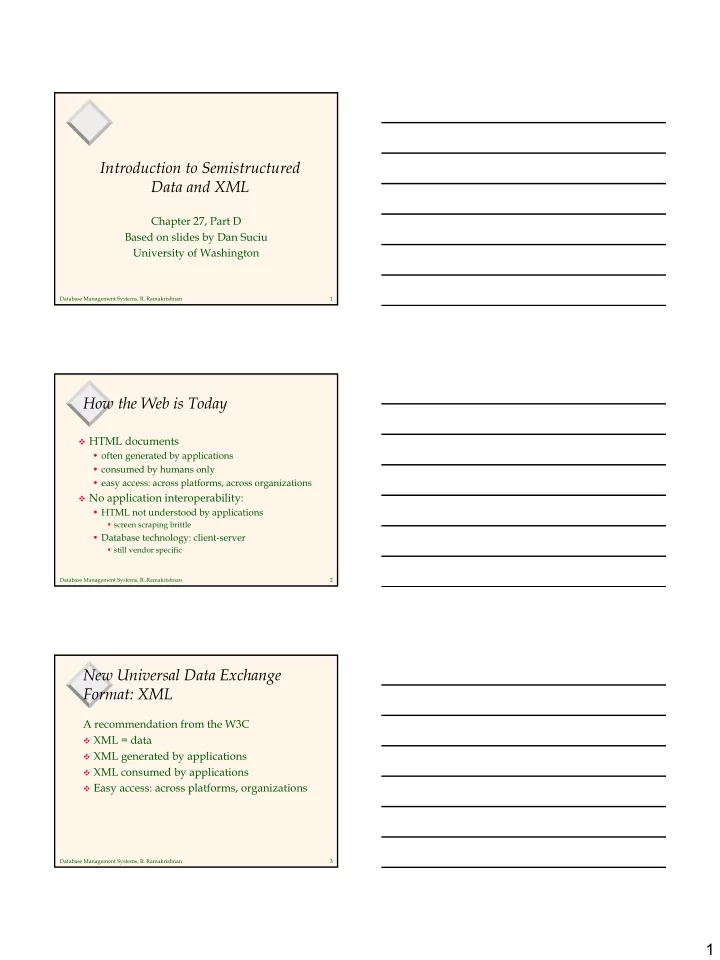
Introduction to Semistructured Data and XML Chapter 27, Part D Based on slides by Dan Suciu University of Washington Database Management Systems, R. Ramakrishnan 1 How the Web is Today HTML documents often generated by applications


slide-1
SLIDE 1

1

Database Management Systems, R. Ramakrishnan 1

Introduction to Semistructured Data and XML

Chapter 27, Part D Based on slides by Dan Suciu University of Washington

Database Management Systems, R. Ramakrishnan 2

How the Web is Today

HTML documents

  • often generated by applications
  • consumed by humans only
  • easy access: across platforms, across organizations

No application interoperability:

  • HTML not understood by applications
  • screen scraping brittle
  • Database technology: client-server
  • still vendor specific

Database Management Systems, R. Ramakrishnan 3

New Universal Data Exchange Format: XML

A recommendation from the W3C

XML = data XML generated by applications XML consumed by applications Easy access: across platforms, organizations

slide-2
SLIDE 2

2

Database Management Systems, R. Ramakrishnan 4

Paradigm Shift on the Web

From documents (HTML) to data (XML) From information retrieval to data

management

For databases, also a paradigm shift:

  • from relational model to semistructured data
  • from data processing to data/query translation
  • from storage to transport

Database Management Systems, R. Ramakrishnan 5

Semistructured Data

Origins:

Integration of heterogeneous sources Data sources with non-rigid structure

  • Biological data
  • Web data

Database Management Systems, R. Ramakrishnan 6

The Semistructured Data Model

&o1 &o12 &o24 &o29 &o43 &96 &243 &206 &25 “Serge” “Abiteboul” 1997 “Victor” “Vianu” 122 133 paper book paper references references references author title year http author author author title publisher author author title page firstname lastname firstname lastname first last Bib

Object Exchange Model (OEM) complex object atomic object

slide-3
SLIDE 3

3

Database Management Systems, R. Ramakrishnan 7

Syntax for Semistructured Data

Bib: &o1 { paper: &o12 { … }, book: &o24 { … }, paper: &o29 { author: &o52 “Abiteboul”, author: &o96 { firstname: &243 “Victor”, lastname: &o206 “Vianu”}, title: &o93 “Regular path queries with constraints”, references: &o12, references: &o24, pages: &o25 { first: &o64 122, last: &o92 133} } }

Observe: Nested tuples, set-values, oids!

Database Management Systems, R. Ramakrishnan 8

Syntax for Semistructured Data

May omit oids: { paper: { author: “Abiteboul”, author: { firstname: “Victor”, lastname: “Vianu”}, title: “Regular path queries …”, page: { first: 122, last: 133 } } }

Database Management Systems, R. Ramakrishnan 9

Characteristics of Semistructured Data

Missing or additional attributes Multiple attributes Different types in different objects Heterogeneous collections

Self-describing, irregular data, no a priori structure

slide-4
SLIDE 4

4

Database Management Systems, R. Ramakrishnan 10

Comparison with Relational Data

{ row: { name: “John”, phone: 3634 }, row: { name: “Sue”, phone: 6343 }, row: { name: “Dick”, phone: 6363 } }

name phone John 3634 Sue 6343 Dick 6363

row row row name name name phone phone phone “John” 3634“Sue” “Dick” 6343 6363

Database Management Systems, R. Ramakrishnan 11

XML

A W3C standard to complement HTML Origins: Structured text SGML

  • Large-scale electronic publishing
  • Data exchange on the web

Motivation:

  • HTML describes presentation
  • XML describes content
  • http://www.w3.org/TR/2000/REC-xml-20001006 (version 2,

10/2000)

SGML XML HTML4.0 ⊂ ∈

Database Management Systems, R. Ramakrishnan 12

From HTML to XML

HTML describes the presentation

slide-5
SLIDE 5

5

Database Management Systems, R. Ramakrishnan 13

HTML

<h1> Bibliography </h1> <p> <i> Foundations of Databases </i> Abiteboul, Hull, Vianu <br> Addison Wesley, 1995 <p> <i> Data on the Web </i> Abiteboul, Buneman, Suciu <br> Morgan Kaufmann, 1999

Database Management Systems, R. Ramakrishnan 14

XML

<bibliography> <book> <title> Foundations… </title> <author> Abiteboul </author> <author> Hull </author> <author> Vianu </author> <publisher> Addison Wesley </publisher> <year> 1995 </year> </book> … </bibliography>

XML describes the content

Database Management Systems, R. Ramakrishnan 15

Why are we DB’ers interested?

It’s data, stupid. That’s us. Proof by Google:

  • database+XML – 1,940,000 pages.

Database issues:

  • How are we going to model XML? (graphs).
  • How are we going to query XML? (XQuery)
  • How are we going to store XML (in a relational

database? object-oriented? native?)

  • How are we going to process XML efficiently?

(many interesting research questions!)

slide-6
SLIDE 6

6

Database Management Systems, R. Ramakrishnan 16

Document Type Descriptors

<!ELEMENT Book (title, author*) > <!ELEMENT title #PCDATA> <!ELEMENT author (name, address,age?)> <!ATTLIST Book id ID #REQUIRED> <!ATTLIST Book pub IDREF #IMPLIED>

Sort of like a schema but not really.

Inherited from SGML DTD standard BNF grammar establishing constraints on element

structure and content

Definitions of entities

Database Management Systems, R. Ramakrishnan 17

Shortcomings of DTDs

Useful for documents, but not so good for data:

Element name and type are associated globally No support for structural re-use

  • Object-oriented-like structures aren’t supported

No support for data types

  • Can’t do data validation

Can have a single key item (ID), but:

  • No support for multi-attribute keys
  • No support for foreign keys (references to other keys)
  • No constraints on IDREFs (reference only a Section)

Database Management Systems, R. Ramakrishnan 18

XML Schema

In XML format Element names and types associated locally Includes primitive data types (integers, strings, dates,

etc.)

Supports value-based constraints (integers > 100) User-definable structured types Inheritance (extension or restriction) Foreign keys Element-type reference constraints

slide-7
SLIDE 7

7

Database Management Systems, R. Ramakrishnan 19

Sample XML Schema

<schema version=“1.0” xmlns=“http://www.w3.org/1999/XMLSchema”> <element name=“author” type=“string” /> <element name=“date” type = “date” /> <element name=“abstract”> <type> … </type> </element> <element name=“paper”> <type> <attribute name=“keywords” type=“string”/> <element ref=“author” minOccurs=“0” maxOccurs=“*” /> <element ref=“date” /> <element ref=“abstract” minOccurs=“0” maxOccurs=“1” /> <element ref=“body” /> </type> </element> </schema>

Database Management Systems, R. Ramakrishnan 20

Important XML Standards

XSL/XSLT: presentation and transformation

standards

RDF: resource description framework (meta-info

such as ratings, categorizations, etc.)

Xpath/Xpointer/Xlink: standard for linking to

documents and elements within

Namespaces: for resolving name clashes DOM: Document Object Model for manipulating

XML documents

SAX: Simple API for XML parsing XQuery: query language

Database Management Systems, R. Ramakrishnan 21

XML Data Model (Graph)

book b1 b2 title author author author pcdata Complete... Principles... Chamberlin Bernstein Newcomer pcdata pcdata pcdata pcdata publisher name state CA Morgan... pcdata pcdata pub pub db mkp #1 #2 #3 #4 #5 #6 #7 #0 book title

Issues:

  • Distinguish between attributes and sub-elements?
  • Should we conserve order?
slide-8
SLIDE 8

8

Database Management Systems, R. Ramakrishnan 22

XML Terminology

Tags: book, title, author, …

  • start tag: <book>, end tag: </book>

Elements: <book>…<book>,<author>…</author>

  • elements can be nested
  • empty element: <red></red> (Can be abbrv. <red/>)

XML document: Has a single root element Well-formed XML document: Has matching tags Valid XML document: conforms to a schema

Database Management Systems, R. Ramakrishnan 23

More XML: Attributes

<book price = “55” currency = “USD”> <title> Foundations of Databases </title> <author> Abiteboul </author> … <year> 1995 </year> </book> Attributes are alternative ways to represent data

Database Management Systems, R. Ramakrishnan 24

More XML: Oids and References

<person id=“o555”> <name> Jane </name> </person> <person id=“o456”> <name> Mary </name> <children idref=“o123 o555”/> </person> <person id=“o123” mother=“o456”><name>John</name> </person>

  • ids and references in XML are just syntax
slide-9
SLIDE 9

9

Database Management Systems, R. Ramakrishnan 25

XML-Query Data Model

Describes XML data as a tree Node ::= DocNode |

ElemNode | ValueNode | AttrNode | NSNode | PINode | CommentNode | InfoItemNode | RefNode

http://www.w3.org/TR/query-datamodel/2/2001

Database Management Systems, R. Ramakrishnan 26

XML-Query Data Model

Element node (simplified definition):

elemNode : (QNameValue,

{AttrNode }, [ ElemNode | ValueNode]) ElemNode

QNameValue = means “a tag name”

Reads: “Give me a tag, a set of attributes, a list of elements/values, and I will return an element”

Database Management Systems, R. Ramakrishnan 27

XML Query Data Model

Example:

<book price = “55” currency = “USD”> <title> Foundations … </title> <author> Abiteboul </author> <author> Hull </author> <author> Vianu </author> <year> 1995 </year> </book> <book price = “55” currency = “USD”> <title> Foundations … </title> <author> Abiteboul </author> <author> Hull </author> <author> Vianu </author> <year> 1995 </year> </book>

book1= elemNode(book, {price2, currency3}, [title4, author5, author6, author7, year8]) price2 = attrNode(…) /* next */ currency3 = attrNode(…) title4 = elemNode(title, string9) … book1= elemNode(book, {price2, currency3}, [title4, author5, author6, author7, year8]) price2 = attrNode(…) /* next */ currency3 = attrNode(…) title4 = elemNode(title, string9) …

slide-10
SLIDE 10

10

Database Management Systems, R. Ramakrishnan 28

XML Query Data Model

Attribute node:

attrNode : (QNameValue, ValueNode)

AttrNode

Database Management Systems, R. Ramakrishnan 29

XML Query Data Model

Example:

<book price = “55” currency = “USD”> <title> Foundations … </title> <author> Abiteboul </author> <author> Hull </author> <author> Vianu </author> <year> 1995 </year> </book> <book price = “55” currency = “USD”> <title> Foundations … </title> <author> Abiteboul </author> <author> Hull </author> <author> Vianu </author> <year> 1995 </year> </book>

price2 = attrNode(price,string10) string10 = valueNode(…) /* next */ currency3 = attrNode(currency, string11) string11 = valueNode(…) price2 = attrNode(price,string10) string10 = valueNode(…) /* next */ currency3 = attrNode(currency, string11) string11 = valueNode(…)

Database Management Systems, R. Ramakrishnan 30

XML Query Data Model

Value node:

ValueNode = StringValue |

BoolValue | FloatValue …

stringValue : string StringValue boolValue

: boolean BoolValue

floatValue : float FloatValue

slide-11
SLIDE 11

11

Database Management Systems, R. Ramakrishnan 31

XML Query Data Model

Example:

<book price = “55” currency = “USD”> <title> Foundations … </title> <author> Abiteboul </author> <author> Hull </author> <author> Vianu </author> <year> 1995 </year> </book> <book price = “55” currency = “USD”> <title> Foundations … </title> <author> Abiteboul </author> <author> Hull </author> <author> Vianu </author> <year> 1995 </year> </book>

price2 = attrNode(price,string10) string10 = valueNode(stringValue(“55”)) currency3 = attrNode(currency, string11) string11 = valueNode(stringValue(“USD”)) title4 = elemNode(title, string9) string9 = valueNode(stringValue(“Foundations…”)) price2 = attrNode(price,string10) string10 = valueNode(stringValue(“55”)) currency3 = attrNode(currency, string11) string11 = valueNode(stringValue(“USD”)) title4 = elemNode(title, string9) string9 = valueNode(stringValue(“Foundations…”))

Database Management Systems, R. Ramakrishnan 32

XML vs. Semistructured Data

Both described best by a graph Both are schema-less, self-describing XML is ordered, ssd is not XML can mix text and elements: <talk> Making Java easier to type and easier to type <speaker> Phil Wadler </speaker> </talk> XML has lots of other stuff: attributes, entities,

processing instructions, comments